• Categories
    Category
    {{ postCtrl.tags }}
    • {{ category.tag_type }}

      • {{tag.tag_name}}
      • View more
  • Categories
    Category
    {{ postCtrl.tags }}
    • {{ category.tag_type }}

      • {{tag.tag_name}}
      • View more
  • News
  • Tutorials
  • Forums
  • Tags
  • Users
Tutorial News Comments FAQ Related Articles

How to install Medit 1.2.0 on Linux mint18.3

{{postValue.id}}

To install Medit 1.2.0 on Linux Mint18.3

MEdit (MooEdit) is an open-source programming and around-programming text editor. It is suitable for the developers who are looking for a comfortable environment to write code. Through this article, you will get to learn about the method to install Medit 1.2.0 on Linux Mint 18.3.

Installing Medit

First, make sure you update your system repository by making use of the following command.

linuxhelp user # apt-get update
Hit:1 http://archive.canonical.com/ubuntu xenial InRelease
Hit:2 http://archive.ubuntu.com/ubuntu xenial InRelease            
Hit:3 http://security.ubuntu.com/ubuntu xe nial-security InRelease  
Hit:4 http://archive.ubuntu.com/ubuntu xenial-updates InRelease         
Ign:5 http://packages.linuxmint.com sylvia InRelease                   
Hit:6 http://archive.ubuntu.com/ubuntu xenial-backports InRelease      
Hit:7 http://packages.linuxmint.com sylvia Release
Reading package lists... Done

And then, you should proceed with the installation of Medit by making use of the following command.

linuxhelp user # apt-get install medit
Reading package lists... Done
Building dependency tree      
Reading state information... Done
The following NEW packages will be installed:
  medit
0 upgraded, 1 newly installed, 0 to remove and 277 not upgraded.
Need to get 1,226 kB of archives.
After this operation, 6,350 kB of additional disk space will be used.
Get:1 http://archive.ubuntu.com/ubuntu xenial/universe amd64 medit amd64 1.2.0-2 [1,226 kB]
Fetched 1,226 kB in 2s (413 kB/s)
Selecting previously unselected package medit.
(Reading database ... 223980 files and directories currently installed.)
Preparing to unpack .../medit_1.2.0-2_amd64.deb ...
Unpacking medit (1.2.0-2) ...
Processing triggers for doc-base (0.10.7) ...
Processing 2 added doc-base files...
Registering documents with scrollkeeper...
Processing triggers for desktop-file-utils (0.22+linuxmint1) ...
Processing triggers for mime-support (3.59ubuntu1) ...
Processing triggers for man-db (2.7.5-1) ...
Processing triggers for hicolor-icon-theme (0.15-0ubuntu1) ...
Setting up medit (1.2.0-2) ...

Now that, Medit has been installed, you shall launch it from your Linux Mint search field by simply typing its name.
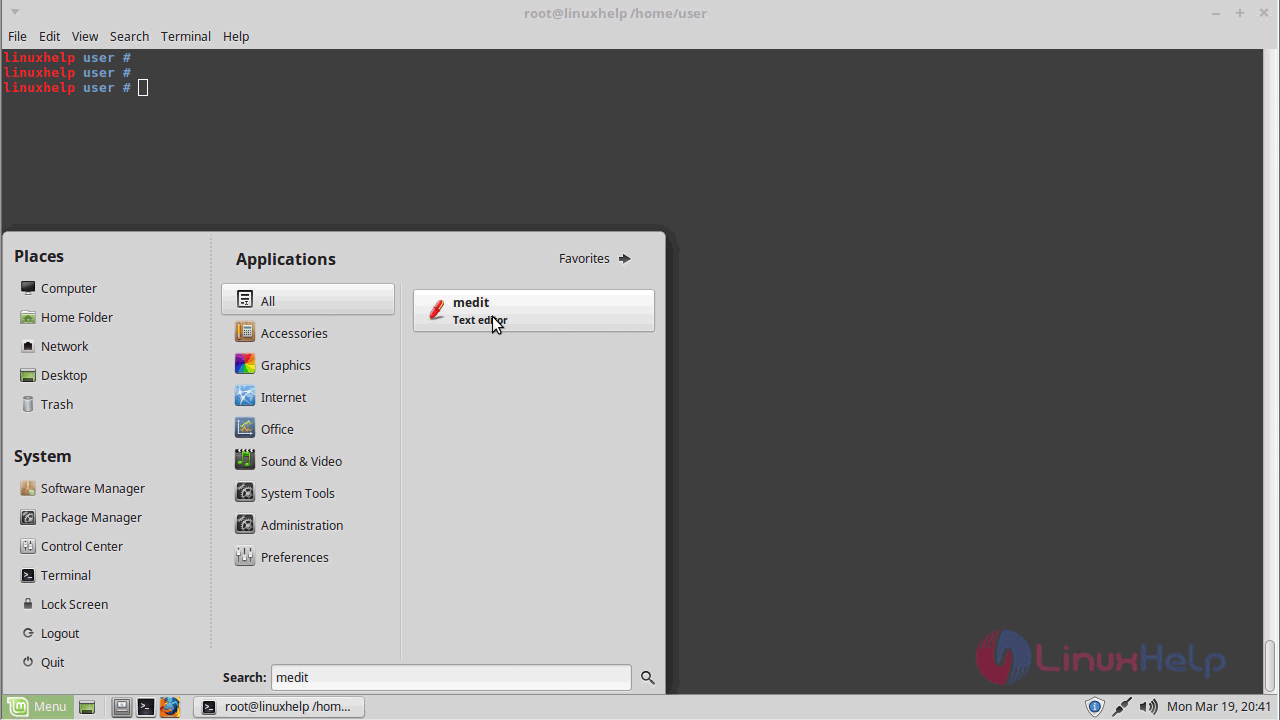
launch

When the application icon appears, you shall launch it.
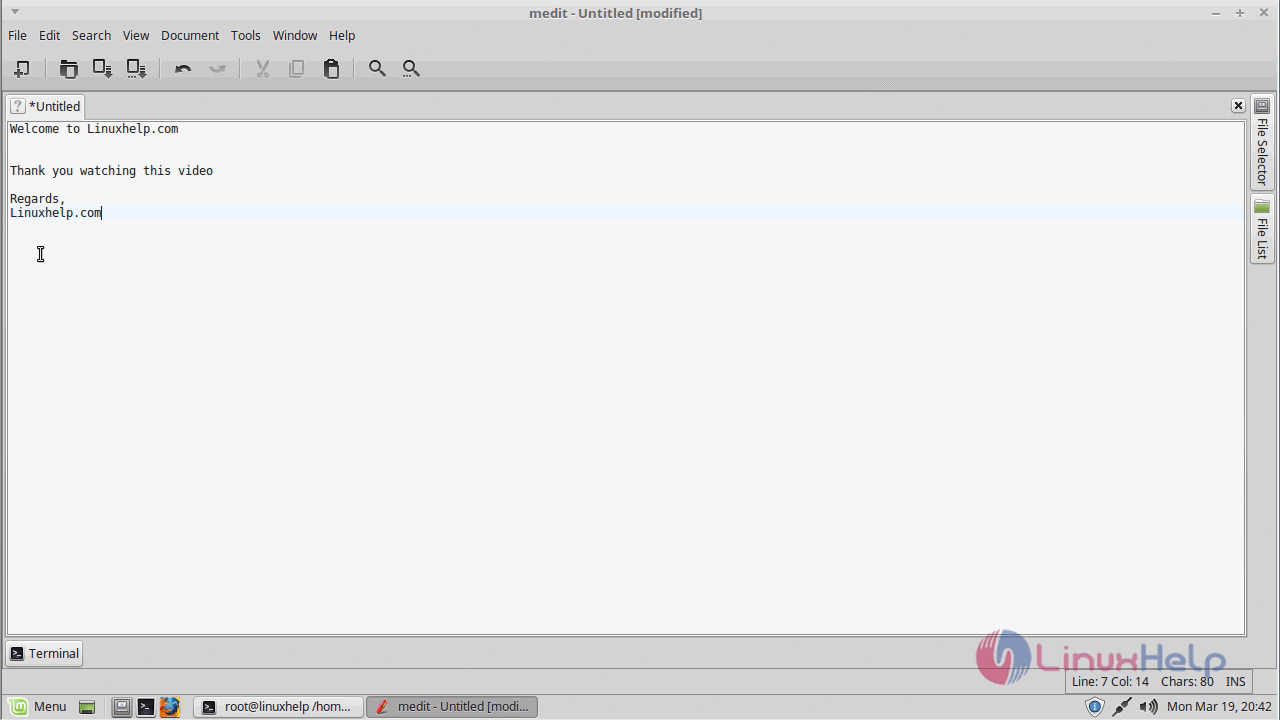
appear

You can check the version of the newly installed Medit by making use of the following command.
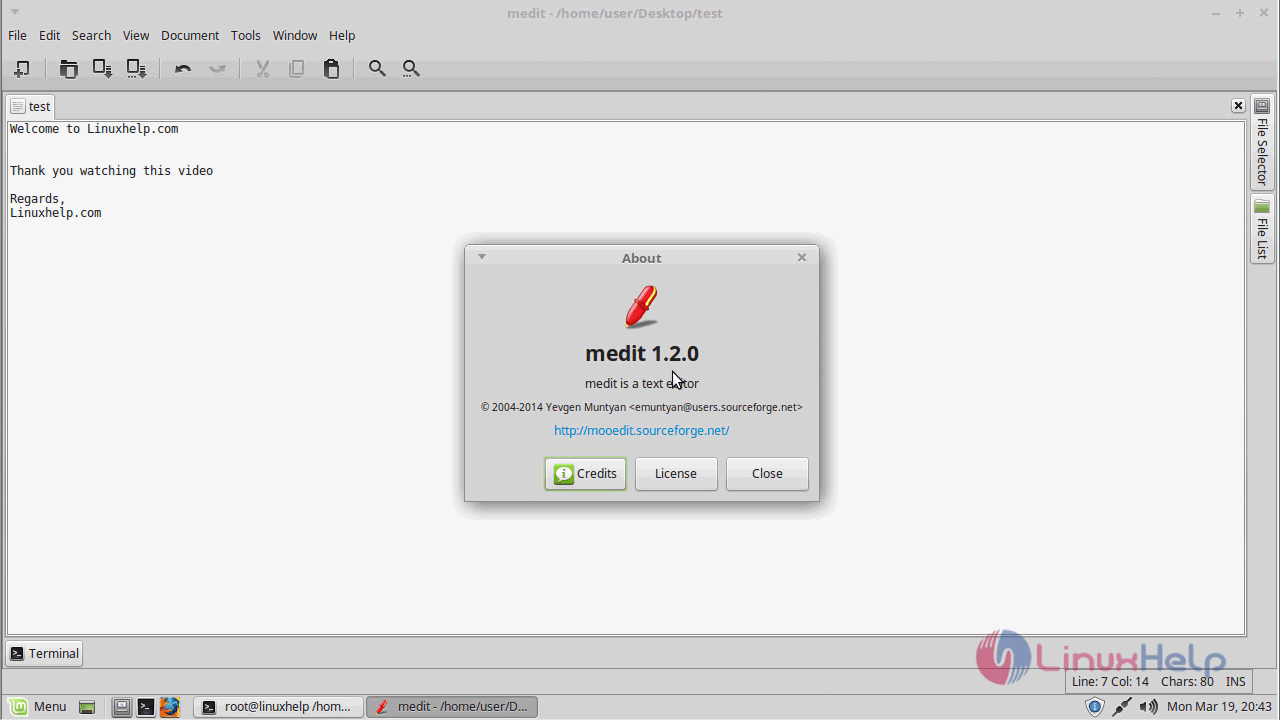
Version

With this, the method to install Medit on Linux Mint comes to an end.

Tags:
ethan
Author: 

Comments ( 0 )

No comments available

Add a comment
{{postCtrl.cmtErrMsg}}

Frequently asked questions ( 5 )

Q

what are the features in medit application?

A

Configurable syntax highlighting. Configurable keyboard accelerators. Multiplatform - works on unix and windows. Plugins: can be written in C, Python, or Lua.

Q

Is there any alternative available for MEdit??

A

Alternative for MEdit are

gedit.
Geany.
Komodo Edit
Notepad2
Tomboy

Q

How to remove Medit application?

A

run the command as follow "# apt-get remove medit".

Q

where to add the repo file for insatlling medit?

A

use the following file location to add the medit in debian

# nano /etc/apt/sources.list

deb http://ftp.debian.org/debian/ stable main contrib non-free

deb http://ftp.de.debian.org/debian jessie main

Q

which command to install the medit after adding the repo in debian?

A

After adding the repo in debian to install the medit package by following command

# apt-get install medit

Back To Top!
Rank
User
Points

Top Contributers

userNamenaveelansari
135850

Top Contributers

userNameayanbhatti
92510

Top Contributers

userNamehamzaahmed
32150

Top Contributers

1
userNamelinuxhelp
31040

Top Contributers

userNamemuhammadali
24500
Can you help legeek ?
Installation of the call center module

hello

I wish to install a call center in virtual with issabel, I downloaded the latest version of it , but I don' t arrive to install the call center module in issabel. please help me

thanks!

Networking
  • Routing
  • trunk
  • Netmask
  • Packet Capture
  • domain
  • HTTP Proxy
Server Setup
  • NFS
  • KVM
  • Memory
  • Sendmail
  • WebDAV
  • LXC
Shell Commands
  • Cloud commander
  • Command line archive tools
  • last command
  • Shell
  • terminal
  • Throttle
Desktop Application
  • Linux app
  • Pithos
  • Retrospect
  • Scribe
  • TortoiseHg
  • 4Images
Monitoring Tool
  • Monit
  • Apache Server Monitoring
  • EtherApe 
  • Arpwatch Tool
  • Auditd
  • Barman
Web Application
  • Nutch
  • Amazon VPC
  • FarmWarDeployer
  • Rukovoditel
  • Mirror site
  • Chef
Contact Us | Terms of Use| Privacy Policy| Disclaimer
© 2025 LinuxHelp.com All rights reserved. Linux™ is the registered trademark of Linus Torvalds. This site is not affiliated with linus torvalds in any way.