How to install mEdit in Ubuntu
To install mEdit in Ubuntu
mEdit is an open-source programming text editor for Linux systems. It is designed with highlighting features, configurable keyboard acceleration, Search and Replace option, and built-in file selector. mEdit is suitable for the developers who are looking for a comfortable environment to write code. Installation of mEdit in Ubuntu is explained in this article.
Installation of mEdit
For installing the mEdit, you need to add the repository with the below command.
root@linuxhelp1:~# add-apt-repository ppa:anton+/miscellaneous
 Various system packages backport.
 More info: https://launchpad.net/~anton+/+archive/ubuntu/miscellaneous
Press [ENTER] to continue or ctrl-c to cancel adding it

gpg: keyring `/tmp/tmpknq_pug1/secring.gpg'  created
gpg: keyring `/tmp/tmpknq_pug1/pubring.gpg'  created
gpg: requesting key 72B61DBF from hkp server keyserver.ubuntu.com
gpg: /tmp/tmpknq_pug1/trustdb.gpg: trustdb created
gpg: key 72B61DBF: public key " Launchpad PPA for Pascal Mons"  imported
gpg: Total number processed: 1
gpg:               imported: 1  (RSA: 1)
OK
Then update the newly added repository by running the following command.
root@linuxhelp1:~# apt-get update
Hit:1 http://in.archive.ubuntu.com/ubuntu xenial InRelease
Get:2 http://security.ubuntu.com/ubuntu xenial-security InRelease [94.5 kB]
Get:3 http://ppa.launchpad.net/anton+/miscellaneous/ubuntu xenial InRelease [18.1 kB]
Hit:4 http://in.archive.ubuntu.com/ubuntu xenial-updates InRelease
Hit:5 http://in.archive.ubuntu.com/ubuntu xenial-backports InRelease
Hit:6 http://ppa.launchpad.net/anton+/photo-video-apps/ubuntu xenial InRelease
Hit:7 http://ppa.launchpad.net/mscore-ubuntu/mscore-stable/ubuntu xenial InRelease
Hit:8 http://ppa.launchpad.net/scribus/ppa/ubuntu xenial InRelease
Get:9 http://ppa.launchpad.net/anton+/miscellaneous/ubuntu xenial/main amd64 Packages [1,516 B]
Get:10 http://ppa.launchpad.net/anton+/miscellaneous/ubuntu xenial/main i386 Packages [1,512 B]
Get:11 http://ppa.launchpad.net/anton+/miscellaneous/ubuntu xenial/main Translation-en [956 B]
Fetched 117 kB in 1s (67.8 kB/s)
Reading package lists... Done
Once the update is completed, install the medit package.
root@linuxhelp1:~# apt-get install medit -y
Reading package lists... Done
Building dependency tree
Reading state information... Done
The following packages were automatically installed and are no longer required:
  dcraw fonts-dejavu fonts-dejavu-extra i965-va-driver icc-profiles-free libaacs0 libaec0 libarmadillo6 libarpack2 libass5
  libavcodec-ffmpeg56 libavdevice-ffmpeg56 libavfilter-ffmpeg5 libavformat-ffmpeg56 libavresample-ffmpeg2 libavutil-ffmpeg54
  libbdplus0 libblas-common libblas3 libbluray1 libbs2b0 libcoin80v5 libcrystalhd3 libdap17v5 libdapclient6v5 libdc1394-22
  libepsilon1 libfaad2 libflite1 libfreexl1 libgdal1i libgeos-3.5.0 libgeos-c1v5 libgfortran3 libgif7 libgme0
  libgraphicsmagick-q16-3 libgsm1 libhdf4-0-alt libhdf5-10 libiso9660-8 libkmlbase1 libkmldom1 libkmlengine1 liblapack3 libmad0
  libminizip1 libmodplug1 libmp3lame0 libmpcdec6 libmysqlclient20 libnetcdf11 libodbc1 libogdi3.2 libopenal-data libopenal1
  libopencv-core2.4v5 libopencv-imgproc2.4v5 libopenjp2-7 libopenjpeg5 libopenscenegraph100v5 libopenthreads20 libpango1.0-0
  libpangox-1.0-0 libpodofo0.9.3 libpostproc-ffmpeg53 libpq5 libproj9 libqt4-opengl libqt5clucene5 libqt5help5 libqt5xmlpatterns5
  libschroedinger-1.0-0 libsdl1.2debian libshine3 libsnappy1v5 libsodium18 libsoxr0 libspatialite7 libssh-gcrypt-4 libsuperlu4
  libswresample-ffmpeg1 libswscale-ffmpeg3 libsz2 libtbb2 libtwolame0 liburiparser1 libva1 libvcdinfo0 libvdpau1 libwxbase3.0-0v5
  libwxgtk3.0-0v5 libx264-148 libx265-79 libxerces-c3.1 libxine2 libxine2-bin libxine2-doc libxine2-ffmpeg libxine2-misc-plugins
  libxine2-plugins libxvidcore4 libzmq5 libzvbi-common libzvbi0 linux-headers-4.4.0-21 linux-headers-4.4.0-21-generic
  linux-image-4.4.0-21-generic linux-image-extra-4.4.0-21-generic mesa-vdpau-drivers musescore-common mysql-common odbcinst
  odbcinst1debian2 proj-bin proj-data qml-module-qtquick-controls qml-module-qtquick-dialogs qml-module-qtquick-privatewidgets
  scribus-trunk-data va-driver-all vdpau-driver-all vdpau-va-driver
Use ' sudo apt autoremove'  to remove them.
The following NEW packages will be installed:
  Medit
.
.
.
Processing triggers for desktop-file-utils (0.22-1ubuntu5) ...
Processing triggers for mime-support (3.59ubuntu1) ...
Processing triggers for man-db (2.7.5-1) ...
Processing triggers for hicolor-icon-theme (0.15-0ubuntu1) ...
Setting up medit (1.2.0-2) ...
Now open the mEdit from the Unity Dash. Type the installed text editor name in the search bar and then click on that icon.
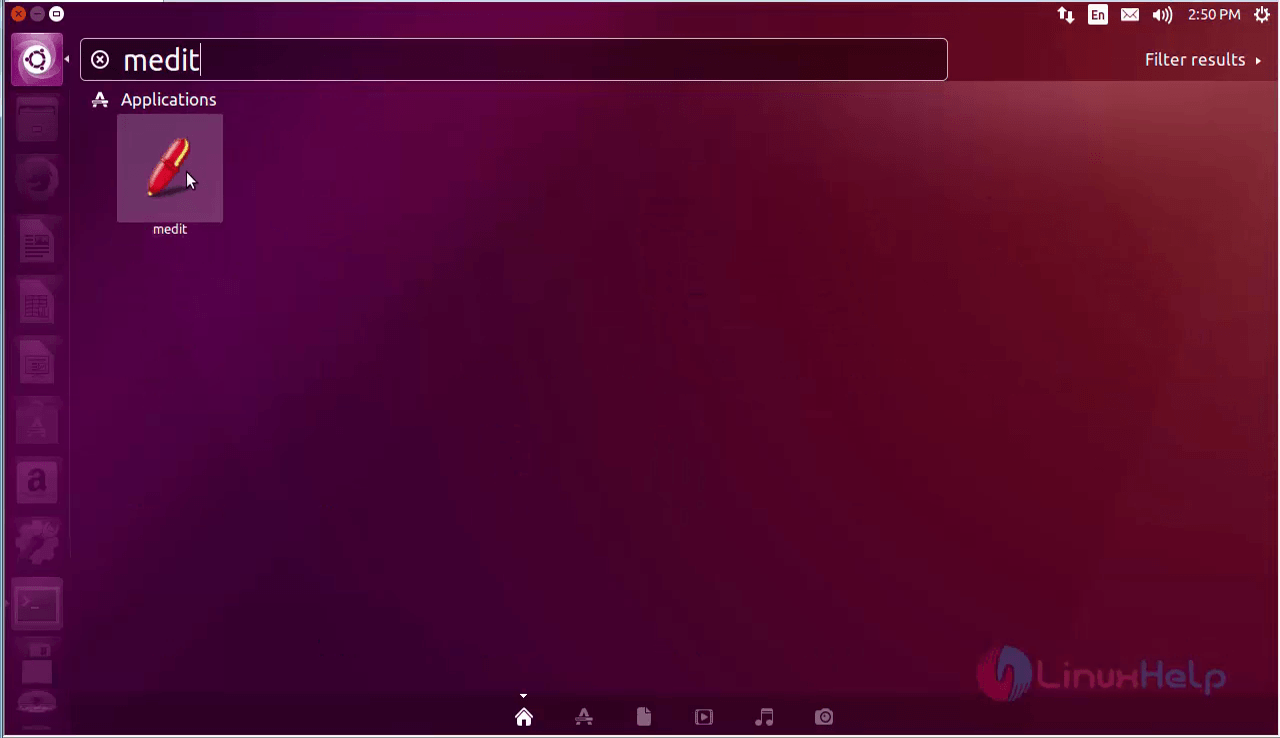
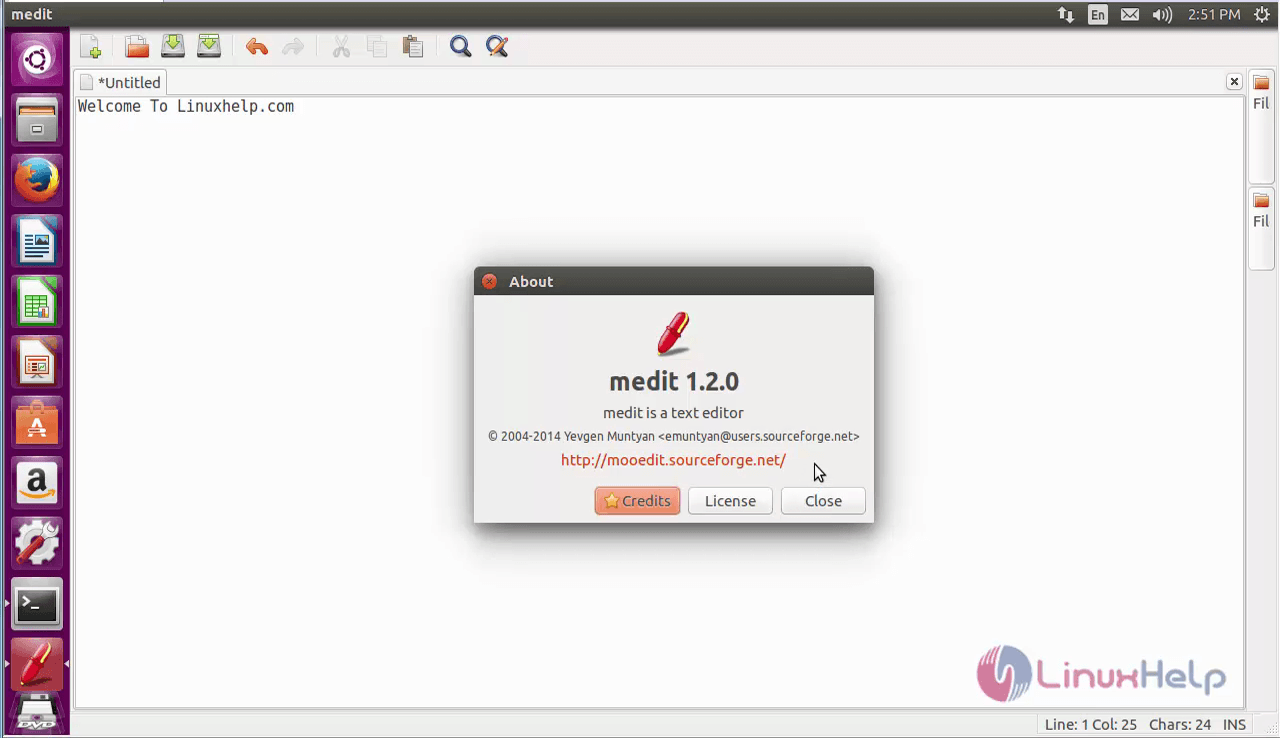
Here you can able to see the medit package as shown below.
To remove the mEdit package
Run the below command to uninstall the mEdit package.
root@linuxhelp1:~# apt-get remove medit -y
Reading package lists... Done
Building dependency tree
Reading state information... Done
The following packages were automatically installed and are no longer required:
  dcraw fonts-dejavu fonts-dejavu-extra i965-va-driver icc-profiles-free libaacs0 libaec0 libarmadillo6 libarpack2 libass5
  libavcodec-ffmpeg56 libavdevice-ffmpeg56 libavfilter-ffmpeg5 libavformat-ffmpeg56 libavresample-ffmpeg2 libavutil-ffmpeg54
  libbdplus0 libblas-common libblas3 libbluray1 libbs2b0 libcoin80v5 libcrystalhd3 libdap17v5 libdapclient6v5 libdc1394-22
  libepsilon1 libfaad2 libflite1 libfreexl1 libgdal1i libgeos-3.5.0 libgeos-c1v5 libgfortran3 libgif7 libgme0
  libgraphicsmagick-q16-3 libgsm1 libhdf4-0-alt libhdf5-10 libiso9660-8 libkmlbase1 libkmldom1 libkmlengine1 liblapack3 libmad0
  libminizip1 libmodplug1 libmp3lame0 libmpcdec6 libmysqlclient20 libnetcdf11 libodbc1 libogdi3.2 libopenal-data libopenal1
  libopencv-core2.4v5 libopencv-imgproc2.4v5 libopenjp2-7 libopenjpeg5 libopenscenegraph100v5 libopenthreads20 libpango1.0-0
  libpangox-1.0-0 libpodofo0.9.3 libpostproc-ffmpeg53 libpq5 libproj9 libqt4-opengl libqt5clucene5 libqt5help5 libqt5xmlpatterns5
  libschroedinger-1.0-0 libsdl1.2debian libshine3 libsnappy1v5 libsodium18 libsoxr0 libspatialite7 libssh-gcrypt-4 libsuperlu4
  libswresample-ffmpeg1 libswscale-ffmpeg3 libsz2 libtbb2 libtwolame0 liburiparser1 libva1 libvcdinfo0 libvdpau1 libwxbase3.0-0v5
.
.
.
Processing triggers for hicolor-icon-theme (0.15-0ubuntu1) ...
Processing triggers for man-db (2.7.5-1) ...
Processing triggers for bamfdaemon (0.5.3~bzr0+16.04.20160701-0ubuntu1) ...
Rebuilding /usr/share/applications/bamf-2.index...
Processing triggers for gnome-menus (3.13.3-6ubuntu3.1) ...
Processing triggers for desktop-file-utils (0.22-1ubuntu5) ...
Processing triggers for mime-support (3.59ubuntu1) ...
Processing triggers for doc-base (0.10.7) ...
Processing 2 removed doc-base files...
Comments ( 0 )
No comments available