How to Install Medit V1.2.0 on ubuntu18.04
{{postValue.id}}
To Install Medit V1.2.0 on ubuntu18.04
MEdit (MooEdit) is a free and open-source programming text editor. It is suitable for the developers who are looking for a comfortable environment to write code.
Installation
First, add the repository of Medit using PPA
root@linuxhelp:~# add-apt-repository ppa:anton+/miscellaneous

 Various system packages backport.
 More info: https://launchpad.net/~anton+/+archive/ubuntu/miscellaneous

Press [ENTER] to continue or Ctrl-c to cancel adding it.


gpg: keybox ' /tmp/tmpcgzvz9qf/pubring.gpg'  created
gpg: /tmp/tmpcgzvz9qf/trustdb.gpg: trustdb created
gpg: key E058073A72B61DBF: public key " Launchpad PPA for Pascal Mons"  imported
gpg: Total number processed: 1
gpg:               imported: 1
OK
Hit:1 http://in.archive.ubuntu.com/ubuntu bionic InRelease
Hit:2 http://security.ubuntu.com/ubuntu bionic-security InRelease
Hit:3 http://in.archive.ubuntu.com/ubuntu bionic-updates InRelease
Get:4 http://ppa.launchpad.net/anton+/miscellaneous/ubuntu bionic InRelease [15.9 kB]
Hit:5 http://in.archive.ubuntu.com/ubuntu bionic-backports InRelease
Hit:6 http://ppa.launchpad.net/giuspen/ppa/ubuntu bionic InRelease
Get:7 http://ppa.launchpad.net/anton+/miscellaneous/ubuntu bionic/main amd64 Packages [13.3 kB]
Get:8 http://ppa.launchpad.net/anton+/miscellaneous/ubuntu bionic/main i386 Packages [12.6 kB]
Get:9 http://ppa.launchpad.net/anton+/miscellaneous/ubuntu bionic/main Translation-en [8,368 B]
Fetched 50.2 kB in 2s (22.5 kB/s)
Reading package lists... Done
Update the system repository
root@linuxhelp:~# apt-get update
Hit:1 http://ppa.launchpad.net/anton+/miscellaneous/ubuntu bionic InRelease
Hit:2 http://security.ubuntu.com/ubuntu bionic-security InRelease
Hit:3 http://in.archive.ubuntu.com/ubuntu bionic InRelease
Hit:4 http://in.archive.ubuntu.com/ubuntu bionic-updates InRelease
Hit:5 http://ppa.launchpad.net/giuspen/ppa/ubuntu bionic InRelease
Hit:6 http://in.archive.ubuntu.com/ubuntu bionic-backports InRelease
Reading package lists... Done
Install the Medit application
root@linuxhelp:~# apt-get install medit
Reading package lists... Done
Building dependency tree
Reading state information... Done

The following NEW packages will be installed

 medit
0 upgraded, 1 newly installed, 0 to remove and 491 not upgraded.
Need to get 0 B/1,279 kB of archives.

After this operation, 6,055 kB of additional disk space will be used.
Selecting previously unselected package medit.

(Reading database ... 132870 files and directories currently installed.)
Preparing to unpack .../medit_1.2.0-3_amd64.deb ...
Unpacking medit (1.2.0-3) ...
Processing triggers for mime-support (3.60ubuntu1) ...
Processing triggers for desktop-file-utils (0.23-1ubuntu3) ...
Setting up medit (1.2.0-3) ...
Processing triggers for man-db (2.8.2-1) ...
Processing triggers for gnome-menus (3.13.3-11ubuntu1) ...
Processing triggers for hicolor-icon-theme (0.17-2) ...
Launch the application from the terminal as follows
root@linuxhelp:~# medit
Gtk-Message: 00:48:55.991: Failed to load module " canberra-gtk-module"

(medit:4630): Moo-WARNING **: 00:48:56.213: in file moopython/moopython-builtin.c, line 66, function _moo_python_builtin_init: could not initialize _moo module
ImportError: No module named gobject
[..]
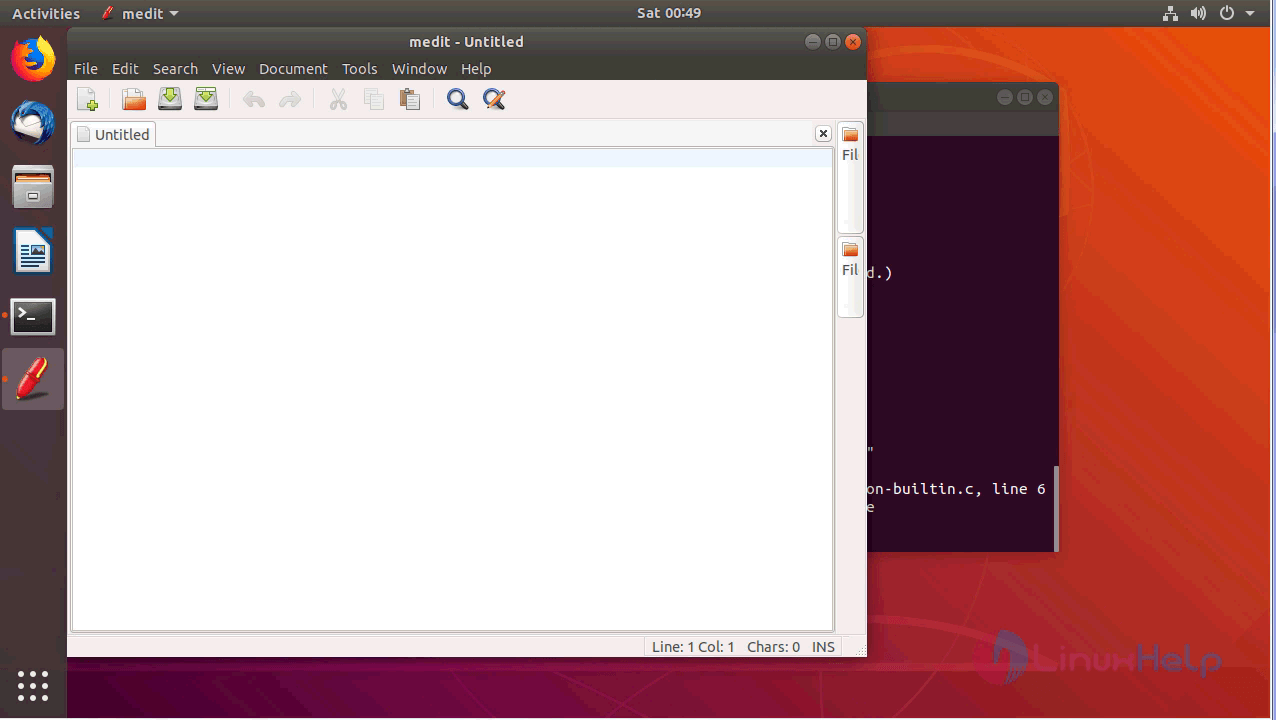
The Medit application will appear as shown on screen
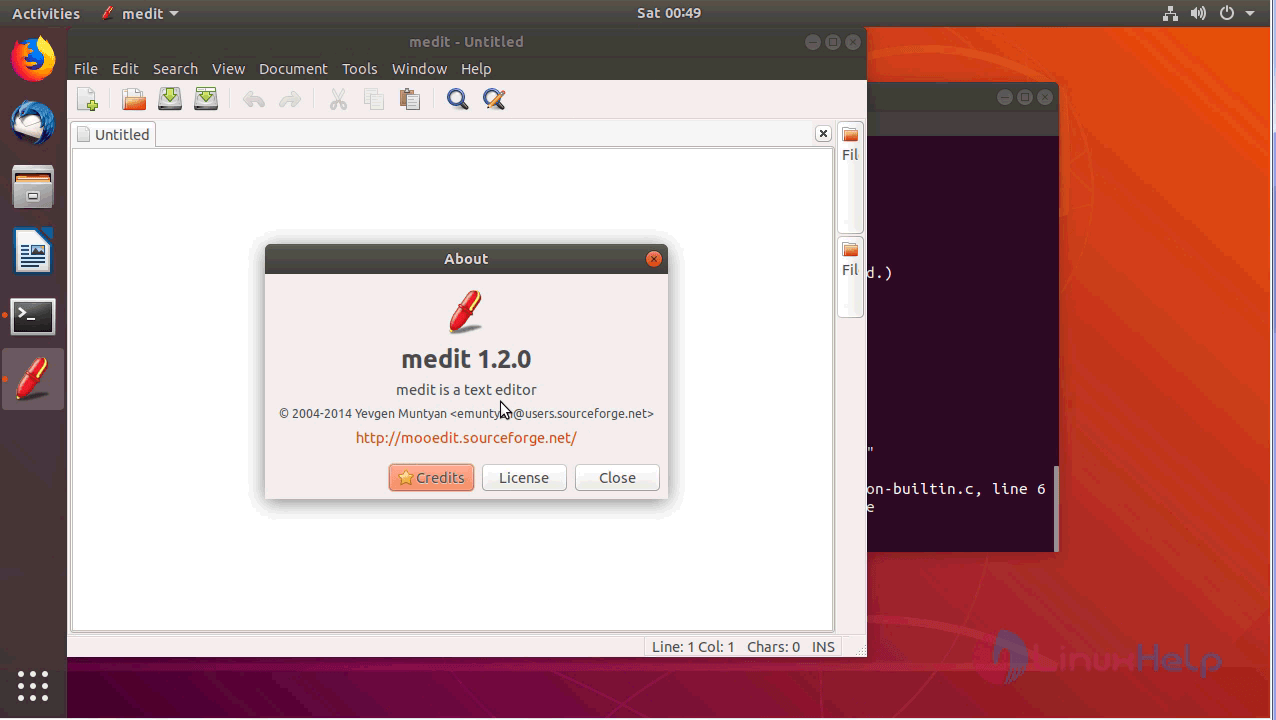
you can verify the version from the help menu
with this, the method to Install Medit V1.2.0 on ubuntu18.04 comes to an end.
Comments ( 0 )
No comments available