How to install MenuLibre on Debian 8.3
To Install MenuLibre on Debian 8.3
MenuLibre is an advanced menu editor built with several modern features in a clean, easy-to-use interface. Even lightweight systems can benefit from the options available on MenuLibre. The installation process of MenuLibre on Debian is covered in this article.
Installing MenuLibre
Before you start the installation of MenuLibre on your Debian machine, make sure you add the necessary repositories to your system. Use the following command to open the sources.list file to which the repos should be added.
root@linuxhelp:~# nano /etc/apt/sources.list
Once the file is opened, add the following lines at its end.
deb http://ftp.debian.org/debian/ stable main contrib non-free
deb http://ftp.de.debian.org/debian jessie main
Once the lines are added, save and exit the file.
Now, update the newly added repo by invoking the following command.
root@linuxhelp:~# apt-get update
Get:1 http://ftp.debian.org jessie-updates InRelease [145 kB]
Ign http://ftp.de.debian.org jessie InRelease
Get:2 http://ftp.de.debian.org jessie Release.gpg [2,373 B]
Get:3 http://ftp.de.debian.org jessie Release [148 kB]
Ign http://ftp.debian.org stable InRelease
Get:4 http://ftp.debian.org jessie-updates/main Sources [15.5 kB]
Get:5 http://ftp.debian.org jessie-updates/contrib Sources [32 B]
Get:6 http://ftp.debian.org jessie-updates/main amd64 Packages/DiffIndex [7,408 B]
Get:7 http://ftp.de.debian.org jessie/main amd64 Packages [6,776 kB]
Get:8 http://ftp.debian.org jessie-updates/contrib amd64 Packages [32 B]
Get:9 http://ftp.debian.org jessie-updates/contrib Translation-en [14 B]
Get:10 http://ftp.debian.org jessie-updates/main Translation-en/DiffIndex [2,704 B]
Get:11 http://ftp.debian.org stable Release.gpg [2,373 B]
Get:12 http://ftp.debian.org jessie-updates/main amd64 2017-03-14-2025.02.pdiff [526 B]
Get:13 http://ftp.debian.org jessie-updates/main amd64 2017-03-14-2025.02.pdiff [526 B]
Get:14 http://ftp.debian.org stable Release [148 kB]
.
.
Get:21 http://ftp.de.debian.org jessie/main Translation-en [4,582 kB]
Fetched 23.4 MB in 3min 16s (119 kB/s)
Reading package lists... Done
Now is the time to install MenuLibre by running the following command.
root@linuxhelp:~# apt-get install menulibre
Reading package lists... Done
Building dependency tree
Reading state information... Done
The following extra packages will be installed:
  python3-psutil
The following NEW packages will be installed:
  menulibre python3-psutil
0 upgraded, 2 newly installed, 0 to remove and 264 not upgraded.
Need to get 162 kB of archives.
After this operation, 1,361 kB of additional disk space will be used.
Do you want to continue? [Y/n] y
.
.
Setting up python3-psutil (2.1.1-1+b1) ...
Setting up menulibre (2.0.6-1) ...
MenuLibre has been installed. You can use your Activities search bar to find and launch the application.
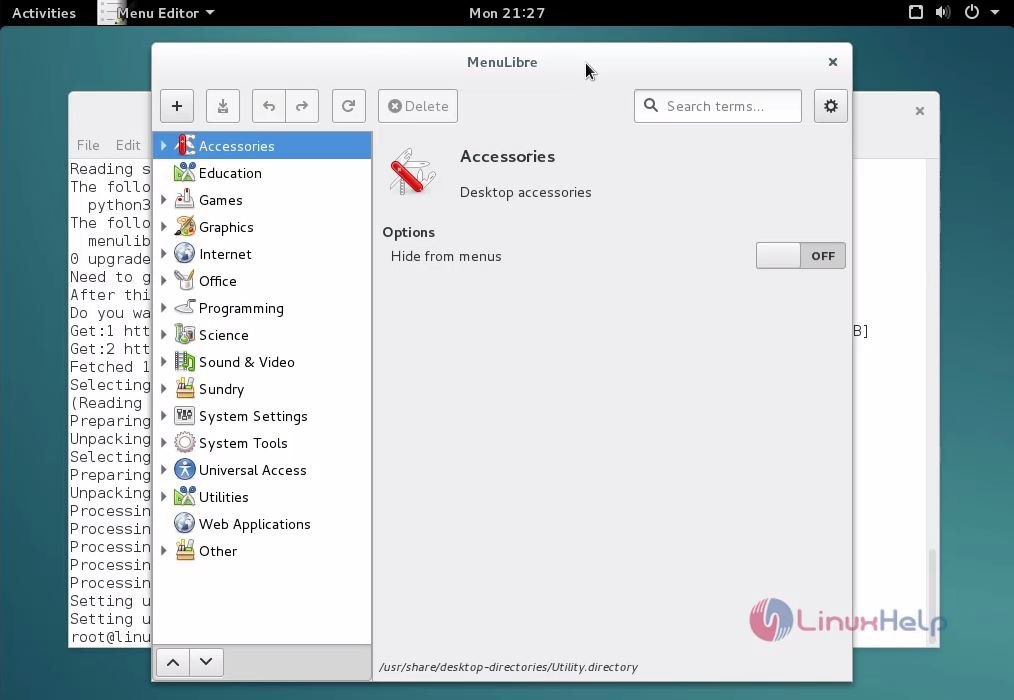
It was a simple installation procedure, wasn' t it? It is also quite easy to work with MenuLibre. It can be used for creating new launchers, or modify existing ones with complete control over common settings and access to advanced settings.
Comments ( 0 )
No comments available