• Categories
    Category
    {{ postCtrl.tags }}
    • {{ category.tag_type }}

      • {{tag.tag_name}}
      • View more
  • Categories
    Category
    {{ postCtrl.tags }}
    • {{ category.tag_type }}

      • {{tag.tag_name}}
      • View more
  • News
  • Tutorials
  • Forums
  • Tags
  • Users
Tutorial News Comments FAQ Related Articles

How to install Meshlab 1.3.2 on Linux mint 18.3

{{postValue.id}}

To install Meshlab &ndash 1.3.2 on Linux mint &ndash 18.3

Mesh lab is a cross-platform and advanced 3D mesh processing software that is oriented to the management and processing of unstructured large meshes and provides a set of tools for editing, cleaning, healing, inspecting, rendering and conveting these kinds of meshes. Its is a free and open source software and it s based on GNU General Public License. It is really so simple to install Meshlab and this tutorial covers the method to install Meshlab on Linux Mint 18.3.

Installing Meshlab

First, make sure you update the system repository by making use of the following command.

linuxhelp user # apt-get update
Hit:1 http://archive.ubuntu.com/ubuntu xenial InRelease
Ign:2 http://packages.linuxmint.com sylvia InRelease                                                                
Get:3 http://archive.canonical.com/ubuntu xenial InRelease [11.5 kB]                      
Hit:4 http://packages.linuxmint.com sylvia Release                                             
Get:6 http://archive.canonical.com/ubuntu xenial/partner amd64 Packages [3,132 B]  
.
.            
Get:22 http://archive.ubuntu.com/ubuntu xenial-backports/universe amd64 Packages [7,080 B]                                                                  
Get:23 http://archive.ubuntu.com/ubuntu xenial-backports/universe i386 Packages [7,064 B]                                                                   
Get:24 http://archive.ubuntu.com/ubuntu xenial-backports/universe Translation-en [3,812 B]                                                                  
Get:25 http://security.ubuntu.com/ubuntu xenial-security/universe Translation-en [121 kB]                                                                   
Fetched 5,268 kB in 14s (373 kB/s)                                                                                                                          
Reading package lists... Done

Once it is done, you shall proceed with the installation of Meshlab. You shall trigger the installation process by executing the following command.

linuxhelp user # apt-get install meshlab
Reading package lists... Done
Building dependency tree       
Reading state information... Done
The following additional packages will be installed:
  lib3ds-1-3 libmuparser2v5 libopenctm1 libqhull7
Recommended packages:
  chemical-mime-data
The following NEW packages will be installed:
  lib3ds-1-3 libmuparser2v5 libopenctm1 libqhull7 meshlab
0 upgraded, 5 newly installed, 0 to remove and 280 not upgraded.
Need to get 5,012 kB of archives.
After this operation, 22.3 MB of additional disk space will be used.
Do you want to continue? [Y/n] y
.
.
Selecting previously unselected package meshlab.
Preparing to unpack .../meshlab_1.3.2+dfsg1-2build4_amd64.deb ...
Unpacking meshlab (1.3.2+dfsg1-2build4) ...
Processing triggers for libc-bin (2.23-0ubuntu9) ...
Processing triggers for mime-support (3.59ubuntu1) ...
Processing triggers for desktop-file-utils (0.22+linuxmint1) ...
Processing triggers for shared-mime-info (1.5-2ubuntu0.1) ...
Setting up lib3ds-1-3:amd64 (1.3.0-8) ...
Setting up libmuparser2v5:amd64 (2.2.3-6) ...
Setting up libqhull7:amd64 (2015.2-1) ...
Setting up libopenctm1:amd64 (1.0.3+dfsg1-1.1build2) ...
Setting up meshlab (1.3.2+dfsg1-2build4) ...
Processing triggers for libc-bin (2.23-0ubuntu9) ...

Now that Meshlab has been installed, you shall launch it from your Linux Mint search field by typing its name.
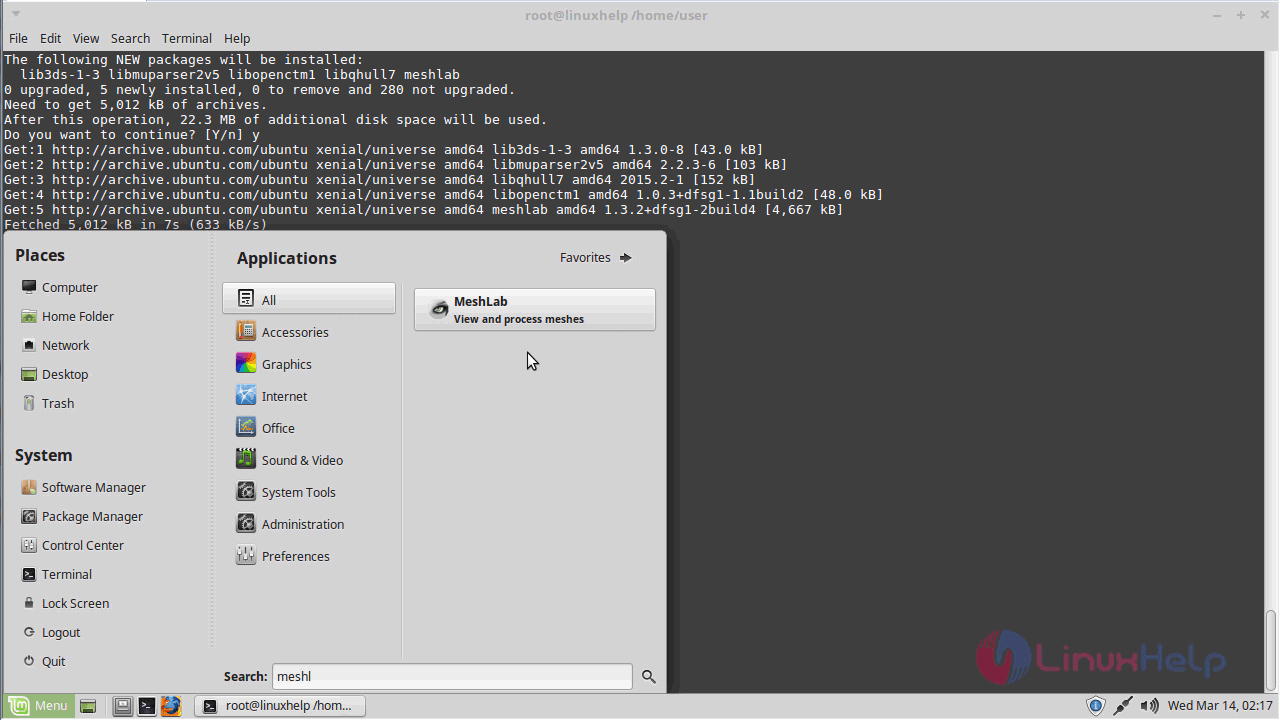
Linux mint

Click the application icon that appears.
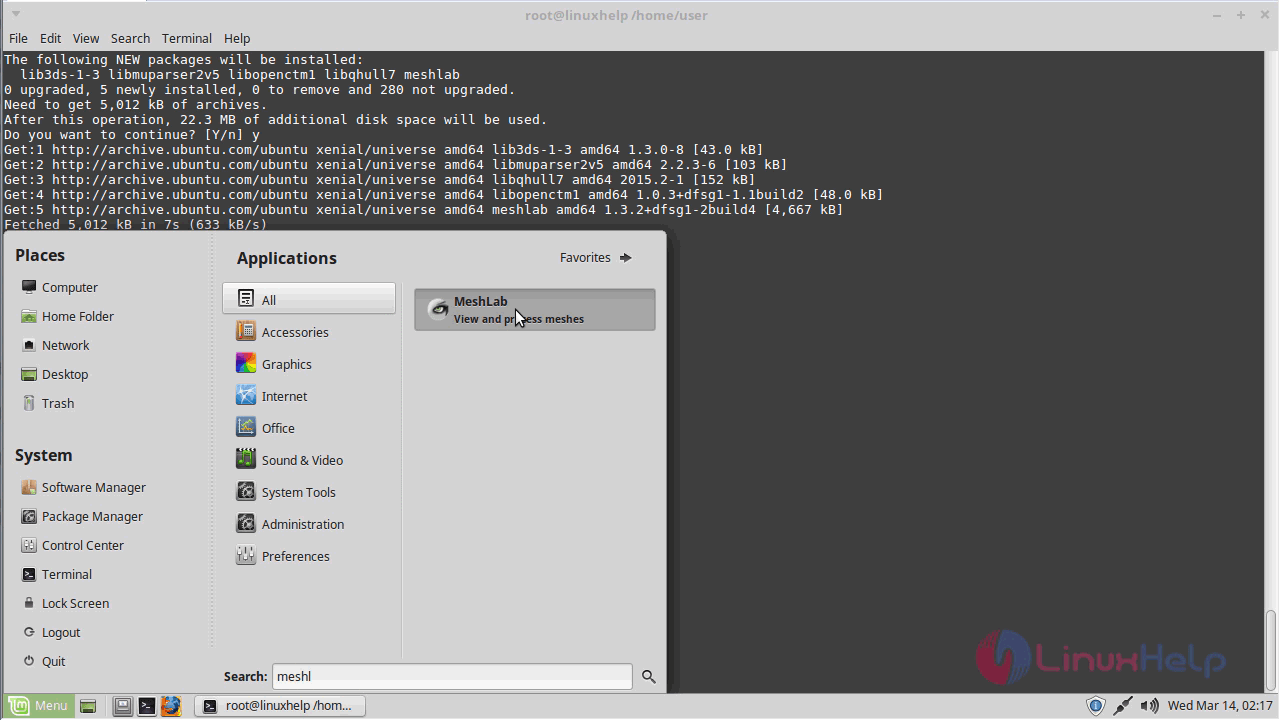
Application

The Meshlab application is now open.
Open

You can see the version of your application by choosing the About option.
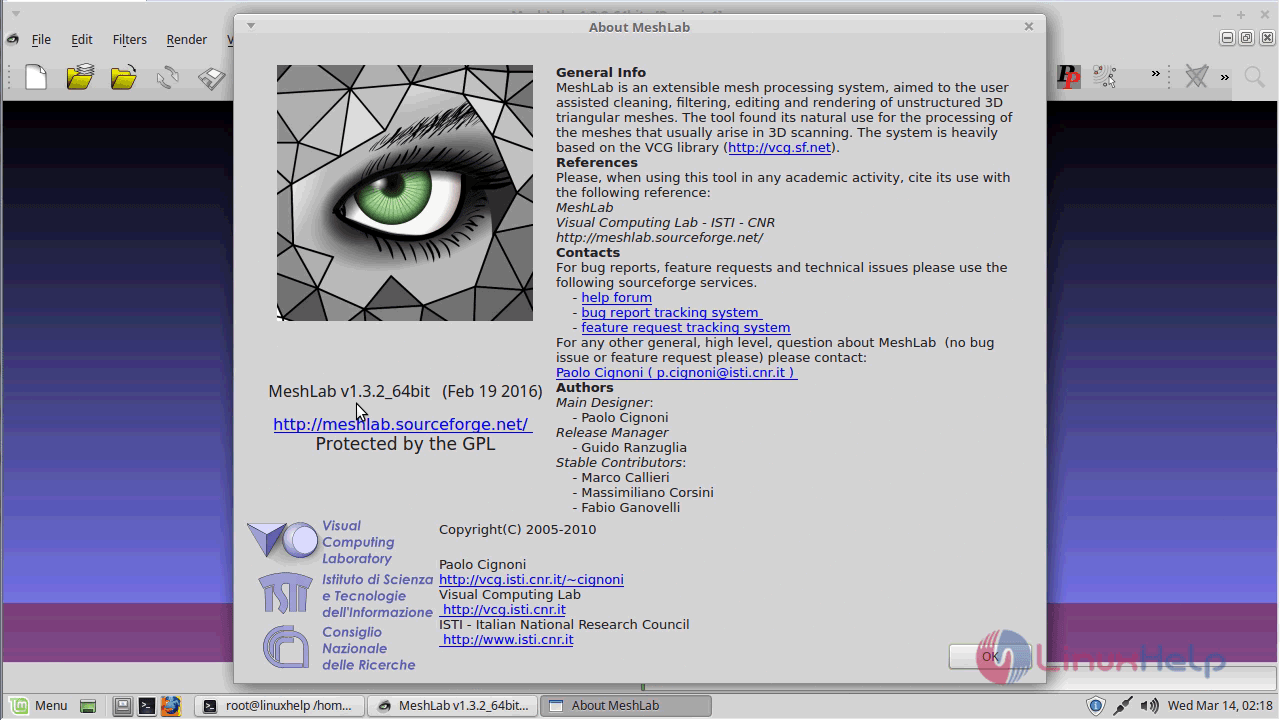
Application

With this, the tutorial on the installation of Meshlab comes to an end.

Tags:
jackson
Author: 

Comments ( 0 )

No comments available

Add a comment
{{postCtrl.cmtErrMsg}}

Frequently asked questions ( 5 )

Q

what programming language is used to build Meshlab?

A

C++, JavaScript will using to build Meshlab .

Q

Whether Meshlab is available on multiple platforms?

A

yes, Meshlab is available in multiple platforms
It can available is Linux, Windows, MAC

Q

My model is missing pieces after uploading, what's going on?

A

This type of behavior can occur if the model contains inverted normals, hereby the definition of inside and outside is not coherent.
In an attempt to fix the model, Meshmedic subtracts the in

Q

The on-site rendering of my model looks bad. There are holes in the model, some parts are missing, the color texture is wrong. Will it still print correctly?

A

Most likely not. Your model may contain errors which cannot be fixed by the automatic repair process. These errors manifest themselves in te bad render. Run your model through the Netfabb sof

Q

is there any source package available for MeshLab?

A

use the below link for source package for meshlab
http://github.com/cnr-isti-vclab/meshlab/archive/v2016.12.tar.gz

Back To Top!
Rank
User
Points

Top Contributers

userNamenaveelansari
135850

Top Contributers

userNameayanbhatti
92510

Top Contributers

userNamehamzaahmed
32150

Top Contributers

1
userNamelinuxhelp
31040

Top Contributers

userNamemuhammadali
24500
Can you help Owen ?
How to add SSH key to my Gitlab account

I need to add the SSH key in my gitlab account. How to do so ????

Networking
  • Routing
  • trunk
  • Netmask
  • Packet Capture
  • domain
  • HTTP Proxy
Server Setup
  • NFS
  • KVM
  • Memory
  • Sendmail
  • WebDAV
  • LXC
Shell Commands
  • Cloud commander
  • Command line archive tools
  • last command
  • Shell
  • terminal
  • Throttle
Desktop Application
  • Linux app
  • Pithos
  • Retrospect
  • Scribe
  • TortoiseHg
  • 4Images
Monitoring Tool
  • Monit
  • Apache Server Monitoring
  • EtherApe 
  • Arpwatch Tool
  • Auditd
  • Barman
Web Application
  • Nutch
  • Amazon VPC
  • FarmWarDeployer
  • Rukovoditel
  • Mirror site
  • Chef
Contact Us | Terms of Use| Privacy Policy| Disclaimer
© 2025 LinuxHelp.com All rights reserved. Linux™ is the registered trademark of Linus Torvalds. This site is not affiliated with linus torvalds in any way.