How to install Micro text editor on Fedora 34
{{postValue.id}}
To Install and Micro text editor on Fedora 34
Introduction:
A micro text editor is a cross-platform terminal-based text editor that can be used with Linux and on all other platforms such as Windows and Mac OS that comes as a single and without dependency. As well as being an easy-to-use text editor, it also doubles as a modern terminal.
Step 1: Check the Fedora version by using the below command
[root@linuxhelp ~]# cat /etc/os-release
NAME=Fedora
VERSION="34 (Workstation Edition)"
ID=fedora
VERSION_ID=34
VERSION_CODENAME=""
PLATFORM_ID="platform:f34"
PRETTY_NAME="Fedora 34 (Workstation Edition)"
ANSI_COLOR="0;38;2;60;110;180"
LOGO=fedora-logo-icon
CPE_NAME="cpe:/o:fedoraproject:fedora:34"
HOME_URL="https://fedoraproject.org/"
DOCUMENTATION_URL="https://docs.fedoraproject.org/en-US/fedora/34/system-administrators-guide/"
SUPPORT_URL="https://fedoraproject.org/wiki/Communicating_and_getting_help"
BUG_REPORT_URL="https://bugzilla.redhat.com/"
REDHAT_BUGZILLA_PRODUCT="Fedora"
REDHAT_BUGZILLA_PRODUCT_VERSION=34
REDHAT_SUPPORT_PRODUCT="Fedora"
REDHAT_SUPPORT_PRODUCT_VERSION=34
PRIVACY_POLICY_URL="https://fedoraproject.org/wiki/Legal:PrivacyPolicy"
VARIANT="Workstation Edition"
VARIANT_ID=workstation
Step 2: Download the micro text editor using wget command
[root@linuxhelp ~]# wget  https://github.com/zyedidia/micro/releases/download/v1.4.0/micro-1.4.0-linux64.tar.gz
--2022-01-26 05:02:54--  https://github.com/zyedidia/micro/releases/download/v1.4.0/micro-1.4.0-linux64.tar.gz
Resolving github.com (github.com)... 13.234.176.102
Connecting to github.com (github.com)|13.234.176.102|:443... connected.
HTTP request sent, awaiting response... 302 Found
Location: https://objects.githubusercontent.com/github-production-release-asset-2e65be/53632140/867d581e-020d-11e8-82fa-7816dc052297?X-Amz-Algorithm=AWS4-HMAC-SHA256&X-Amz-Credential=AKIAIWNJYAX4CSVEH53A%2F20220125%2Fus-east-1%2Fs3%2Faws4_request&X-Amz-Date=20220125T233255Z&X-Amz-Expires=300&X-Amz-Signature=ec3158ad28b0cb0198ea90512f01e31e084a2f769f42850ffdd3dcb7bd3fc8a4&X-Amz-SignedHeaders=host&actor_id=0&key_id=0&repo_id=53632140&response-content-disposition=attachment%3B%20filename%3Dmicro-1.4.0-linux64.tar.gz&response-content-type=application%2Foctet-stream [following]
--2022-01-26 05:02:55--  https://objects.githubusercontent.com/github-production-release-asset-2e65be/53632140/867d581e-020d-11e8-82fa-7816dc052297?X-Amz-Algorithm=AWS4-HMAC-SHA256&X-Amz-Credential=AKIAIWNJYAX4CSVEH53A%2F20220125%2Fus-east-1%2Fs3%2Faws4_request&X-Amz-Date=20220125T233255Z&X-Amz-Expires=300&X-Amz-Signature=ec3158ad28b0cb0198ea90512f01e31e084a2f769f42850ffdd3dcb7bd3fc8a4&X-Amz-SignedHeaders=host&actor_id=0&key_id=0&repo_id=53632140&response-content-disposition=attachment%3B%20filename%3Dmicro-1.4.0-linux64.tar.gz&response-content-type=application%2Foctet-stream
Resolving objects.githubusercontent.com (objects.githubusercontent.com)... 185.199.111.133, 185.199.110.133, 185.199.108.133, ...
Connecting to objects.githubusercontent.com (objects.githubusercontent.com)|185.199.111.133|:443... connected.
HTTP request sent, awaiting response... 200 OK
Length: 3893929 (3.7M) [application/octet-stream]
Saving to: ‘micro-1.4.0-linux64.tar.gz’

micro-1.4.0-linux64.tar.gz  100%[===========================================>]   3.71M  23.2MB/s    in 0.2s

2022-01-26 05:02:55 (23.2 MB/s) - ‘micro-1.4.0-linux64.tar.gz’ saved [3893929/3893929]
Step 3: Extract the micro text editor using the below command
[root@linuxhelp ~]# tar -xvf micro-1.4.0-linux64.tar.gz
micro-1.4.0/
micro-1.4.0/LICENSE
micro-1.4.0/README.md
micro-1.4.0/LICENSE-THIRD-PARTY
micro-1.4.0/micro
Step 4: Enter into the micro directory by using the below command
[root@linuxhelp ~]# cd micro-1.4.0/
Step 5: Execute the micro text editor by run the below command
[root@linuxhelp micro-1.4.0]# ./micro
Step 6: This is the micro text editor
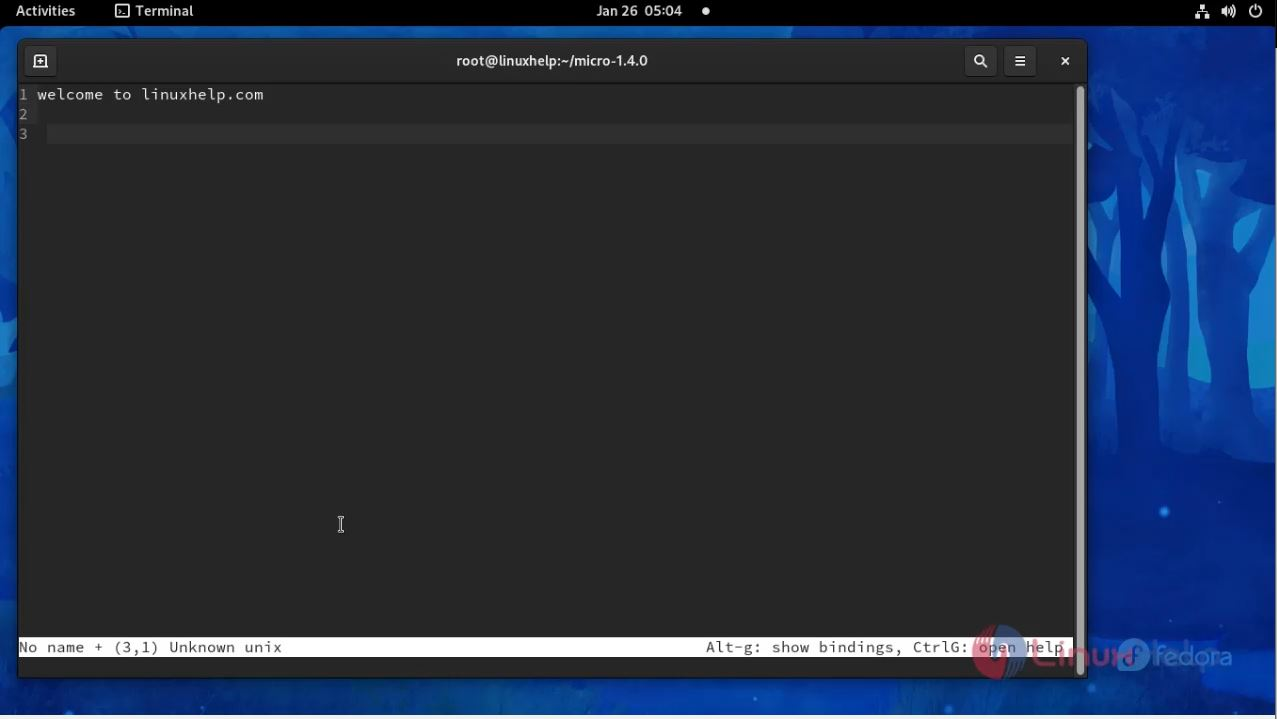
With this the installation process of micro text editor on fedora 34 comes to an end.
Comments ( 0 )
No comments available