• Categories
    Category
    {{ postCtrl.tags }}
    • {{ category.tag_type }}

      • {{tag.tag_name}}
      • View more
  • Categories
    Category
    {{ postCtrl.tags }}
    • {{ category.tag_type }}

      • {{tag.tag_name}}
      • View more
  • News
  • Tutorials
  • Forums
  • Tags
  • Users
Tutorial News Comments FAQ Related Articles

How to install Midori browser on Ubuntu 16.04

{{postValue.id}}

How to install Midori browser on Ubuntu 16.04

Midori Browser is a cross platform browser application written in C & Vala programming Language. It uses the webkit rendering engine and contains Xfce desktop environments components and contains the extensible interface and highly customizable. It is the default browser in the SliTaz Linux distribution. This tutorial explains the installation procedure of Midori browser on Ubuntu 16.04.

Features

  • Default DuckDuckGo search engine.
  • Ubuntu Unity Support.
  • Private browsing.
  • Integration with GTK+ 3 and GTK+ 2 support.
  • Session Mangement, Windows and Tabs.
  • Supports User scripts and HTML5.
  • Bookmark features.

Installation procedure

To start with the instalaltion procedure, execute the following command to add the repository to the terminal.

root@linuxhelp:~# apt-add-repository ppa:midori/ppa
 Midori Browser
    http://twotoasts.de/index.php/midori/

This PPA is signed. To add the GPG key to your apt keyring:
   sudo apt-key adv --recv-keys --keyserver keyserver.ubuntu.com A69241F1
Starting with Karmic, adding the PPA and its key is as simple as:
   sudo add-apt-repository ppa:midori
.
.
gpg: Total number processed: 1
gpg:               imported: 1  (RSA: 1)
OK

After adding the required repository, update the repository by running the following command.

root@linuxhelp:~# apt update
Get:1 http://security.ubuntu.com/ubuntu xenial-security InRelease [102 kB]
Ign:2 http://ppa.launchpad.net/midori/ppa/ubuntu xenial InRelease             
.
.
Fetched 750 kB in 32s (138 kB/s)                                                
Reading package lists... Done

The system has been updated with the required repositories. Now install the midori browser by executing the following command.

root@linuxhelp:~# apt-get install midori
Reading package lists... Done
Building dependency tree       
Reading state information... Done
.
.
Setting up midori (0.5.11-ds1-2) ...
Processing triggers for libc-bin (2.23-0ubuntu3) ...

The application has been installed in the system. Type the application name in Ubuntu dashboard and click on the icon to run the application.
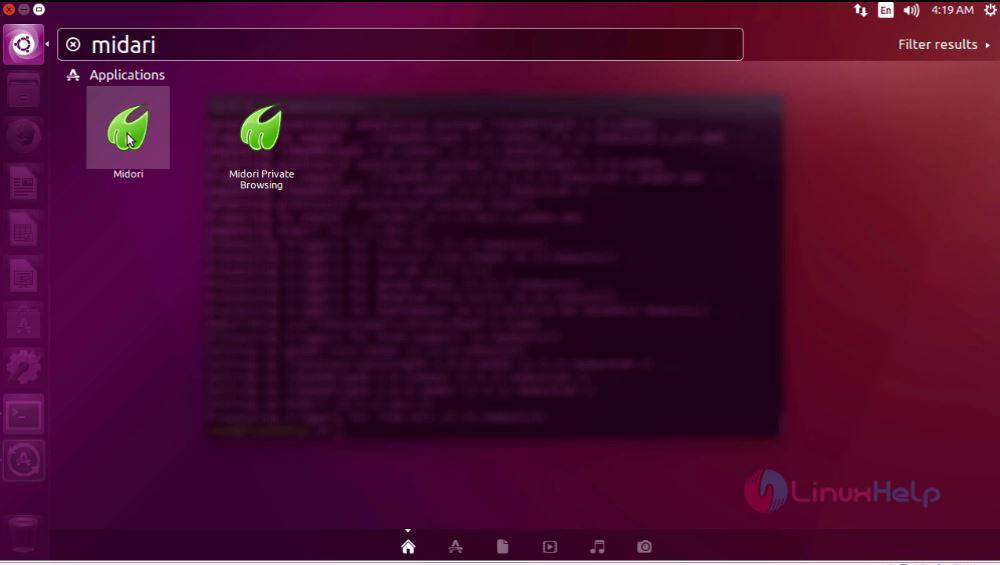
ubuntu dashboard

The application is running successfully in the system.
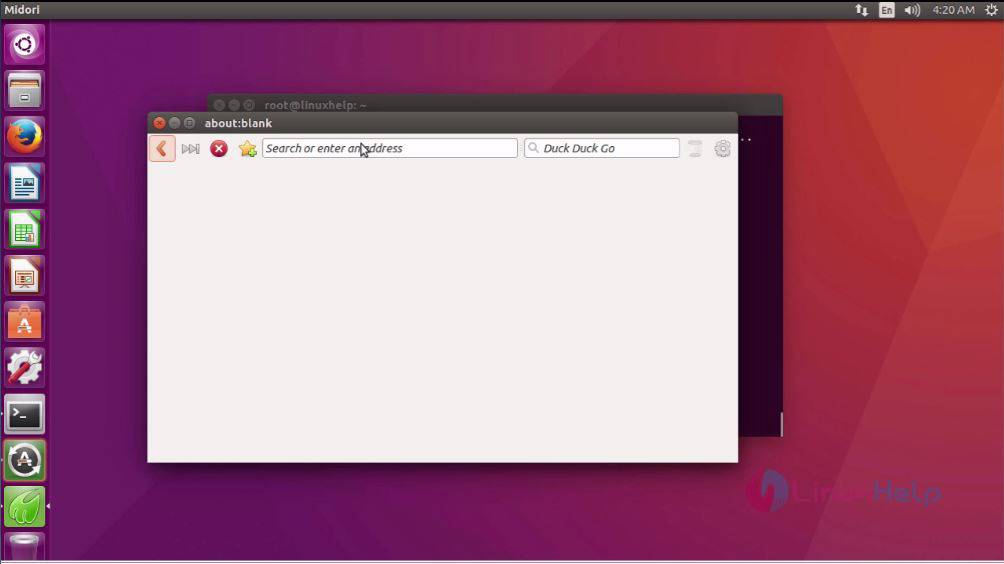
midori browser

The installation procedure of Midori in Ubuntu system is done without any glitches.

Tags:
christian
Author: 

Comments ( 0 )

No comments available

Add a comment
{{postCtrl.cmtErrMsg}}

Frequently asked questions ( 5 )

Q

Where can I get Midori's source code?

A

Midori is open-source and its source code is freely available for anyone to download and modify, leading to the active development and a diverse feature set.

Q

On which platforms does Midori Browser run currently?

A

Midori Browser is portable and should run on all platforms that its dependencies support. Releases exist on various Linux distributions and also for windows.

Q

Is Midori Browser platform dependent?

A

Midori Browser is a cross-platform browser application written in C & Vala programming Language.

Q

Midori crashes shortly before pages are loaded, How to resolve them?

A

The recommended solution is to upgrade the Midori browser to latest version.

Q

Under which license is Midori distributed?

A

Midori and all delivered artwork are licensed under the LGPL2.

Back To Top!
Rank
User
Points

Top Contributers

userNamenaveelansari
135850

Top Contributers

userNameayanbhatti
92510

Top Contributers

userNamehamzaahmed
32150

Top Contributers

1
userNamelinuxhelp
31040

Top Contributers

userNamemuhammadali
24500
Can you help Gibbson ?
How do i run both nginx and apache in same instance on centos

Hi...,

my server is based centos operating system and my webserver is already running on Apache.... i need to run both apache and nginx on same instance ... please help me to implement this concept...

Networking
  • Routing
  • trunk
  • Netmask
  • Packet Capture
  • domain
  • HTTP Proxy
Server Setup
  • NFS
  • KVM
  • Memory
  • Sendmail
  • WebDAV
  • LXC
Shell Commands
  • Cloud commander
  • Command line archive tools
  • last command
  • Shell
  • terminal
  • Throttle
Desktop Application
  • Linux app
  • Pithos
  • Retrospect
  • Scribe
  • TortoiseHg
  • 4Images
Monitoring Tool
  • Monit
  • Apache Server Monitoring
  • EtherApe 
  • Arpwatch Tool
  • Auditd
  • Barman
Web Application
  • Nutch
  • Amazon VPC
  • FarmWarDeployer
  • Rukovoditel
  • Mirror site
  • Chef
Contact Us | Terms of Use| Privacy Policy| Disclaimer
© 2025 LinuxHelp.com All rights reserved. Linux™ is the registered trademark of Linus Torvalds. This site is not affiliated with linus torvalds in any way.