How to Install MinIO and Configure on Oracle Linux 8.5
- 00:38 cat /etc/os-release
- 01:00 useradd -s /bin/bash -d /opt/minio minio
- 01:30 mkdir -p /opt/minio/bin
- 01:55 cd /opt/minio/bin
- 02:16 wget https://dl.minio.io/server/minio/release/linux-amd64/minio
- 02:57 chmod +x minio
- 03:12 chown –R minio:minio minio
- 03:36 vim /opt/minio/minio.conf
- 04:02 vim /etc/systemd/system/minio.service
- 04:02 vim /opt/minio/data/.minio.sys/config/config.json
- 04:32 systemctl disable firewalld
- 04:45 setenforce 0
- 04:56 systemctl enable minio
- 05:05 systemctl start minio
- 05:20 systemctl status minio
To Install MinIO and Configure on Oracle Linux 8.5
Introduction
MinIO is a high-performance, software-defined object storage system released under the GNU Affero General Public License v3 and is compatible with Amazon's S3 cloud storage API. It can be used to build high-performance infrastructures for machine learning, analytics, and application data processing workloads.
Installation Procedure
Step 1: Check the OS Version by using the below command
[root@linuxhelplinuxhelp]# cat  /etc/os-release
NAME="Oracle Linux Server"
VERSION="8.5"
ID="ol"
ID_LIKE="fedora"
VARIANT="Server"
Step 2: Add a MinIO user by using the below command
[root@linuxhelplinuxhelp]# useradd -s /bin/bash -d /opt/minio minio
Step 3: Create a Directory by using the below command
 [root@linuxhelplinuxhelp]#  mkdir -p /opt/minio/bin
   cd /opt/minio/bin
Step 4: Download the MinIO using the following command in opt/minio/bin directory
[root@linuxhelp ~]# wget https://dl.minio.io/server/minio/release/linux-amd64/minio

--2019-11-23 05:41:11--  https://dl.minio.io/server/minio/release/linux-amd64/minio
Resolving dl.minio.io (dl.minio.io)... 178.128.69.202
Connecting to dl.minio.io (dl.minio.io)|178.128.69.202|:443... connected.
HTTP request sent, awaiting response... 200 OK
Length: 43855872 (42M) [application/octet-stream]
Saving to: ‘minio’

100%[===========================================================>] 43,855,872   282KB/s   in 2m 12s

2019-11-23 05:43:24 (325 KB/s) - ‘minio’ saved [43855872/43855872]
Step 5: To set MinIO to Execute use the below command
[root@linuxhelplinuxhelp]# chmod +x /opt/minio/bin/minio
Step 6: Ensure all files are owned by MinIO in /opt/minio: by using the below command
[root@linuxhelplinuxhelp]# chown –R minio:minio /opt/minio/bin/minio
Step 7: Create a MinIO config file by using the below command
[root@linuxhelplinuxhelp]#   vim /opt/minio/minio.conf
MINIO_VOLUMES=/opt/minio/data
Step 8: Add minio systemd service files by using the below command
[root@linuxhelplinuxhelp]#   vim /etc/systemd/system/minio.service

[Unit]
Description=Minio
Documentation=https://docs.minio.io
Wants=network-online.target
After=network-online.target
AssertFileIsExecutable=/opt/minio/bin/minio
[Service]
WorkingDirectory=/opt/minio
User=minio
Group=minio
PermissionsStartOnly=true
EnvironmentFile=-/opt/minio/minio.conf
ExecStartPre=/bin/bash -c "[ -n \"${MINIO_VOLUMES}\" ] || echo \"Variable MINIO_VOLUMES not set in /opt/minio/minio.conf\""
ExecStart=/opt/minio/bin/minio server $MINIO_OPTS $MINIO_VOLUMES
StandardOutput=journal
StandardError=inherit
### Specifies the maximum file descriptor number that can be opened by this process
LimitNOFILE=65536
### Disable timeout logic and wait until process is stopped
TimeoutStopSec=0
### SIGTERM signal is used to stop Minio
KillSignal=SIGTERM
SendSIGKILL=no
SuccessExitStatus=0
[Install]
WantedBy=multi-user.target
Step 9: Disable Firewall and SELinux by using the below command
[root@linuxhelplinuxhelp]systemctl] # disable firewalld
[root@linuxhelplinuxhelp] # setenforce 0
Step 10: Enable and start the Minio service and check the status by using the below command
[root@linuxhelplinuxhelp]# systemctl enable minio
[root@linuxhelplinuxhelp]# systemctl start  minio
[root@linuxhelplinuxhelp]# systemctl status  minio
Step 11: Take a note of your MinIO access and secret key by using the below command
[root@linuxhelplinuxhelp]# /opt/minio/data/.minio.sys/config/config.json
Access key : minioadmin
Secret key : minioadmin
Step 12: Restart the MinIO service by using the below command
[root@linuxhelplinuxhelp]# systemctl restart minio
Step 13: Once completed above step go to browser type the IP address as shown in the below image
You can access the Minio web interface by going to http://<server_ip>:9000/ – log in with the access and secret key
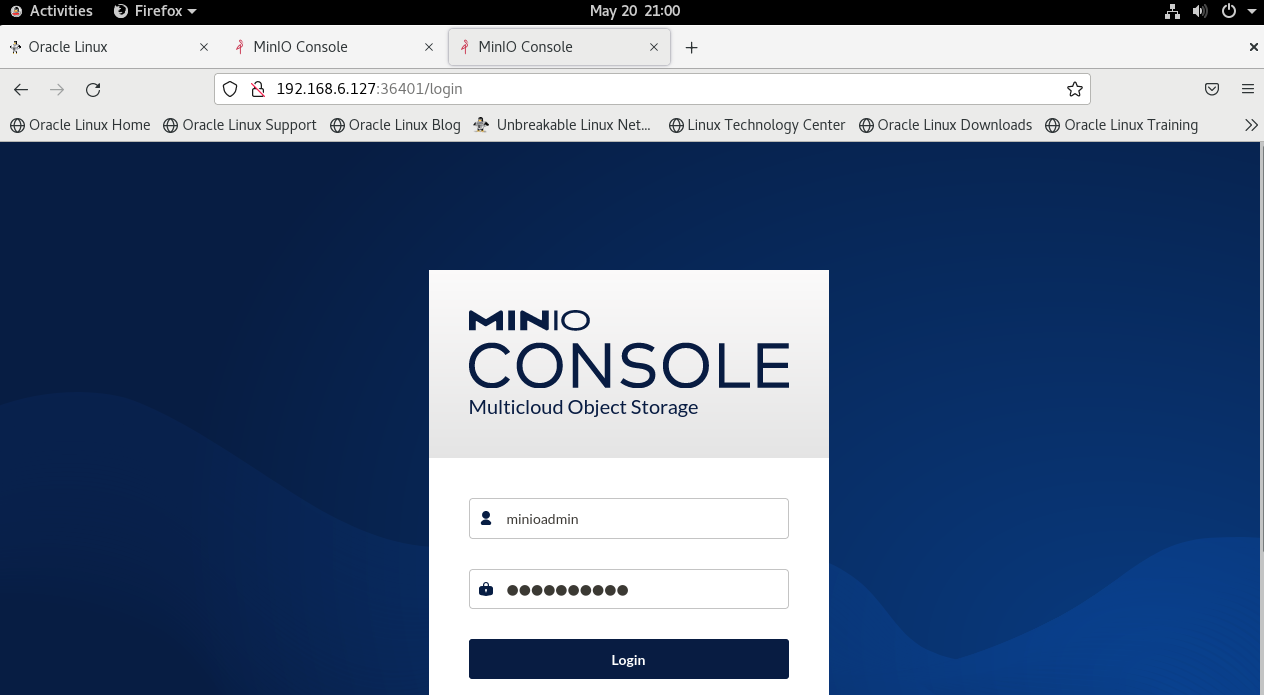
Step 14: Login with the access key and secret key as shown in the below image
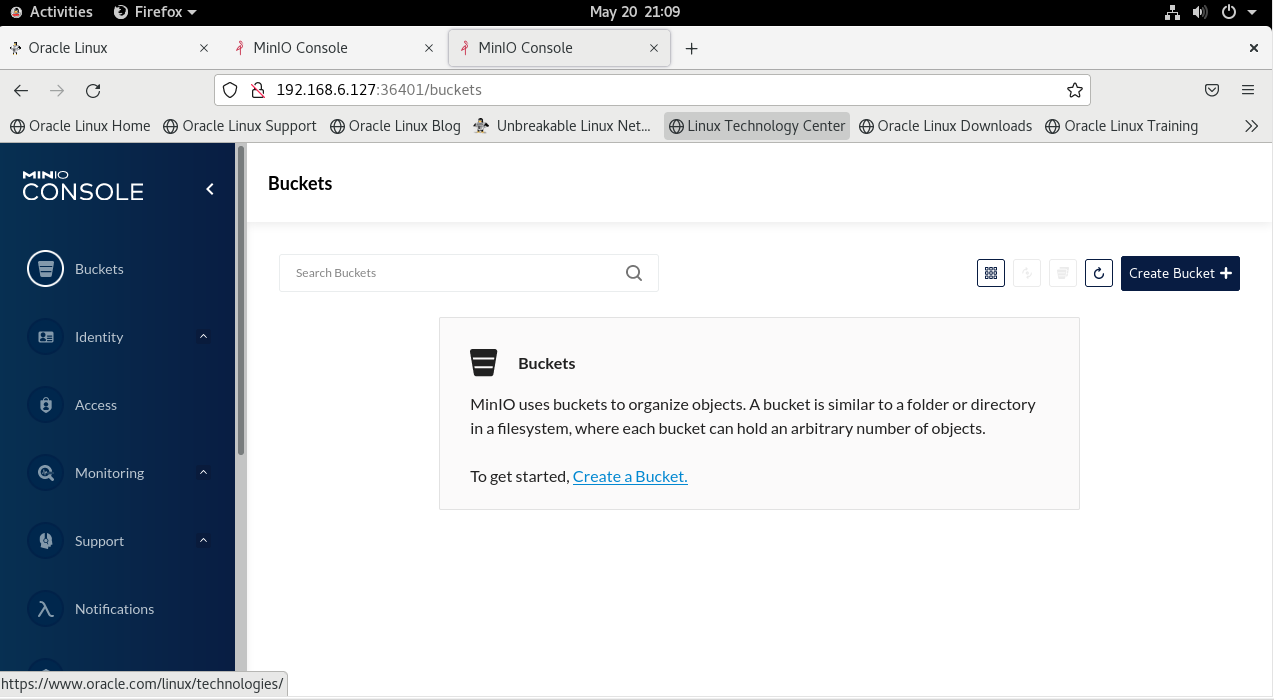
Conclusion:
We have reached the end of this article. In this guide, we have walked you through the steps required to Install MinIO and Configure on Oracle Linux 8.5.Your feedback is much welcome.
Comments ( 0 )
No comments available