How to install MinIO on Rocky Linux 9.2
To Install MinIO On Rocky Linux 9.2
Introduction
MinIO is a free and open-source object storage server written in Go which is compatible with Amazon S3 object storage and is one of the best and most free solutions for object storage. With MinIO, you can store photos, videos, log files, backups, and container/VM images.
Procedure
Step 1: Check the OS version by using the below command
[root@Linuxhelp ~]# cat /etc/os-release
NAME="Rocky Linux"
VERSION="9.2 (Blue Onyx)"
ID="rocky"
ID_LIKE="rhel centos fedora"
VERSION_ID="9.2"
PLATFORM_ID="platform:el9"
PRETTY_NAME="Rocky Linux 9.2 (Blue Onyx)"
ANSI_COLOR="0;32"
LOGO="fedora-logo-icon"
CPE_NAME="cpe:/o:rocky:rocky:9::baseos"
HOME_URL="https://rockylinux.org/"
BUG_REPORT_URL="https://bugs.rockylinux.org/"
SUPPORT_END="2032-05-31"
ROCKY_SUPPORT_PRODUCT="Rocky-Linux-9"
ROCKY_SUPPORT_PRODUCT_VERSION="9.2"
REDHAT_SUPPORT_PRODUCT="Rocky Linux"
REDHAT_SUPPORT_PRODUCT_VERSION="9.2"
Step 2: Download the MinIO binary file by using the following command
[root@Linuxhelp ~]# wget https://dl.minio.io/server/minio/release/linux-amd64/minio
--2023-08-16 03:09:40--  https://dl.minio.io/server/minio/release/linux-amd64/minio
Resolving dl.minio.io (dl.minio.io)... 178.128.69.202, 138.68.11.125
Connecting to dl.minio.io (dl.minio.io)|178.128.69.202|:443... connected.
HTTP request sent, awaiting response... 200 OK
Length: 98955264 (94M) [application/octet-stream]
Saving to: ‘minio’

minio                       100%[========================================>]  94.37M  3.47MB/s    in 5m 50s

2023-08-16 03:15:32 (276 KB/s) - ‘minio’ saved [98955264/98955264]
Step 3: List the files by using the following command
[root@Linuxhelp ~]# ll
total 96640
-rw-------. 1 root root     1039 Aug 13 22:24 anaconda-ks.cfg
drwxr-xr-x. 2 root root        6 Aug 13 22:33 Desktop
drwxr-xr-x. 2 root root        6 Aug 13 22:33 Documents
drwxr-xr-x. 2 root root        6 Aug 13 22:33 Downloads
-rw-r--r--. 1 root root 98955264 Aug 10 05:16 minio
drwxr-xr-x. 2 root root        6 Aug 13 22:33 Music
drwxr-xr-x. 2 root root        6 Aug 13 22:33 Pictures
drwxr-xr-x. 2 root root        6 Aug 13 22:33 Public
drwxr-xr-x. 2 root root        6 Aug 13 22:33 Templates
drwxr-xr-x. 2 root root        6 Aug 13 22:33 Videos
Step 4: Change the permission of the downloaded file by using the following command
[root@Linuxhelp ~]# chmod +x minio
Step 5: Install minIO by using the following script
[root@Linuxhelp ~]# ./minio server /minioap
Formatting 1st pool, 1 set(s), 1 drives per set.
WARNING: Host local has more than 0 drives of set. A host failure will result in data becoming unavailable.
WARNING: Detected default credentials 'minioadmin:minioadmin', we recommend that you change these values with 'MINIO_ROOT_USER' and 'MINIO_ROOT_PASSWORD' environment variables
MinIO Object Storage Server
Copyright: 2015-2023 MinIO, Inc.
License: GNU AGPLv3 <https://www.gnu.org/licenses/agpl-3.0.html>
Version: RELEASE.2023-08-09T23-30-22Z (go1.19.12 linux/amd64)

Status:         1 Online, 0 Offline.
S3-API: http://192.168.6.130:9000  http://127.0.0.1:9000
RootUser: minioadmin
RootPass: minioadmin


Console: http://192.168.6.130:38397 http://127.0.0.1:38397
RootUser: minioadmin
RootPass: minioadmin

Command-line: https://min.io/docs/minio/linux/reference/minio-mc.html#quickstart
   $ mc alias set myminio http://192.168.6.130:9000 minioadmin minioadmin

Documentation: https://min.io/docs/minio/linux/index.html
Warning: The standard parity is set to 0. This can lead to data loss.
Step 6: Open the browser and search our server IP address as shown in the below image
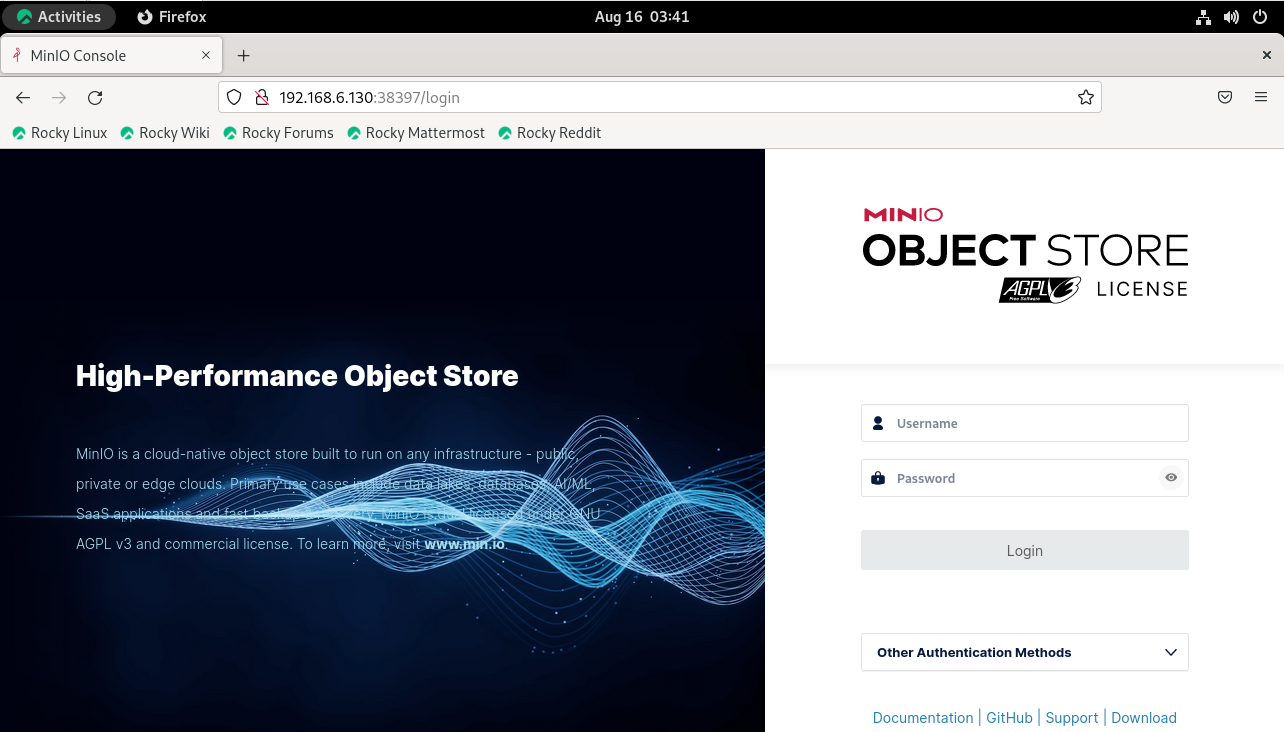
Username: minioadmin Password: minioadmin
You can use the above credentials for Logins
Conclusion:
We have reached the end of this article. In this guide, we have walked you through the steps required to install MinIO on Rocky Linux 9.2. Your feedback is much welcome.
Comments ( 0 )
No comments available