• Categories
    Category
    {{ postCtrl.tags }}
    • {{ category.tag_type }}

      • {{tag.tag_name}}
      • View more
  • Categories
    Category
    {{ postCtrl.tags }}
    • {{ category.tag_type }}

      • {{tag.tag_name}}
      • View more
  • News
  • Tutorials
  • Forums
  • Tags
  • Users
Tutorial News Comments FAQ Related Articles

How to Install Moc on Ubuntu 18.04

{{postValue.id}}

To Install Moc on Ubuntu 18.04
Music on Console (MOC) is a ncurses-based console audio player for Linux/UNIX. It was written in C language. The console-based feature of this audio player comes with many advantages which are: simple yet powerful interface, low memory utilization. Apart from this, it has the separate thread for output buffer which helps it avoid high load situations. In this tutorial, we will cover the installation of brave on Ubuntu 18.04.

Installation

Update the system repository using the following command

root@linuxhelp1:~# apt-get update
Hit:1 http://ppa.launchpad.net/nixnote/nixnote2-daily/ubuntu bionic InRelease
Hit:2 http://in.archive.ubuntu.com/ubuntu bionic InRelease          
Hit:3 http://security.ubuntu.com/ubuntu bionic-security InRelease   
Hit:4 http://archive.canonical.com/ubuntu bionic InRelease               
Hit:5 http://in.archive.ubuntu.com/ubuntu bionic-updates InRelease       
Hit:6 http://in.archive.ubuntu.com/ubuntu bionic-backports InRelease
Reading package lists... Done  


Install the moc music player.

root@linuxhelp1:~# apt-get install moc
Reading package lists... Done
Building dependency tree       
Reading state information... Done
The following additional packages will be installed:
  libenca0 libfaad2 libid3tag0 libmad0 libmodplug1 libmpcdec6 libopusfile0 librcc0 librcd0
  libresid-builder0c2a libsidplay2 libsidutils0 libtagc0
.
.
.
Setting up libenca0:amd64 (1.19-1) ...
Setting up librcc0 (0.2.12-0.1) ...
Setting up libsidutils0 (2.1.1-15ubuntu1) ...
Setting up moc (1:2.6.0~svn-r2949-2) ...
Processing triggers for libc-bin (2.27-0ubuntu2) ...

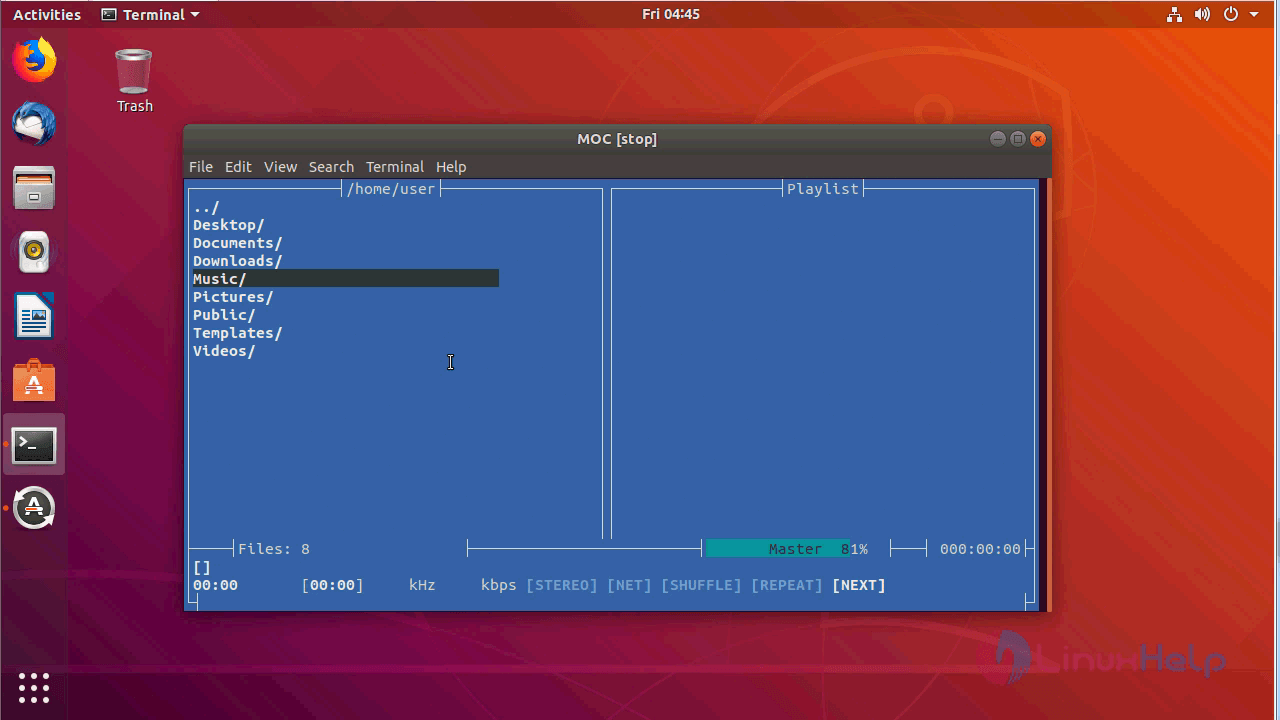
Just type mocp from a terminal.

root@linuxhelp1:~# mocp
Running the server...
Trying JACK...
Trying ALSA...

Now, you can able to use the moc application.
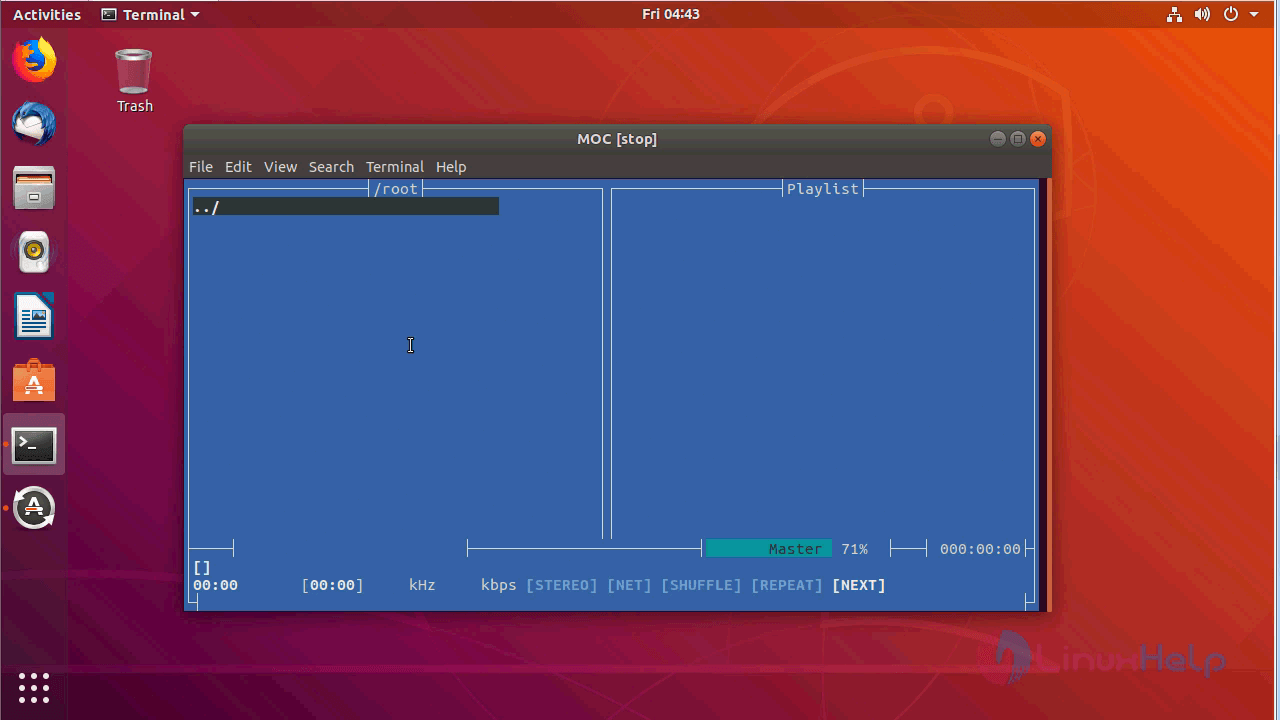
menu


moc music player

With this, the method to install moc on Ubuntu 18.04 comes to an end.

Tags:
jackson
Author: 

Comments ( 0 )

No comments available

Add a comment
{{postCtrl.cmtErrMsg}}

Frequently asked questions ( 5 )

Q

What is Moc on Ubuntu?

A

Music on Console (MOC) is a ncurses-based console audio player for Linux/UNIX. It was written in C language. The console-based feature of this audio player comes with many advantages which are: simple yet powerful interface, low memory utilization.

Q

Should MOC Continue To Support OpenBSD?

A

I've been working recently on bringing MOC up to the currently common C99 and POSIX.1-2001 standards. However, the road block I keep running into is with OpenBSD.

Q

Are We Nearly There Yet?

A

Those of you who have been watching the SVN HEAD might have had the feeling that not much has been happening over the past six months. But over that period many, many hours have been spent interrogating under bright lights those historical bugs which remained in order to fix as many of them as possible before the release of MOC 2.5.0.

Q

How to Report Bugs Effectively?

A

I'll be having more to say on what I would like to see in MOC bug reports after version 2.5 is out and I have more time to do so, but I recently reread an essay by Simon Tatham and it agrees with much of what I would have to say.

Q

Is MOC 2.5.2 and 2.6-alpha3 Released?

A

The infamous stuttering problem which makes long-playing audio sound like a broken record under some circumstances has finally been traced to ALSA's dmix component. So the circumvention for the ALSA stutter bug has been included in both the latest 2.5.2 maintenance and 2.6-alpha3 development releases which are now available.

Back To Top!
Rank
User
Points

Top Contributers

userNamenaveelansari
135850

Top Contributers

userNameayanbhatti
92510

Top Contributers

userNamehamzaahmed
32150

Top Contributers

1
userNamelinuxhelp
31040

Top Contributers

userNamemuhammadali
24500
Can you help Gibbson ?
How do i run both nginx and apache in same instance on centos

Hi...,

my server is based centos operating system and my webserver is already running on Apache.... i need to run both apache and nginx on same instance ... please help me to implement this concept...

Networking
  • Routing
  • trunk
  • Netmask
  • Packet Capture
  • domain
  • HTTP Proxy
Server Setup
  • NFS
  • KVM
  • Memory
  • Sendmail
  • WebDAV
  • LXC
Shell Commands
  • Cloud commander
  • Command line archive tools
  • last command
  • Shell
  • terminal
  • Throttle
Desktop Application
  • Linux app
  • Pithos
  • Retrospect
  • Scribe
  • TortoiseHg
  • 4Images
Monitoring Tool
  • Monit
  • Apache Server Monitoring
  • EtherApe 
  • Arpwatch Tool
  • Auditd
  • Barman
Web Application
  • Nutch
  • Amazon VPC
  • FarmWarDeployer
  • Rukovoditel
  • Mirror site
  • Chef
Contact Us | Terms of Use| Privacy Policy| Disclaimer
© 2025 LinuxHelp.com All rights reserved. Linux™ is the registered trademark of Linus Torvalds. This site is not affiliated with linus torvalds in any way.