How to install Monstra cms V3.0.4 on Ubuntu-18.0
To install Monstra cms V3.0.4 on Ubuntu-18.04
Monstra is an open source, modern and lightweight CMS application that is easy to install, upgrade within a few steps. It contains various apis for plugins, themes, and core development. It also supports several administrators, editors, and users. It is SEO friendly and supports multiple levels of security for the content.
Pre-requirements
Install LAMP (Apache, php7.0, mariadb-server)
In MariaDB (create database, user and give privileges to the user)
FOR PHP INSTALLATION
add-apt-repository ppa:ondrej/php
apt-get update
apt-get install php7.0 libapache2-mod-php7.0 php7.0-common php7.0-sqlite php7.0-curl php7.0-intl php7.0-mbstring php7.0-xmlrpc php7.0-mysql php7.0-gd php7.0-xml php7.0-cli php7.0-zip
Installation
Download the Monstra cms package using wget command
root@linuxhelp1:~# wget https://bitbucket.org/Awilum/monstra/downloads/monstra-3.0.4.zip \--2018-06-11 14:09:27--  https://bitbucket.org/Awilum/monstra/downloads/monstra-3.0.4.zip
Resolving bitbucket.org (bitbucket.org)... 104.192.143.1, 104.192.143.3, 104.192.143.2, ...
Connecting to bitbucket.org (bitbucket.org)|104.192.143.1|:443... connected.
HTTP request sent, awaiting response... 302 Found
Location: https://bbuseruploads.s3.amazonaws.com/e03e0799-2463-4adf-b74c-cc4d125433fb/downloads/b8dcab09-db20-4298-80dc-ab2555060c2e/monstra-3.0.4.zip?Signature=zp4FXIaYBRKcHIbenxmMw%2Fs3dv8%3D& Expires=1528708197& AWSAccessKeyId=AKIAIQWXW6WLXMB5QZAQ& versionId=PhHcsGKuJ9ONyz6jzFIxzb8NYJ1WCuGv& response-content-disposition=attachment%3B%20filename%3D%22monstra-3.0.4.zip%22 \[following\]
--2018-06-11 14:09:28--  https://bbuseruploads.s3.amazonaws.com/e03e0799-2463-4adf-b74c-cc4d125433fb/downloads/b8dcab09-db20-4298-80dc-ab2555060c2e/monstra-3.0.4.zip?Signature=zp4FXIaYBRKcHIbenxmMw%2Fs3dv8%3D& Expires=1528708197& AWSAccessKeyId=AKIAIQWXW6WLXMB5QZAQ& versionId=PhHcsGKuJ9ONyz6jzFIxzb8NYJ1WCuGv& response-content-disposition=attachment%3B%20filename%3D%22monstra-3.0.4.zip%22
Resolving bbuseruploads.s3.amazonaws.com (bbuseruploads.s3.amazonaws.com)... 52.216.17.80
Connecting to bbuseruploads.s3.amazonaws.com (bbuseruploads.s3.amazonaws.com)|52.216.17.80|:443... connected.
HTTP request sent, awaiting response... 200 OK
Length: 1739269 (1.7M) \[application/zip\]
Saving to: &lsquo monstra-3.0.4.zip&rsquo

monstra-3.0.4.zip      100%\[============================> \]   1.66M   524KB/s    in 3.2s

2018-06-11 14:09:33 (524 KB/s) - &lsquo monstra-3.0.4.zip&rsquo  saved \[1739269/1739269\]
After downloading extract downloaded package and rename the extracted directory
root@linuxhelp1:~# ls
monstra-3.0.4  monstra-3.0.4.zip
root@linuxhelp1:~# mv monstra-3.0.4 monstra
Change the ownership and permission for the monstra directory
root@linuxhelp1:~# chown -R www-data:www-data monstra
root@linuxhelp1:~# chmod -R 775 monstra
Move the monstra directory into the /var/www/html directory
root@linuxhelp1:~# mv monstra /var/www/html/
Configure virtual hosts for monstra cms. Create an empty file named monstra.conf
root@linuxhelp1:~# cd /etc/apache2/sites-available/
root@linuxhelp1:/etc/apache2/sites-available# vim mostra.conf
< virtualhost \*:80>
servername  www.linuxhelp1.com
Documentroot  /var/www/html/monstra
< Directory /var/www/html/monstra>
AllowOverride all
order allow,deny
allow from all
< /Directory>
< /virtualhost>
ErrorLog /var/log/apache2/error\_log
CustomLog /var/log/apache2/access\_log common
Enable the monstra.conf file
root@linuxhelp1:/etc/apache2/sites-available# a2ensite mostra.conf
Enabling site mostra.
To activate the new configuration, you need to run:
systemctl reload apache2
Make an entry to the host file as follows
sroot@linuxhelp1:/etc/apache2/sites-available# vim /etc/host < give your ip> < give your domain name>
Restart apache web server
root@linuxhelp1:/etc/apache2/sites-available# systemctl restart apache2
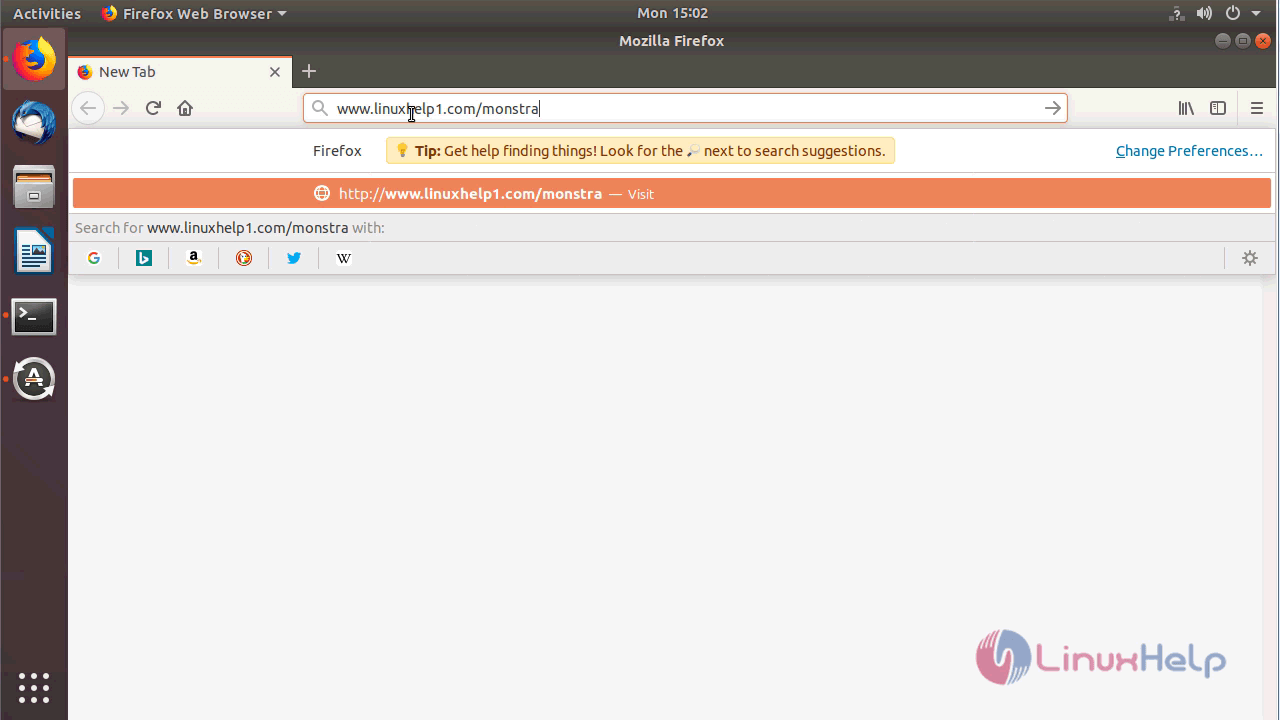
Now you can proceed the further installation and configuration from the browser by navigating to the following URL: http://< ipaddress or domain name
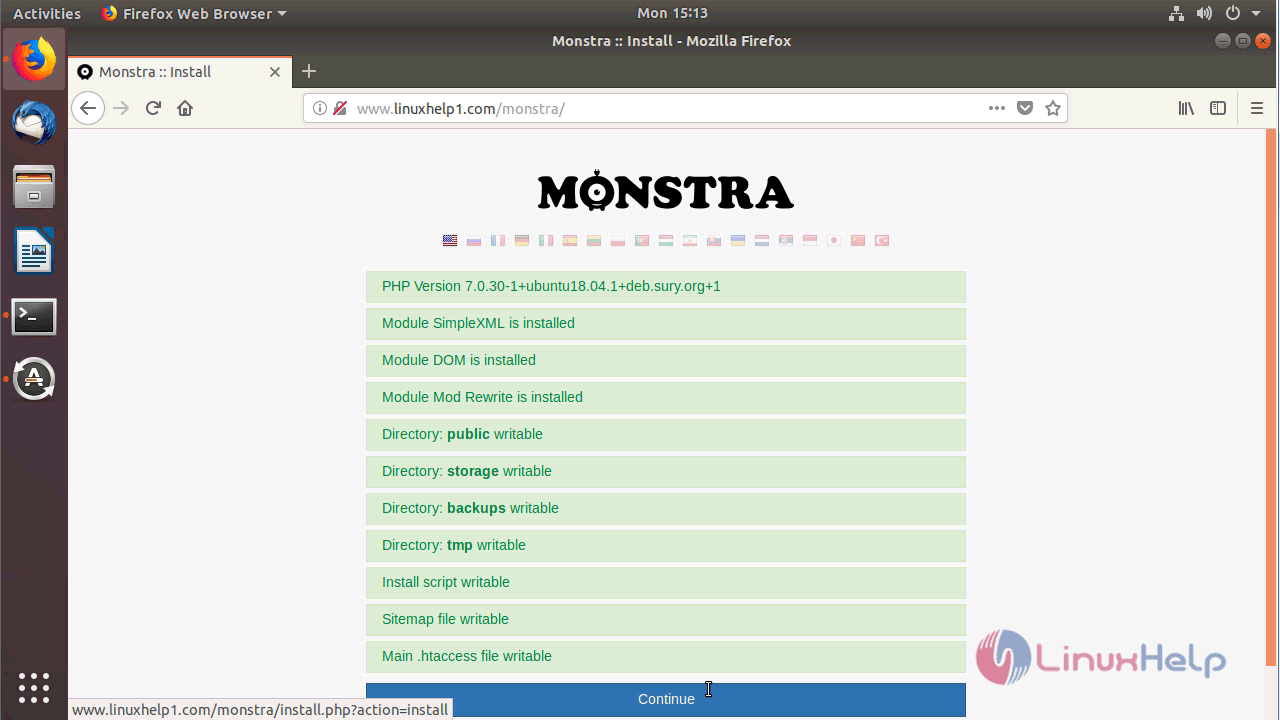
Select language and verify the requirements
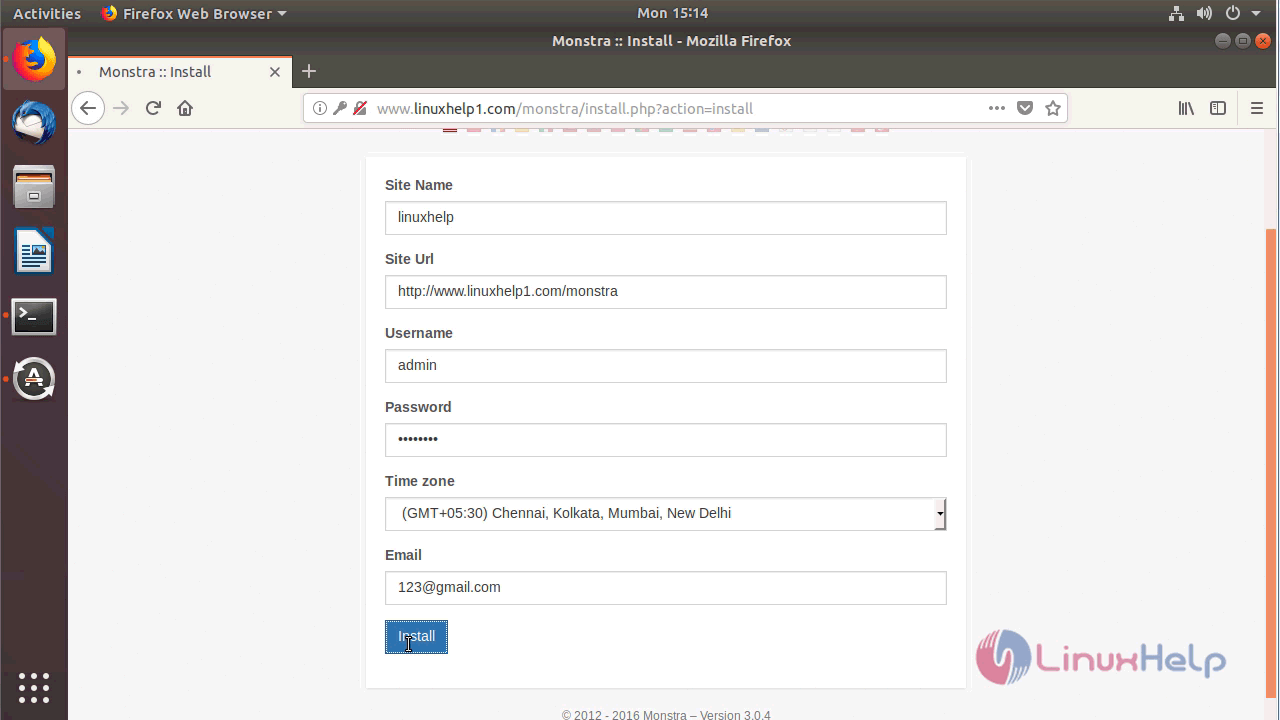
Configure the site information and admin user account setup
welcome page of monstra cms.
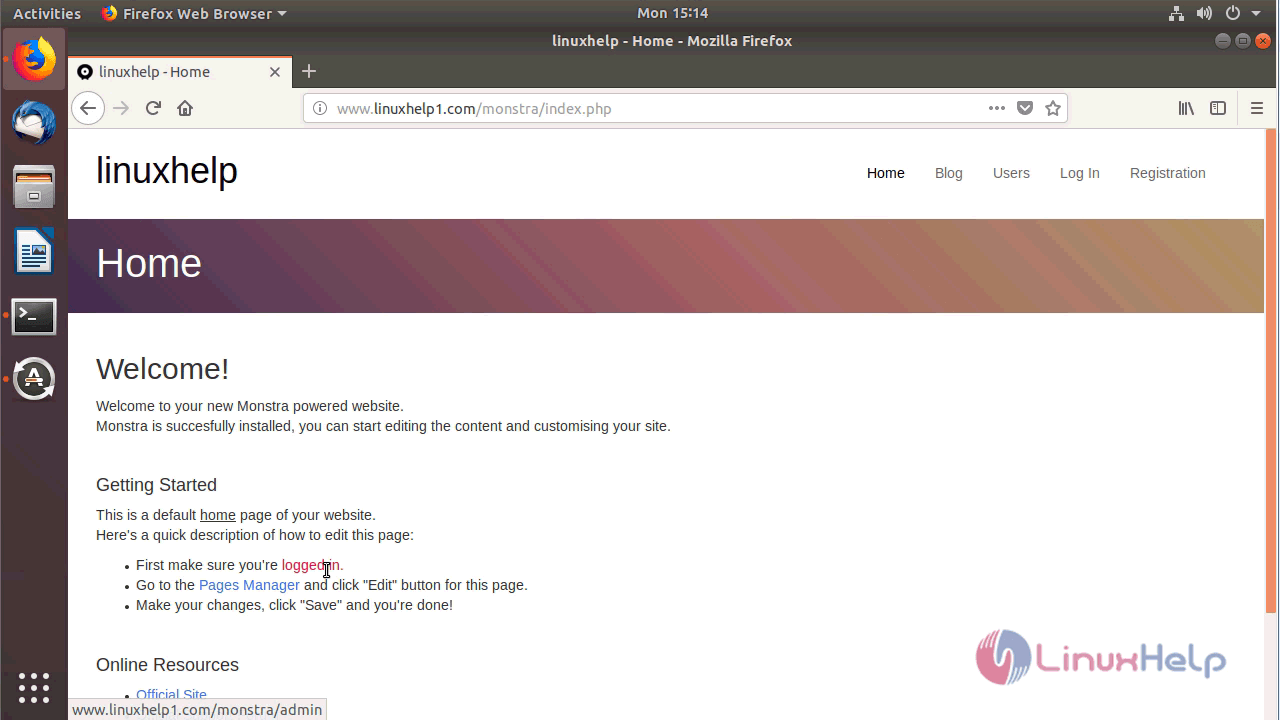
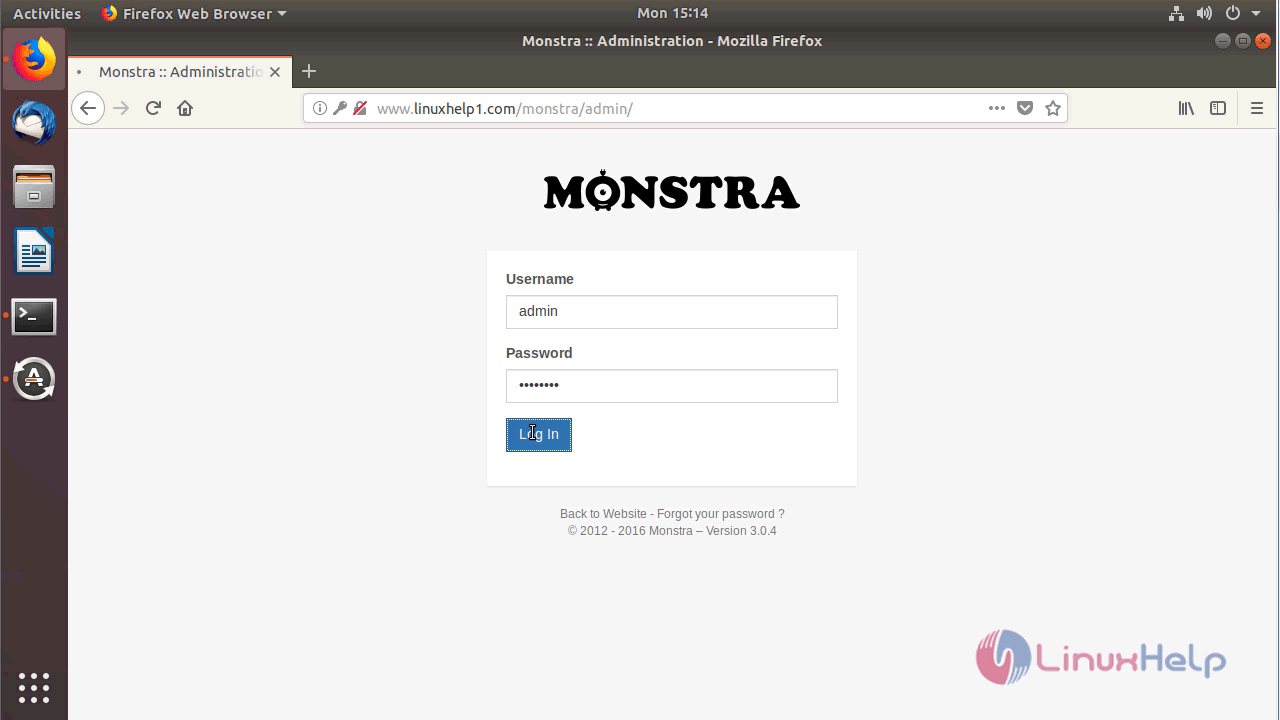
Log in using the admin credentials
Admin page of monstra cms
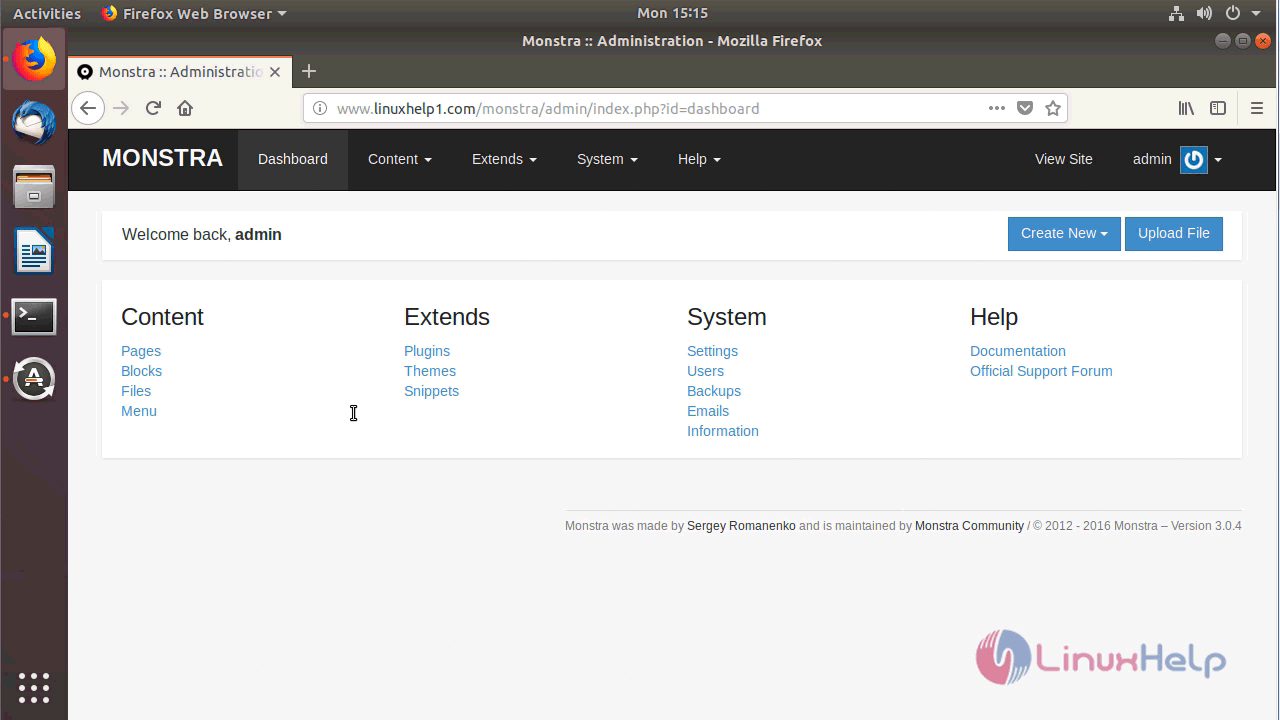
With this, the method to install Monstra cms V3.0.4 on Ubuntu-18.04 comes to an end.
Comments ( 0 )
No comments available