• Categories
    Category
    {{ postCtrl.tags }}
    • {{ category.tag_type }}

      • {{tag.tag_name}}
      • View more
  • Categories
    Category
    {{ postCtrl.tags }}
    • {{ category.tag_type }}

      • {{tag.tag_name}}
      • View more
  • News
  • Tutorials
  • Forums
  • Tags
  • Users
Tutorial News Comments FAQ Related Articles

How to Install MRTG in Ubuntu

{{postValue.id}}

To Install MRTG in Ubuntu

MRTG is a tool that used to monitor the traffic load on network links. MRTG stands for Multi Router Traffic Grapher, which generates the HTML pages to provide a live visual representation. The external SNMP package is not required for the installation process. This article explains the installation of MRTG in Ubuntu.

Installation of MRTG

For installing MRTG, you need to install Apache and SNMP packages.

To install Apache and SNMP

Utilize the following command to install the Apache and SNMP packages.

root@linuxhelp:~#  apt-get install apache2 snmpd snmp
Reading package lists... Done
Building dependency tree       
Reading state information... Done
The following extra packages will be installed:
  apache2-bin apache2-data apache2-utils libapr1 libaprutil1
  libaprutil1-dbd-sqlite3 libaprutil1-ldap liblua5.1-0
.
.
.
Processing triggers for libc-bin (2.21-0ubuntu4) ...
Processing triggers for ureadahead (0.100.0-19) ...
Processing triggers for systemd (225-1ubuntu9) ...
Processing triggers for ufw (0.34-2) ...


Open the configuration file of SNMP and uncomment the following lines as shown below,

root@linuxhelp:~#  vi /etc/snmp/snmpd.conf
rocommunity public localhost


Restart the SNMP service to take effect.

root@linuxhelp:~# systemctl restart snmpd


Now its time to install the MRTG package.

root@linuxhelp:~# apt-get install mrtg
Reading package lists... Done
Building dependency tree       
Reading state information... Done
The following extra packages will be installed:
  libsnmp-session-perl
.
.
.
Processing 2 added doc-base files...
Processing triggers for man-db (2.7.4-1) ...
Setting up libsnmp-session-perl (1.13-1.1) ...
Setting up mrtg (2.17.4-2ubuntu2) ...


Then create a directory on the Document root location.

root@linuxhelp:~# mkdir /var/www/html/mrtg


Take backup of MRTG configuration file with the following command.

root@linuxhelp:~# cp /etc/mrtg.cfg /etc/mrtg.cfg.real


Now change the MRTG workdir location.

root@linuxhelp:~# vim /etc/mrtg.cfg
WorkDir: /var/www/html/mrtg


Here you need to create a configuration file for MRTG.

root@linuxhelp:~# cfgmaker public@localhost >  /etc/mrtg.cfg
--base: Get Device Info on public@localhost:
--base: Vendor Id: Unknown Vendor - 1.3.6.1.4.1.8072.3.2.10
--base: Populating confcache
--base: Get Interface Info
.
.
.
--base: Walking ifSpeed
--snpd:   public@localhost: ->  1 ->  ifSpeed = 10000000
--snpd:   public@localhost: ->  2 ->  ifSpeed = 1000000000


Once the config file is created then create an index file for the webserver.

root@linuxhelp:# indexmaker /etc/mrtg.cfg >  /var/www/html/mrtg/index.html


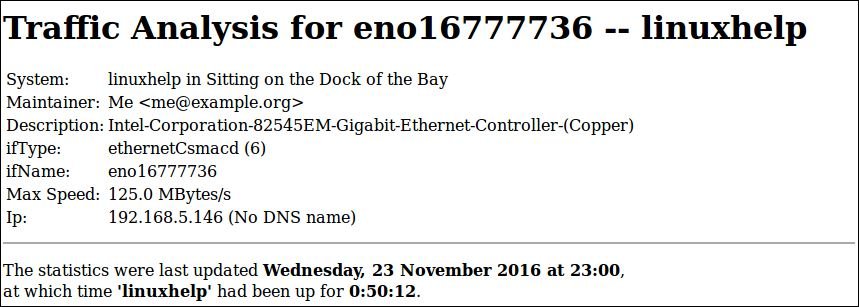
Open the web browser and enter your /server IP/mrtg/ to view the presentation of MRTG graph.
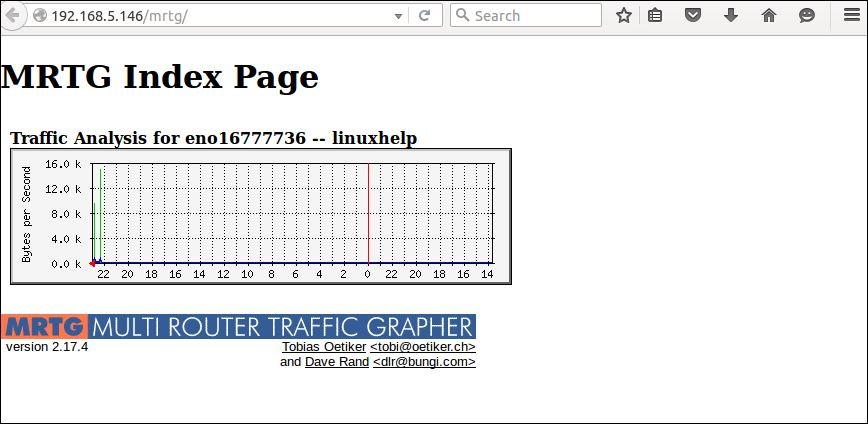
 MRTG graph

MRTG Description

MRTG-Description

You can monitor Daily Graph.
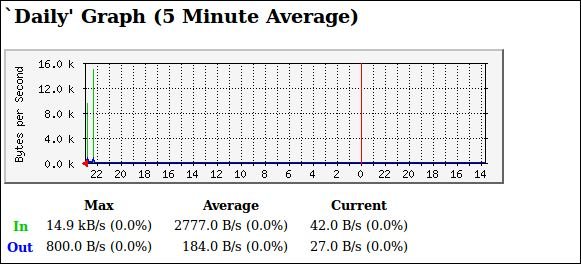
Daily_Graph

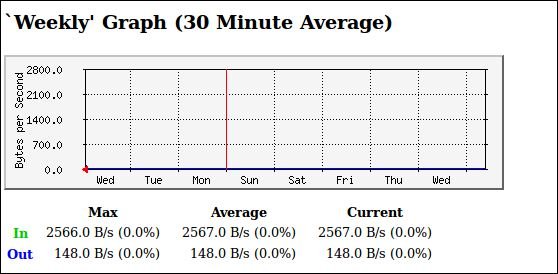
Weekly graph

Weekly_graph

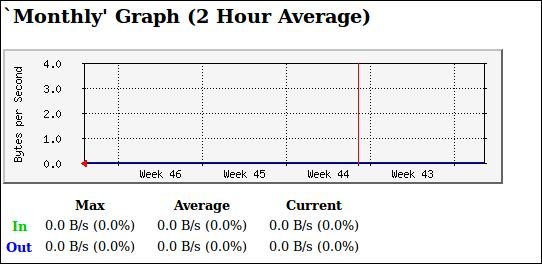
Monthly graph

Monthly_graph

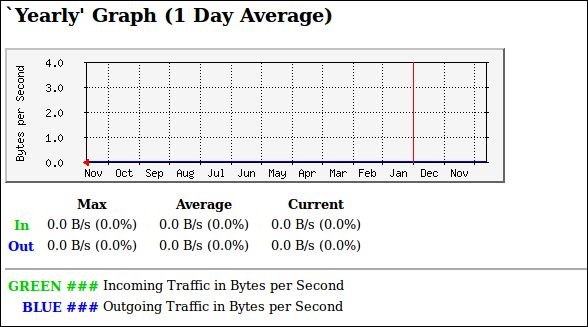
Yearly Graph

Yearly_Graph

Tags:
connor
Author: 

Comments ( 1 )

banjarabikash
at last step after indexmaker /etc/mrtg.cfg > /var/www/html/mrtg/index.html this step it generate error by saying did not find any matching data in cfg file. how can i solve ?
Add a comment
{{postCtrl.cmtErrMsg}}

Frequently asked questions ( 5 )

Q

What protocol does this MRTG rely on?

A

MRTG relies on SNMP Protocol.

Sample Output:

*/5 * * * * root LANG=C LC_ALL=C /usr/bin/mrtg /etc/mrtg/mrtg.cfg --lock-file /var/lock/mrtg/mrtg_l --confcache-file /var/lib/mrtg/mrtg.ok

Q

How Do I Create MRTG For My Router at 192.X.X.X?

A

To craete MRTG monitoring for your router,
# cfgmaker --global 'WorkDir: /var/www/mrtg' --output /etc/mrtg/mrtg.cfg public@192.X.X.X.

Q

How Do I Password Protect My Graphs on MRTG?

A

Set Apache Password Protected Directories With .htaccess File on MRTG.

Q

I have followed all the steps above, do the checks along the way and when I got to the webpage I get Forbidden
You don’t have permission to access /mrtg on this server.

A

You need to set correct permission on the mrtg folder so that web server user can read the files:
Assign permission as follows,
chmod 0775 /path/to/your/mrtg/directory

Q

What is MRTG Tool?

A

MRTG is a tool that used to monitor the traffic load on network links. MRTG stands for Multi Router Traffic Grapher, which generates the HTML pages to provide a live visual representation.

Back To Top!
Rank
User
Points

Top Contributers

userNamenaveelansari
135850

Top Contributers

userNameayanbhatti
92510

Top Contributers

userNamehamzaahmed
32150

Top Contributers

1
userNamelinuxhelp
31040

Top Contributers

userNamemuhammadali
24500
Can you help Luke ?
workbench for debian

I am using workbench in CentOS whereas now I need to use Debian Operating system so could you please help to install and use in Debian?

Networking
  • Routing
  • trunk
  • Netmask
  • Packet Capture
  • domain
  • HTTP Proxy
Server Setup
  • NFS
  • KVM
  • Memory
  • Sendmail
  • WebDAV
  • LXC
Shell Commands
  • Cloud commander
  • Command line archive tools
  • last command
  • Shell
  • terminal
  • Throttle
Desktop Application
  • Linux app
  • Pithos
  • Retrospect
  • Scribe
  • TortoiseHg
  • 4Images
Monitoring Tool
  • Monit
  • Apache Server Monitoring
  • EtherApe 
  • Arpwatch Tool
  • Auditd
  • Barman
Web Application
  • Nutch
  • Amazon VPC
  • FarmWarDeployer
  • Rukovoditel
  • Mirror site
  • Chef
Contact Us | Terms of Use| Privacy Policy| Disclaimer
© 2025 LinuxHelp.com All rights reserved. Linux™ is the registered trademark of Linus Torvalds. This site is not affiliated with linus torvalds in any way.