How to install Mumble 1.2.19 on Ubuntu 18.04
To install Mumble 1.2.19 on Ubuntu 18.04
Mumble is an open source, low-latency, high quality voice chat software. Mumble is a voice over IP (VoIP) application primarily designed for use by gamers, similar to programs such as TeamSpeak and Ventrilo. Mumble uses a client–server architecture which allows users to talk to each other via the same server. In this tutorial, we will cover the installation of Mumble on Ubuntu 18.04.
Installation
Update the system repository using the following command
root@linuxhelp1:~# apt-get update
Hit:1 http://ppa.launchpad.net/linuxuprising/java/ubuntu bionic InRelease
Hit:2 http://security.ubuntu.com/ubuntu bionic-security InRelease
Hit:3 http://in.archive.ubuntu.com/ubuntu bionic InRelease
Hit:4 http://in.archive.ubuntu.com/ubuntu bionic-updates InRelease
Hit:5 http://ppa.launchpad.net/ondrej/php/ubuntu bionic InRelease
Hit:6 http://in.archive.ubuntu.com/ubuntu bionic-backports InRelease
Reading package lists... Done
Install the Mumble server and Mumble package using the following command
root@linuxhelp1:~# apt-get install mumble-server mumble -y
Reading package lists... Done
Building dependency tree
Reading state information... Done
The following packages were automatically installed and are no longer required:
  apache2-bin apache2-data apache2-utils libapr1 libaprutil1 libaprutil1-dbd-sqlite3
  libaprutil1-ldap
Use 'sudo apt autoremove' to remove them.
The following additional packages will be installed:
  libavahi-compat-libdnssd1 libg15daemon-client1 liblmdb0 libmng2 libmysqlclient20
  libqt4-dbus libqt4-declarative libqt4-network libqt4-script libqt4-sql libqt4-sql-mysql
  libqt4-sql-sqlite libqt4-svg libqt4-xml libqt4-xmlpatterns libqtcore4 libqtdbus4 libqtgui4
  libzeroc-ice3.7 mysql-common qdbus qt-at-spi qtchooser qtcore4-l10n
Suggested packages:
.
.
Setting up qdbus (4:4.8.7+dfsg-7ubuntu1) ...
Setting up libqt4-dbus:amd64 (4:4.8.7+dfsg-7ubuntu1) ...
Setting up libqt4-network:amd64 (4:4.8.7+dfsg-7ubuntu1) ...
Setting up mumble-server (1.2.19-1ubuntu1) ...
Setting up libqt4-xmlpatterns:amd64 (4:4.8.7+dfsg-7ubuntu1) ...
Setting up libqt4-declarative:amd64 (4:4.8.7+dfsg-7ubuntu1) ...
Setting up libqtgui4:amd64 (4:4.8.7+dfsg-7ubuntu1) ...
Setting up qt-at-spi:amd64 (0.4.0-8) ...
Setting up libqt4-svg:amd64 (4:4.8.7+dfsg-7ubuntu1) ...
Setting up mumble (1.2.19-1ubuntu1) ...
Processing triggers for libc-bin (2.27-3ubuntu1) ...
Processing triggers for dbus (1.12.2-1ubuntu1) ...
Processing triggers for systemd (237-3ubuntu10.3) ...
Processing triggers for ureadahead (0.100.0-20) ...
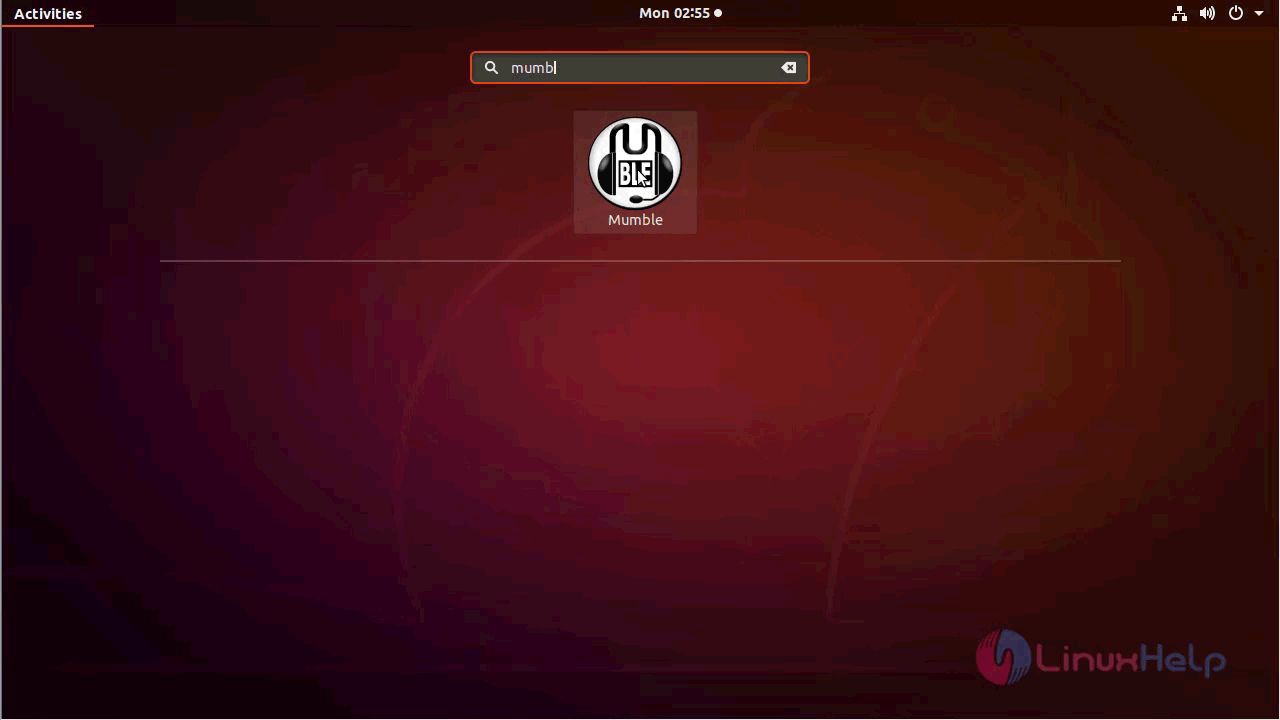
Once Installation is done you can access the Mumble from the Menu as shown here
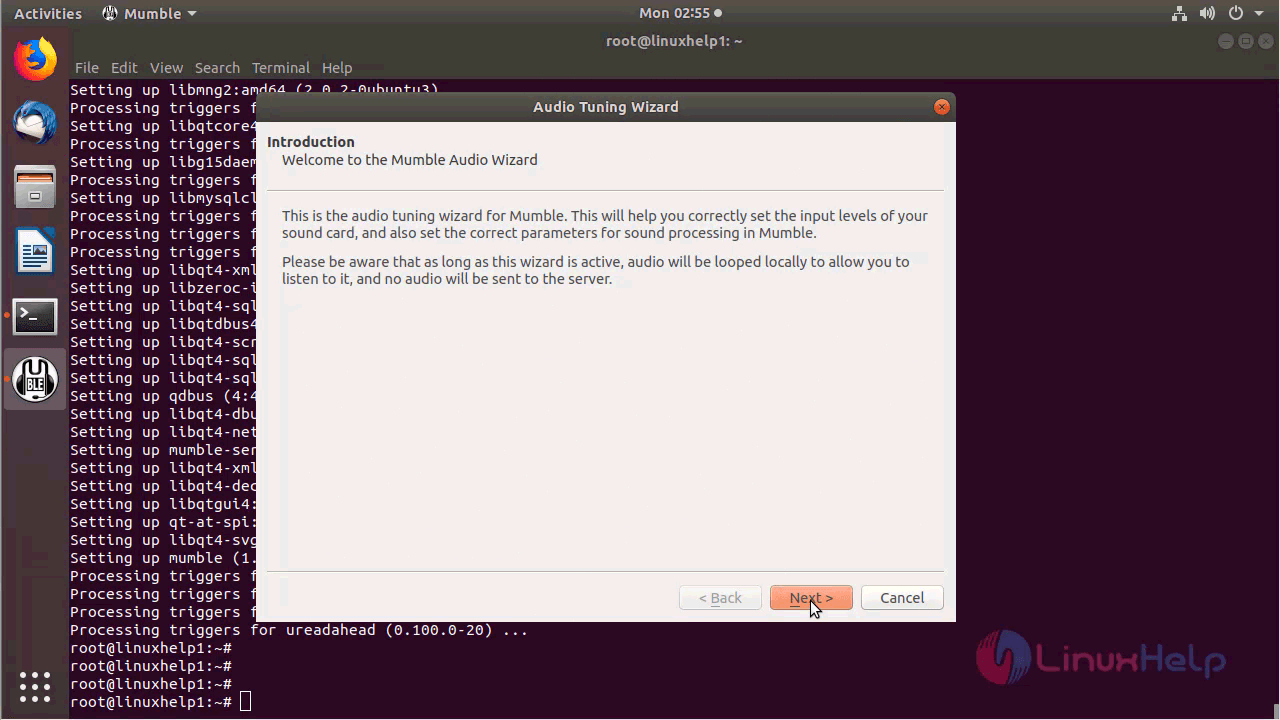
You will see the Welcome page of Mumble
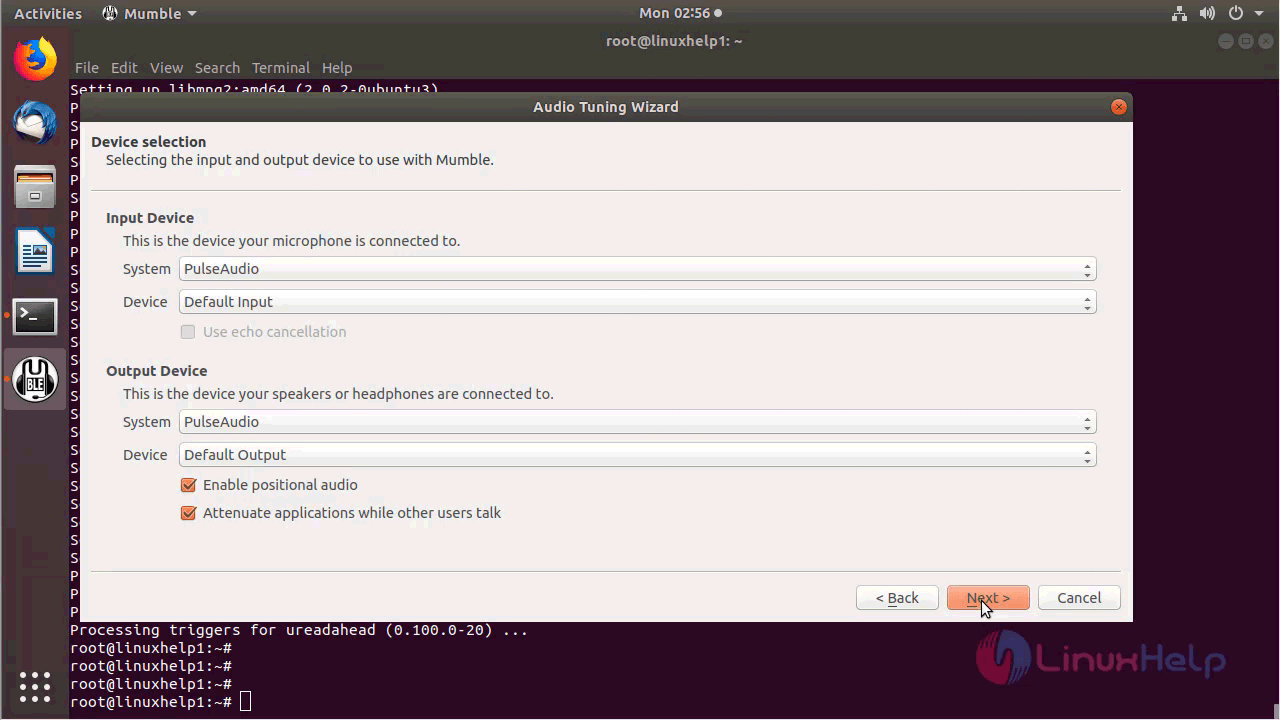
Configure the Device selection as follow
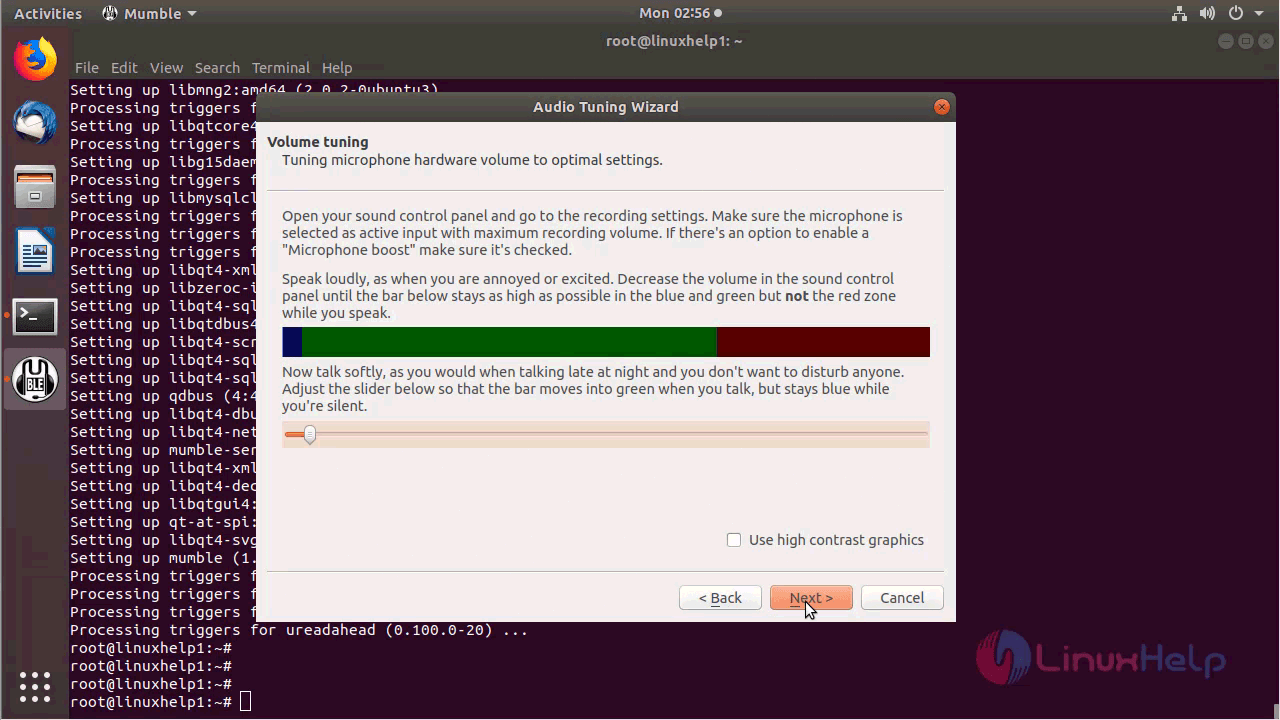
Choose Volume tuning for Mumble
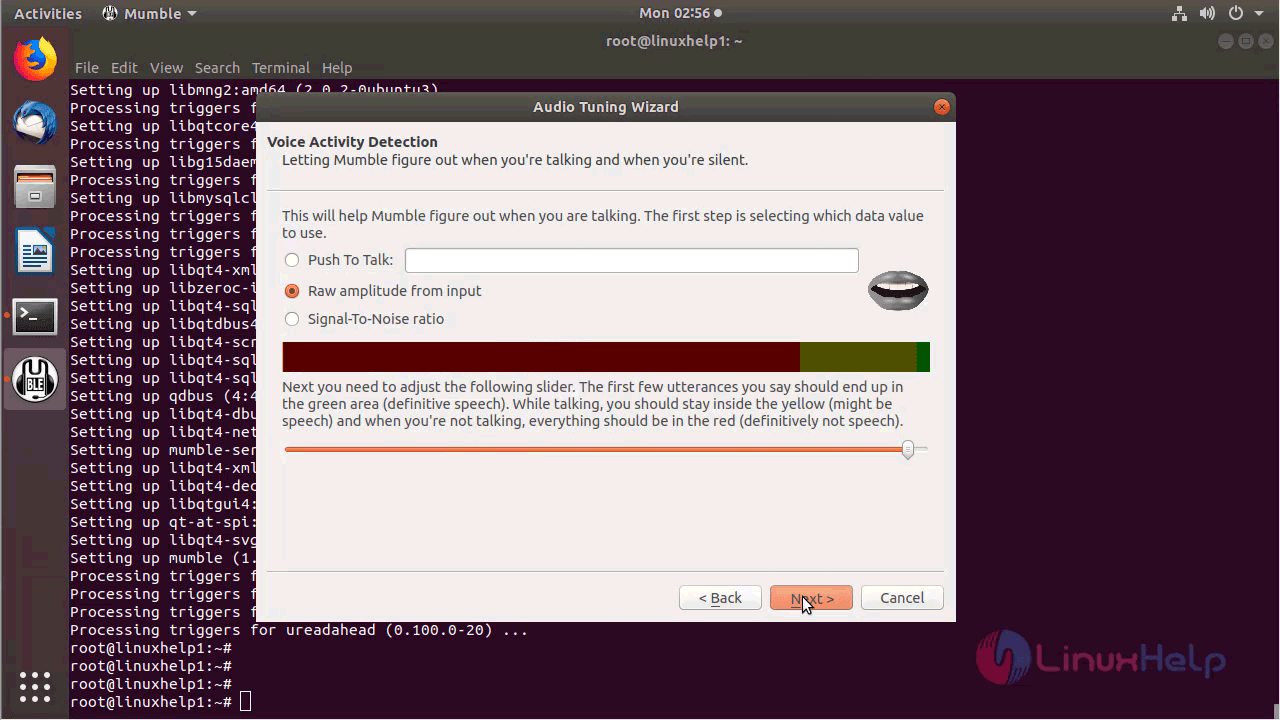
Configure Voice Activity Detection as shown below
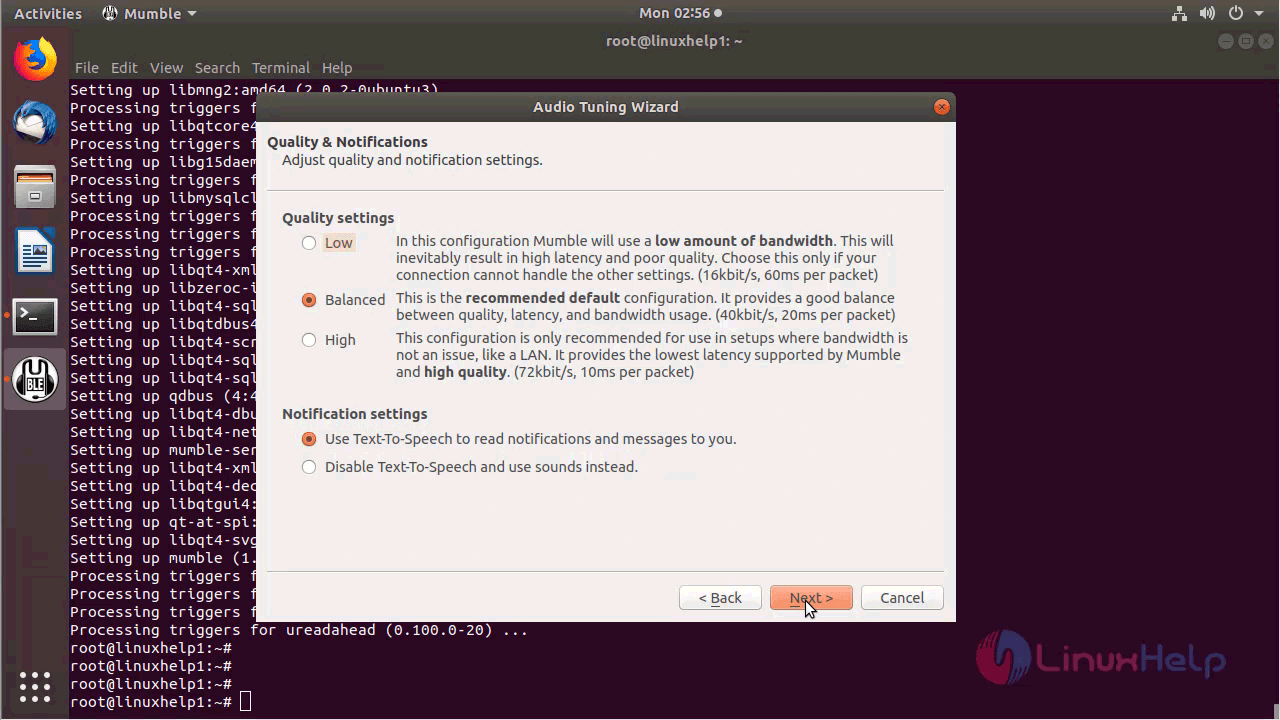
Configure Quality and Notification
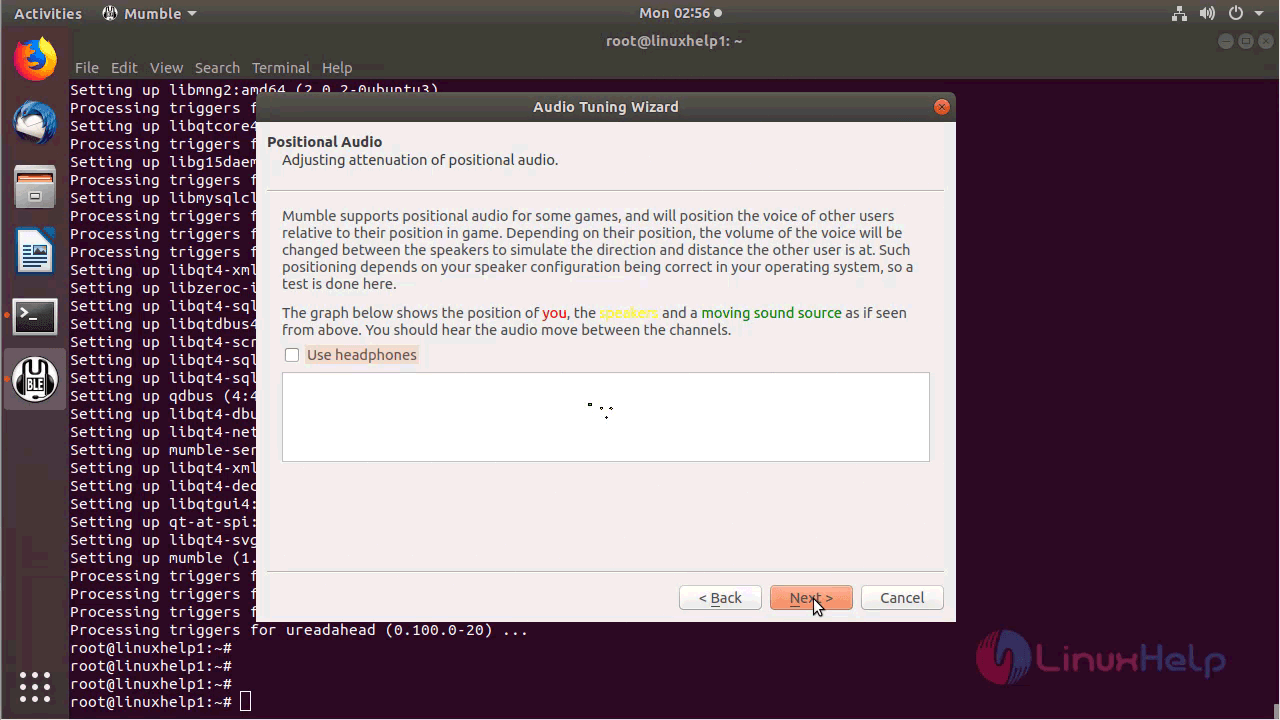
Choose Positional Audio as follow
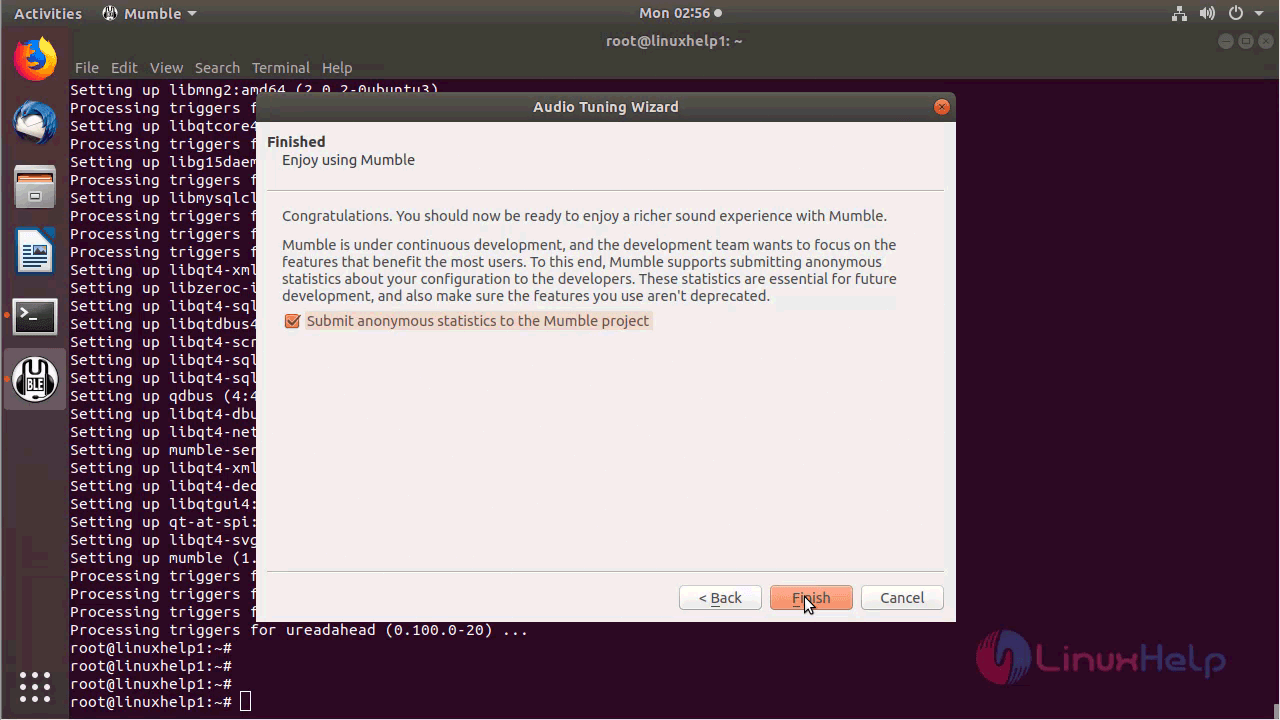
After the configuration, you will see the following page as shown below
Choose Certificate authentication
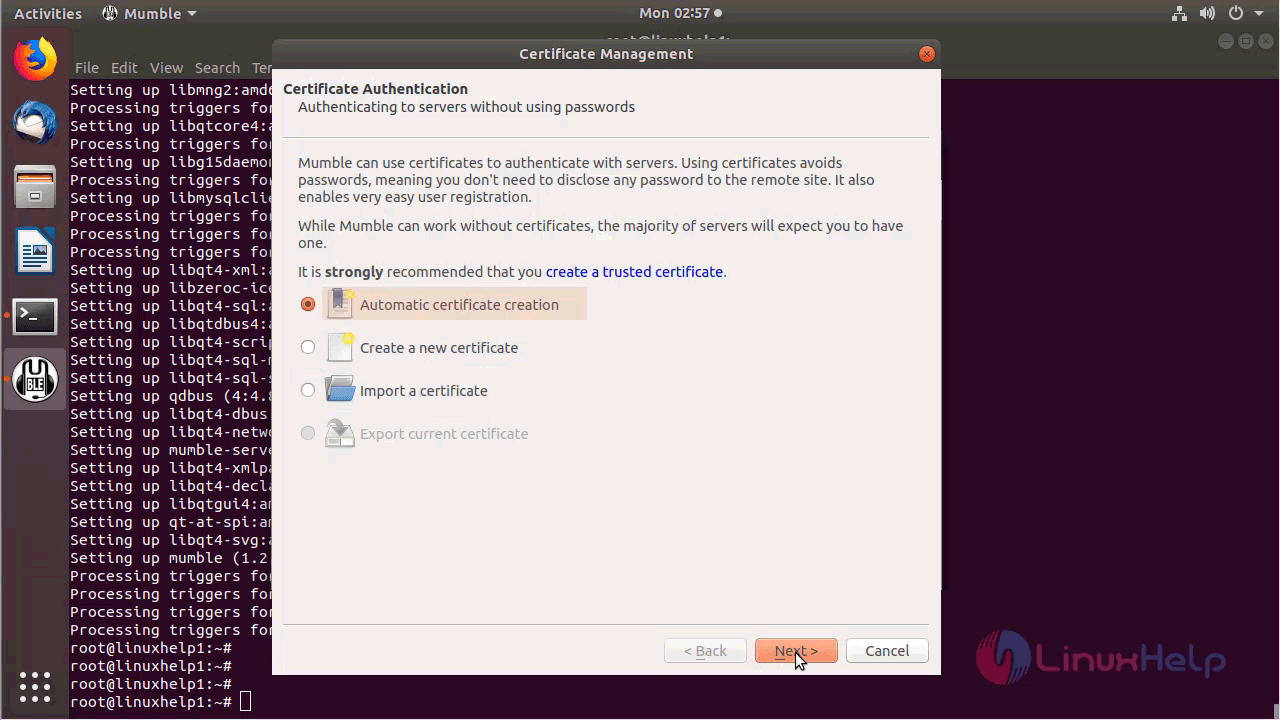
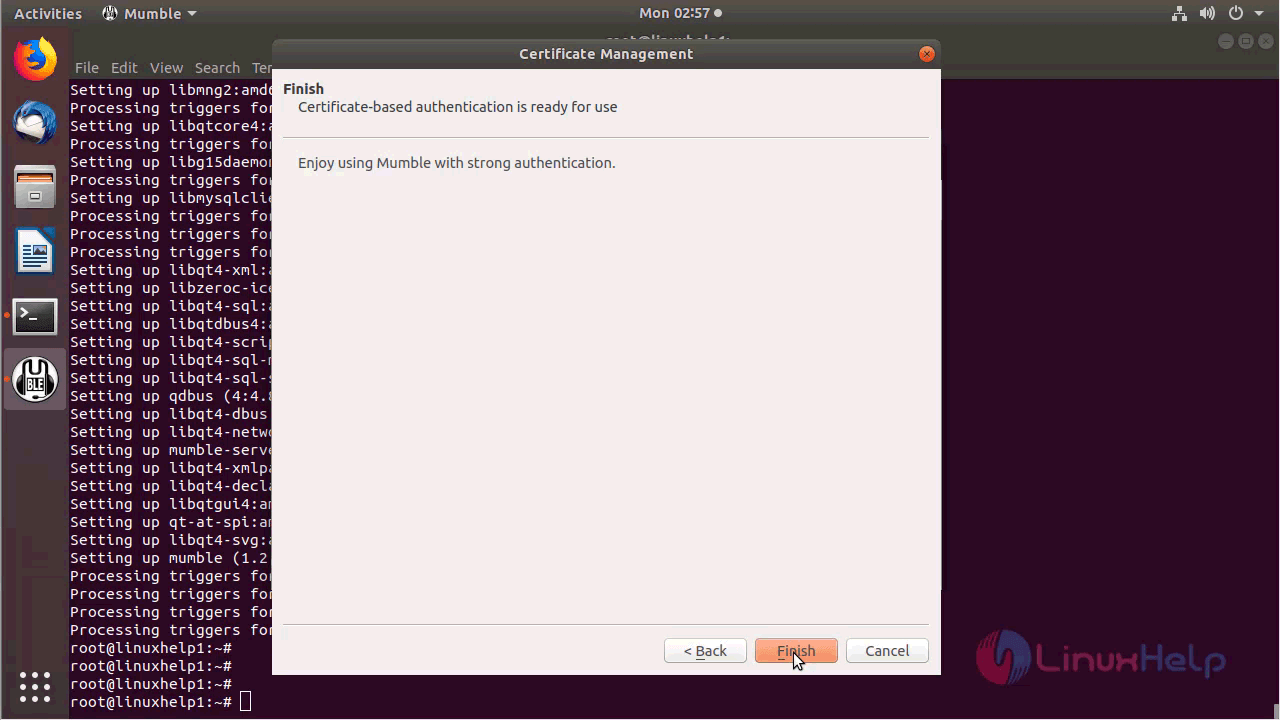
You will see the finished configuration as follow
Configure the Mumble server and Username
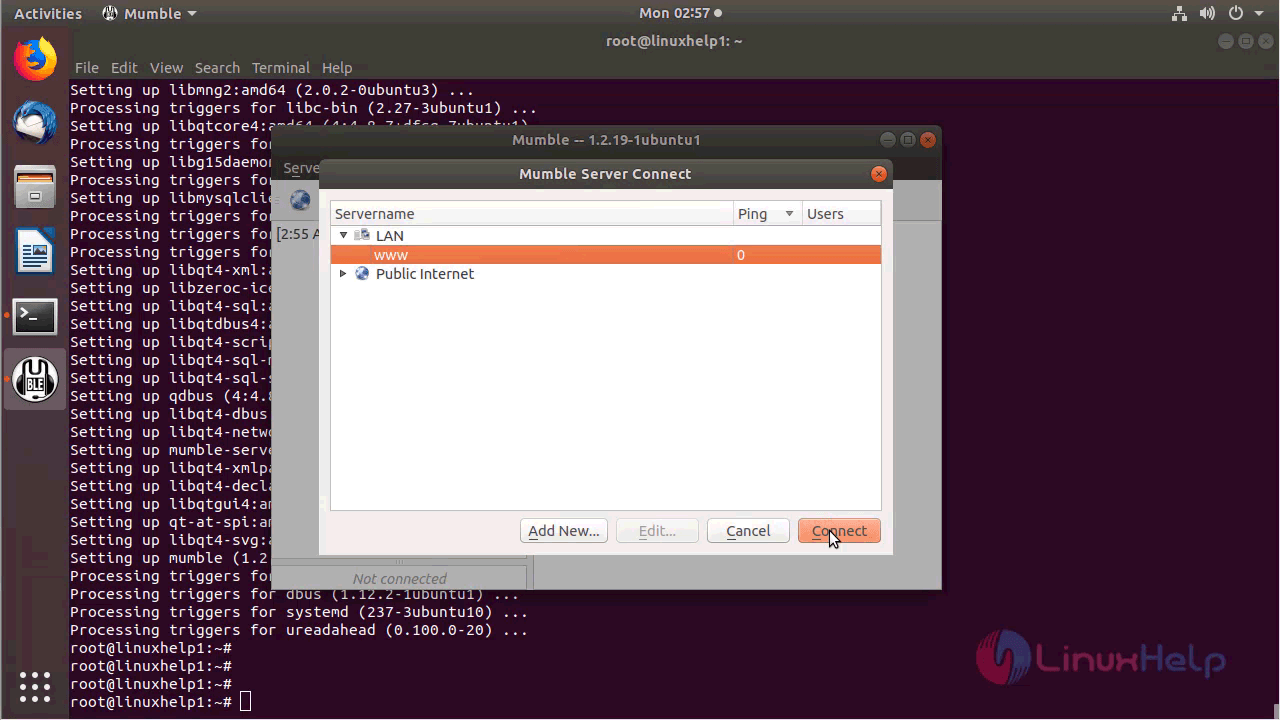
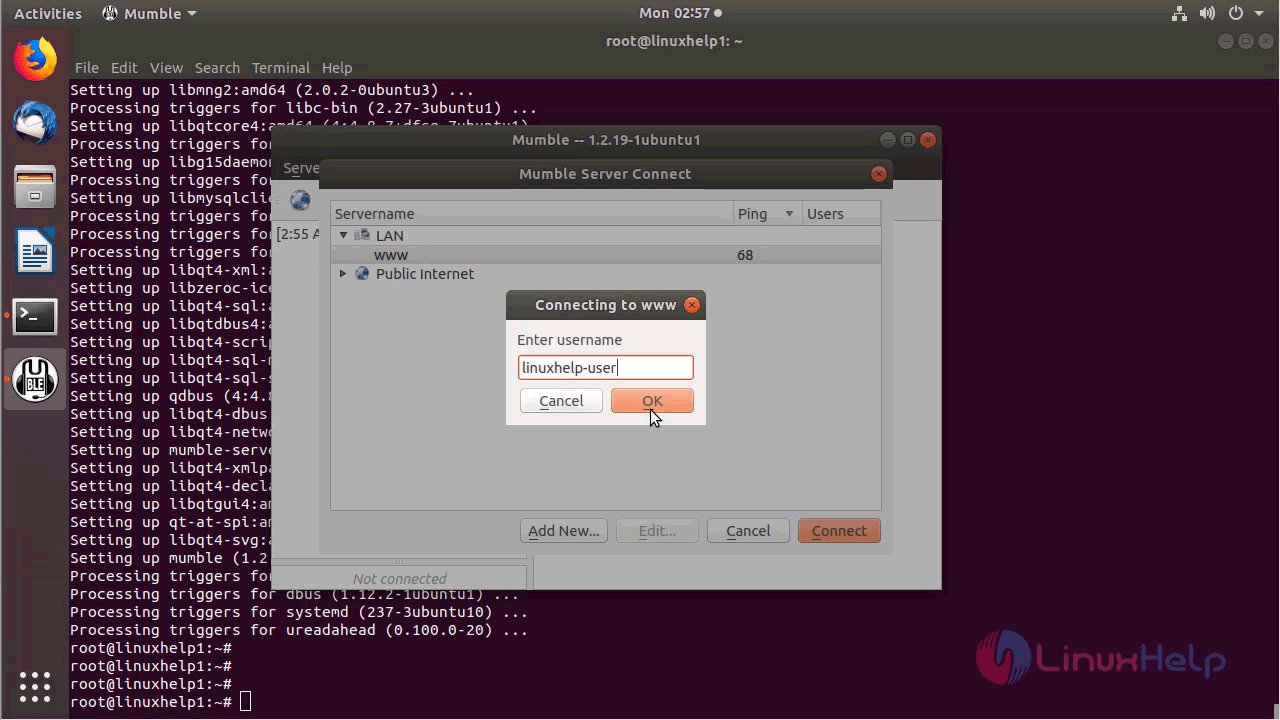
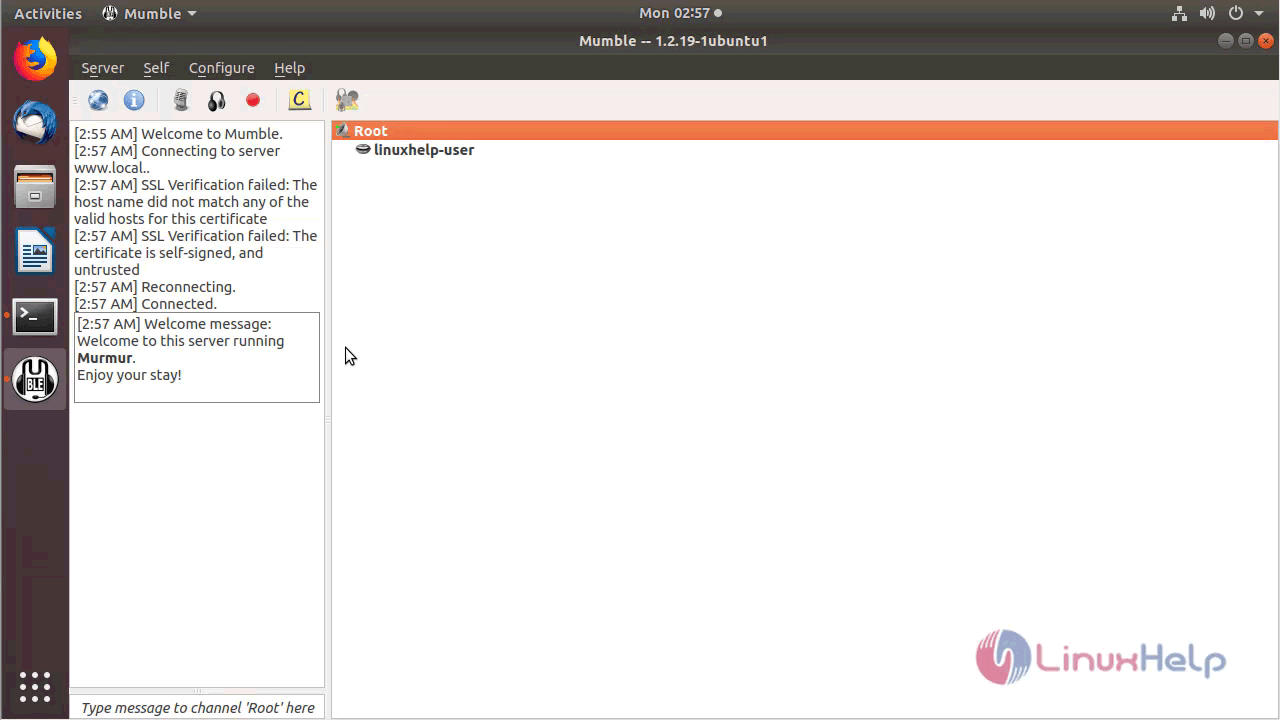
Mumble application
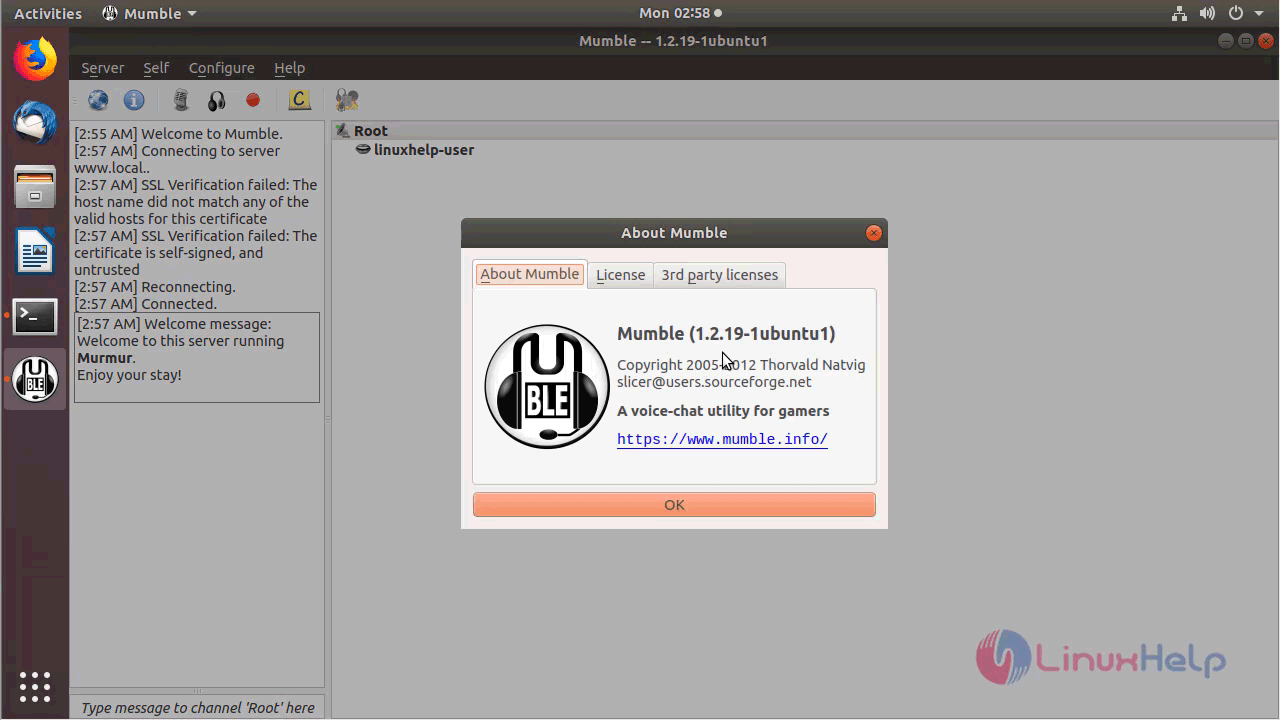
The version of Mumble can be found in Help-> About
With this, the method to install Mumble 1.2.19 on Ubuntu 18.04 comes to an end.
Comments ( 0 )
No comments available