How to install Mumble in Ubuntu
{{postValue.id}}
To Install Mumble in Ubuntu
Mumble is a free-ware voice chat program used by gamer. It supports the most popular 3D applications. In this article we will learn how to install Mumble in Ubuntu.
To install Mumble
Add the required repository for installing the mumble by running the following command.
root@linuxhelp1:~# add-apt-repository ppa:mumble/release
More info: https://launchpad.net/~mumble/+archive/ubuntu/release
Press [ENTER] to continue or ctrl-c to cancel adding it
gpg: keyring `/tmp/tmpetxiz7f2/secring.gpg'  created
gpg: keyring `/tmp/tmpetxiz7f2/pubring.gpg'  created
gpg: requesting key 7F05CF9E from hkp server keyserver.ubuntu.com
gpg: /tmp/tmpetxiz7f2/trustdb.gpg: trustdb created
gpg: key 7F05CF9E: public key " Launchpad PPA for Mumble"  imported
gpg: Total number processed: 1
gpg:               imported: 1  (RSA: 1)
OK
Update the newly added repository as shown below.
root@linuxhelp1:~# apt-get update
Hit:1 http://ppa.launchpad.net/dreibh/ppa/ubuntu xenial InRelease
Hit:2 http://in.archive.ubuntu.com/ubuntu xenial InRelease
Hit:3 http://security.ubuntu.com/ubuntu xenial-security InRelease
Ign:4 http://download.opensuse.org/repositories/home:/Horst3180/xUbuntu_16.04  InRelease
.
.
.
Get:9 http://download.opensuse.org/repositories/home:/Horst3180/xUbuntu_16.04  Release.gpg [481 B]
Get:10 http://ppa.launchpad.net/mumble/release/ubuntu xenial/main amd64 Packages [1,192 B]
Get:11 http://ppa.launchpad.net/mumble/release/ubuntu xenial/main i386 Packages [1,188 B]
Get:12 http://ppa.launchpad.net/mumble/release/ubuntu xenial/main Translation-en [816 B]
Fetched 21.2 kB in 1s (11.6 kB/s)
Reading package lists... Done
Run the following command to install the mumble software.
root@linuxhelp1:~# apt-get install mumble mumble-server -y
Reading package lists... Done
Building dependency tree
Reading state information... Done
The following additional packages will be installed:
  libavahi-compat-libdnssd1 libg15daemon-client1 libiceutil35v5 libqt4-svg libzeroc-ice35v5
Suggested packages:
  mumble-server-web mumble-django
The following NEW packages will be installed:
  libavahi-compat-libdnssd1 libg15daemon-client1 libiceutil35v5 libqt4-svg libzeroc-ice35v5 mumble mumble-server
0 upgraded, 7 newly installed, 0 to remove and 30 not upgraded.
Need to get 4,592 kB of archives.
After this operation, 13.3 MB of additional disk space will be used.
Get:1 http://ppa.launchpad.net/mumble/release/ubuntu xenial/main amd64 mumble amd64 1.2.16-1~ppa1~xenial1 [2,764 kB]
Get:2 http://in.archive.ubuntu.com/ubuntu xenial/main amd64 libavahi-compat-libdnssd1 amd64 0.6.32~rc+dfsg-1ubuntu2 [16.5 kB]
Get:3 http://in.archive.ubuntu.com/ubuntu xenial/universe amd64 libiceutil35v5 amd64 3.5.1-6.4ubuntu1 [78.9 kB]
Get:4 http://in.archive.ubuntu.com/ubuntu xenial/main amd64 libqt4-svg amd64 4:4.8.7+dfsg-5ubuntu2 [138 kB]
Get:5 http://in.archive.ubuntu.com/ubuntu xenial/universe amd64 libzeroc-ice35v5 amd64 3.5.1-6.4ubuntu1 [821 kB]
Get:6 http://in.archive.ubuntu.com/ubuntu xenial/universe amd64 libg15daemon-client1 amd64 1.9.5.3-8.3ubuntu2 [11.7 kB]
.
.
.
Setting up libavahi-compat-libdnssd1:amd64 (0.6.32~rc+dfsg-1ubuntu2) ...
Setting up libiceutil35v5:amd64 (3.5.1-6.4ubuntu1) ...
Setting up libqt4-svg:amd64 (4:4.8.7+dfsg-5ubuntu2) ...
Setting up libzeroc-ice35v5:amd64 (3.5.1-6.4ubuntu1) ...
Setting up libg15daemon-client1:amd64 (1.9.5.3-8.3ubuntu2) ...
Setting up mumble (1.2.16-1~ppa1~xenial1) ...
Setting up mumble-server (1.2.16-1~ppa1~xenial1) ...
Processing triggers for libc-bin (2.23-0ubuntu3) ...
Processing triggers for dbus (1.10.6-1ubuntu3) ...
Processing triggers for systemd (229-4ubuntu7) ...
Processing triggers for ureadahead (0.100.0-19) ...
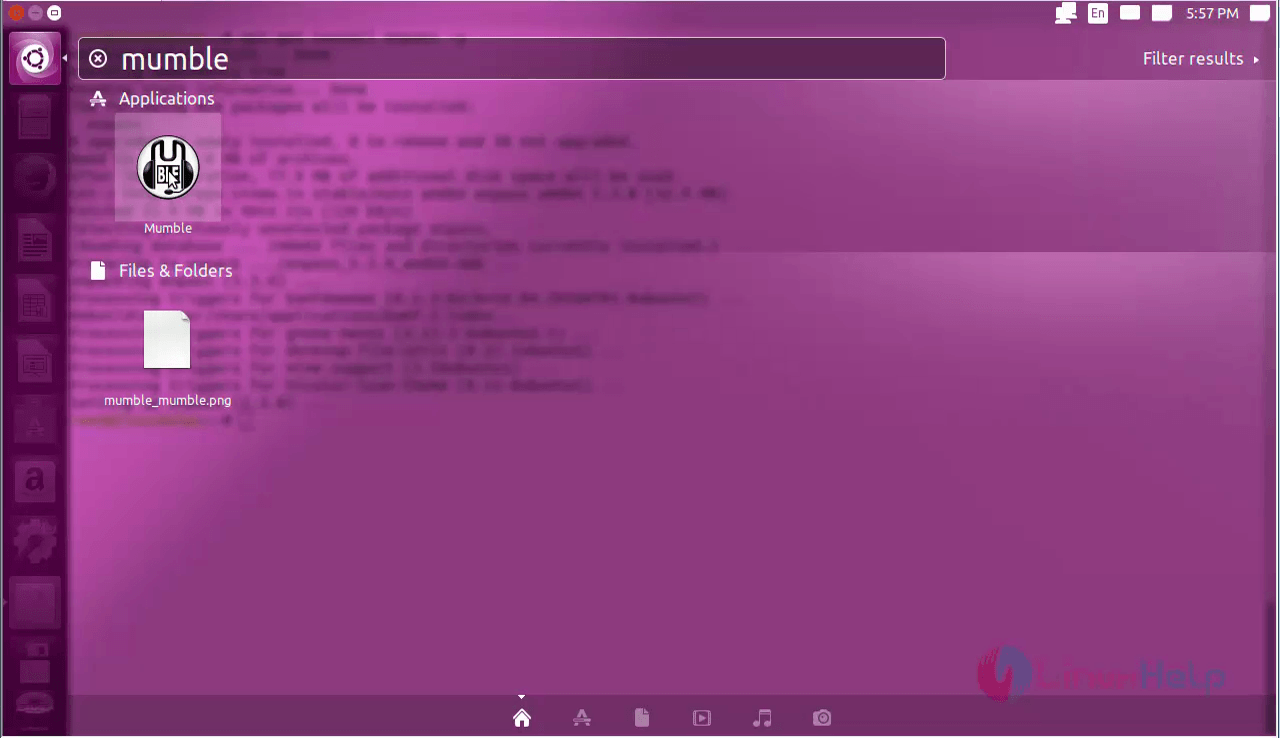
Search for the Mumble icon from the unity dash and open it.
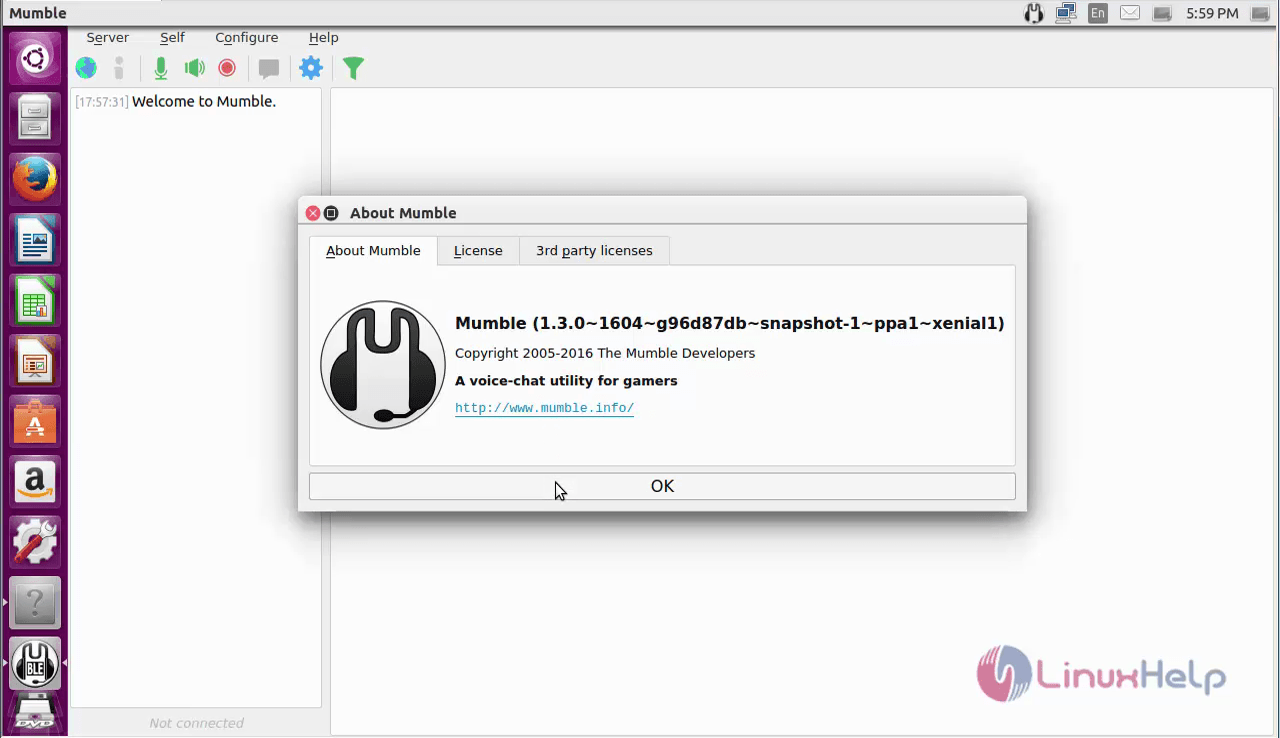
Now the mumble software is ready for voice chat.
To remove Mumble
Now remove the mumble package by using the following command.
root@linuxhelp1:~# apt-get remove mumble mumble-server -y
Reading package lists... Done
Building dependency tree
Reading state information... Done
The following packages were automatically installed and are no longer required:
  libavahi-compat-libdnssd1 libg15daemon-client1 libiceutil35v5 libqt4-svg libzeroc-ice35v5
Use ' sudo apt autoremove'  to remove them.
The following packages will be REMOVED:
  mumble mumble-server
.
.
.
Processing triggers for gconf2 (3.2.6-3ubuntu6) ...
Processing triggers for bamfdaemon (0.5.3~bzr0+16.04.20160701-0ubuntu1) ...
Rebuilding /usr/share/applications/bamf-2.index...
Processing triggers for gnome-menus (3.13.3-6ubuntu3.1) ...
Processing triggers for desktop-file-utils (0.22-1ubuntu5) ...
Processing triggers for mime-support (3.59ubuntu1) ...
Processing triggers for hicolor-icon-theme (0.15-0ubuntu1) ...
Processing triggers for man-db (2.7.5-1) ...
Processing triggers for doc-base (0.10.7) ...
Processing 1 removed doc-base file..
Comments ( 0 )
No comments available