How to Install Munin in Ubuntu
To install Munin in Ubuntu
Munin represents the performance of the computer, SANs, networks, weather measurements, applications in graphical form. It is used to know about the resource allocation and its efficient usage in a nice graph. Installation of Munin in Ubuntu is explained in this manual.
To install Munin packages
First start installing the dependency packages for the installation of Munin software.
root@linuxhelp1:~# apt-get install apache2 libcgi-fast-perl libapache2-mod-fcgid -y
Reading package lists... Done
Building dependency tree
Reading state information... Done
libcgi-fast-perl is already the newest version (1:2.10-1).
libcgi-fast-perl set to manually installed.
The following additional packages will be installed:
apache2-bin apache2-data apache2-utils libapr1 libaprutil1 libaprutil1-dbd-sqlite3 libaprutil1-ldap liblua5.1-0
.
.
.
Processing triggers for libc-bin (2.23-0ubuntu3) ...
Processing triggers for systemd (229-4ubuntu7) ...
Processing triggers for ureadahead (0.100.0-19) ...
Processing triggers for ufw (0.35-0ubuntu2) ...
Then enable the fcgid module in apache by using the following command.
root@linuxhelp1:~# a2enmod fcgid
Module fcgid already enabled
Run the following command to install the Munin packages.
root@linuxhelp1:~# apt-get install munin munin-node munin-plugins-extra -y
Reading package lists... Done
Building dependency tree
Reading state information... Done
.
.
.
Setting up munin-doc (2.0.25-2) ...
Setting up munin-plugins-core (2.0.25-2) ...
Setting up munin-node (2.0.25-2) ...
Initializing plugins..done.
Restarting munin-node..Setting up munin-plugins-extra (2.0.25-2) ...
Processing triggers for libc-bin (2.23-0ubuntu3) ...
Processing triggers for systemd (229-4ubuntu7) ...
Processing triggers for ureadahead (0.100.0-19) ...
If your server contains MySQL or MariaDB, then it is necessary to enable extra Munin plugins.
Run the following command to enable the extra plugins to monitor MySQL.
root@linuxhelp1:~# cd /etc/munin/plugins
root@linuxhelp1:/etc/munin/plugins# ln -s /usr/share/munin/plugins/mysql_mysql_
root@linuxhelp1:/etc/munin/plugins# ln -s /usr/share/munin/plugins/mysql_bytes mysql_bytes
root@linuxhelp1:/etc/munin/plugins# ln -s /usr/share/munin/plugins/mysql_queries mysql_queries
root@linuxhelp1:/etc/munin/plugins# ln -s /usr/share/munin/plugins/mysql_slowqueries mysql_slowqueries
root@linuxhelp1:/etc/munin/plugins# ln -s /usr/share/munin/plugins/mysql_threads mysql_threads
Open the munin config file and edit as follows.
root@linuxhelp1:/etc/munin/plugins# vim /etc/munin/munin.conf
# must be writable by the user running munin-cron. They are all
# defaulted to the values you see here.
#
dbdir /var/lib/munin
htmldir /var/cache/munin/www
logdir /var/log/munin
rundir /var/run/munin
# Where to look for the HTML templates
.
.
.
# a simple host tree
[www.linuxhelp1.com]
address 127.0.0.1
use_node_name yes
#
# A more complex example of a host tree
Rename the apache config file located in munin directory.
root@linuxhelp1:/etc/munin/plugins# mv /etc/munin/apache24.conf /etc/munin/apache24.conf_bak
Alias /munin /var/cache/munin/www
# Require local
Require all granted
Require valid-user
Options FollowSymLinks SymLinksIfOwnerMatch
Options None
ScriptAlias /munin-cgi/munin-cgi-graph /usr/lib/munin/cgi/munin-cgi-graph
# Require local
Require all granted
Require valid-user
Options FollowSymLinks SymLinksIfOwnerMatch

SetHandler fcgid-script

SetHandler cgi-script
Then run the following command to restart the apache and munin services.
root@linuxhelp1:/etc/munin/plugins# service apache2 restart
root@linuxhelp1:/etc/munin/plugins# service munin-node restart
Open the browse and type http://< IP_address> /munin

Login to Munin using the login credentials.

Click on the hostname of your machine.
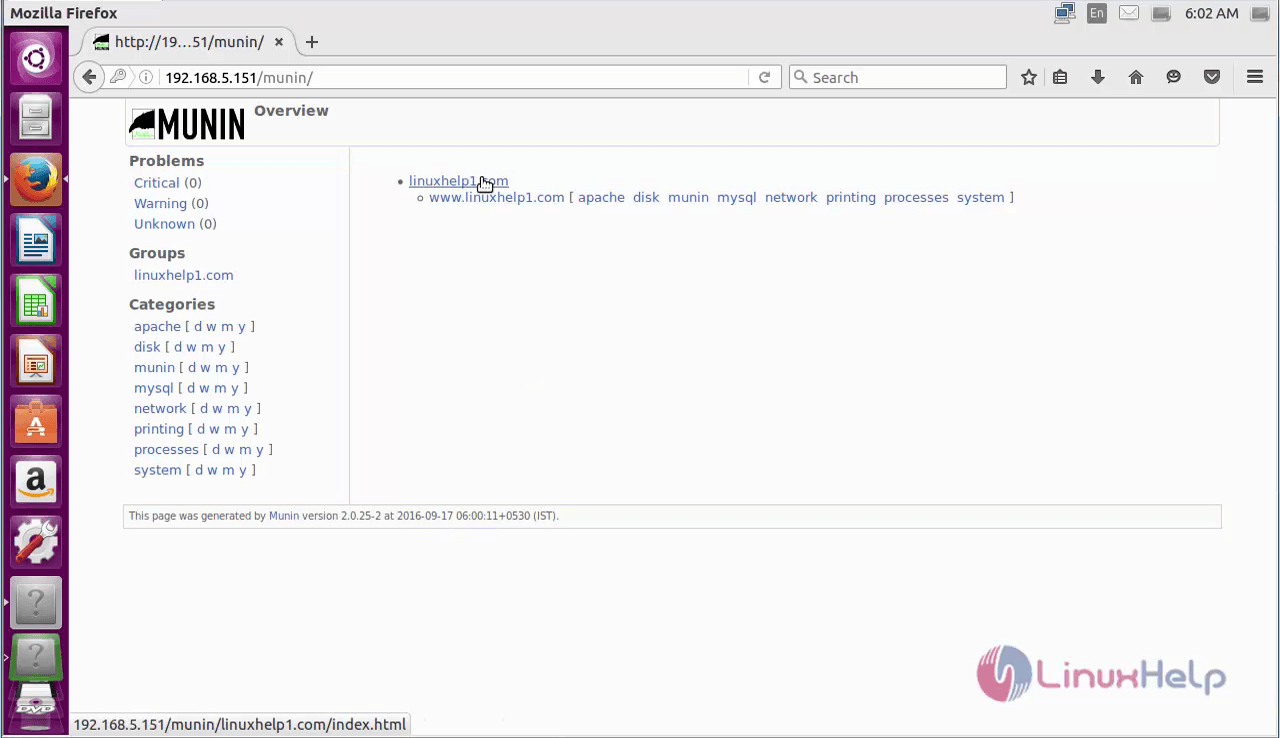
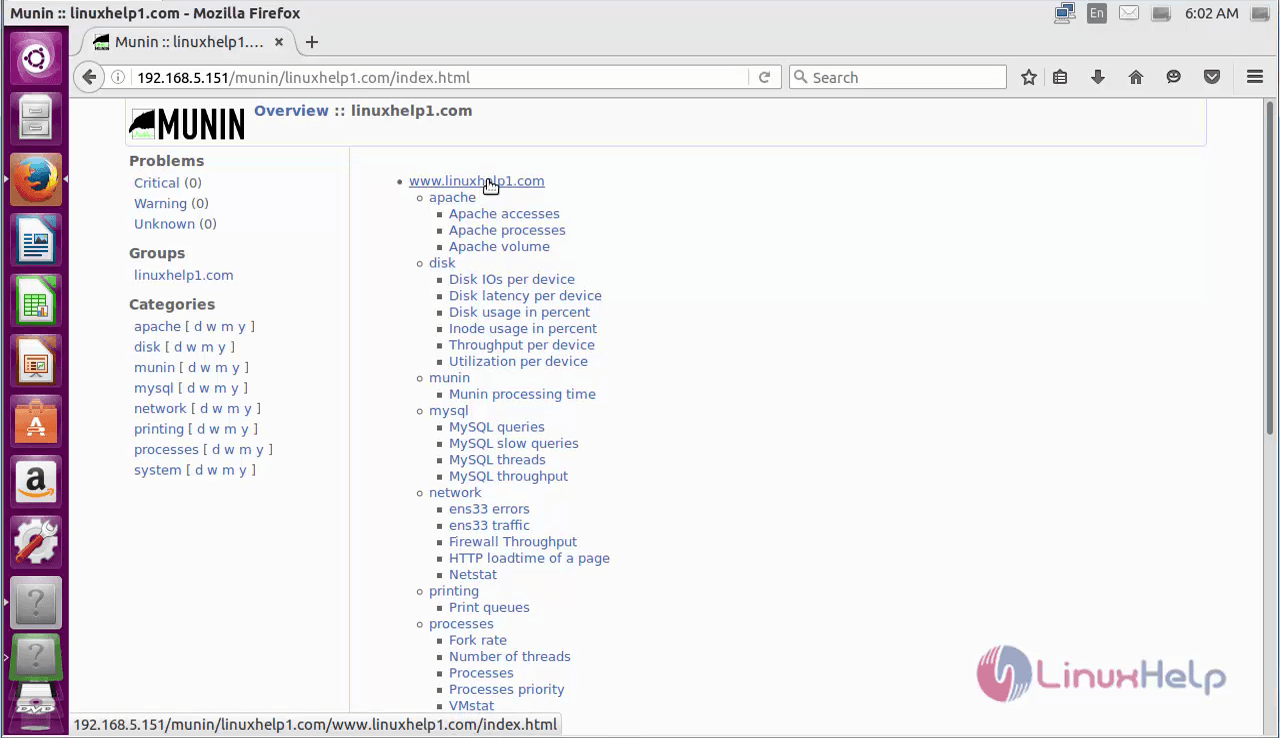
It displays performance of the computer.

Comments ( 0 )
No comments available