How to install MuseScore in Ubuntu
To install MuseScore in Ubuntu
MuseScore is an open-source music composition and notation software for Linux distributions. Users can create, edit and print music in a comfortable environment. Installation of MuseScore in Ubuntu is discussed in this manual.
Features
- Playback of trills and other ornaments
- New templates for classical chamber groups, vocal ensembles, orchestras, and concert band
- Improved Palettes
- Search box in Symbols palette
- New symbols: treble clef with parenthesized octave indicator, pedal line with release symbol
- Default FluidR3 soundfont
Installation of MuseScore
First add the repository files with the below command.
root@linuxhelp1:~# add-apt-repository ppa:mscore-ubuntu/mscore-stable
 ~~~~~~~~~~~~~ MUSESCORE RELEASES FOR UBUNTU 14.04 AND LATER ~~~~~~~~~~~~~
INSTALLING: (run these commands from the terminal)
  sudo add-apt-repository ppa:mscore-ubuntu/mscore-stable
  sudo apt-get update
  sudo apt-get install musescore

                                GETTING HELP:
 * Have a look at the Online Handbook: https://musescore.org/handbook
 * Try Google. Search for " musescore"  and the problem you are having.
 * If those options fail you can try asking on the forum (see below).

                           CONTACTING THE DEVELOPERS:
     * Forums: https://musescore.org/forum (for discussion and help)
     * Issue tracker: https://musescore.org/project/issues (report bugs)
         Feel free to discuss MuseScore and request new features in the
          forums. Please only use the issue tracker for reporting bugs.

  Please do not contact members of the MuseScore Maintainers team here on
Launchpad unless you are absolutely certain that your problem is unique to
MuseScore on Ubuntu, and affects no other operating system. It is always
best to get in touch via musescore.org where you are likely to get a reply
sooner, and others are able to read it and benefit too. Enjoy MuseScore!
~~~~~~~~~~~~~ MUSESCORE RELEASES FOR UBUNTU 14.04 AND LATER ~~~~~~~~~~~~~
 More info: https://launchpad.net/~mscore-ubuntu/+archive/ubuntu/mscore-stable
Press [ENTER] to continue or ctrl-c to cancel adding it

gpg: keyring `/tmp/tmp_wd15gku/secring.gpg'  created
gpg: keyring `/tmp/tmp_wd15gku/pubring.gpg'  created
gpg: requesting key 3A258030 from hkp server keyserver.ubuntu.com
gpg: /tmp/tmp_wd15gku/trustdb.gpg: trustdb created
gpg: key 3A258030: public key " Launchpad PPA named mscore-stable for MuseScore Maintainers"  imported
gpg: Total number processed: 1
gpg:               imported: 1  (RSA: 1)
OK
Update the added repository in the system with the " apt-get update" command.
root@linuxhelp1:~# apt-get update
Get:1 http://security.ubuntu.com/ubuntu xenial-security InRelease [94.5 kB]
Hit:2 http://in.archive.ubuntu.com/ubuntu xenial InRelease
Get:3 http://ppa.launchpad.net/mscore-ubuntu/mscore-stable/ubuntu xenial InRelease [17.6 kB]
Hit:4 http://in.archive.ubuntu.com/ubuntu xenial-updates InRelease
Hit:5 http://in.archive.ubuntu.com/ubuntu xenial-backports InRelease
Hit:6 http://ppa.launchpad.net/scribus/ppa/ubuntu xenial InRelease
Get:7 http://ppa.launchpad.net/mscore-ubuntu/mscore-stable/ubuntu xenial/main amd64 Packages [1,280 B]
Get:8 http://ppa.launchpad.net/mscore-ubuntu/mscore-stable/ubuntu xenial/main i386 Packages [1,280 B]
Get:9 http://ppa.launchpad.net/mscore-ubuntu/mscore-stable/ubuntu xenial/main Translation-en [828 B]
Fetched 115 kB in 1s (87.4 kB/s)
Reading package lists... Done
Finally run the below command to install the MuseScore package.
root@linuxhelp1:~# apt-get install musescore -y
Reading package lists... Done
Building dependency tree
Reading state information... Done
The following packages were automatically installed and are no longer required:
  fonts-dejavu fonts-dejavu-extra i965-va-driver icc-profiles-free libaacs0 libaec0 libarmadillo6 libarpack2 libass5
  libavcodec-ffmpeg56 libavdevice-ffmpeg56 libavfilter-ffmpeg5 libavformat-ffmpeg56 libavresample-ffmpeg2 libavutil-ffmpeg54
  libbdplus0 libblas-common libblas3 libbluray1 libbs2b0 libcoin80v5 libcrystalhd3 libdap17v5 libdapclient6v5 libdc1394-22
  libepsilon1 libfaad2 libflite1 libfreexl1 libgdal1i libgeos-3.5.0 libgeos-c1v5 libgfortran3 libgif7 libgme0
  libgraphicsmagick-q16-3 libgsm1 libhdf4-0-alt libhdf5-10 libiso9660-8 libkmlbase1 libkmldom1 libkmlengine1 liblapack3 libmad0
  libminizip1 libmodplug1 libmp3lame0 libmpcdec6 libmysqlclient20 libnetcdf11 libodbc1 libogdi3.2 libopenal-data libopenal1
  libopencv-core2.4v5 libopencv-imgproc2.4v5 libopenjp2-7 libopenjpeg5 libopenscenegraph100v5 libopenthreads20 libpango1.0-0
  libpangox-1.0-0 libpodofo0.9.3 libpostproc-ffmpeg53 libpq5 libproj9 libqt4-opengl libschroedinger-1.0-0 libsdl1.2debian
  libshine3 libsnappy1v5 libsodium18 libsoxr0 libspatialite7 libssh-gcrypt-4 libsuperlu4 libswresample-ffmpeg1 libswscale-ffmpeg3
  libsz2 libtbb2 libtwolame0 liburiparser1 libva1 libvcdinfo0 libvdpau1 libx264-148 libx265-79 libxerces-c3.1 libxine2
  libxine2-bin libxine2-doc libxine2-ffmpeg libxine2-misc-plugins libxine2-plugins libxvidcore4 libzmq5 libzvbi-common libzvbi0
  linux-headers-4.4.0-21 linux-headers-4.4.0-21-generic linux-image-4.4.0-21-generic linux-image-extra-4.4.0-21-generic
  mesa-vdpau-drivers mysql-common odbcinst odbcinst1debian2 proj-bin proj-data scribus-trunk-data va-driver-all vdpau-driver-all
  vdpau-va-driver
Use ' sudo apt autoremove'  to remove them.
The following additional packages will be installed:
  libqt5clucene5 libqt5help5 libqt5xmlpatterns5 musescore-common qml-module-qtquick-controls qml-module-qtquick-dialogs
  qml-module-qtquick-privatewidgets
.
.
.
Setting up qml-module-qtquick-privatewidgets:amd64 (5.5.1-1ubuntu1) ...
Setting up qml-module-qtquick-dialogs:amd64 (5.5.1-1ubuntu1) ...
Setting up musescore-common (2.0.3+dfsg1-0ubuntu0ppa1~xenial1) ...
Setting up musescore (2.0.3+dfsg1-0ubuntu0ppa1~xenial1) ...
Processing triggers for libc-bin (2.23-0ubuntu3) ...
Now its time to open the MuseScore in Unity dash. Type the installed software name in the search bar and then click on the displayed icon.

Homepage of MuseScore software will display on the desktop as shown below. Click on create new score option.

Enter the following credentials as shown below.

Manage the following settings as you wish.

Select the key signature and tempo from the displayed list.

Now you can start compose music in this page.
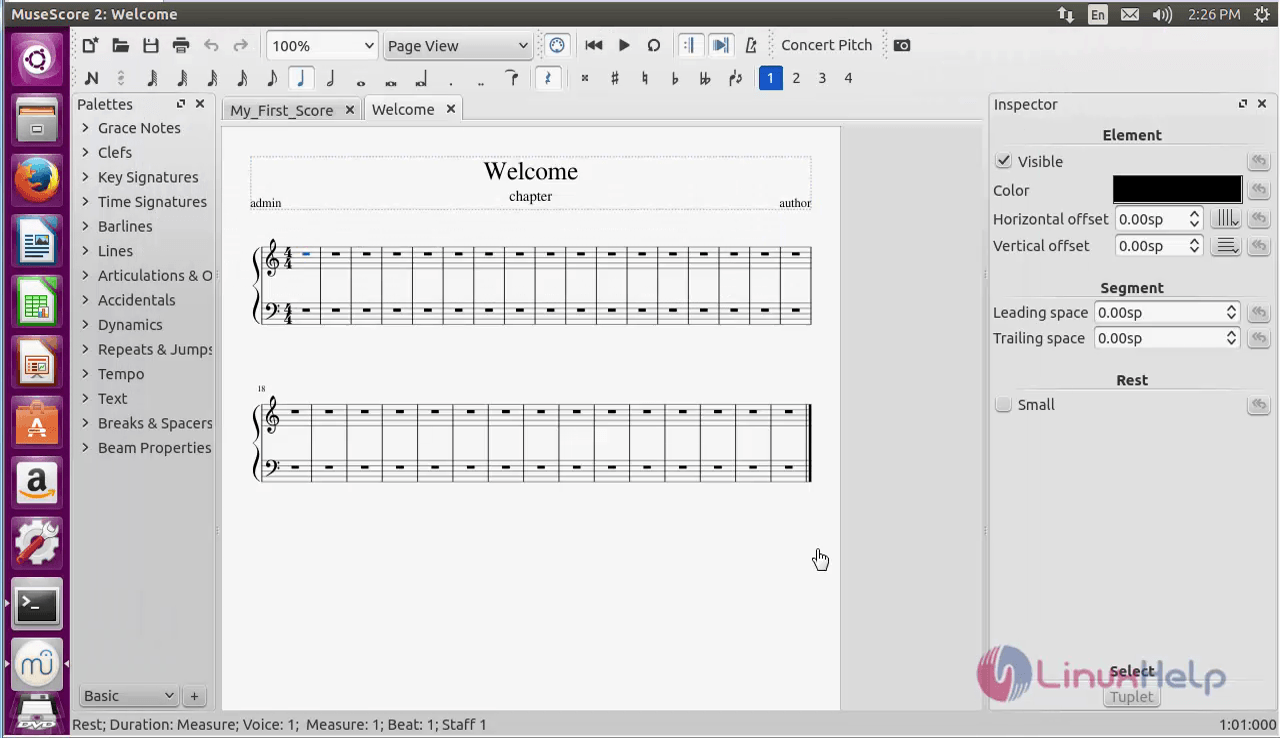
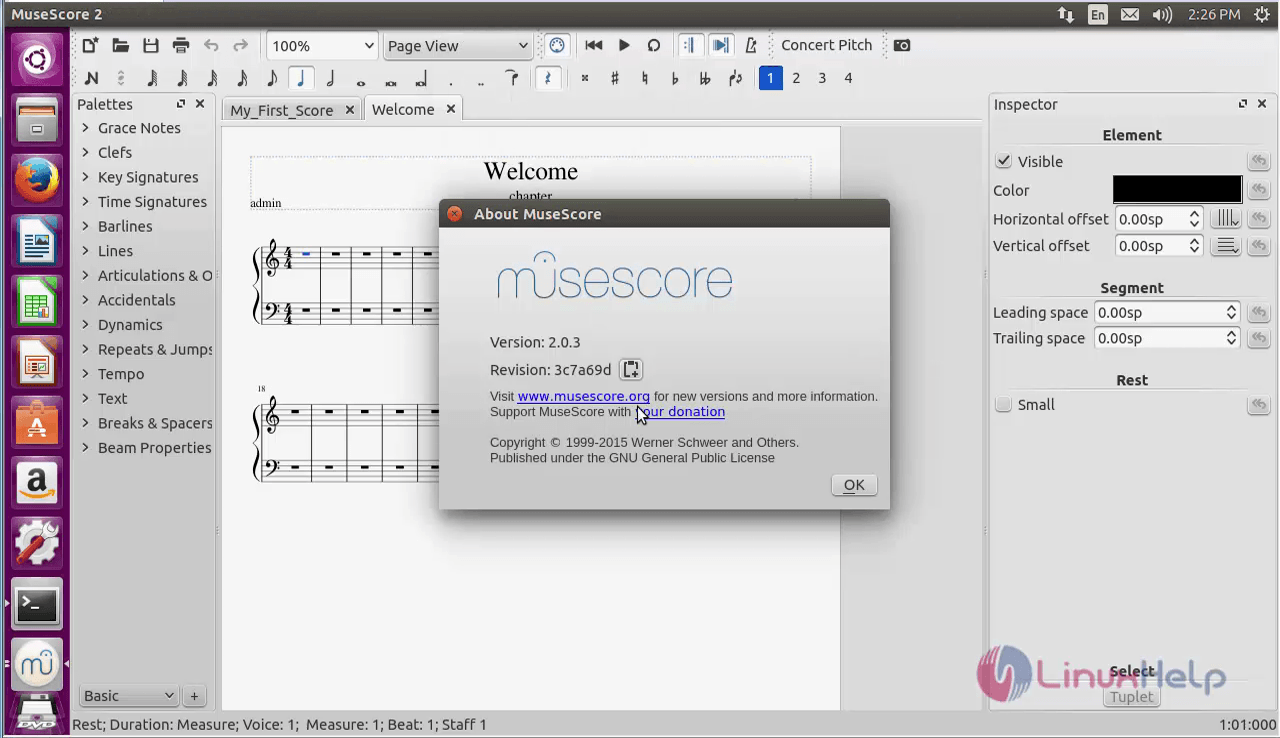
To know more about MuseScore, just click on the About option.
To remove MuseScore package
Run the following command to uninstall the MuseScore package.
root@linuxhelp1:~# apt-get remove musescore -y
Reading package lists... Done
Building dependency tree
Reading state information... Done
The following packages were automatically installed and are no longer required:
  fonts-dejavu fonts-dejavu-extra i965-va-driver icc-profiles-free libaacs0 libaec0 libarmadillo6 libarpack2 libass5
  libavcodec-ffmpeg56 libavdevice-ffmpeg56 libavfilter-ffmpeg5 libavformat-ffmpeg56 libavresample-ffmpeg2 libavutil-ffmpeg54
  libbdplus0 libblas-common libblas3 libbluray1 libbs2b0 libcoin80v5 libcrystalhd3 libdap17v5 libdapclient6v5 libdc1394-22
  libepsilon1 libfaad2 libflite1 libfreexl1 libgdal1i libgeos-3.5.0 libgeos-c1v5 libgfortran3 libgif7 libgme0
  libgraphicsmagick-q16-3 libgsm1 libhdf4-0-alt libhdf5-10 libiso9660-8 libkmlbase1 libkmldom1 libkmlengine1 liblapack3 libmad0
  libminizip1 libmodplug1 libmp3lame0 libmpcdec6 libmysqlclient20 libnetcdf11 libodbc1 libogdi3.2 libopenal-data libopenal1
  libopencv-core2.4v5 libopencv-imgproc2.4v5 libopenjp2-7 libopenjpeg5 libopenscenegraph100v5 libopenthreads20 libpango1.0-0
  libpangox-1.0-0 libpodofo0.9.3 libpostproc-ffmpeg53 libpq5 libproj9 libqt4-opengl libqt5clucene5 libqt5help5 libqt5xmlpatterns5
  libschroedinger-1.0-0 libsdl1.2debian libshine3 libsnappy1v5 libsodium18 libsoxr0 libspatialite7 libssh-gcrypt-4 libsuperlu4
  libswresample-ffmpeg1 libswscale-ffmpeg3 libsz2 libtbb2 libtwolame0 liburiparser1 libva1 libvcdinfo0 libvdpau1 libx264-148
  libx265-79 libxerces-c3.1 libxine2 libxine2-bin libxine2-doc libxine2-ffmpeg libxine2-misc-plugins libxine2-plugins libxvidcore4
.
.
.
Processing triggers for man-db (2.7.5-1) ...
Processing triggers for hicolor-icon-theme (0.15-0ubuntu1) ...
Processing triggers for shared-mime-info (1.5-2ubuntu0.1) ...
Processing triggers for bamfdaemon (0.5.3~bzr0+16.04.20160701-0ubuntu1) ...
Rebuilding /usr/share/applications/bamf-2.index...
Processing triggers for gnome-menus (3.13.3-6ubuntu3.1) ...
Processing triggers for desktop-file-utils (0.22-1ubuntu5) ...
Processing triggers for mime-support (3.59ubuntu1) ...
Comments ( 0 )
No comments available