How to install Mybb on Linuxmint 18.03
To install Mybb on Linuxmint 18.03
MyBB is a very popular open source and extensible forum software developed using PHP and MySQL database. It allows webmasters and students to easily create discussion forums that look professional.
Prerequisites
Install LAMP(Apache, MariaDB, and php7.2)
In MariaDB (create database and user and give privileges to that user
Php installation with required following modules
add-apt-repository ppa:ondrej/php
apt-get update
apt-get install php7.2 php7.2-mysql php7.2-curl php7.2-json php7.2-cgi libapache2-mod-php7.2 php7.2-mcrypt php7.2-xmlrpc php7.2-gd php7.2-mbstring php7.2  php7.2-common  php7.2-xmlrpc php7.2-soap  php7.2-xml php7.2-intl
php7.2-cli  php7.2-ldap php7.2-zip php7.2-readline php7.2-imap php7.2-tidy php7.2-recode php7.2-sq php7.2-intl
Installation
Download the Mybb package using wget command
linuxhelp ~ # wget https://resources.mybb.com/downloads/mybb_1815.zip
--2018-06-14 14:25:00--  https://resources.mybb.com/downloads/mybb_1815.zip
Resolving resources.mybb.com (resources.mybb.com)... 104.25.196.102, 104.25.195.102, 2400:cb00:2048:1::6819:c466, ...
Connecting to resources.mybb.com (resources.mybb.com)|104.25.196.102|:443... connected.
HTTP request sent, awaiting response... 200 OK
Length: 2248609 (2.1M) [application/zip]
Saving to: ‘ mybb_1815.zip’

mybb_1815.zip           100%[============================> ]   2.14M   679KB/s    in 3.2s

2018-06-14 14:25:05 (679 KB/s) - ‘ mybb_1815.zip’  saved [2248609/2248609]
The downloaded package is a zip file, so Unzip the package now
linuxhelp ~ # unzip mybb_1815.zip -d mybb
Archive:  mybb_1815.zip
   creating: mybb/Documentation/
  inflating: mybb/Documentation/credits.html
   creating: mybb/Documentation/images/
  inflating: mybb/Documentation/images/logo.png
 extracting: mybb/Documentation/images/notice_credits.png
 extracting: mybb/Documentation/images/notice_install.png
 extracting: mybb/Documentation/images/notice_license.png
 extracting: mybb/Documentation/images/notice_upgrade.png
  inflating: mybb/Documentation/index.html
.
.
.
  inflating: mybb/Upload/task.php
   creating: mybb/Upload/uploads/
   creating: mybb/Upload/uploads/avatars/
  inflating: mybb/Upload/uploads/avatars/index.html
  inflating: mybb/Upload/uploads/index.html
  inflating: mybb/Upload/usercp.php
  inflating: mybb/Upload/usercp2.php
  inflating: mybb/Upload/warnings.php
  inflating: mybb/Upload/xmlhttp.php
Change the ownership and permission for Mybb directory
linuxhelp ~ # ls
mybb  mybb_1815.zip
linuxhelp ~ # chown -R www-data:www-data mybb
linuxhelp ~ # chmod -R 775 mybb
Move the Mybb directory into the /html location
linuxhelp ~ # mv mybb /var/www/html/
Create a new virtual host configuration for accessing the Mybb application
linuxhelp ~ # cd /etc/apache2/sites-available/
linuxhelp sites-available # vim mybb.conf
< VirtualHost *:80>
ServerName www.linuxhelp1.com
DocumentRoot /var/www/html/mybb/
< Directory /var/www/html/mybb/>
AllowOverride All
allow from all
< /Directory>
< /VirtualHost>
Enable the site access
linuxhelp sites-available # a2ensite mybb.conf
Enabling site mybb.
To activate the new configuration, you need to run:
  service apache2 reload
Make an entry to the host file as follows
linuxhelp sites-available # vim /etc/hosts
<  give your ip address>      <  give your domain name>

Restart the apache2 service
linuxhelp sites-available # systemctl restart apache2.service
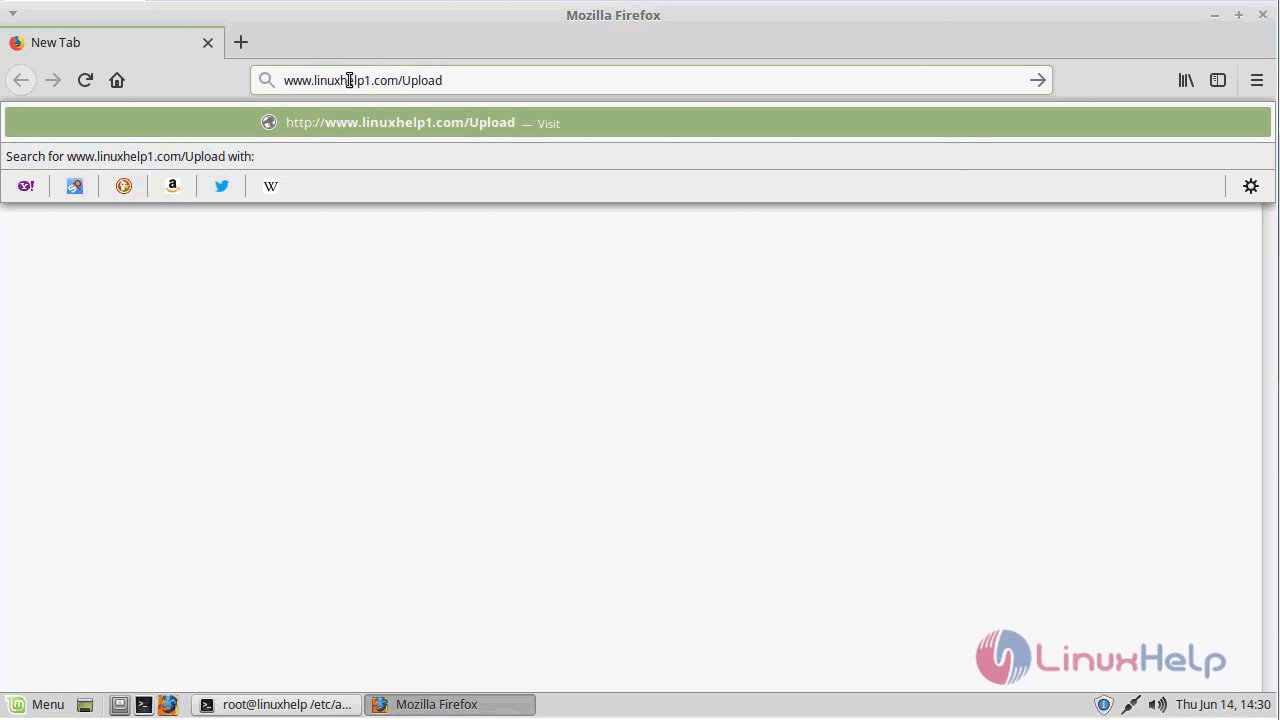
Now you can proceed the further installation and configuration from the browser by navigating to the following URL: http://< ipaddress or domain name
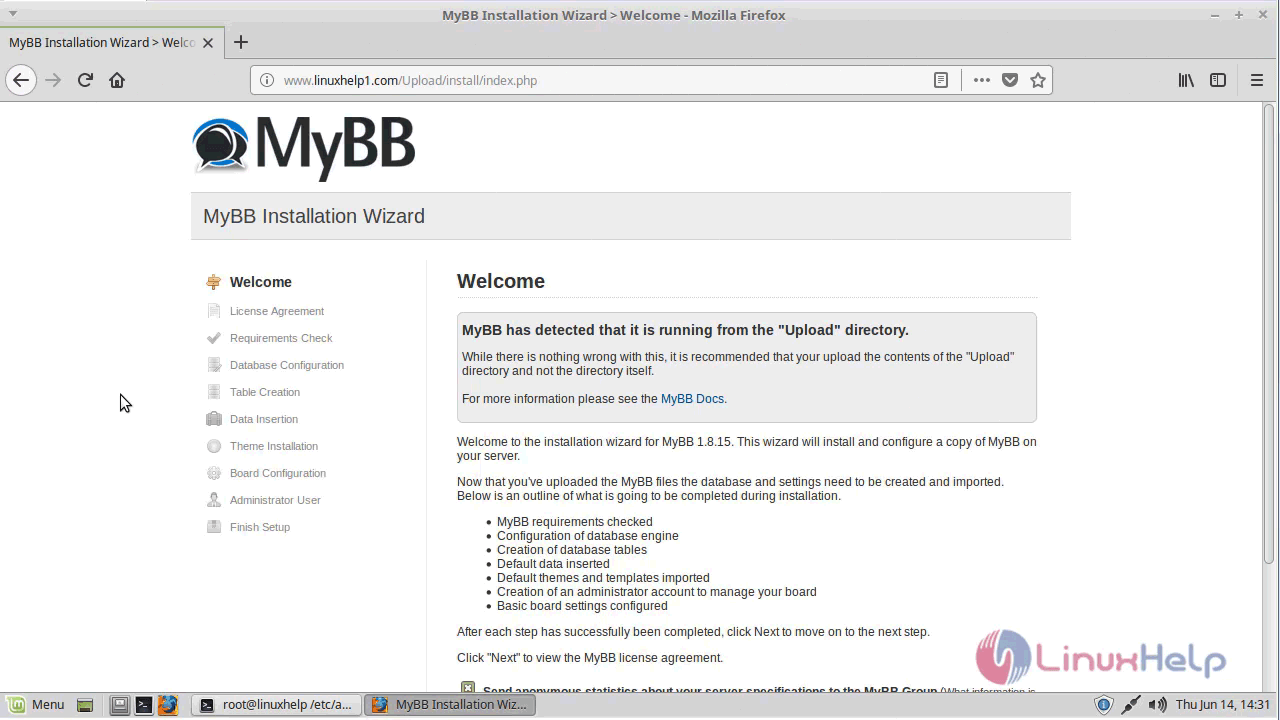
Welcome page of MyBB
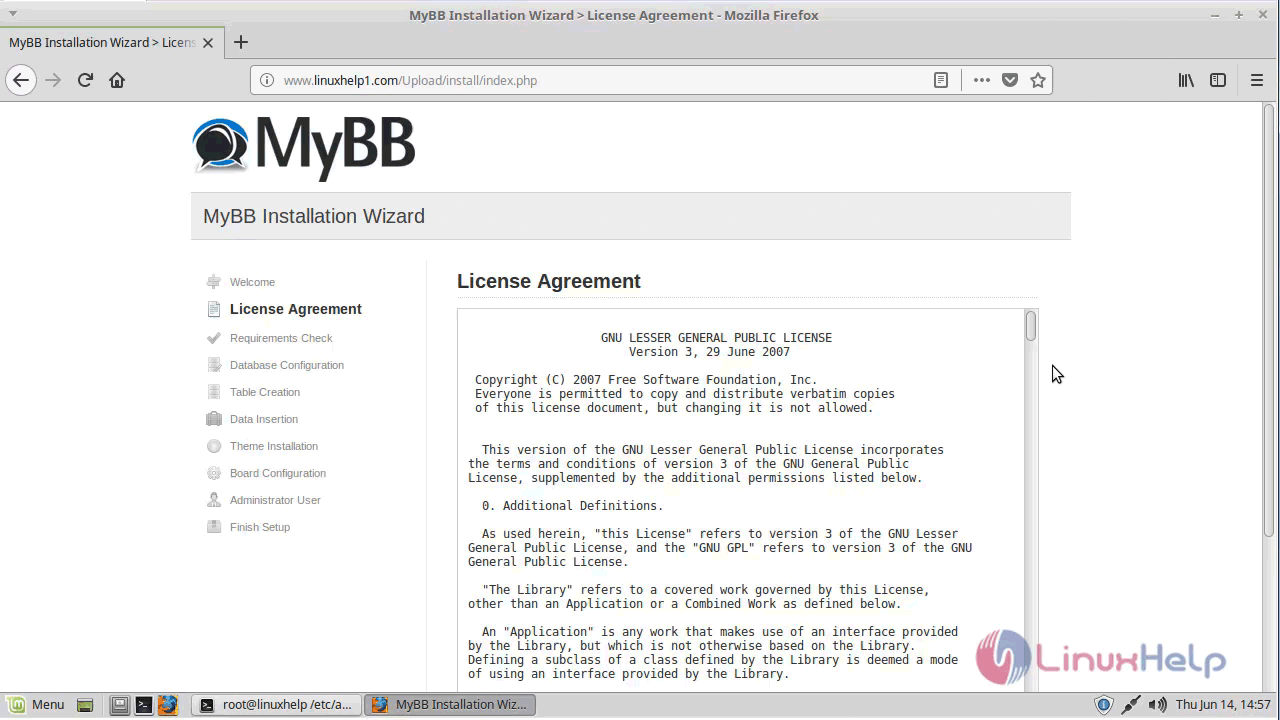
Accept the Licence Agreement and continue with the installation procedure.
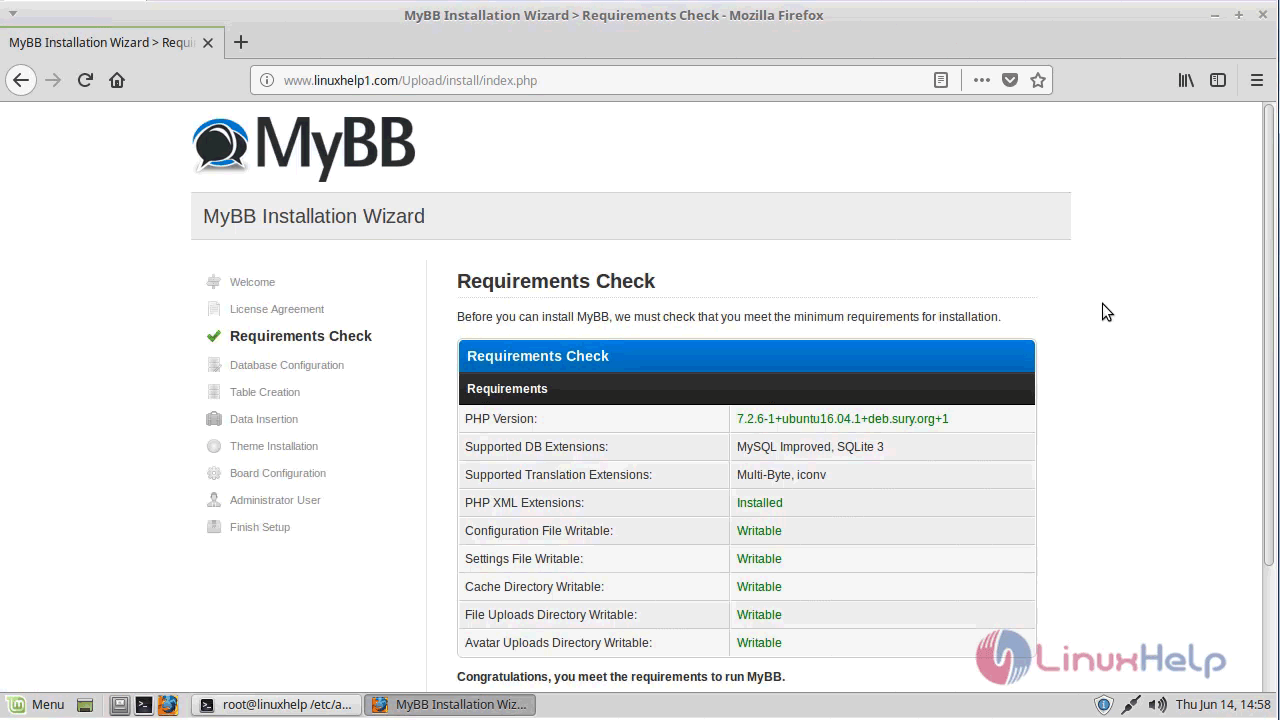
Make sure that all the requirements are met.
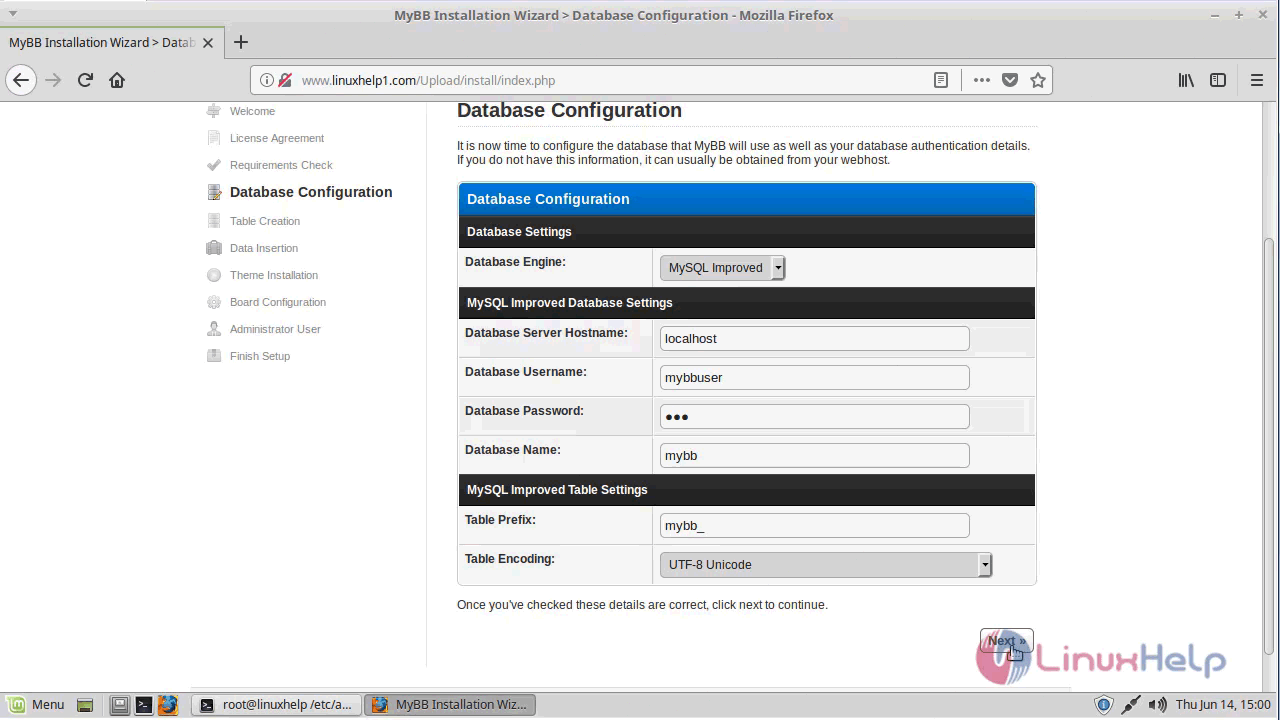
Proceed with the database configuration. Enter the database details and click next
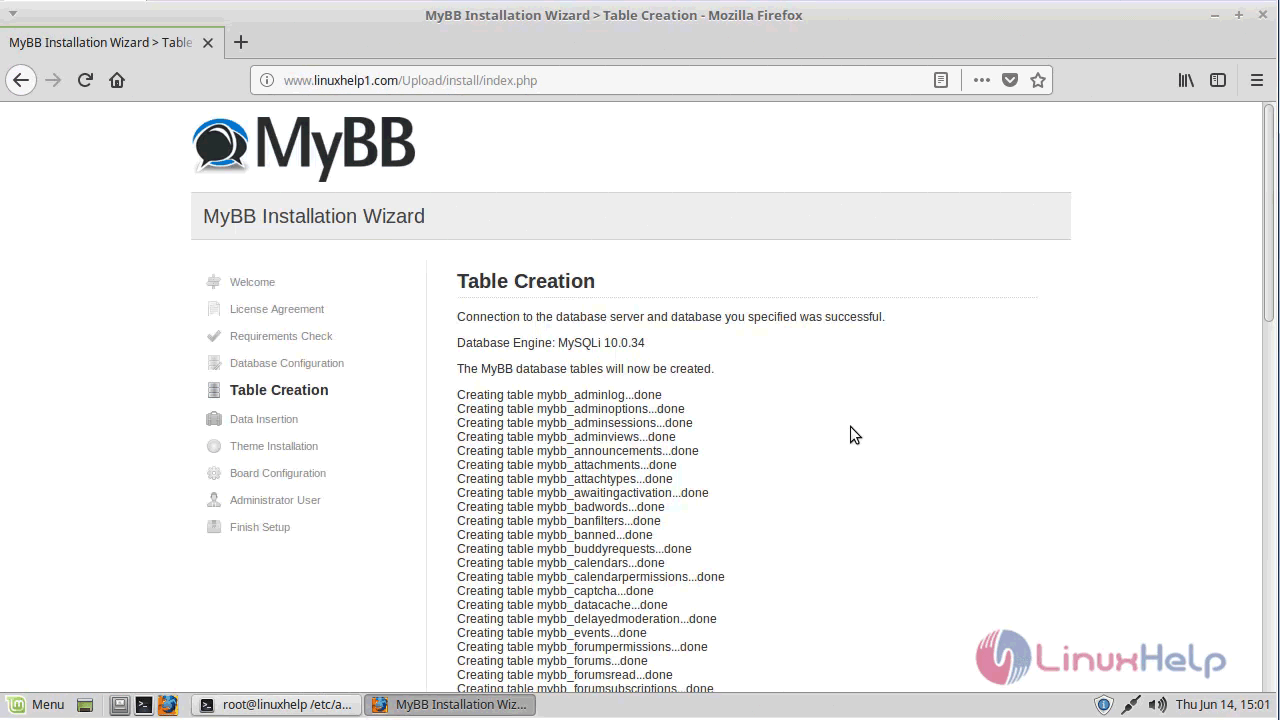
Verify the table creation
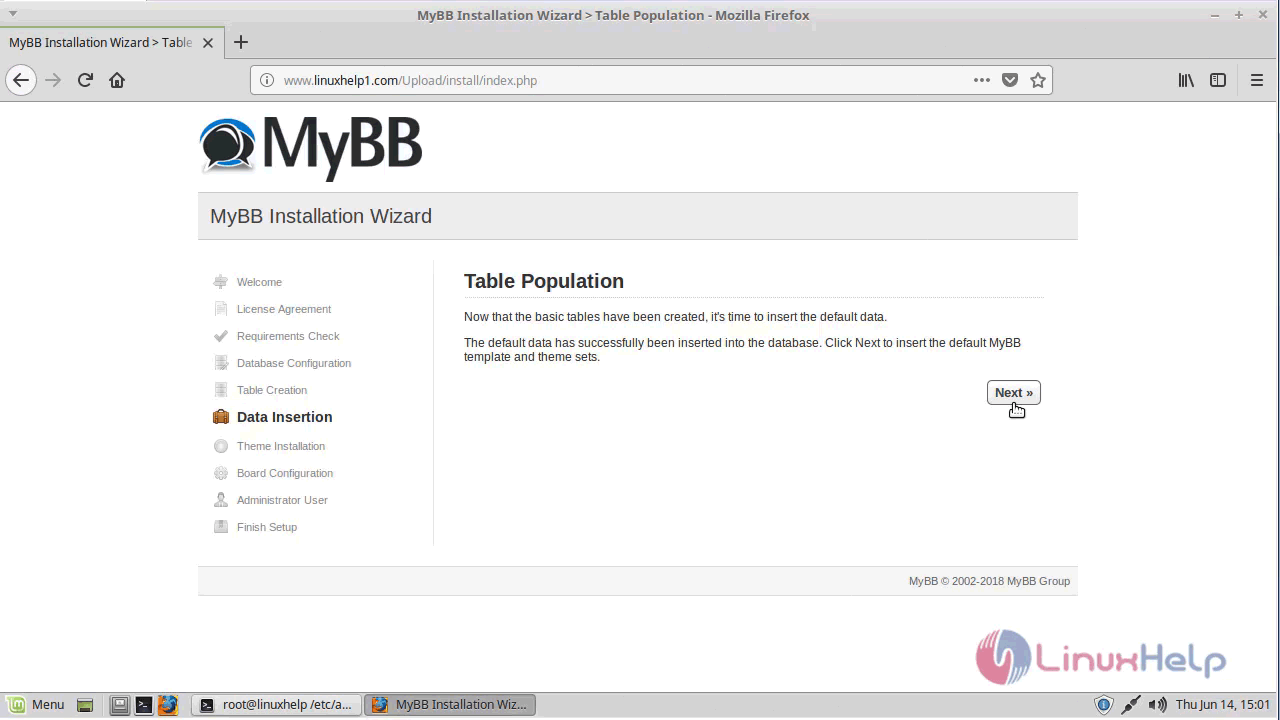
Data insertion
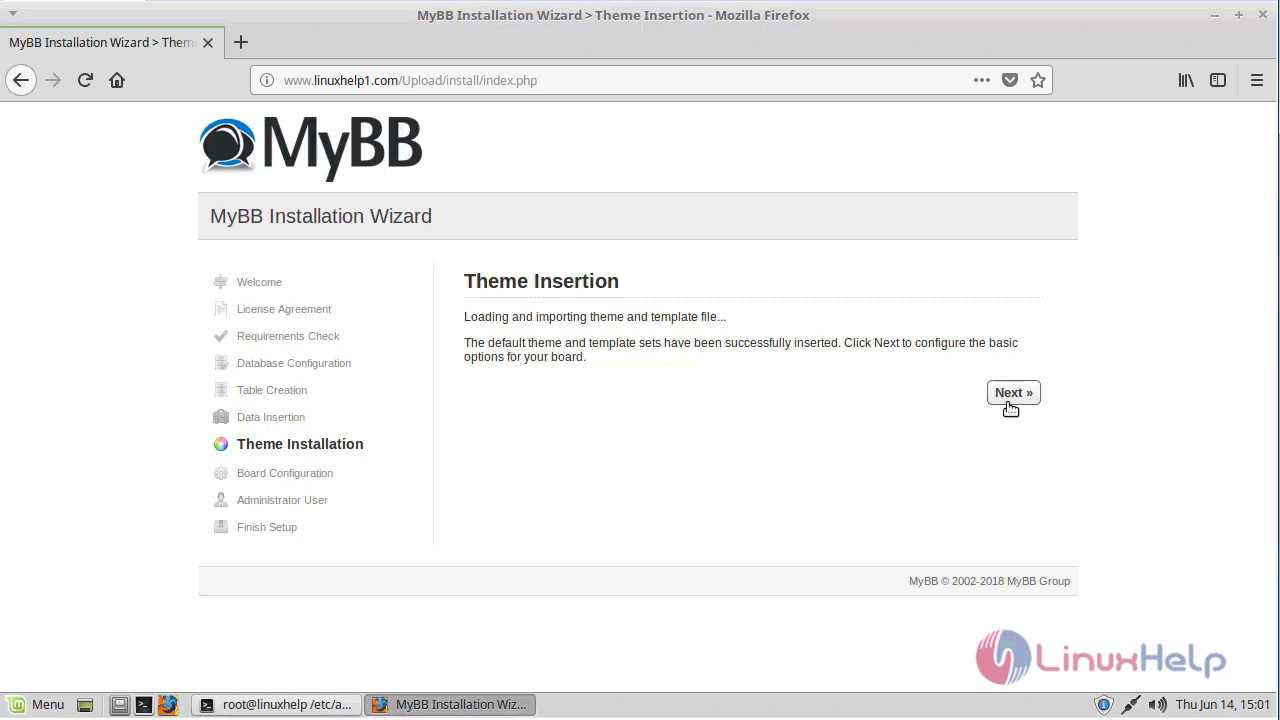
Theme insertion
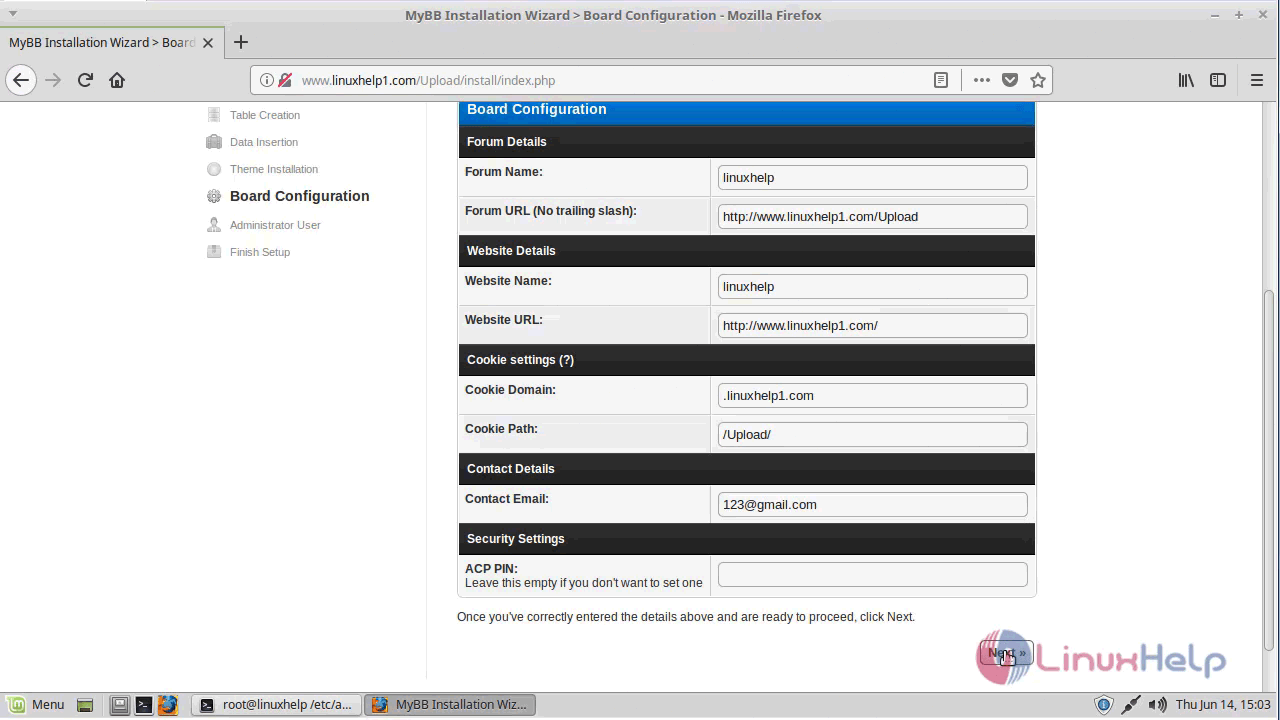
Fill the board configuration details.
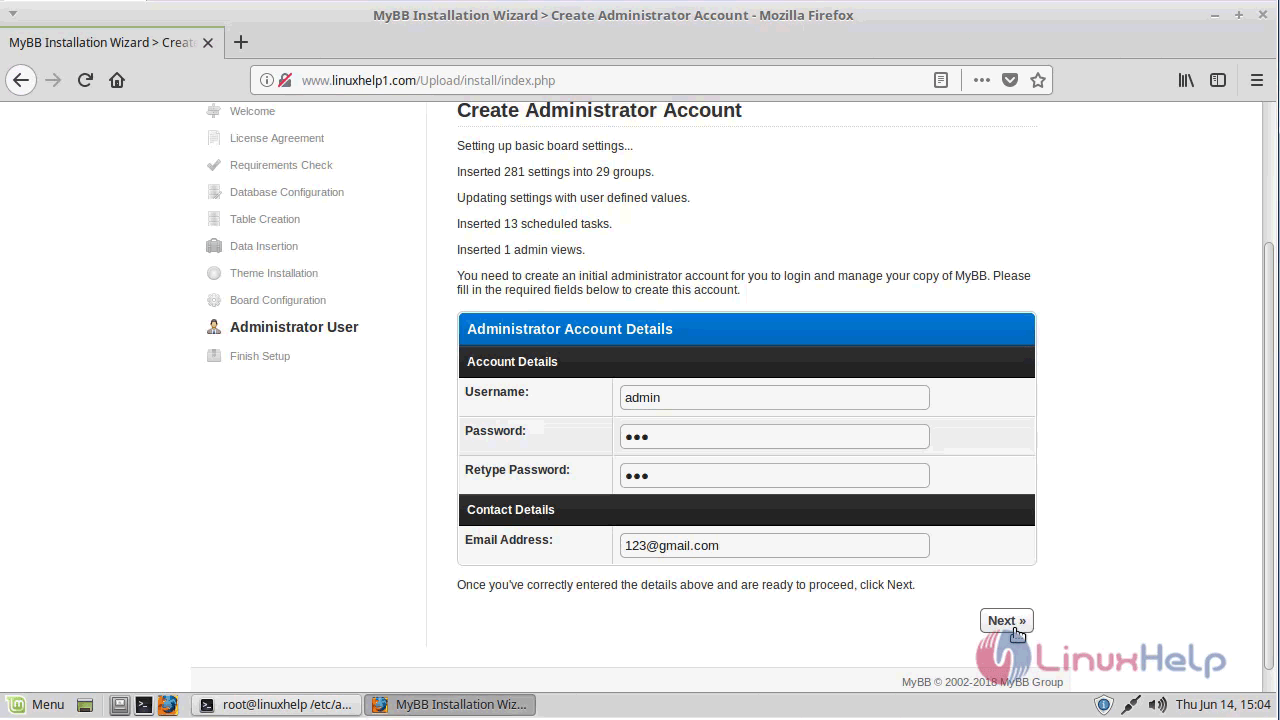
Configure the admin credentials setup.
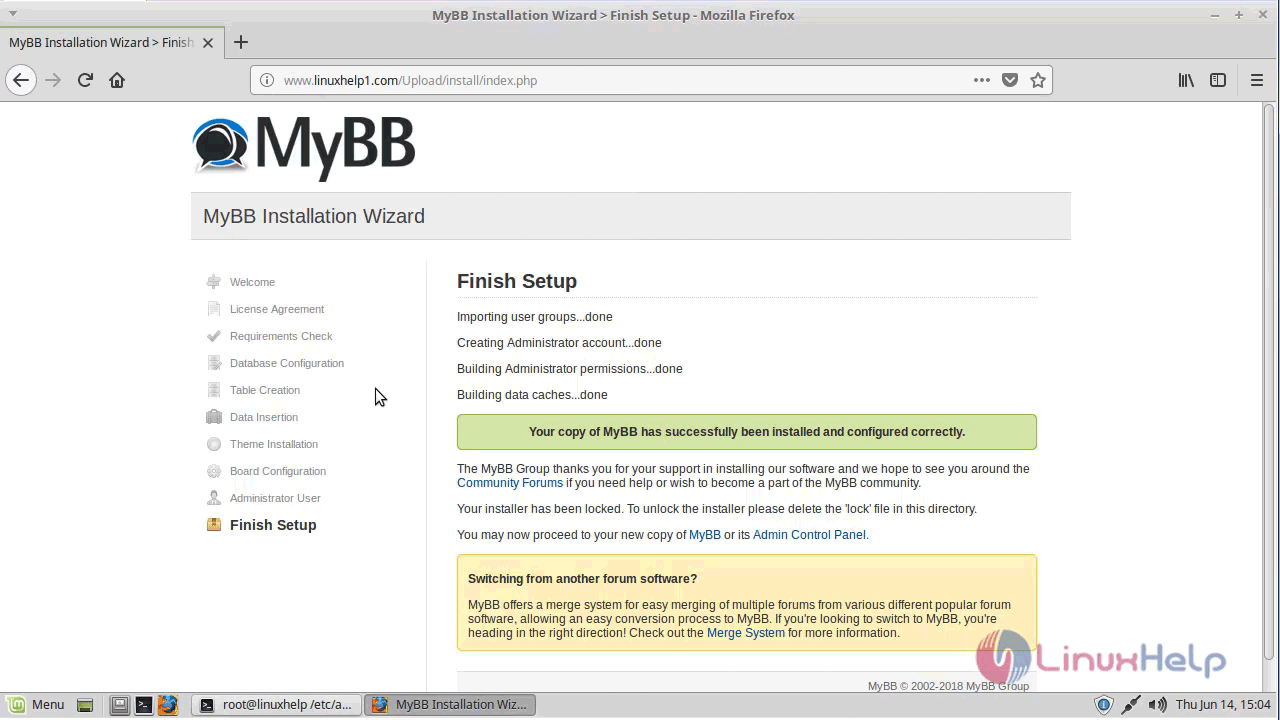
Once the installation is complete you will see the following page.
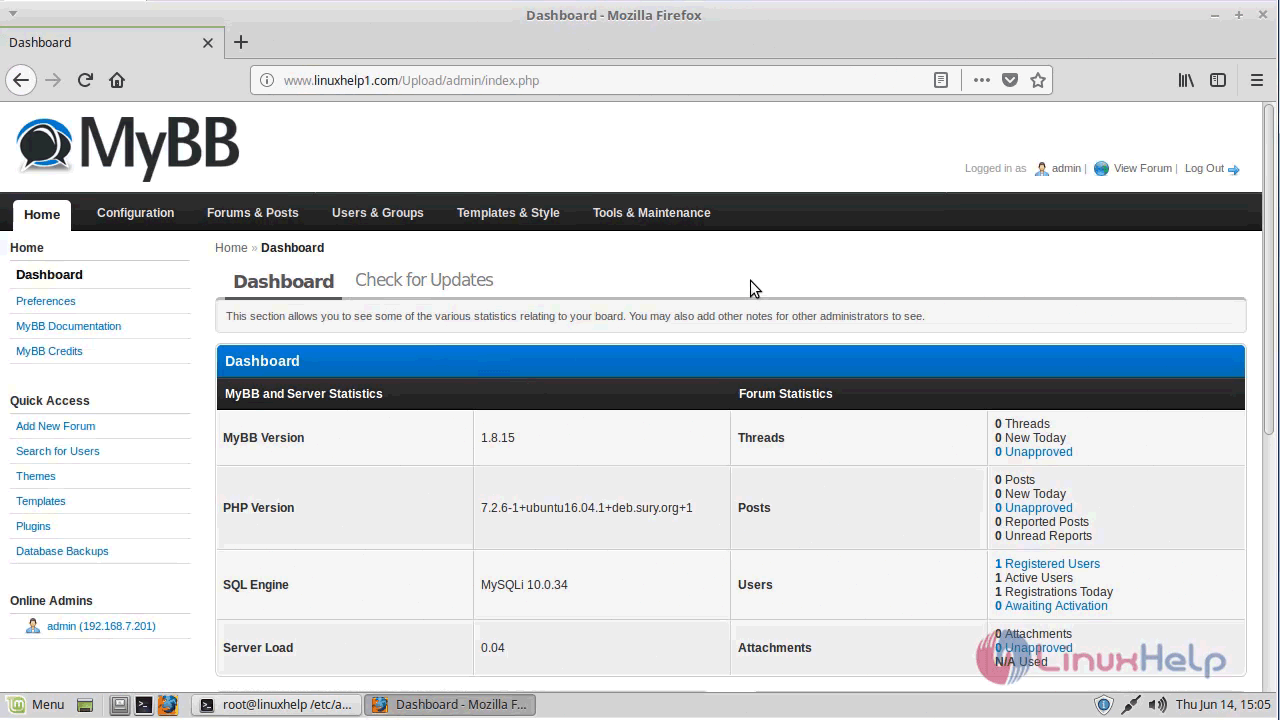
Access the admin control panel using admin credentials.
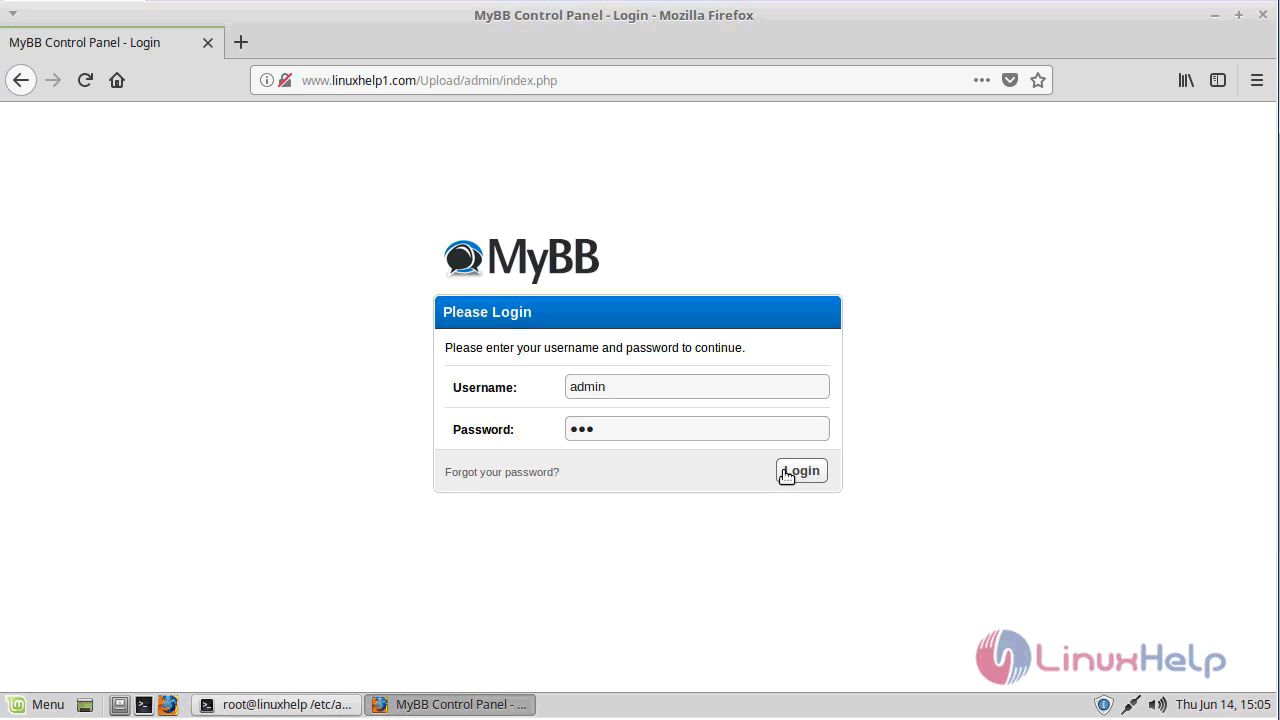
Admin page of MyBB application
With this, the method to install Mybb on Linuxmint 18.03 comes to an end.
Comments ( 0 )
No comments available