How to Install Navigate CMS on CentOS 7.6
- 00:37 rpm -q centos-release
- 00:57 mysql -u root -p
- 02:25 wget https://netix.dl.sourceforge.net/project/navigatecms/releases/navigate-2.8r1302.zip
- 02:39 unzip navigate-2.8r1302.zip -d navigate
- 02:53 cd navigate
- 03:05 unzip package.zip
- 03:19 mv navigate /var/www/
- 03:31 chown -R apache:apache /var/www/navigate
- 03:48 chmod -R 755 /var/www/navigate
- 04:05 vim /etc/httpd/conf.d/navigate.conf
- 05:29 systemctl restart httpd
Installation of Navigate CMS On Centos 7.6
Navigate CMS is an free and opensource powerful content management system.its written in php and uses mysql database. Navigate cms is allows to create and change website content very easily, anytime and anywhere.This Tutuorial covers the installation of Navigate Cms On Centos 7.6
Requirements for Navigate Cms:
Apache
Mariadb
Php and its modules
php php-xml php-mysql php-mbstring php-zip php-soap php-curl php-gd php-ldap php-imap php-common php-mcrypt
Installation procedure
Check the Centos version by using the following command
[root@linuxhelp ~]# rpm -q centos-release
centos-release-7-6.1810.2.el7.centos.x86_64
Configure the MySQL database. Log into MySQL as a root user and make the necessary settings.
[root@linuxhelp ~]# mysql -u root -p
Enter password:
Welcome to the MariaDB monitor.  Commands end with ; or \g.
Your MariaDB connection id is 10
Server version: 5.5.60-MariaDB MariaDB Server
Copyright (c) 2000, 2018, Oracle, MariaDB Corporation Ab and others.
Type 'help;' or '\h' for help. Type '\c' to clear the current input statement.
MariaDB [(none)]> create database navigate;
Query OK, 1 row affected (0.07 sec)
MariaDB [(none)]> create user 'navigateuser'@localhost identified by 'Linuxc#4';
Query OK, 0 rows affected (0.10 sec)
MariaDB [(none)]> grant all privileges on navigate.* to 'navigateuser'@localhost;
Query OK, 0 rows affected (0.00 sec)
MariaDB [(none)]> flush privileges;
Query OK, 0 rows affected (0.00 sec)
MariaDB [(none)]> Ctrl-C -- exit!
Aborted
Once the database configuration is done, download the Navigate cms Installation package by using the wget command.
[root@linuxhelp ~]# wget https://netix.dl.sourceforge.net/project/navigatecms/releases/navigate-2.8r1302.zip
--2019-06-13 04:16:31--  https://netix.dl.sourceforge.net/project/navigatecms/releases/navigate-2.8r1302.zip
Resolving netix.dl.sourceforge.net (netix.dl.sourceforge.net)... 87.121.121.2
Connecting to netix.dl.sourceforge.net (netix.dl.sourceforge.net)|87.121.121.2|:443... connected.
HTTP request sent, awaiting response... 302 Found
Location: https://downloads.sourceforge.net/project/navigatecms/releases/navigate-2.8r1302.zip?download&failedmirror=netix.dl.sourceforge.net [following]
--2019-06-13 04:16:32--  https://downloads.sourceforge.net/project/navigatecms/releases/navigate-2.8r1302.zip?download&failedmirror=netix.dl.sourceforge.net
Resolving downloads.sourceforge.net (downloads.sourceforge.net)... 216.105.38.13
Connecting to downloads.sourceforge.net (downloads.sourceforge.net)|216.105.38.13|:443... connected.
HTTP request sent, awaiting response... 302 Found
Location: https://excellmedia.dl.sourceforge.net/project/navigatecms/releases/navigate-2.8r1302.zip [following]
--2019-06-13 04:16:33--  https://excellmedia.dl.sourceforge.net/project/navigatecms/releases/navigate-2.8r1302.zip
Resolving excellmedia.dl.sourceforge.net (excellmedia.dl.sourceforge.net)... 202.153.32.19
Connecting to excellmedia.dl.sourceforge.net (excellmedia.dl.sourceforge.net)|202.153.32.19|:443... connected.
HTTP request sent, awaiting response... 200 OK
Length: 14619708 (14M) [application/octet-stream]
Saving to: ‘navigate-2.8r1302.zip’

100%[======================================================================>] 14,619,708  1.12MB/s   in 13s

2019-06-13 04:16:46 (1.11 MB/s) - ‘navigate-2.8r1302.zip’ saved [14619708/14619708]
Once the download is completed extract the downloaded package using unzip command.
[root@linuxhelp ~]# unzip navigate-2.8r1302.zip -d navigate
Archive:  navigate-2.8r1302.zip
  inflating: navigate/setup.php
  inflating: navigate/navigate.sql
  inflating: navigate/package.zip
Enter into the navigate directory
[root@linuxhelp ~]# cd navigate
List out the file
[root@linuxhelp navigate]# ll
total 15192
-rw-r--r-- 1 root root   304075 Apr  2  2018 navigate.sql
-rw-r--r-- 1 root root 15156916 Apr  2  2018 package.zip
-rw-r--r-- 1 root root    86058 Apr  2  2018 setup.php
Extract the package.zip file by using the following command
[root@linuxhelp navigate]# unzip package.zip
Archive:  package.zip
  inflating: LICENSE.txt
  inflating: README
  inflating: crossdomain.xml
  inflating: favicon.ico
  inflating: index.php
  inflating: login.php
  inflating: navigate.php
  inflating: navigate_download.php
.
.
.
 inflating: private/oembed/.htaccess
  inflating: web/.htaccess.example
  inflating: cache/empty.txt
  inflating: updates/empty.txt
  inflating: themes/theme_kit.zip
Move the Navigate cms directory to apache root directory.
[root@linuxhelp ~]# mv navigate /var/www/
Set the ownership and permission for Navigate cms by using the following command.
[root@linuxhelp ~]# chown -R apache:apache /var/www/navigate
[root@linuxhelp ~]# chmod -R 755 /var/www/navigate
Configure the virtualhost for accessing the Navigate cms.
[root@linuxhelp ~]# vim /etc/httpd/conf.d/navigate.conf
<Virtualhost *:80>
        Servername www.linuxhelp1.com
        Documentroot /var/www/navigate
<directory /var/www/navigate>
allowoverride all
allow from all
</directory>
</Virtualhost>
Restart the apache service by using the following command.
[root@linuxhelp ~]# systemctl restart httpd
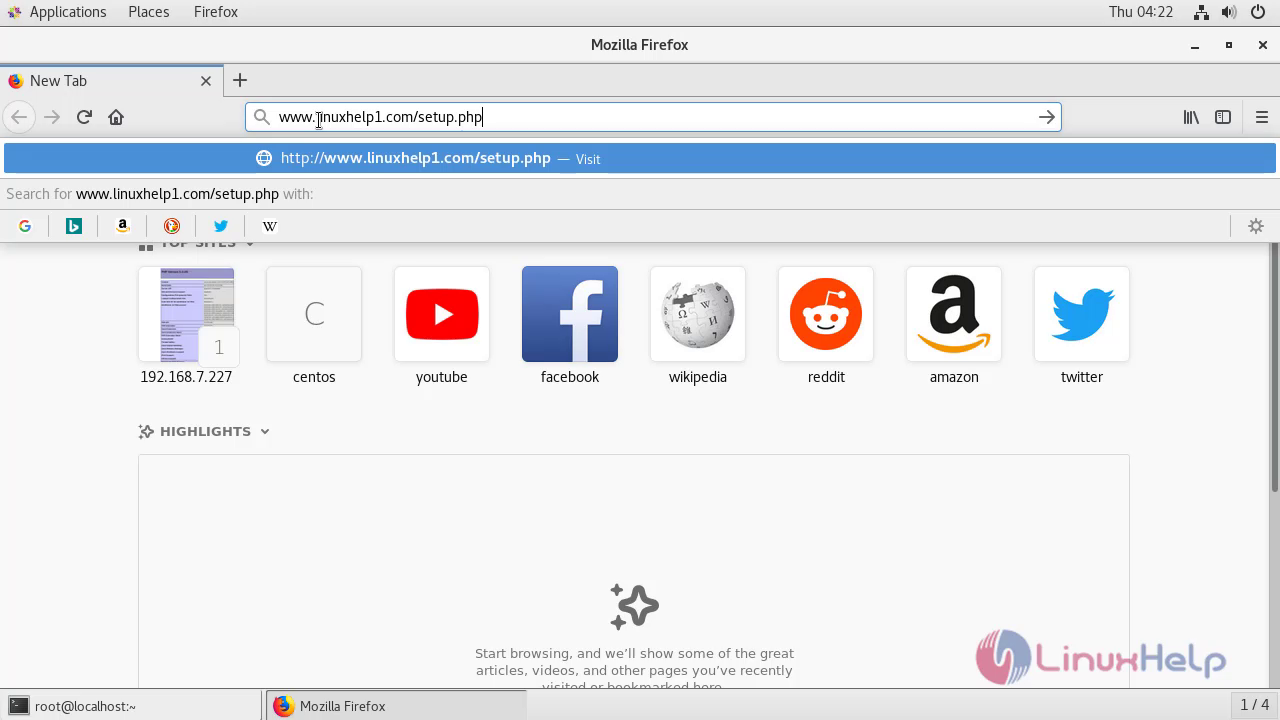
Switch to your browser and enter the domain name.
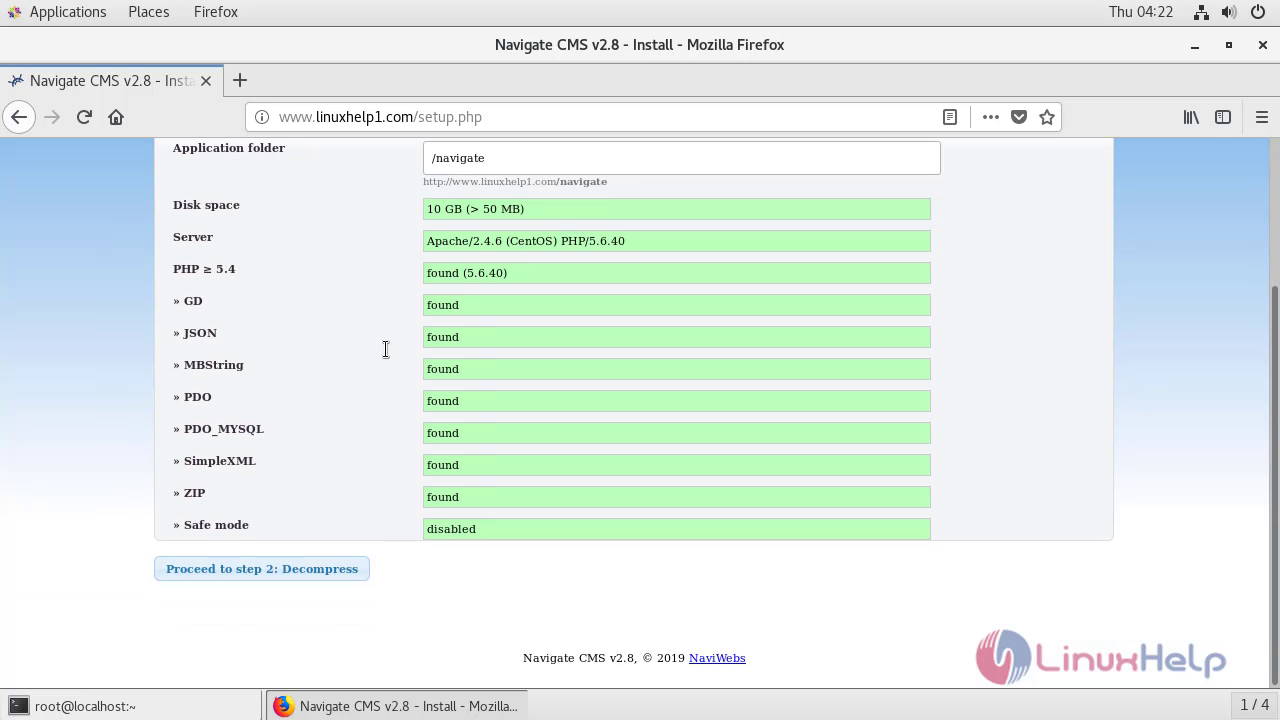
 Check the system requirements
 It will show show decompress
 Configure the admin credentials
 Configure the database details
 show database import
 The installation is completed
 Enter your admin credentials for login the navigate cms
 This is the dashboard of navigate cms
 With this the method of install the navigate cms on centos comes to end.
Comments ( 0 )
No comments available