How to install Netdata on Linuxmint 18.3
To install Netdata on Linuxmint 18.3
Netdata is a free software (a daemon) which gathers a real-time performance data from Linux systems, Application, and SNMP devices, picture it in the web-based interface. The users can monitor anything with the API plugin and also easily embed the charts with any external web pages. It has its own web server to display the final report in graphical format.
Installation
Install the following required packages using this following command
linuxhelp user # apt-get install zlib1g-dev uuid-dev libmnl-dev pkg-config curl gcc make autoconf autoconf-archive autogen automake python python-yaml
  python-mysqldb nodejs lm-sensors python-psycopg2 netcat git -y
Reading package lists... Done
Building dependency tree
Reading state information... Done
autoconf is already the newest version (2.69-9).
automake is already the newest version (1:1.15-4ubuntu1).
gcc is already the newest version (4:5.3.1-1ubuntu1).
make is already the newest version (4.1-6).
pkg-config is already the newest version (0.29.1-0ubuntu1).
autoconf-archive is already the newest version (20150925-1).
lm-sensors is already the newest version (1:3.4.0-2).
The following additional packages will be installed:
.
.
Setting up libmysqlclient20:amd64 (5.7.22-0ubuntu0.16.04.1) ...
Setting up libpq5:amd64 (9.5.13-0ubuntu0.16.04) ...
Setting up libuv1:amd64 (1.8.0-1) ...
Setting up netcat-traditional (1.10-41) ...
Setting up netcat (1.10-41) ...
Setting up python-mysqldb (1.3.7-1build2) ...
Setting up python-psycopg2 (2.6.1-1build2) ...
Setting up python-yaml (3.11-3build1) ...
Setting up zlib1g-dev:amd64 (1:1.2.8.dfsg-2ubuntu4.1) ...
Setting up libmnl-dev (1.0.3-5) ...
Setting up nodejs (4.2.6~dfsg-1ubuntu4.1) ...
update-alternatives: using /usr/bin/nodejs to provide /usr/bin/js (js) in auto mode
Setting up uuid-dev:amd64 (2.27.1-6ubuntu3.4) ...
Processing triggers for libc-bin (2.23-0ubuntu9) ...
Switch to the following directory
linuxhelp user # cd ~
Clone the Netdata package from the Github repository
linuxhelp ~ # git clone https://github.com/firehol/netdata.git --depth=1
Cloning into ' netdata' ...
remote: Counting objects: 755, done.
remote: Compressing objects: 100% (703/703), done.
remote: Total 755 (delta 107), reused 254 (delta 35), pack-reused 0
Receiving objects: 100% (755/755), 2.58 MiB | 604.00 KiB/s, done.
Resolving deltas: 100% (107/107), done.
Checking connectivity... done.
Switch to the following directory
linuxhelp ~ # cd netdata/
Install Netdata using the following installation script
linuxhelp netdata # ./netdata-installer.sh

  ^
  |.-.   .-.   .-.   .-.   .  netdata
  |   ' -'    ' -'    ' -'    ' -'    real-time performance monitoring, done right!
  +----+-----+-----+-----+-----+-----+-----+-----+-----+-----+-----+-----+--->

  You are about to build and install netdata to your system.

  It will be installed at these locations:

   - the daemon     at /usr/sbin/netdata
   - config files   in /etc/netdata
   - web files      in /usr/share/netdata
   - plugins        in /usr/libexec/netdata
   - cache files    in /var/cache/netdata
   - db files       in /var/lib/netdata
   - log files      in /var/log/netdata
   - pid file       at /var/run/netdata.pid
   - logrotate file at /etc/logrotate.d/netdata

  This installer allows you to change the installation path.
  Press Control-C and run the same command with --help for help.

Press ENTER to build and install netdata to your system >
.
.
netdata by default listens on all IPs on port 19999,
so you can access it with:

  http://this.machine.ip:19999/

To stop netdata run:

  systemctl stop netdata

To start netdata run:

  systemctl start netdata

Uninstall script generated: ./netdata-uninstaller.sh
Update script generated   : ./netdata-updater.sh

netdata-updater.sh can work from cron. It will trigger an email from cron
only if it fails (it does not print anything when it can update netdata).
Run this to automatically check and install netdata updates once per day:

sudo ln -s /root/netdata/netdata-updater.sh /etc/cron.daily/netdata-updater

 --- We are done! ---

  ^
  |.-.   .-.   .-.   .-.   .-.   .  netdata                          .-.   .-
  |   ' -'    ' -'    ' -'    ' -'    ' -'    is installed and running now!  -'    ' -'
  +----+-----+-----+-----+-----+-----+-----+-----+-----+-----+-----+-----+--->

  enjoy real-time performance and health monitoring...
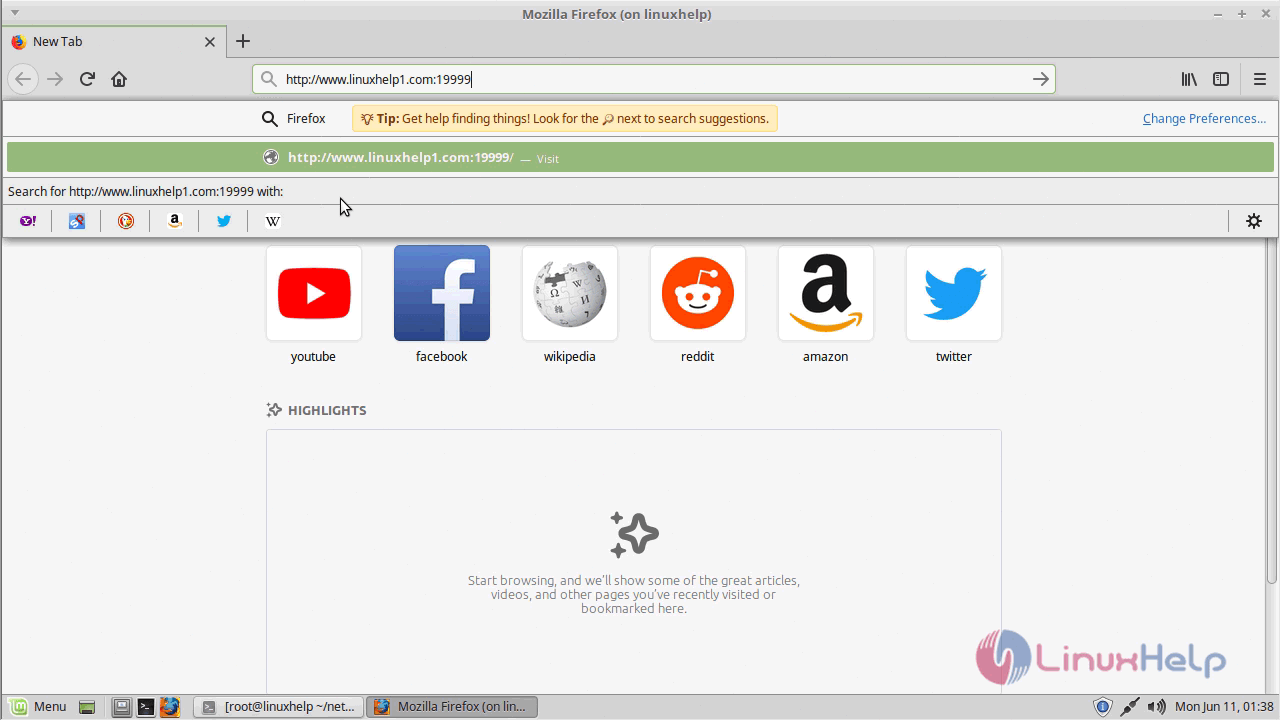
Open a browser and type the following URL of http://local IP (or) domain name:19999
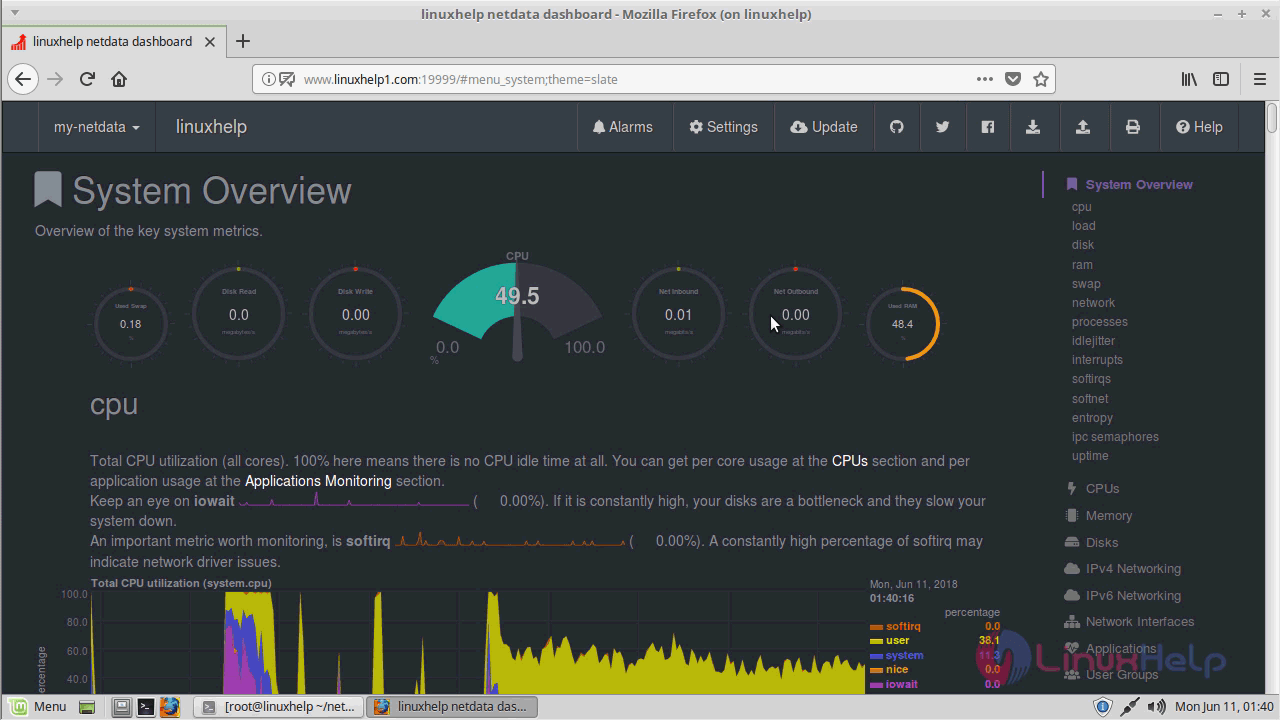
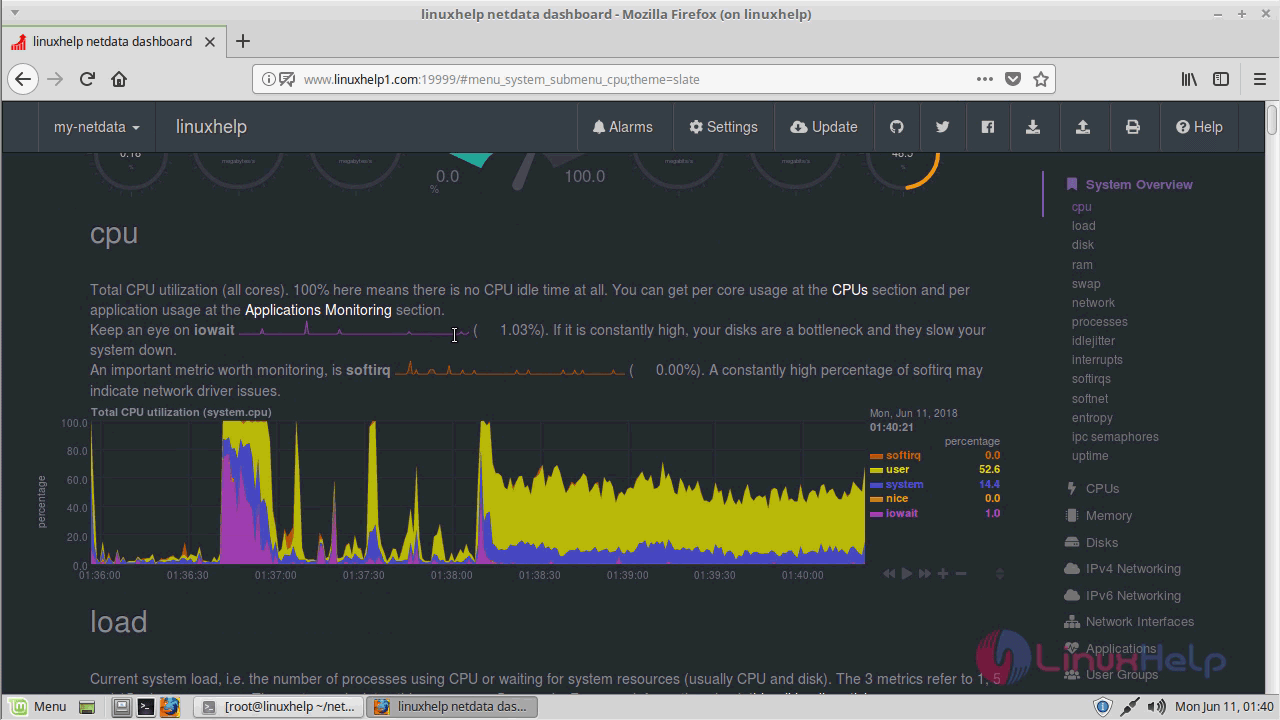
Dashboard of Netdata
With this, the method to install Netdata on Linuxmint 18.3 comes to an end.
Comments ( 0 )
No comments available