How to install NixNote on Debian 8.3
{{postValue.id}}
To install NixNote on Debian 8.3
NixNote is an open source application used for taking notes. You can create text notes, attach files or images, and also synchronize with Evernote(to which NixNote is a client) so that you can have your notes wherever you go.
Installing NixNote
In order to install NixNote, you need to install the gdebi as it helps to install the local deb packages.
root@linuxhelp:~# apt-get install gdebi
Reading package lists... Done
Building dependency tree
Reading state information... Done
The following extra packages will be installed:
  diffstat gir1.2-vte-2.90 gksu hardening-includes libapt-pkg-perl
  libclone-perl libdigest-hmac-perl libemail-valid-perl libgksu2-0
  libio-pty-perl libio-socket-inet6-perl libipc-run-perl
  liblist-moreutils-perl libnet-dns-perl libnet-domain-tld-perl libnet-ip-perl
  libperlio-gzip-perl libsocket6-perl libtext-levenshtein-perl lintian
  patchutils sudo t1utils
Suggested packages:
  binutils-multiarch libyaml-perl
The following NEW packages will be installed:
  diffstat gdebi gir1.2-vte-2.90 gksu hardening-includes libapt-pkg-perl
  libclone-perl libdigest-hmac-perl libemail-valid-perl libgksu2-0
  libio-pty-perl libio-socket-inet6-perl libipc-run-perl
  liblist-moreutils-perl libnet-dns-perl libnet-domain-tld-perl libnet-ip-perl
  libperlio-gzip-perl libsocket6-perl libtext-levenshtein-perl lintian
.
.
.
Setting up gdebi (0.9.5.5+nmu1) ...
Setting up hardening-includes (2.6) ...
Setting up libapt-pkg-perl (0.1.29+b2) ...
Setting up libclone-perl (0.37-1+b1) ...
Setting up libdigest-hmac-perl (1.03+dfsg-1) ...
Setting up libsocket6-perl (0.25-1+b1) ...
Setting up libio-socket-inet6-perl (2.72-1) ...
Setting up libnet-ip-perl (1.26-1) ...
Setting up libnet-dns-perl (0.81-2+deb8u1) ...
Setting up libnet-domain-tld-perl (1.72-1) ...
Setting up libemail-valid-perl (1.195-1) ...
Setting up libio-pty-perl (1:1.08-1+b4) ...
Setting up libipc-run-perl (0.92-1) ...
Setting up liblist-moreutils-perl (0.33-2+b1) ...
Setting up libperlio-gzip-perl (0.18-3+b1) ...
Setting up libtext-levenshtein-perl (0.11-1) ...
Setting up patchutils (0.3.3-1) ...
Setting up t1utils (1.38-4) ...
Setting up lintian (2.5.30+deb8u4) ...
Processing triggers for libc-bin (2.19-18+deb8u7) ...
Processing triggers for systemd (215-17+deb8u6) ...
Once it is done, download the NixNote deb package with the help of following command.
root@linuxhelp:~# wget http://sourceforge.net/projects/nevernote/files/NixNote2%20-%20Beta%205/nixnote2-2.0-beta5_amd64.deb
--2017-04-07 20:48:25--  http://sourceforge.net/projects/nevernote/files/NixNote2%20-%20Beta%205/nixnote2-2.0-beta5_amd64.deb
Location: https://excellmedia.dl.sourceforge.net/project/nevernote/NixNote2%20-%20Beta%205/nixnote2-2.0-beta5_amd64.deb [following]
--2017-04-07 20:48:31--  https://excellmedia.dl.sourceforge.net/project/nevernote/NixNote2%20-%20Beta%205/nixnote2-2.0-beta5_amd64.deb
Resolving excellmedia.dl.sourceforge.net (excellmedia.dl.sourceforge.net)... 202.153.32.19
Connecting to excellmedia.dl.sourceforge.net (excellmedia.dl.sourceforge.net)|202.153.32.19|:443... connected.
HTTP request sent, awaiting response... 200 OK
Length: 2708518 (2.6M) [application/octet-stream]
Saving to: ‘ nixnote2-2.0-beta5_amd64.deb’

nixnote2-2.0-beta5_ 100%[=====================> ]   2.58M   996KB/s   in 2.7s

2017-04-07 20:48:34 (996 KB/s) - ‘ nixnote2-2.0-beta5_amd64.deb’  saved [2708518/2708518]
Now, everything is set for the installation of NixNote. You can use the following command to install it.
root@linuxhelp:~# gdebi nixnote2-2.0-beta5_amd64.deb
Reading package lists... Done
Building dependency tree
Reading state information... Done
Building data structures... Done
Building data structures... Done
Requires the REMOVAL of the following packages: libavcodec56
Requires the installation of the following packages: libavcodec-extra-56 tidy

Open Source Evernote client.
  NixNote is a client for the Evernote service (www.evernote.com).   It
  will allow synchronization and editing of notes from your local
  system.
Do you want to install the software package? [y/N]:y
Get:1 http://ftp.debian.org/debian/ stable/main libavcodec-extra-56 amd64 6:11.8-1~deb8u1 [3108 kB]
Get:2 http://ftp.debian.org/debian/ stable/main tidy amd64 20091223cvs-1.4+deb8u1 [26.3 kB]
.
.
.
Preparing to unpack nixnote2-2.0-beta5_amd64.deb ...
Unpacking nixnote2 (2.0-beta5) ...
Setting up nixnote2 (2.0-beta5) ...
Processing triggers for desktop-file-utils (0.22-1) ...
Processing triggers for gnome-menus (3.13.3-6) ...
Processing triggers for mime-support (3.58) ...
Processing triggers for man-db (2.7.0.2-5) ...
NixNote has been installed. Use your next click the activities and type NixNote.
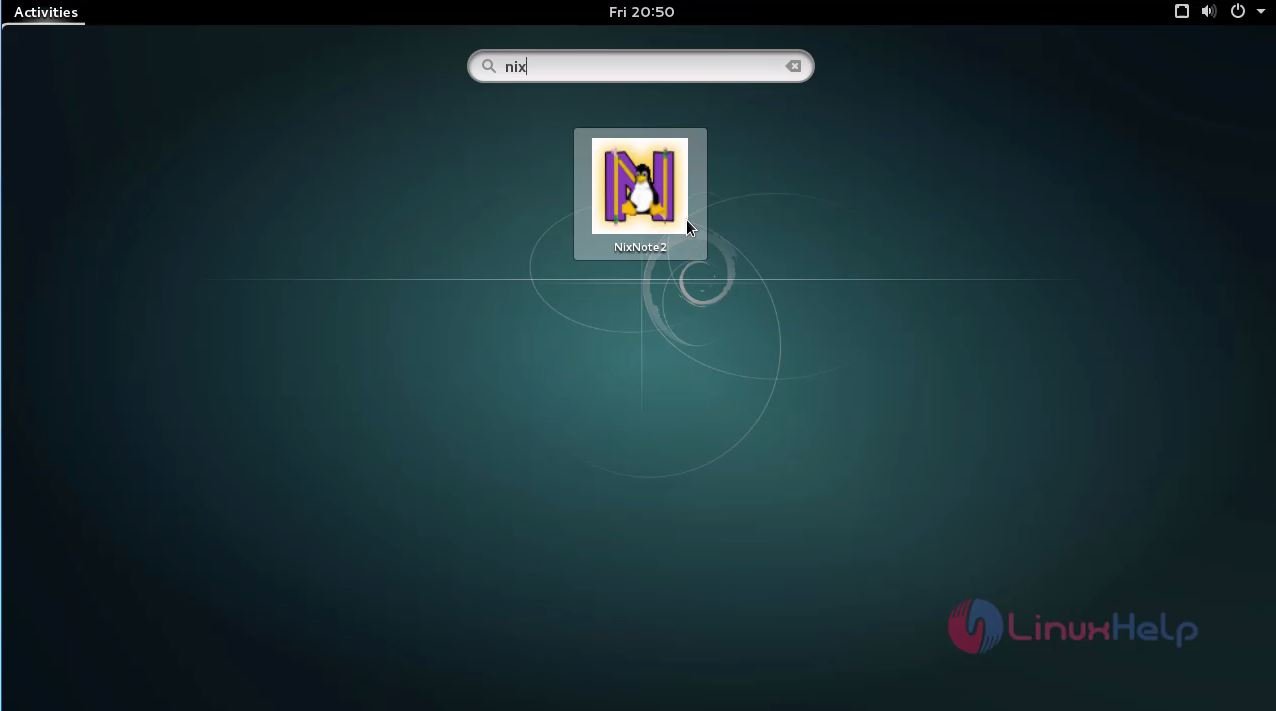
Click the icon to open it.
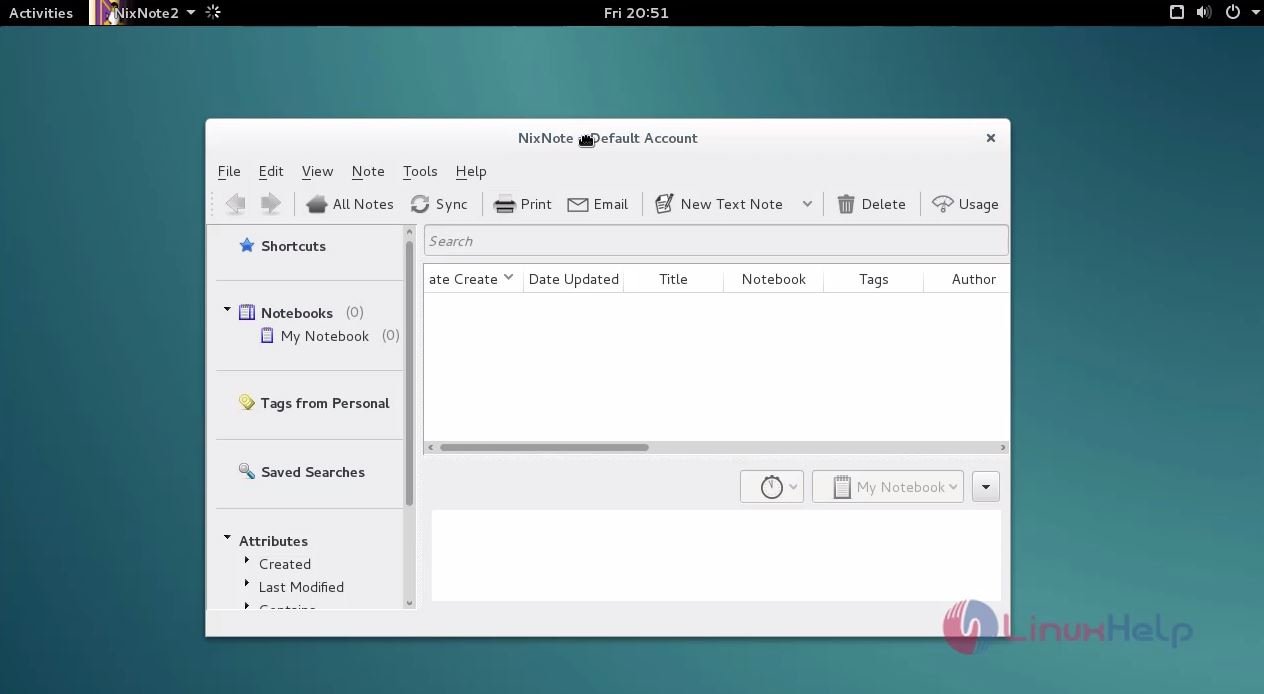
Wasn' t it a simple installation procedure? NixNote is so simple to use too.
Comments ( 0 )
No comments available