How to Install Nixnote on Linuxmint-18.03
{{postValue.id}}
To Install Nixnote on Linuxmint-18.03
NixNote is a free, open-source program in C++ and you can create text notes, attach files or images, and also synchronize with Evernote. In this tutorial, we will see the installation of Nixnote on Linux mint 18.3
Installation
Add the repository of nixnote by using ppa.
linuxhelp ~ # add-apt-repository ppa:nixnote/nixnote2-daily
You are about to add the following PPA:
 NixNote2 binaries built from the code at the head stored in GitHub. Project is published under OSI Approved GPLv2 license.

Check out How to Use this PPA at https://github.com/artmg/nixnote2-packaging/wiki/How-to-use-the-PPAs - you'll also find details about how the PPA was put together in that same wiki.
 More info: https://launchpad.net/~nixnote/+archive/ubuntu/nixnote2-daily
Press Enter to continue or Ctrl+C to cancel

Executing: /tmp/tmp.rOgpxjOBsx/gpg.1.sh --keyserver
hkp://keyserver.ubuntu.com:80
--recv-keys
AF11ADDE
gpg: requesting key AF11ADDE from hkp server keyserver.ubuntu.com
gpg: key AF11ADDE: public key "Launchpad PPA for NixNote" imported
gpg: Total number processed: 1
gpg:               imported: 1  (RSA: 1)
Let's first start with updating the system repositories
linuxhelp ~ # apt-get update
Hit:1 http://security.ubuntu.com/ubuntu xenial-security InRelease
Hit:2 http://ppa.launchpad.net/nixnote/nixnote2-daily/ubuntu xenial InRelease
Hit:3 http://archive.canonical.com/ubuntu xenial InRelease
Hit:4 http://archive.ubuntu.com/ubuntu xenial InRelease
Hit:5 http://archive.ubuntu.com/ubuntu xenial-updates InRelease
Ign:6 http://packages.linuxmint.com sylvia InRelease
Hit:7 http://ppa.launchpad.net/ondrej/php/ubuntu xenial InRelease
Hit:8 http://archive.ubuntu.com/ubuntu xenial-backports InRelease
Hit:9 http://packages.linuxmint.com sylvia Release
Reading package lists... Done
Install the nixnote application run the following command.
linuxhelp ~ # apt-get install nixnote2 -y
Reading package lists... Done
Building dependency tree
Reading state information... Done
The following additional packages will be installed:
  libpoppler-qt5-1 libtidy5 tidy
Recommended packages:
  mimetex
The following NEW packages will be installed:
  libpoppler-qt5-1 libtidy5 nixnote2 tidy
0 upgraded, 4 newly installed, 0 to remove and 397 not upgraded.
Need to get 176 kB/3,490 kB of archives.
After this operation, 12.1 MB of additional disk space will be used.
Get:1 http://ppa.launchpad.net/ondrej/php/ubuntu xenial/main amd64 libtidy5 amd64 1:5.4.0-1+ubuntu16.04.1+deb.sury.org+1 [176 kB]
.
.
.
Processing triggers for man-db (2.7.5-1) ...
Processing triggers for desktop-file-utils (0.22+linuxmint1) ...
Processing triggers for mime-support (3.59ubuntu1) ...
Setting up libpoppler-qt5-1:amd64 (0.41.0-0ubuntu1.7) ...
Setting up libtidy5 (1:5.4.0-1+ubuntu16.04.1+deb.sury.org+1) ...
Setting up tidy (1:5.4.0-1+ubuntu16.04.1+deb.sury.org+1) ...
Setting up nixnote2 (2.0.2-0+963+63+201805161545~ubuntu16.04.1) ...
Processing triggers for libc-bin (2.23-0ubuntu9) ...
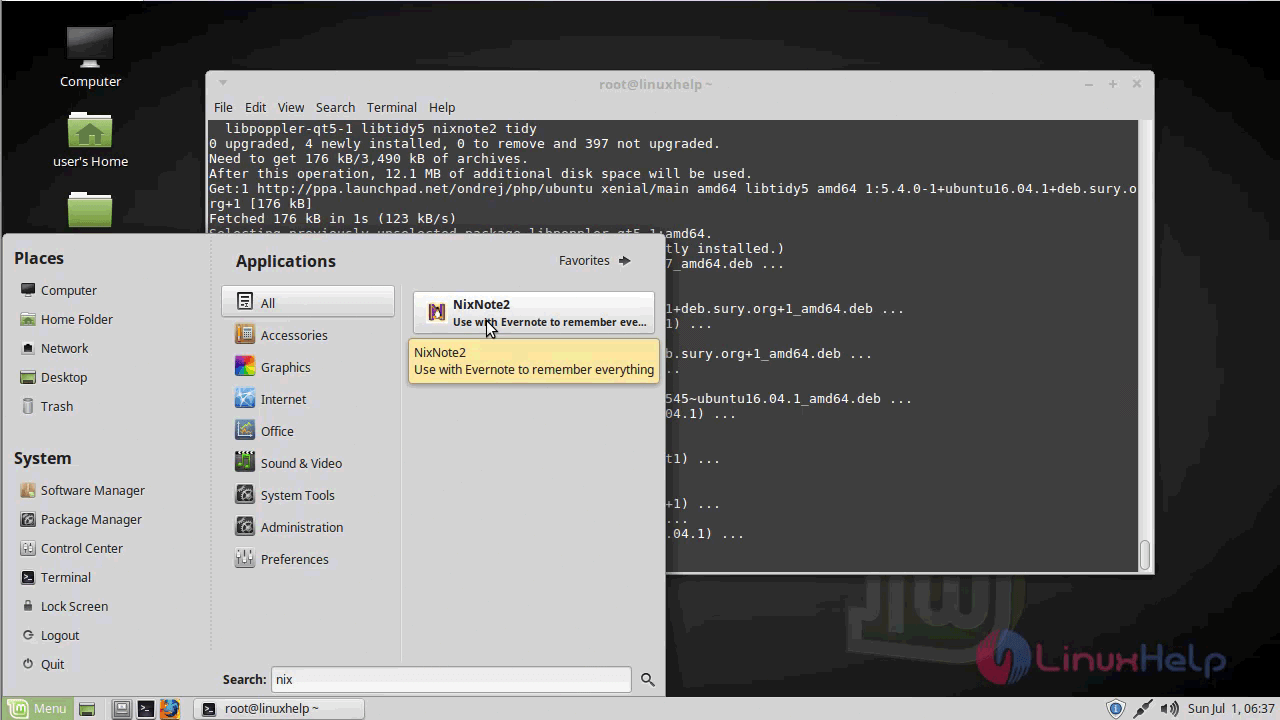
Once Installation is done you can access the application from the Menu as shown here
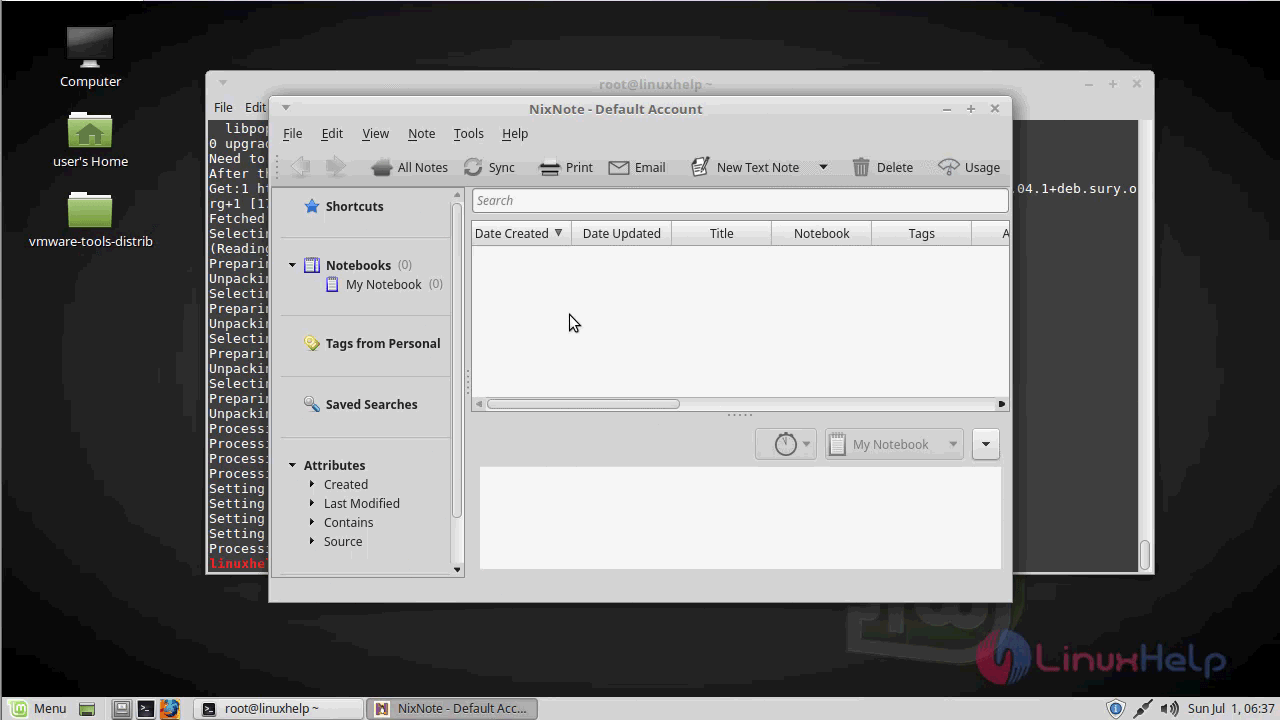
Now, you can able to use this nixnote application
With this, the method to install Nixnote on linuxmint-18.03 comes to an end
Comments ( 0 )
No comments available