How to install Node.js in CentOS
To install Node.js in CentOS
Node.js is a JavaScript-based platform used to create scalable network applications in Linux systems. It enables the users to develop high-performance server-side applications in an efficient manner. Developers can use this utility as both the front-end and the back-end. Installation of Node.js in CentOS is explained in this article.
Installation of Nodejs
First add the node.js repository with the following command.
[root@linuxhelp1 Desktop]# curl -sL https://rpm.nodesource.com/setup_6.x | sudo -E bash -

## Installing the NodeSource Node.js 6.x repo...

## Inspecting system...

+ rpm -q --whatprovides redhat-release || rpm -q --whatprovides centos-release || rpm -q --whatprovides cloudlinux-release || rpm -q --whatprovides sl-release
+ uname -m

## Confirming " el7-x86_64"  is supported...

+ curl -sLf -o /dev/null ' https://rpm.nodesource.com/pub_6.x/el/7/x86_64/nodesource-release-el7-1.noarch.rpm'
.
.
.
+ rpm -qa ' node|npm'  | grep -v nodesource

## Run `yum install -y nodejs` (as root) to install Node.js 6.x and npm.
## You may also need development tools to build native addons:
##   `yum install -y gcc-c++ make`
Then run the below command to install the dependency addons.
[root@linuxhelp1 Desktop]# yum install -y gcc-c++ make
Loaded plugins: fastestmirror, langpacks
Repodata is over 2 weeks old. Install yum-cron? Or run: yum makecache fast
base                                                     | 3.6 kB     00:00
extras                                                   | 3.4 kB     00:00
updates                                                  | 3.4 kB     00:00
(1/2): extras/7/x86_64/primary_db                          | 160 kB   01:19
(2/2): updates/7/x86_64/primary_db                         | 7.1 MB   01:28
Determining fastest mirrors
 * base: centos.excellmedia.net
 * extras: mirrors.viethosting.vn
 * updates: mirrors.viethosting.vn
Resolving Dependencies
-->  Running transaction check
--->  Package gcc-c++.x86_64 0:4.8.5-4.el7 will be installed
-->  Processing Dependency: libstdc++-devel = 4.8.5-4.el7 for package: gcc-c++-4.8.5-4.el7.x86_64
.
.
.
Installed:
  gcc-c++.x86_64 0:4.8.5-4.el7

Dependency Installed:
  libstdc++-devel.x86_64 0:4.8.5-4.el7

Dependency Updated:
  libstdc++.x86_64 0:4.8.5-4.el7

Complete!
Now its time to install the node.js with the following command.
[root@linuxhelp1 Desktop]# yum install nodejs -y
Loaded plugins: fastestmirror, langpacks
nodesource                                               | 2.5 kB     00:00
nodesource/x86_64/primary_db                               |  18 kB   00:01
Loading mirror speeds from cached hostfile
 * base: centos.excellmedia.net
 * extras: mirrors.viethosting.vn
 * updates: mirrors.viethosting.vn
Resolving Dependencies
-->  Running transaction check
--->  Package nodejs.x86_64 1:6.4.0-1nodesource.el7.centos will be installed
-->  Finished Dependency Resolution
.
.
.
Warning: RPMDB altered outside of yum.
  Installing : 1:nodejs-6.4.0-1nodesource.el7.centos.x86_64                 1/1
  Verifying  : 1:nodejs-6.4.0-1nodesource.el7.centos.x86_64                 1/1

Installed:
  nodejs.x86_64 1:6.4.0-1nodesource.el7.centos

Complete!
If you want to check the version of node and npm, just run the below command.
[root@linuxhelp1 Desktop]# node -v
v6.4.0
[root@linuxhelp1 Desktop]# npm -v
3.10.3
Now create a demo web server on nodejs with the name of demo_server.js and paste the following code inside the file.
var http = require(' http' )
http.createServer(function (req, res) {
  res.writeHead(200, {' Content-Type' : ' text/plain' })
  res.end(' Welcome To Linuxhelp.com’ )
}).listen(3001, " 127.0.0.1" )
console.log(' Server running at http://127.0.0.1:3001/' )
Run the below command to start the nodejs web server.
[root@linuxhelp1 Desktop]# node --debug demo_server.js
Debugger listening on [::]:5858
Server running at http://127.0.0.1:3001/
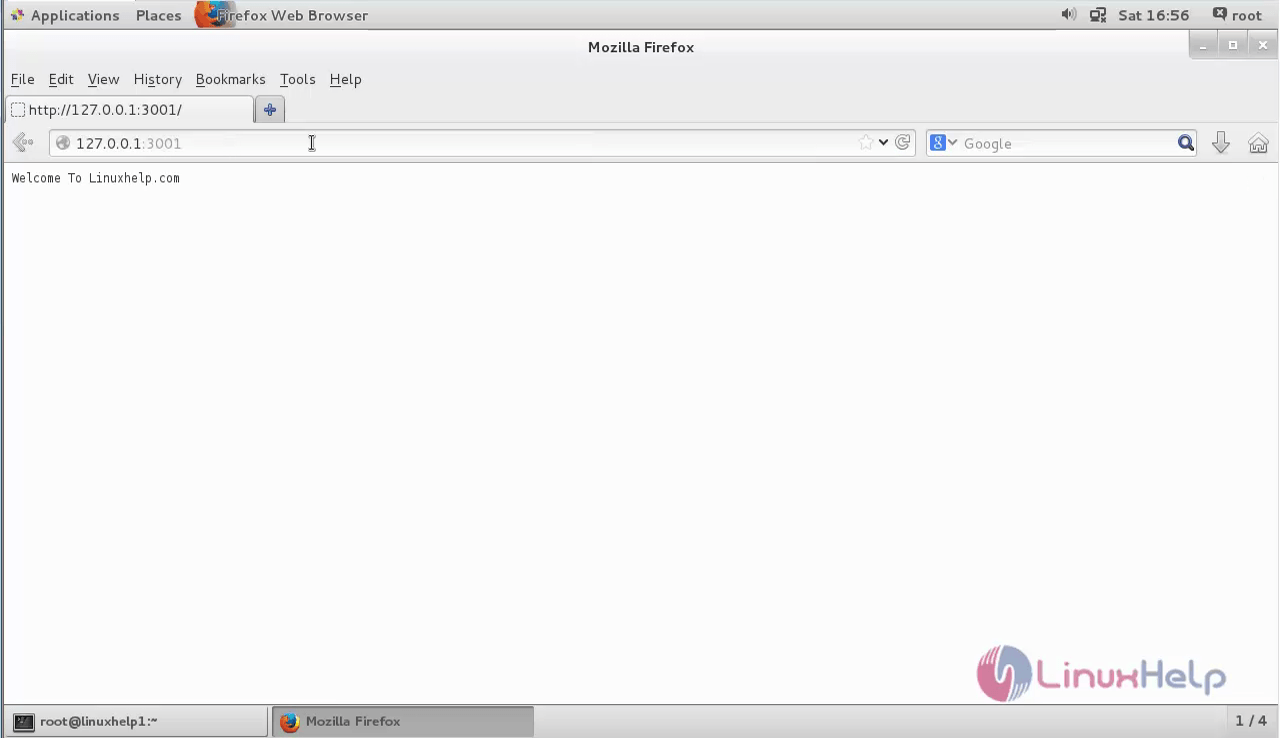
Finally open the web browser and type the link http://127.0.0.1:3001/ to see the output of the file.
Comments ( 0 )
No comments available