How to Install Nucleus CMS on CentOS 7.5
- 00:43 rpm -q centos-release
- 01:03 mysql -u root -p
- 02:25 wget https://codeload.github.com/NucleusCMS/NucleusCMS/zip/master
- 02:39 unzip master
- 02:50 mv NucleusCMS-master /var/www/nucleus
- 03:05 chown -R apache:apache /var/www/nucleus
- 03:21 chmod -R 755 /var/www/nucleus
- 03:40 vim /etc/httpd/conf.d/nucleus.conf
- 04:35 systemctl restart httpd
Installation of Nucleus CMS on CentOS 7.5
Nucleus CMS is an open-source blog management software package written in PHP, with a MySQL backend. It is used to manage frequently-updated Web content. With a little tweaking, it might be considered a lightweight content management system. In this tutorial, we will cover the installation of Nucleus cms on CentOS 7.5.
Requirements for Nucleus cms
Apache
MariaDB
PHP and its modules
Installation procedure
Before you begin the installation, check the version of CentOS you are using by running the following command.
[root@linuxhelp ~]# rpm -q centos-release
centos-release-7-5.1804.el7.centos.x86_64
And then, create the MySQL database. Log into MySQL as a root user and make the necessary settings.
[root@linuxhelp ~]# mysql -u root -p
Enter password:
Welcome to the MariaDB monitor.  Commands end with ; or \g.
Your MariaDB connection id is 10
Server version: 5.5.60-MariaDB MariaDB Server

Copyright (c) 2000, 2018, Oracle, MariaDB Corporation Ab and others.

Type 'help;' or '\h' for help. Type '\c' to clear the current input statement.

MariaDB [(none)]> create database nucleus;
Query OK, 1 row affected (0.00 sec)

MariaDB [(none)]> create user 'nucuser'@localhost identified by '123456';
Query OK, 0 rows affected (0.00 sec)

MariaDB [(none)]> grant all privileges on nucleus.* to 'nucuser'@localhost;
Query OK, 0 rows affected (0.00 sec)

MariaDB [(none)]> flush privileges;
Query OK, 0 rows affected (0.01 sec)

MariaDB [(none)]> Ctrl-C -- exit!
Aborted
Once the database configuration is done, you shall download the installation package of Nucleus CMS with the help of the following command.
 [root@linuxhelp ~]# wget https://codeload.github.com/NucleusCMS/NucleusCMS/zip/master
--2019-05-01 02:37:19--  https://codeload.github.com/NucleusCMS/NucleusCMS/zip/master
Resolving codeload.github.com (codeload.github.com)... 192.30.253.121
Connecting to codeload.github.com (codeload.github.com)|192.30.253.121|:443... connected.
HTTP request sent, awaiting response... 200 OK
Length: unspecified [application/zip]
Saving to: ‘master’

    [        <=>                                                ] 1,053,195    499KB/s   in 2.1s

2019-05-01 02:37:22 (499 KB/s) - ‘master’ saved [1053195]
Once the installation package is downloaded, you shall extract by using unzip command.
[root@linuxhelp ~]# unzip master
Archive:  master
510ea313ee976d95ffd4943f86903280ea4a15ce
   creating: NucleusCMS-master/
  inflating: NucleusCMS-master/README.md
  inflating: NucleusCMS-master/action.php
  inflating: NucleusCMS-master/config.php
   creating: NucleusCMS-master/extra/
.
.
.
  inflating: NucleusCMS-master/skins/grey/skinbackup.xml
  inflating: NucleusCMS-master/skins/readme.txt
   creating: NucleusCMS-master/skins/rsd/
  inflating: NucleusCMS-master/skins/rsd/skinbackup.xml
   creating: NucleusCMS-master/skins/rss2.0/
  inflating: NucleusCMS-master/skins/rss2.0/skinbackup.xml
  inflating: NucleusCMS-master/xml-rss2.php
Move the Nucleus CMS directory to apache root directory.
[root@linuxhelp ~]# mv NucleusCMS-master /var/www/nucleus
Change the ownership for the Nucleus cmsdirectory with the help of the following command.
[root@linuxhelp ~]# chown -R apache:apache /var/www/nucleus
Set the permission for Nucleus CMS.
[root@linuxhelp ~]# chmod -R 755 /var/www/nucleus
And then, configure the Apache VirtualHost for accessing the Nucleus CMS.
[root@linuxhelp ~]# vim /etc/httpd/conf.d/nucleus.conf
<virtualhost *:80>
        Servername www.linuxhelp1.com
        Documentroot /var/www/nucleus
</Virtualhost>
Once the above step is completed restart the apache service.
[root@linuxhelp ~]# systemctl restart httpd
After the Apache service is restarted, switch to your browser and enter your domain name.
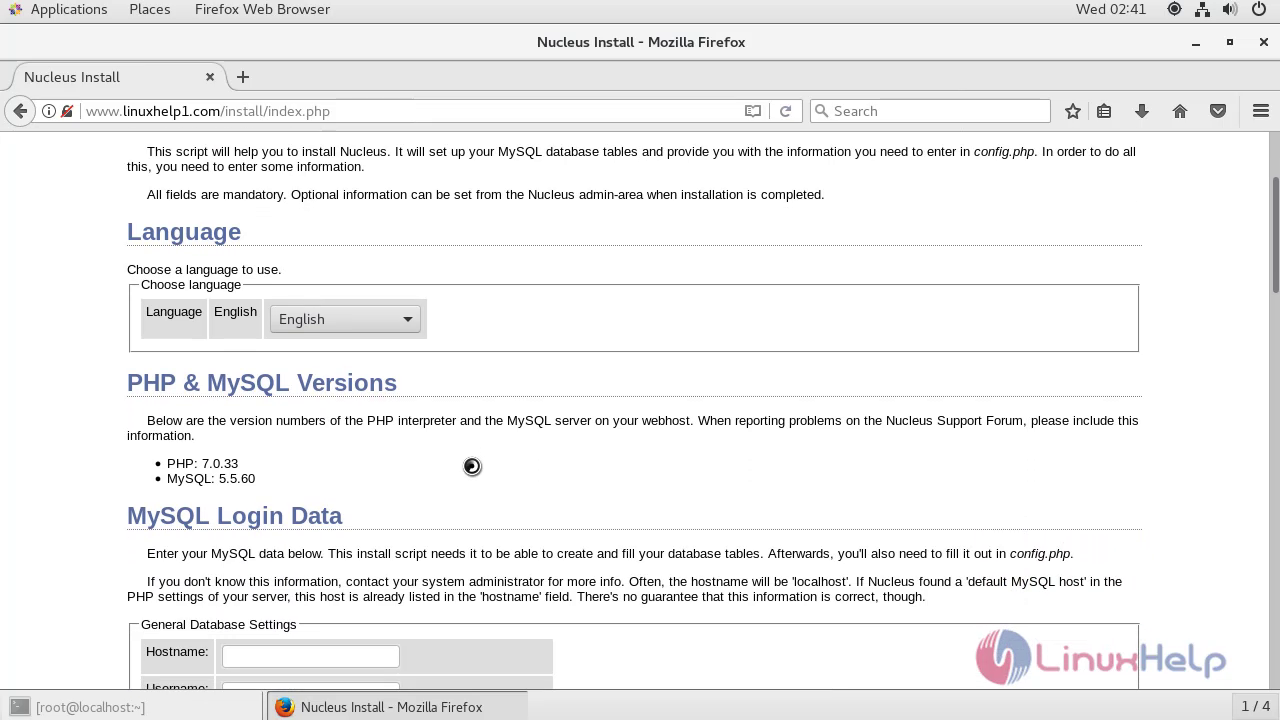
 Configure the language setup, site information.
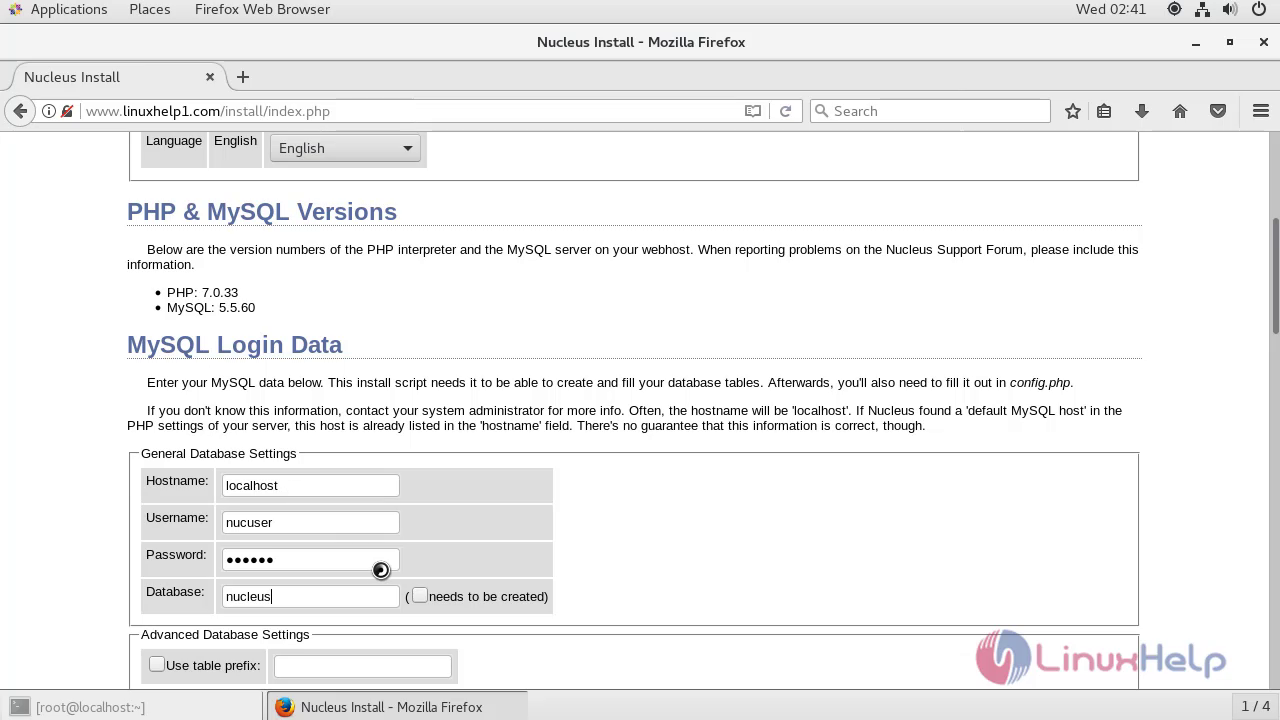
 Configure the Database Setup.
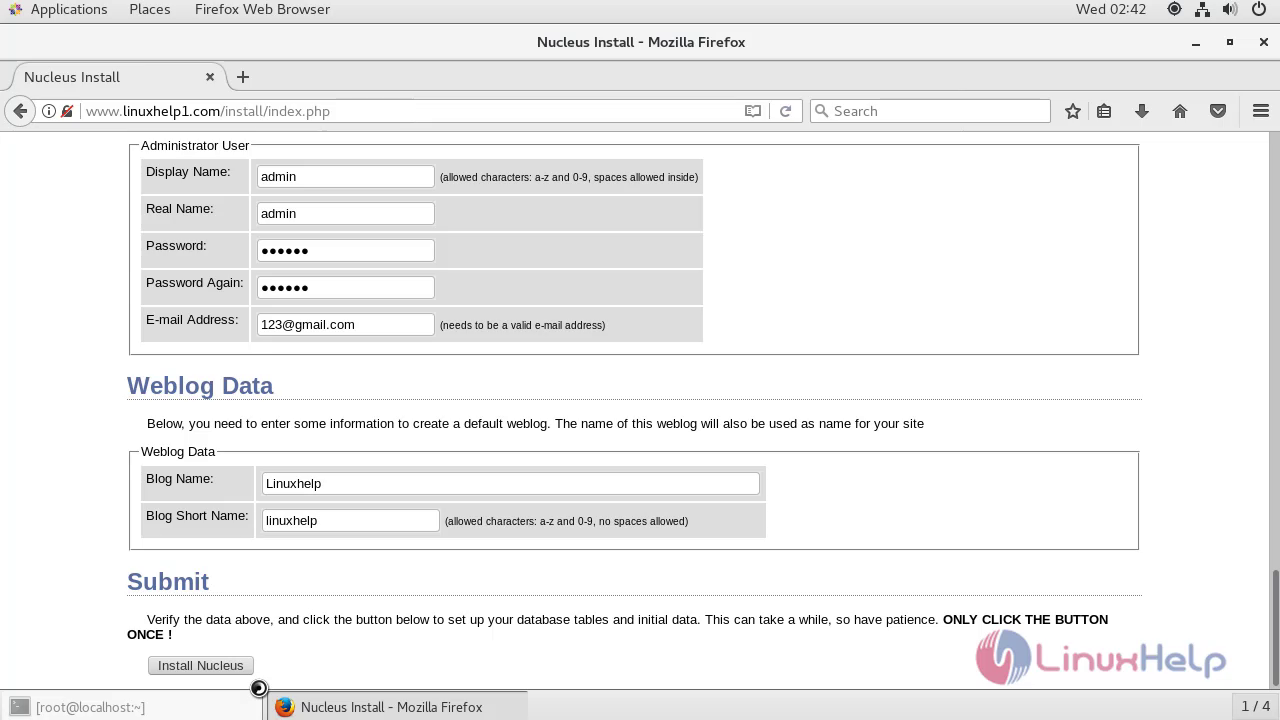
 Configure the Admin user setup and blog name.
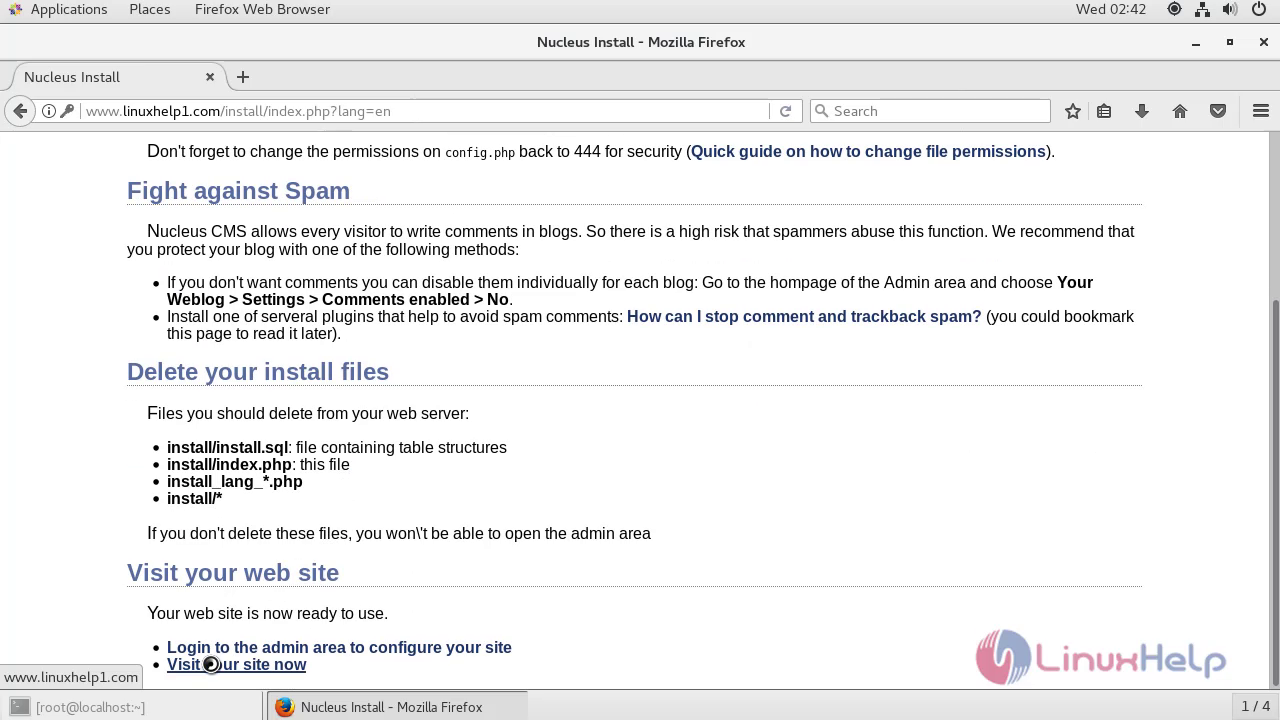
 After the configuration, you will see the following page as shown below.
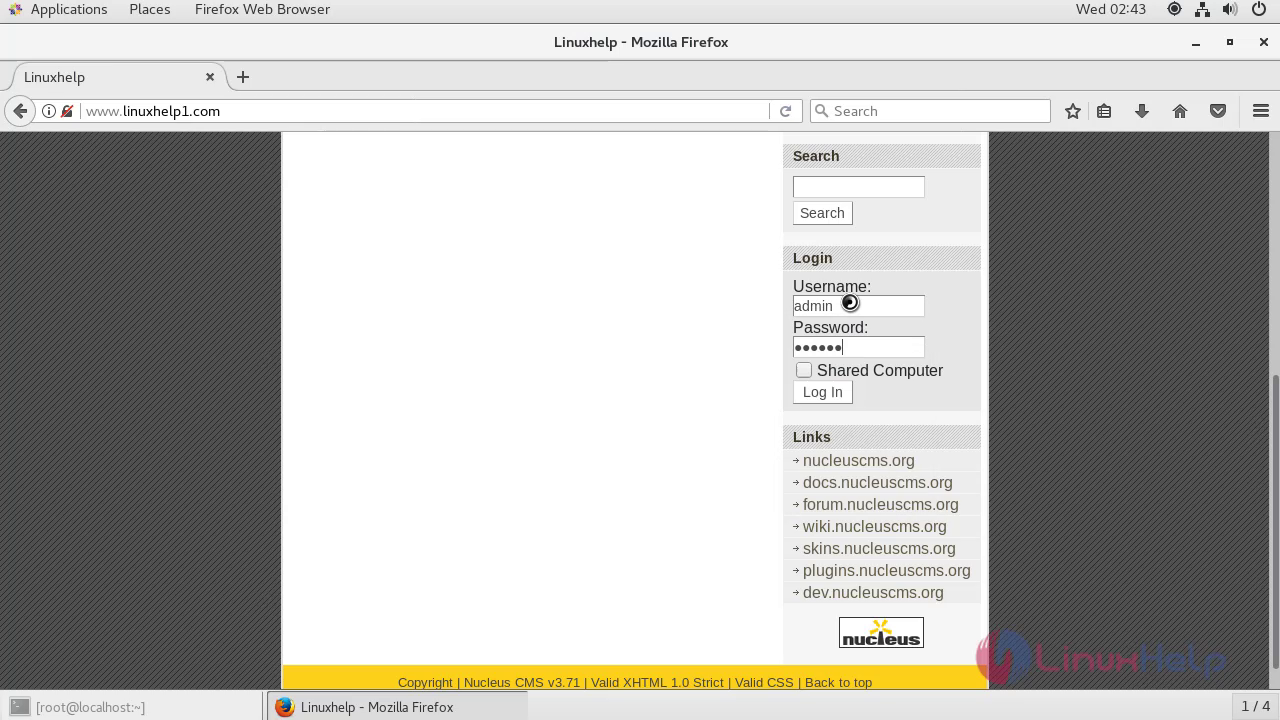
 You will see the Homepage of Nucleus CMS. Enter the admin credentials for login the Nucleus CMS.
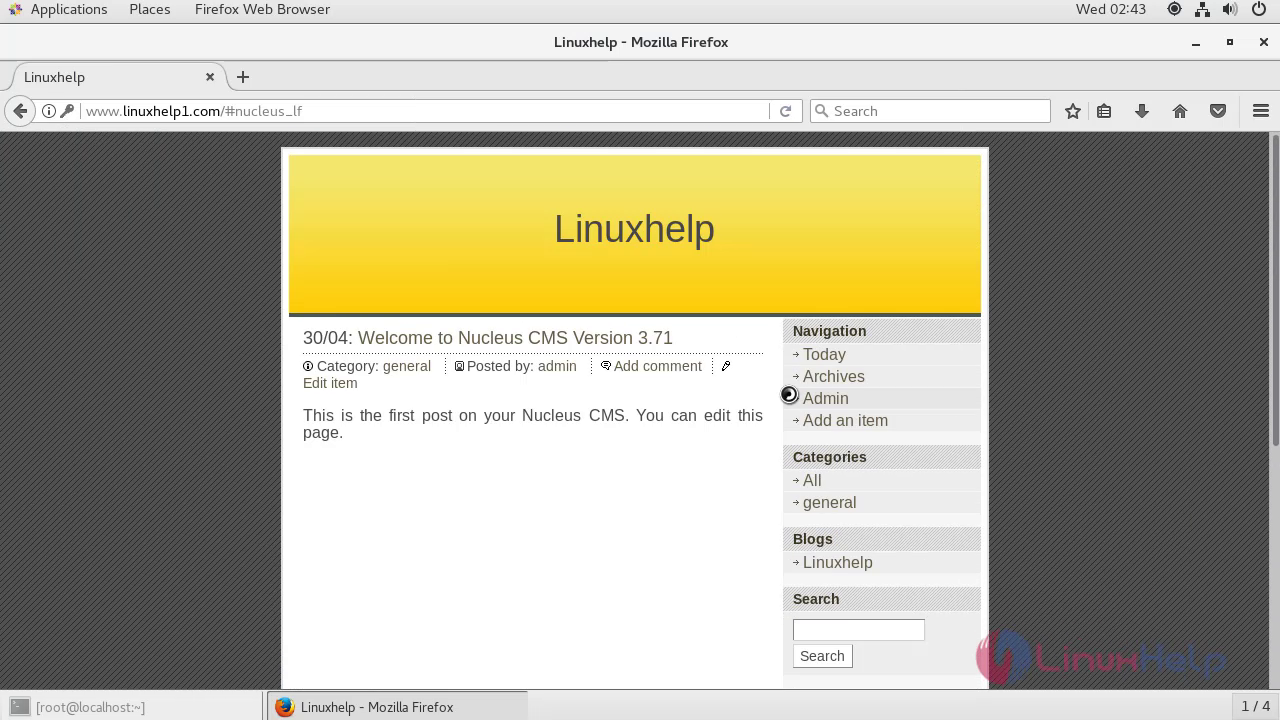
 You will be taken to the dashboard of Nucleus CMS.
 With this, the method to install Nucleus CMS. on CentOS 7.5 comes to an end.
Comments ( 0 )
No comments available