How to Install October CMS on Ubuntu 18.10
Installation Of October CMS Through wizard On Ubuntu 18.10
October is a free, open-source, self-hosted CMS platform based on the Laravel PHP Framework. It brings you the power of LAravel with the simplicity of pure HTML. You can reuse the CMS components. You can also use your favourite code editor and ususal workflow for creating and updating websites. This video covers the tutorial on Installation Of October CMS On Ubuntu 18.10 Through Wizard Installer method.
Features
Simplicity
Flexbilty
Modern Design
Universal extendable DashBoard
Installation Method:
Wizard
Requirements
LAMP Stack
PHP version 7.0 or higher.
PHP Modules
php-pdo php-curl php-openssl php-mbstring php-pecl-zip php-gd
Configure MariaDB for October CMS
root@linuxhelp:~# mysql -u root -p
Enter password:
Welcome to the MariaDB monitor.  Commands end with ; or \g.
Your MariaDB connection id is 59
Server version: 10.1.29-MariaDB-6ubuntu2 Ubuntu 18.10

Copyright (c) 2000, 2017, Oracle, MariaDB Corporation Ab and others.

Type 'help;' or '\h' for help. Type '\c' to clear the current input statement.


MariaDB [(none)]> create database october character set utf8mb4;
Query OK, 1 row affected (0.09 sec)

MariaDB [(none)]> use october;
Database changed

MariaDB [october]> create user ouser@localhost identified by 'linuxc';
Query OK, 0 rows affected (0.03 sec)


MariaDB [october]> grant all on october.* to ouser@localhost;
Query OK, 0 rows affected (0.00 sec)

MariaDB [october]> flush privileges;
Query OK, 0 rows affected (0.02 sec)


MariaDB [october]> exit
Bye
Change the directory to Apache’s Document root directory
root@linuxhelp:~# cd /var/www
Create a directory for October CMS
root@linuxhelp:/var/www# mkdir october
Change the directory to october
root@linuxhelp:/var/www# cd october/
Download October CMS using wget through wizard installation link as follows:
root@linuxhelp:/var/www/october# wget http://octobercms.com/download
--2019-05-07 19:45:07--  http://octobercms.com/download
Resolving octobercms.com (octobercms.com)... 54.68.25.146, 52.37.223.30
Connecting to octobercms.com (octobercms.com)|54.68.25.146|:80... connected.
HTTP request sent, awaiting response... 301 Moved Permanently
Location: https://octobercms.com/download [following]
--2019-05-07 19:45:08--  https://octobercms.com/download
Connecting to octobercms.com (octobercms.com)|54.68.25.146|:443... connected.
HTTP request sent, awaiting response... 302 Found
Location: https://github.com/octobercms/install/archive/master.zip [following]
--2019-05-07 19:45:09--  https://github.com/octobercms/install/archive/master.zip
Resolving github.com (github.com)... 192.30.253.112
Connecting to github.com (github.com)|192.30.253.112|:443... connected.
HTTP request sent, awaiting response... 302 Found
Location: https://codeload.github.com/octobercms/install/zip/master [following]
--2019-05-07 19:45:10--  https://codeload.github.com/octobercms/install/zip/master
Resolving codeload.github.com (codeload.github.com)... 192.30.253.120
Connecting to codeload.github.com (codeload.github.com)|192.30.253.120|:443... connected.
HTTP request sent, awaiting response... 200 OK
Length: unspecified [application/zip]
Saving to: ‘download’

download                          [    <=>                                        ] 138.72K   155KB/s    in 0.9s

2019-05-07 19:45:13 (155 KB/s) - ‘download’ saved [142048]
List the contents to check the downloaded file of October cms
root@linuxhelp:/var/www/october# ll
total 148
drwxr-xr-x 2 root root   4096 May  7 19:45 ./
drwxr-xr-x 4 root root   4096 May  7 19:44 ../
-rw-r--r-- 1 root root 142048 May  7 19:45 download
Extract the file of October CMS
root@linuxhelp:/var/www/october# unzip download
Archive:  download
a22862c946062193b43e00a459ccadd4cb00896d
   creating: install-master/
 extracting: install-master/.gitignore
  inflating: install-master/README.md
  inflating: install-master/install.php
   creating: install-master/install_files/
.
.
.
.
.
.
inflating: install-master/install_files/partials/themes/theme.htm
  inflating: install-master/install_files/partials/title.htm
   creating: install-master/install_files/php/
  inflating: install-master/install_files/php/Installer.php
  inflating: install-master/install_files/php/InstallerException.php
  inflating: install-master/install_files/php/InstallerRewrite.php
  inflating: install-master/install_files/php/boot.php
List the contents to check the extracted files
root@linuxhelp:/var/www/october# ll
total 152
drwxr-xr-x 3 root root   4096 May  7 19:45 ./
drwxr-xr-x 4 root root   4096 May  7 19:44 ../
-rw-r--r-- 1 root root 142048 May  7 19:45 download
drwxr-xr-x 3 root root   4096 Mar  7 00:10 install-master/
Change the directory to install-master
root@linuxhelp:/var/www/october# cd install-master/
Assign Ownership permissions to the install-master directory
root@linuxhelp:/var/www/october/install-master# chown -R www-data. ./
Assign Writable permissions to the install-master directory
root@linuxhelp:/var/www/october/install-master# chmod -R 775 ./
List the contents to check the permissions assigned.
root@linuxhelp:/var/www/october/install-master# ll
total 28
drwxrwxr-x 3 www-data www-data 4096 Mar  7 00:10 ./
drwxr-xr-x 3 root     root     4096 May  7 19:45 ../
-rwxrwxr-x 1 www-data www-data   15 Mar  7 00:10 .gitignore*
drwxrwxr-x 7 www-data www-data 4096 Mar  7 00:10 install_files/
-rwxrwxr-x 1 www-data www-data 8077 Mar  7 00:10 install.php*
-rwxrwxr-x 1 www-data www-data 1059 Mar  7 00:10 README.md*
Create a customised configuration file for October CMS
root@linuxhelp:/var/www/october/install-master# vim /etc/apache2/sites-available/october.conf
<virtualhost *:80>
servername www.linuxhelp1.com
documentroot /var/www/october/install-master/
<directory /var/www/october/install-master/>
allowoverride all
allow from all
</directory>
</virtualhost>
Disable the access for the default sites
root@linuxhelp:/var/www/october/install-master# a2dissite 000-default.conf
Site 000-default disabled.
To activate the new configuration, you need to run:
  systemctl reload apache2
Enable the october cms site.
root@linuxhelp:/var/www/october/install-master# a2ensite october.conf
Enabling site october.
To activate the new configuration, you need to run:
  systemctl reload apache2
Enable the rewrite module.
root@linuxhelp:/var/www/october/install-master# a2enmod rewrite
Enabling module rewrite.
To activate the new configuration, you need to run:
  systemctl restart apache2
Restart the service of Apache by executing the follwing command.
root@linuxhelp:/var/www/october/install-master# systemctl restart apache2
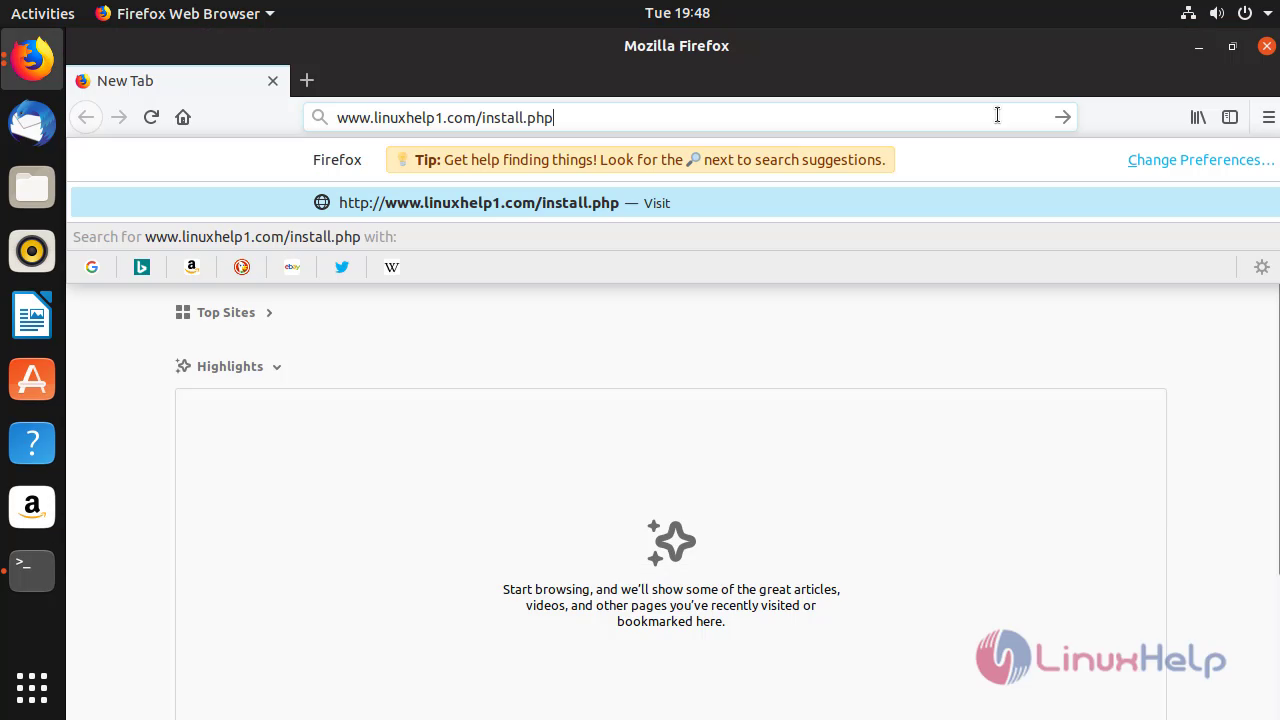
Open the Browser and enter the servername followed by install.php
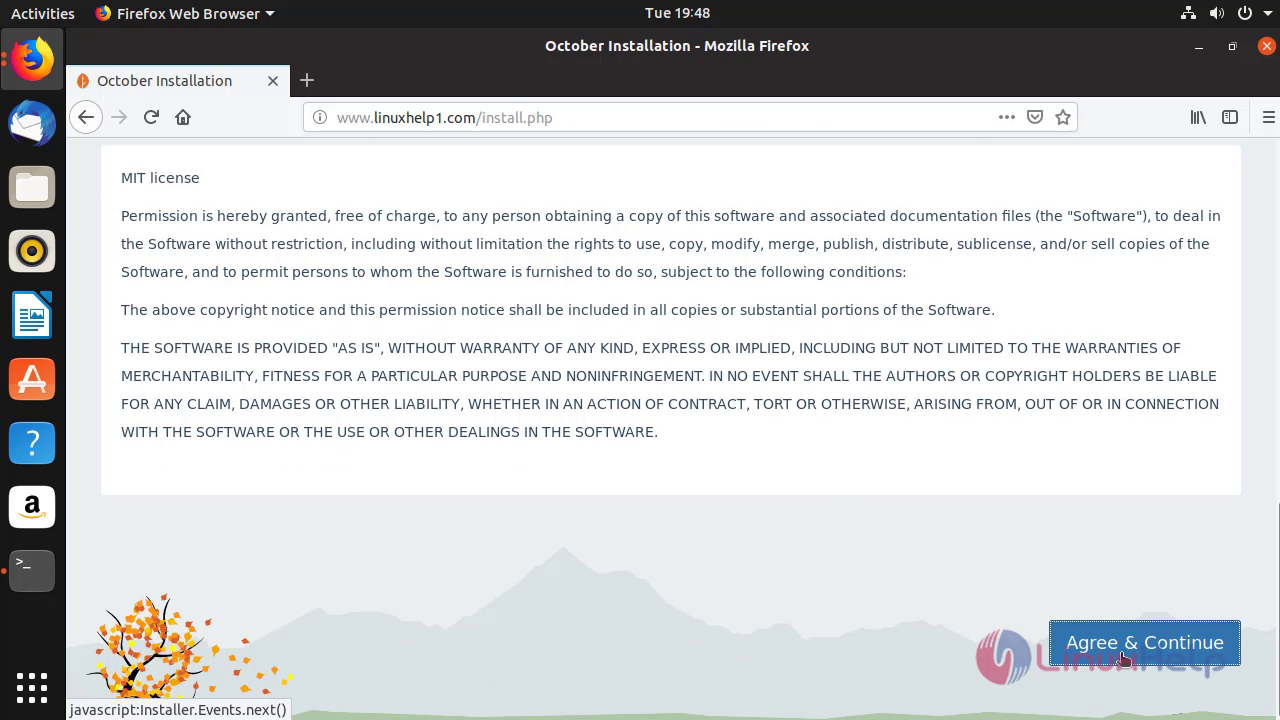
 Agree the license terms after checking the system requirements

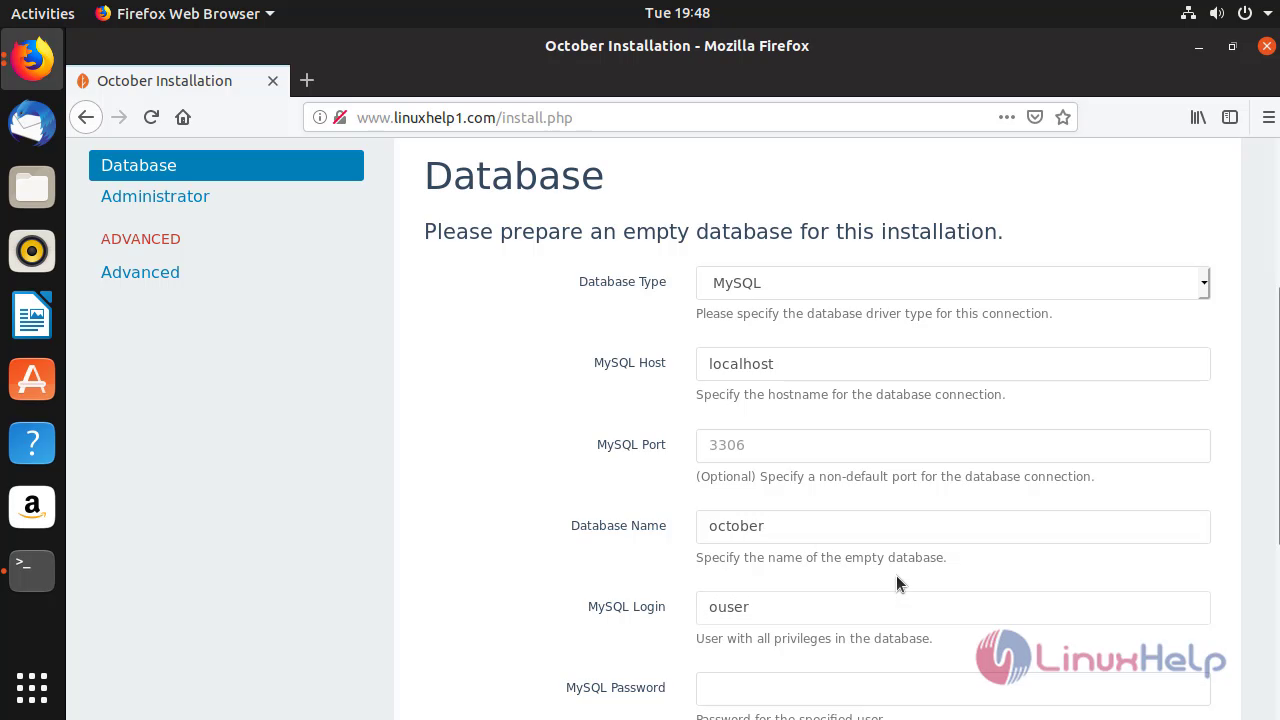
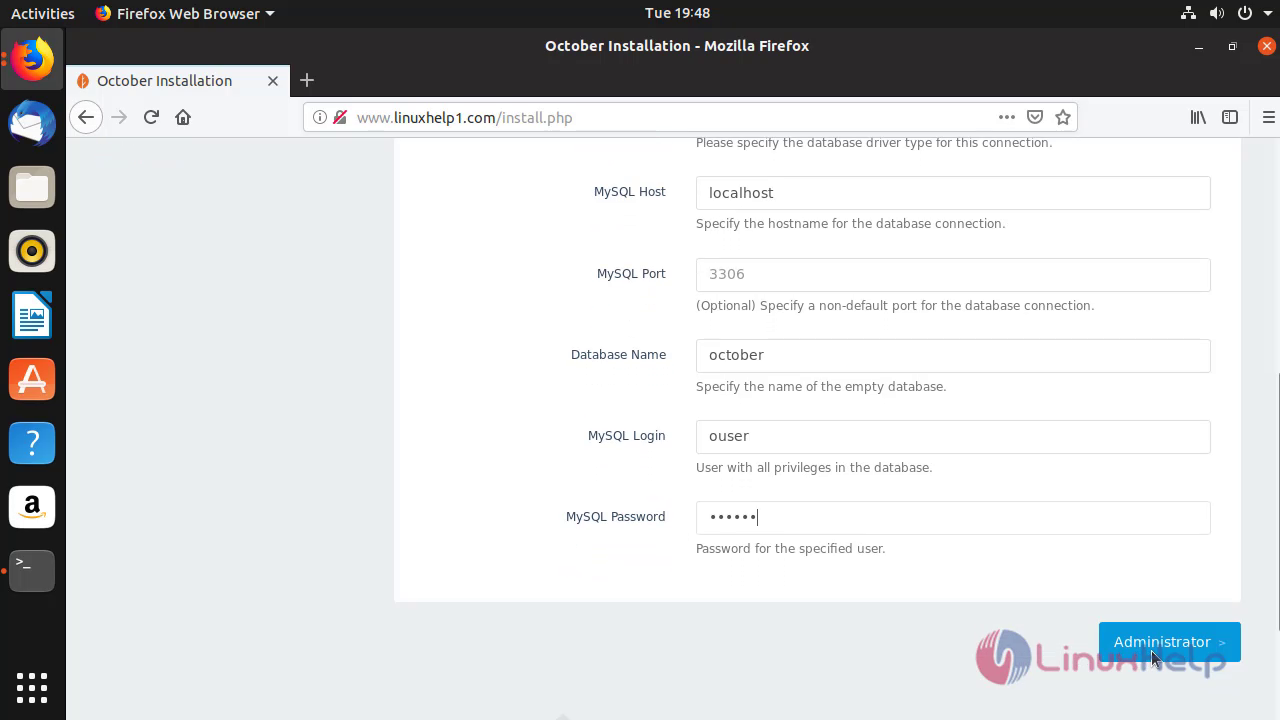
 Enter the database details that has configured inside the MariaDB for October CMS,click Administrator.
 Enroll the admin credentials to access the October CMS backend area
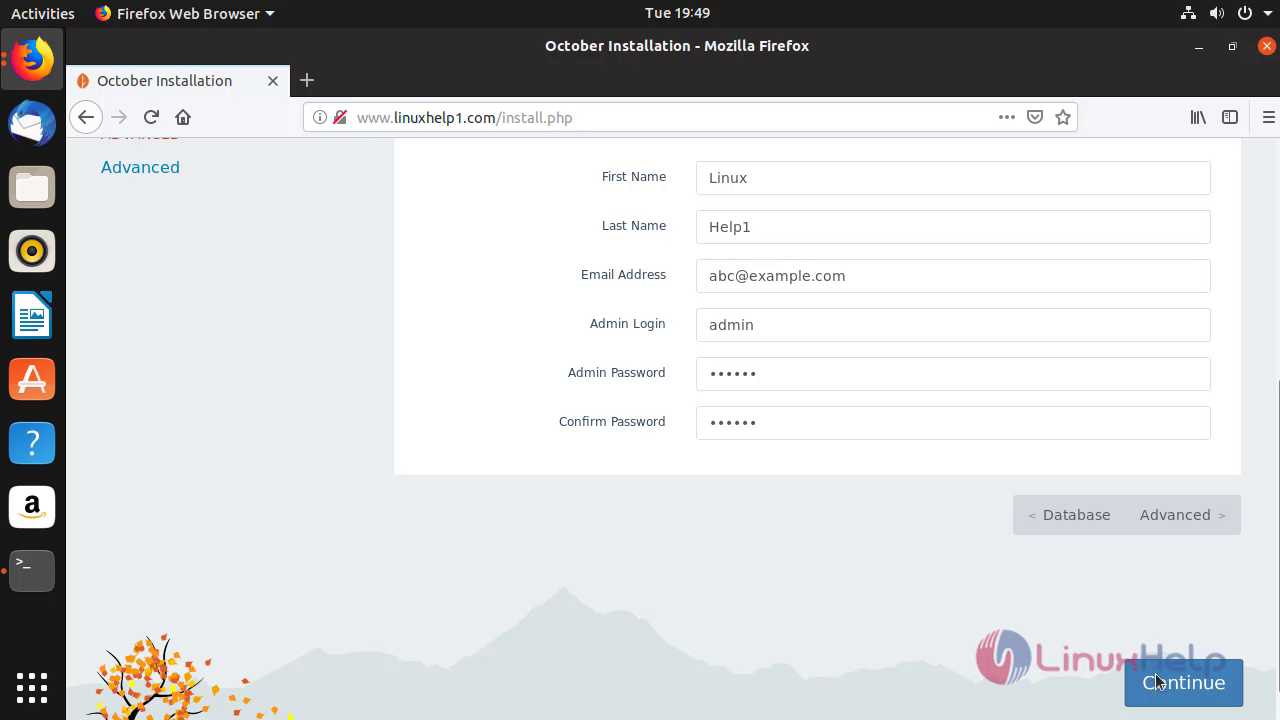
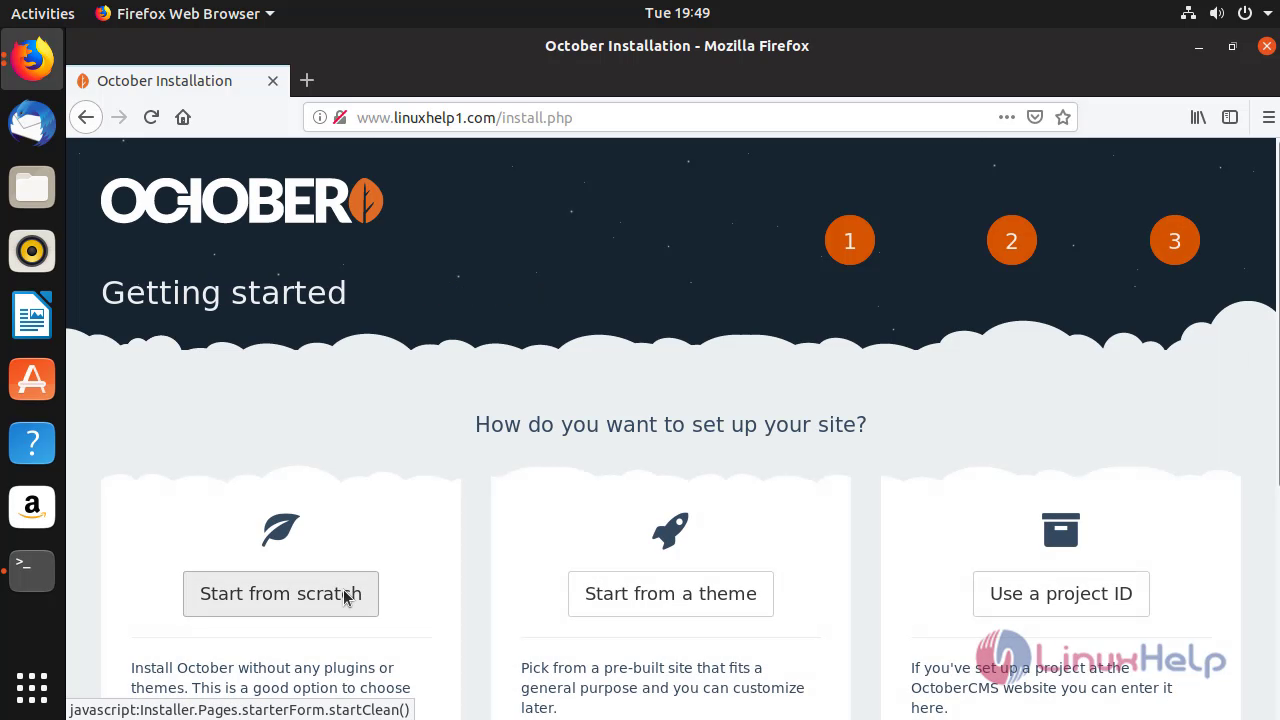
**Select Start from Scratch to set up the site **
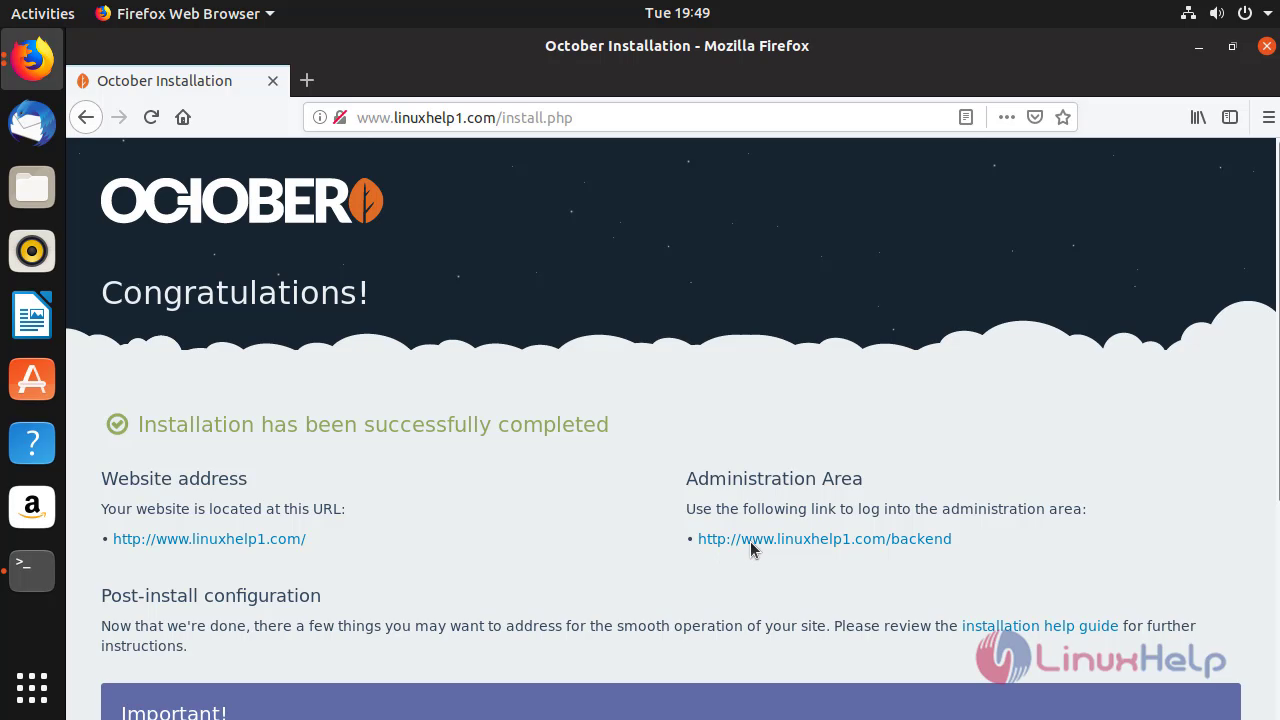
 October CMS Installation is finished and click on servername followed by backend
 Snap8
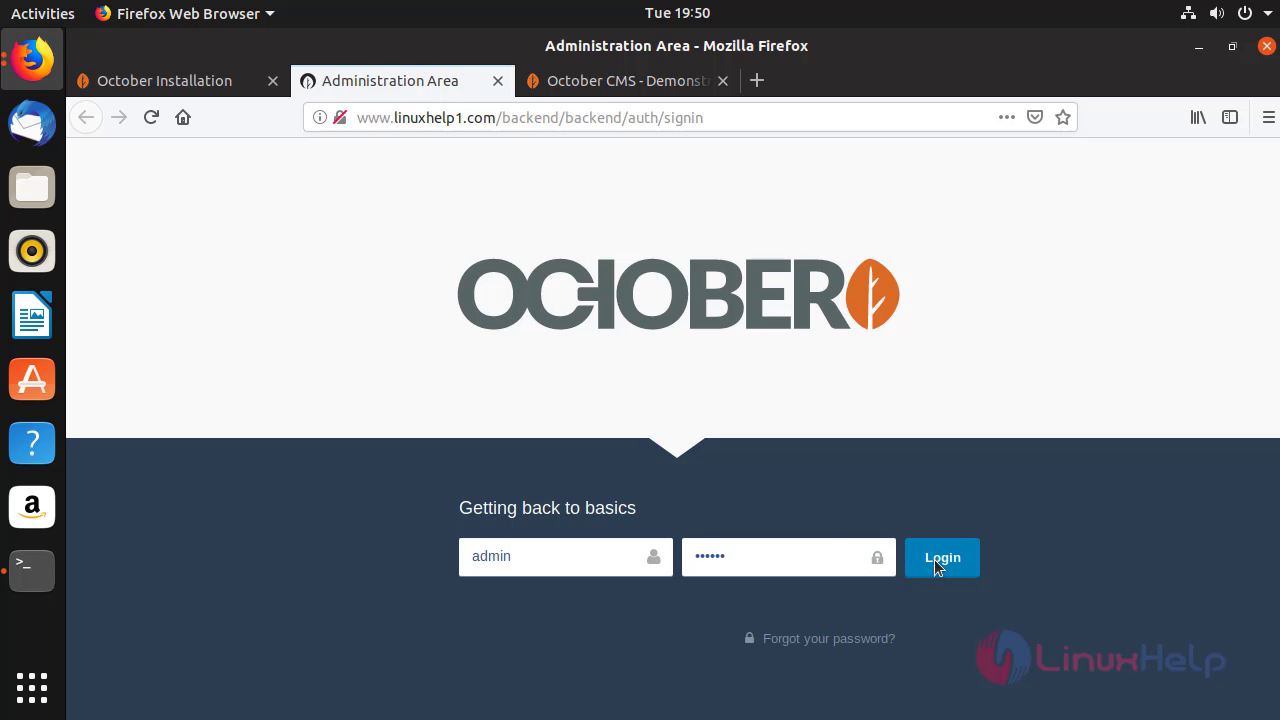
Enter the login credentials of admin’s account
Snap8
Enter the login credentials of admin’s account
 The backend area of Admin’s account has opened successfully
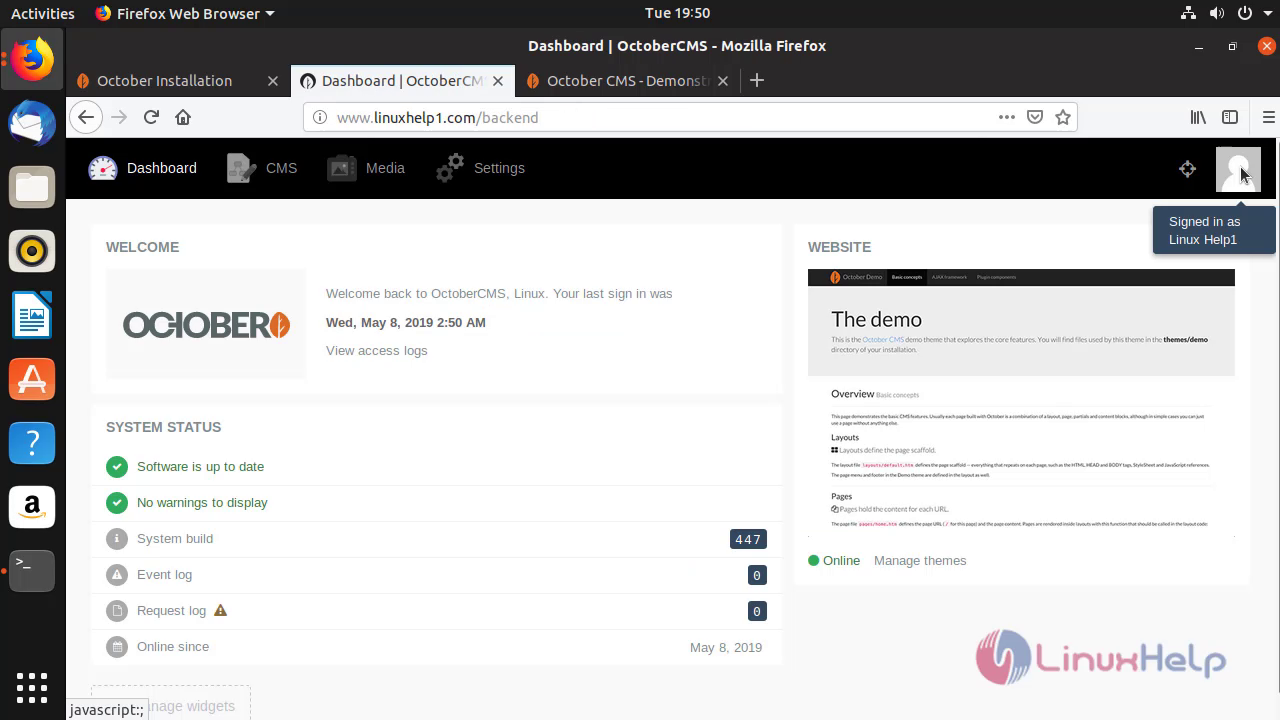 Therefore,Installation Of October CMS On Ubuntu 18.10 through Wizard Installer comes to end.
Comments ( 0 )
No comments available