• Categories
    Category
    {{ postCtrl.tags }}
    • {{ category.tag_type }}

      • {{tag.tag_name}}
      • View more
  • Categories
    Category
    {{ postCtrl.tags }}
    • {{ category.tag_type }}

      • {{tag.tag_name}}
      • View more
  • News
  • Tutorials
  • Forums
  • Tags
  • Users
Tutorial News Comments FAQ Related Articles

How to install Open Mandriva

{{postValue.id}}

To install OpenMandriva

OpenMandriva is an open source Linux based Operating system. It is a full featured Linux desktop and server. OpenMandriva provides the best user experience for newbies and experienced developers. Installation of OpenMandriva is discussed in this article.


Features

  • KDE Plasma 5.6.5
  • KDE Frameworks 5.24.0
  • KDE Apps 16.04.3
  • Kernel 4.6.5
  • Systemd 231
  • F2FS support &ndash A filesystem for SSD

Installation of OpenMandriva

First you need to download openmadriva latest ISO file from official site and make it bootable with DVD or USB. Restart the system after inserting the bootable media.

Now select “ install openmandriva lx” and press enter.
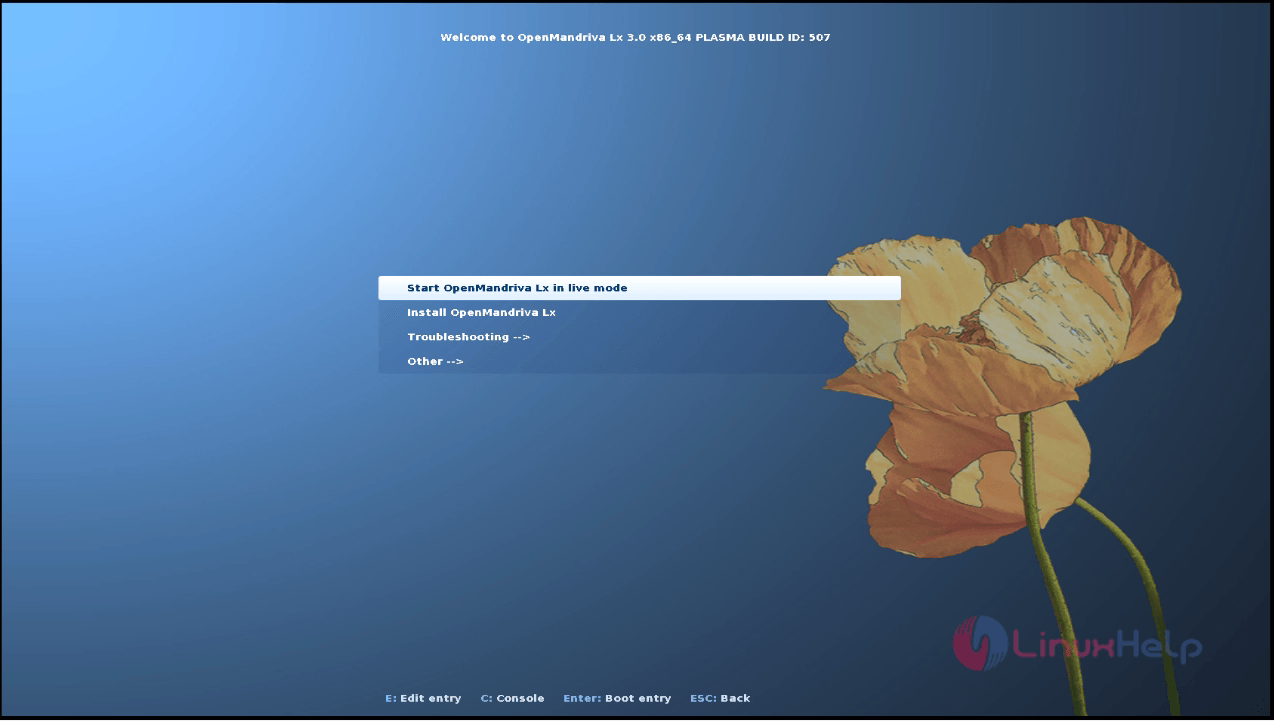
install_openmandriva

Welcome page of OpenMandriva will appear on the screen. Here select your language and then click on next option.
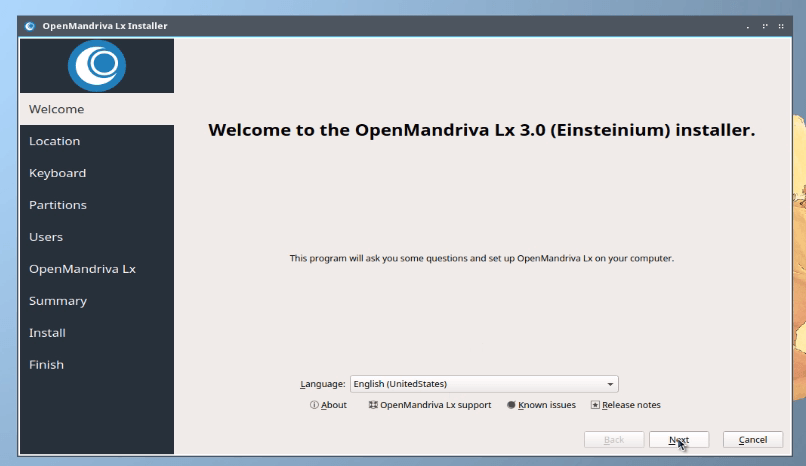
Welcome page

Next select your location and then click on next option.
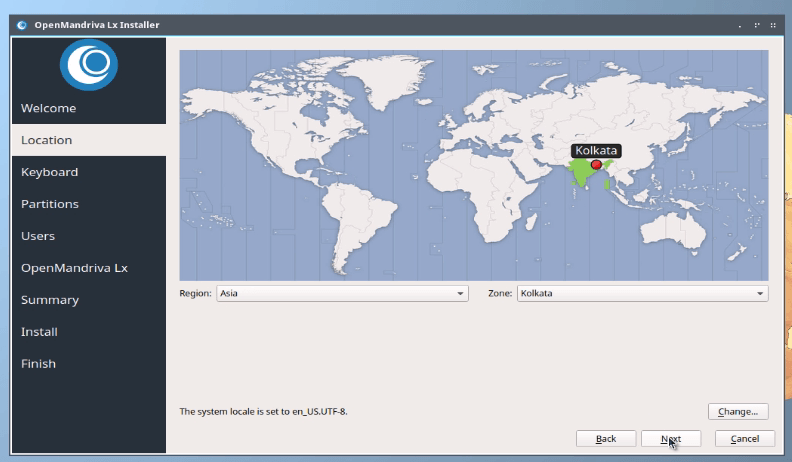
location

Then select the key board layout and click on next option.
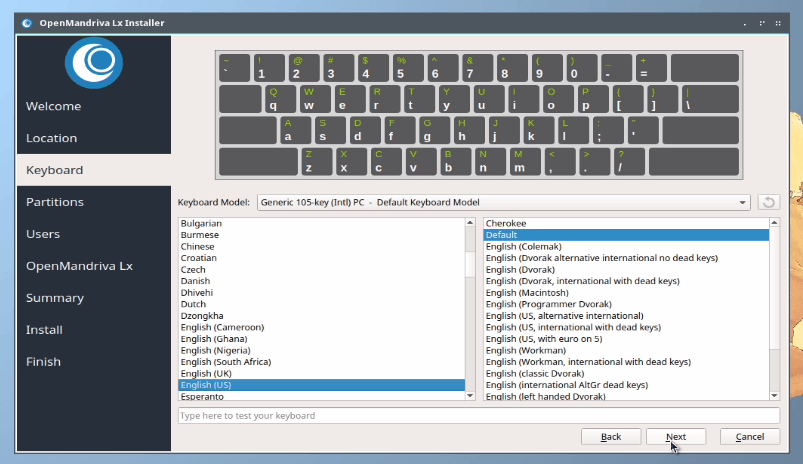
 key_board_layout

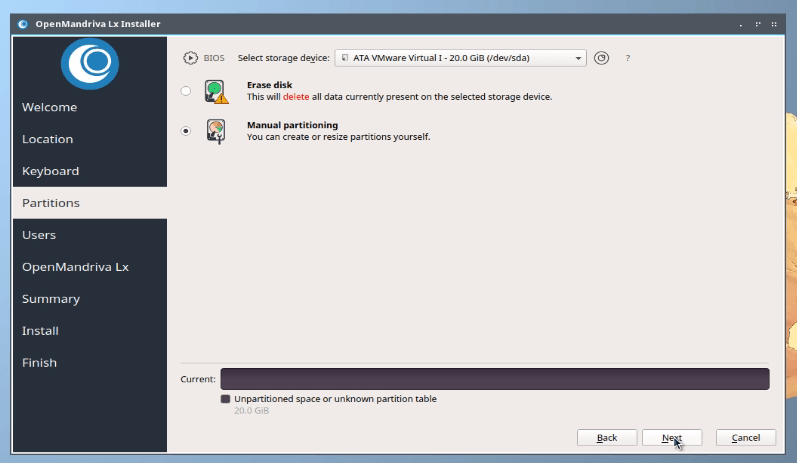
Next click on the partition menu and select the manual partition. Then click on next option.
 partition_menu

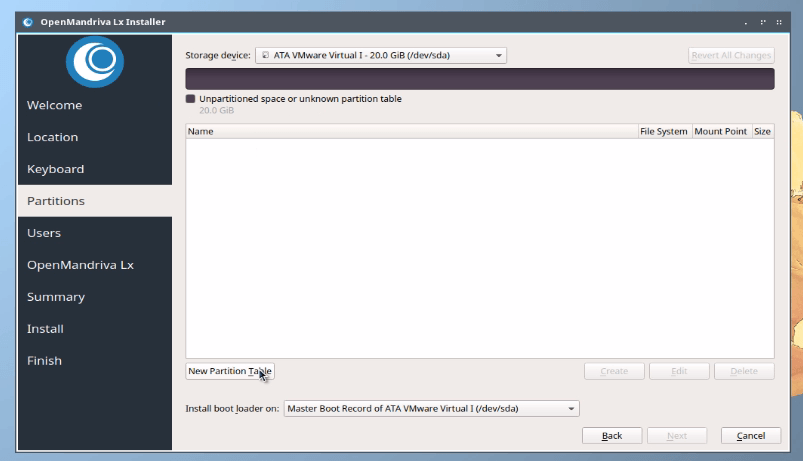
Here click on new partition table option to create partition.
create partition

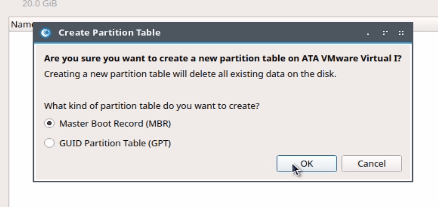
Then select the partition table type and click on OK option.
OK

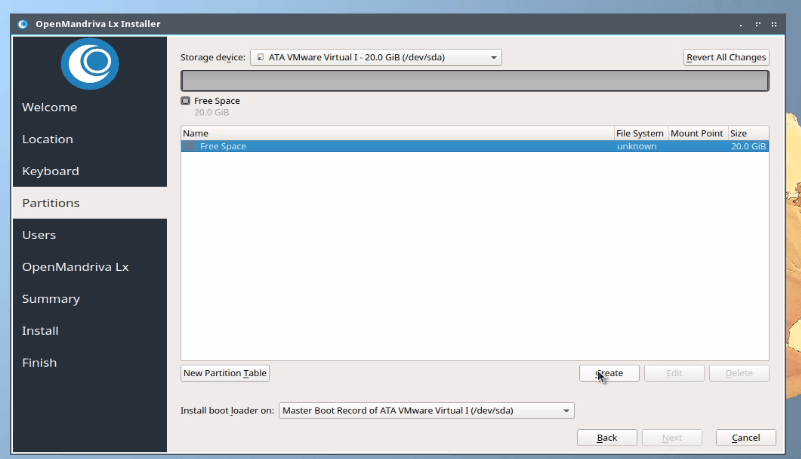
Now it shows the free space of the hard disk. Select the hard disk and then click on create to create new partition.
create new partition

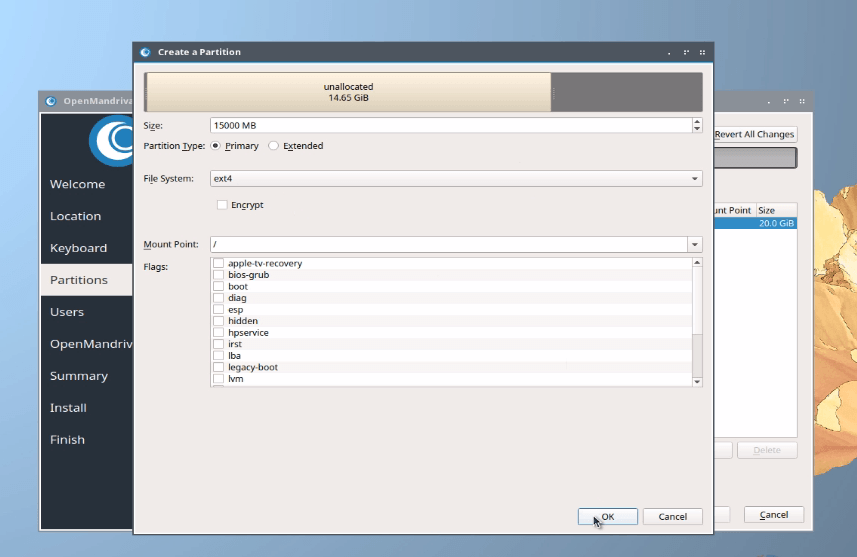
Enter the size for the first partition as shown below.

Partition type primary
File system ext4
Mount point /


Click on Ok option to proceed.

Ok

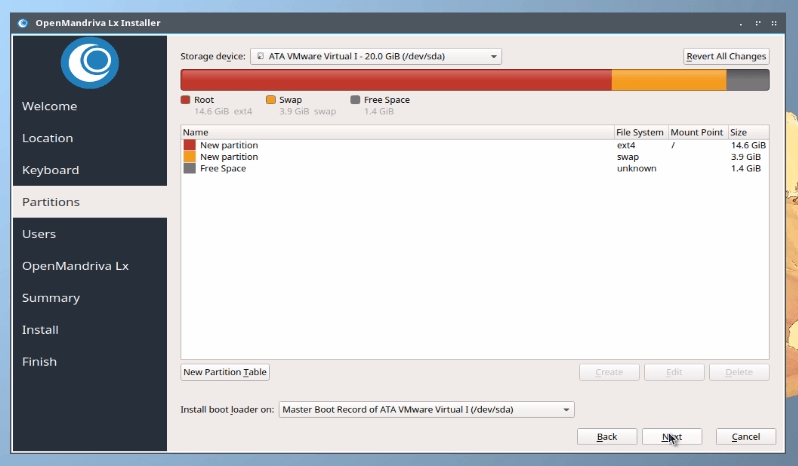
Again create a new partition for swap. Here you need to enter double size of the RAM size as SWAP size.

Size 4000MB
Partition type primary
File system ext4


Click on OK option for further step.

OpenMandriva

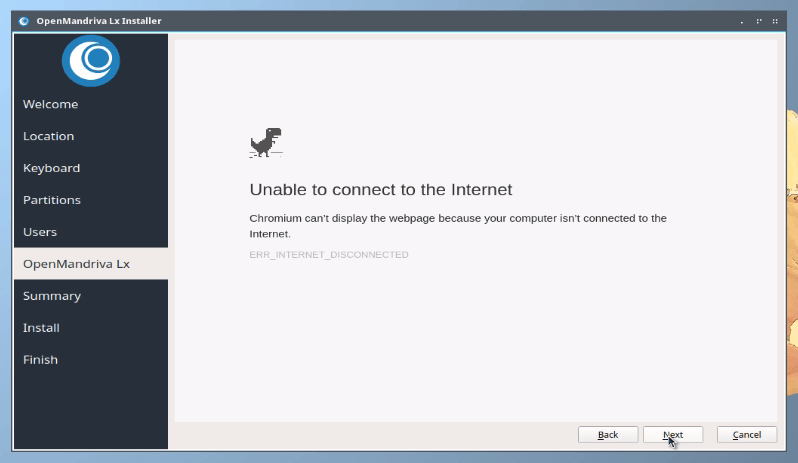
Enter the following credential details and then click on next option.
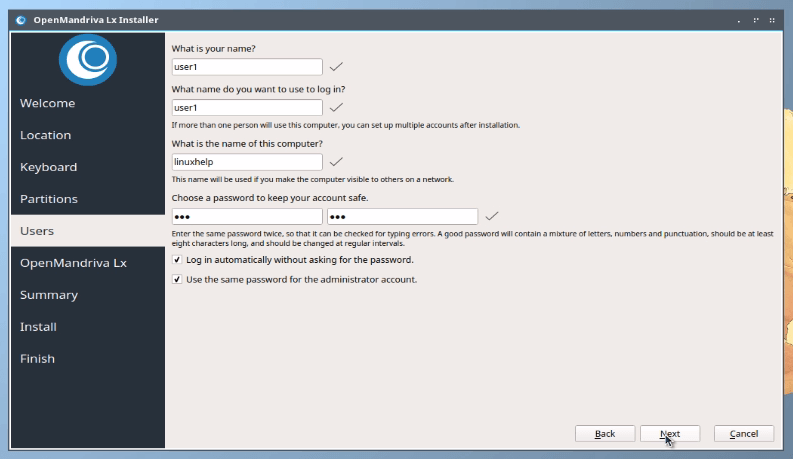
next

not_connected

Summary of the configuration will display on the screen. Click next to continue.
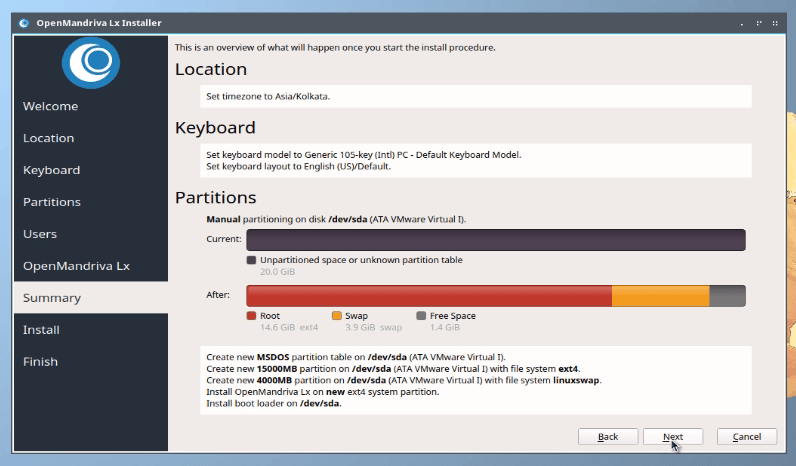
configuration

Click on install now option in the pop-up menu.
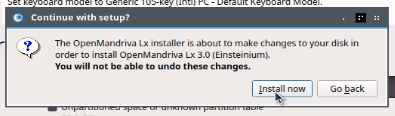
pop-up menu

Installation progress is shown below.
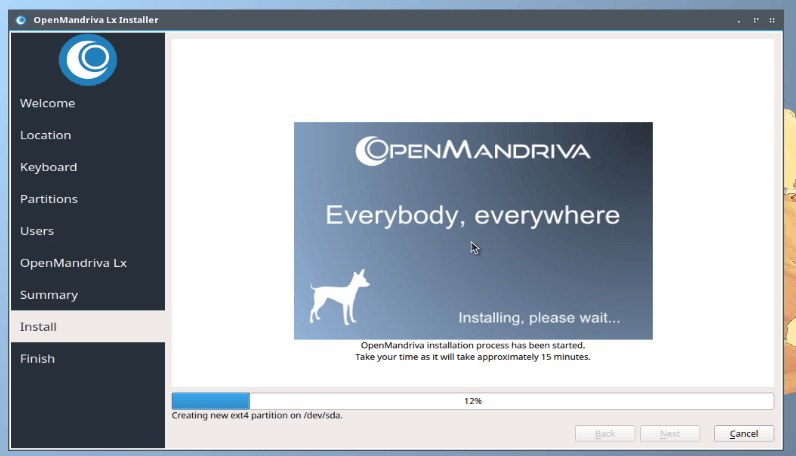
Installation

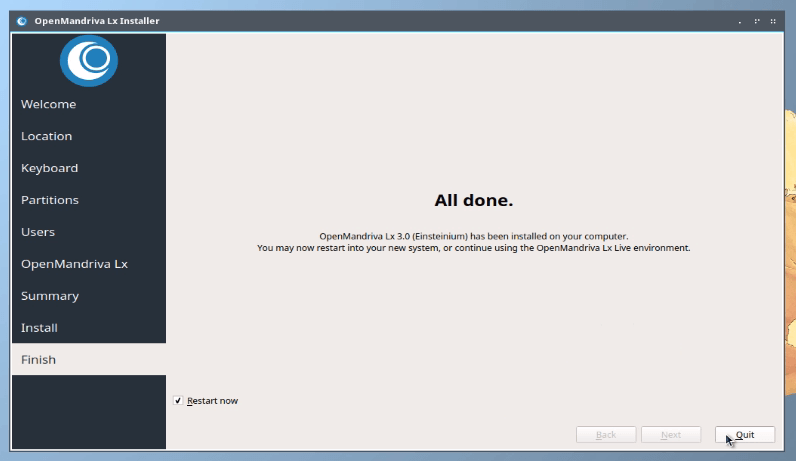
Finally click on the restart now check box and then click on quit option to restart the system.
restart

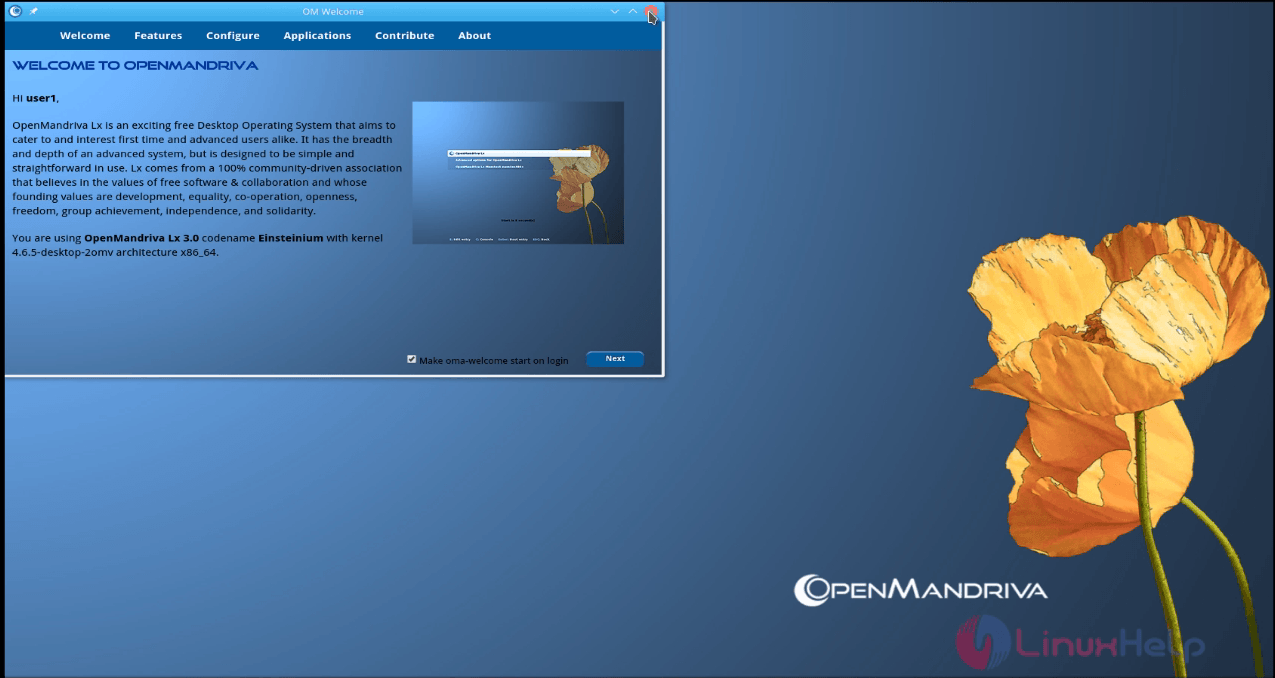
Welcome page will appear on the screen, just close it.
Welcome

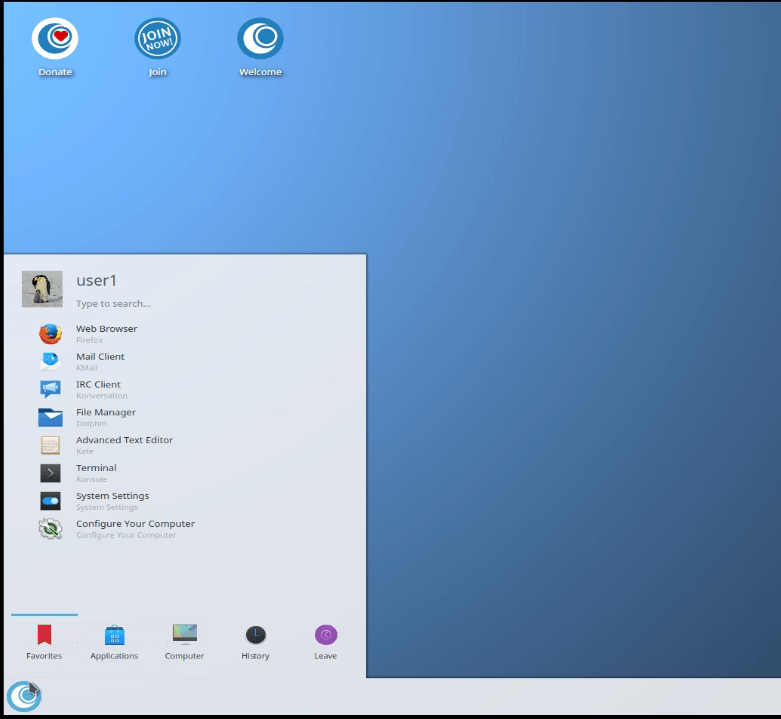
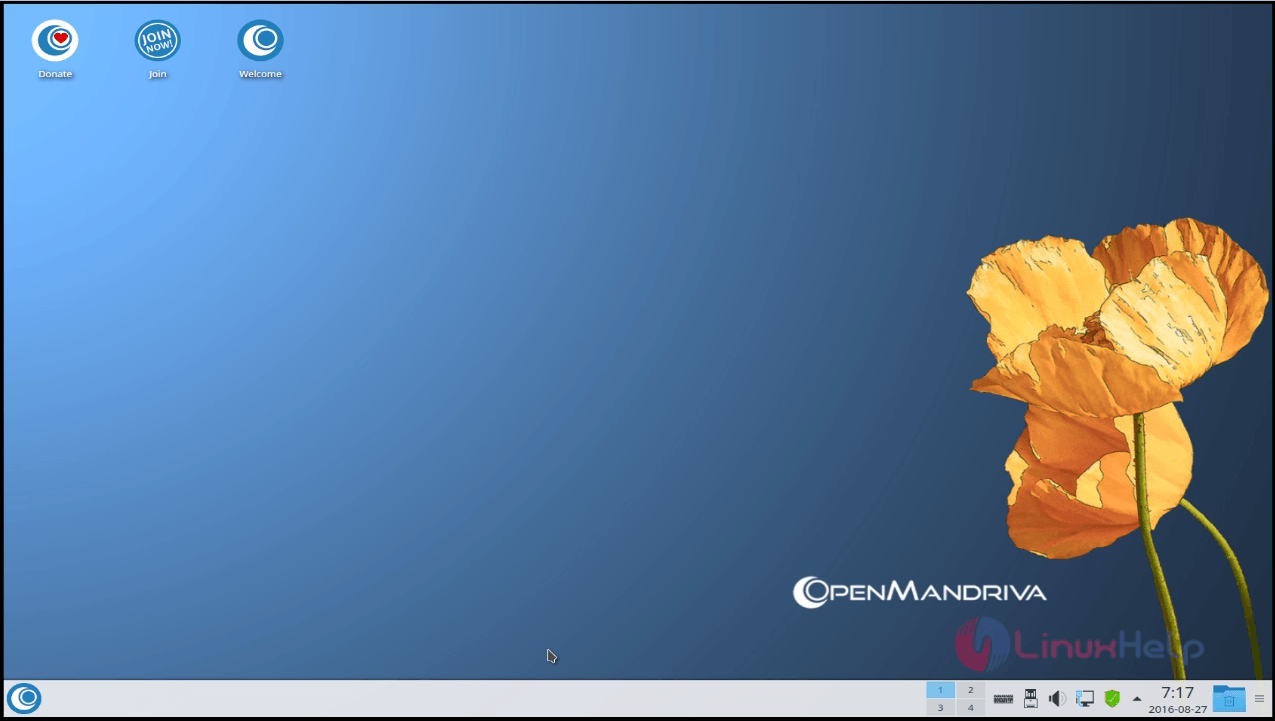
Now you can able to see the Open Mandriva desktop as shown below.
desktop

Open Mandriva is now ready to use.

Open Mandriva

Tags:
benjamin
Author: 

Comments ( 0 )

No comments available

Add a comment
{{postCtrl.cmtErrMsg}}

Frequently asked questions ( 5 )

Q

Can I add my blog?

A

Absolutely! If you're an active member of the Mandriva Cooker community, we'd love to include your journal.

Q

How it is financed? And what expenditures a distro has?

A

We are the non-profit association. To finance infrastructure and various events we rely on sponsors help, donations from users and members contributions.

Q

How I can influence what happens? Can I shape the distro? How you make sure everyone is heard?

A

You not just can, you are most welcome to! Any user can come to cooker or council meeting and raise a topic (please email it in advance to the secretary "join at open Mandriva dot org", for it to be added to agenda in advance).
Any user can initiate new route of activities, POD (local OpenMandriva community) or ask for a change if sees that needed. Any contributor can apply for membership and run in elections for the council or President position.

Speak out we always listen! OpenMandriva exists solely for users.

Q

What is OMA cooker and what is the council, how are they related?

A

To comply with that exists Council. The council is responsible for compliance with the law, financial reports and takes decisions related to the association in general (teams interaction, linking chain in between teams, someone needs to decide, which events we take part in, all the organization, public presence etc).
The cooker is development part of OMA. In practice, there are so many cookers in council, that these two organs have almost merged.

Q

How OMA works? Structure: a short overview of the council, cooker, teams?

A

OMA works in consensus. We always discuss and make sure that all objections, should they happen, are heard.
This is when you look at structure. When you look at people filling it, it becomes obvious, how interactive and interpenetrative all teams are, being just one body.

Back To Top!
Rank
User
Points

Top Contributers

userNamenaveelansari
135850

Top Contributers

userNameayanbhatti
92510

Top Contributers

userNamehamzaahmed
32150

Top Contributers

1
userNamelinuxhelp
31040

Top Contributers

userNamemuhammadali
24500
Can you help Elijah ?
Remote Desktop Connection Has Stopped Working

When accessing my remote machine server using remote desktop on a windows machine I am getting this error

forum (1)

Networking
  • Routing
  • trunk
  • Netmask
  • Packet Capture
  • domain
  • HTTP Proxy
Server Setup
  • NFS
  • KVM
  • Memory
  • Sendmail
  • WebDAV
  • LXC
Shell Commands
  • Cloud commander
  • Command line archive tools
  • last command
  • Shell
  • terminal
  • Throttle
Desktop Application
  • Linux app
  • Pithos
  • Retrospect
  • Scribe
  • TortoiseHg
  • 4Images
Monitoring Tool
  • Monit
  • Apache Server Monitoring
  • EtherApe 
  • Arpwatch Tool
  • Auditd
  • Barman
Web Application
  • Nutch
  • Amazon VPC
  • FarmWarDeployer
  • Rukovoditel
  • Mirror site
  • Chef
Contact Us | Terms of Use| Privacy Policy| Disclaimer
© 2025 LinuxHelp.com All rights reserved. Linux™ is the registered trademark of Linus Torvalds. This site is not affiliated with linus torvalds in any way.