How to Install Openshot Video Editor on Linuxmint 19
{{postValue.id}}
Installation Of Openshot video Editor On Linuxmint 19
OpenShot is a free and cross-platform video editor. It supports several codecs by FFmpeg like WebM (VP9), AVCHD (libx264), HEVC (libx265) and audio codecs like mp3 and aac. This tutorial covers the installation of OpenShot Video Editor on Linuxmint 19
Installation procedure
Check the linuxmint version by using the following command
root@linuxhelp:~# lsb_release -a
No LSB modules are available.
Distributor ID:	LinuxMint
Description:	Linux Mint 19 Tara
Release:	19
Codename:	tara
To start the installation procedure, first add the OpenShot package into repository via ppa.
root@linuxhelp:~# add-apt-repository ppa:openshot.developers/ppa
No protocol specified
Unable to init server: Could not connect: Connection refused
No protocol specified
Unable to init server: Could not connect: Connection refused
You are about to add the following PPA:
 This PPA contains the current stable version of OpenShot Video Editor.

If you would rather the bleeding-edge version, check out the following URL:
https://launchpad.net/~jonoomph/+archive/openshot-edge


 More info: https://launchpad.net/~openshot.developers/+archive/ubuntu/ppa
Press Enter to continue or Ctrl+C to cancel

Executing: /tmp/apt-key-gpghome.cmO8xopwzw/gpg.1.sh --keyserver hkp://keyserver.ubuntu.com:80 --recv-keys B9BA26FA
gpg: key 52165BD6B9BA26FA: 12 signatures not checked due to missing keys
gpg: key 52165BD6B9BA26FA: public key "Launchpad OpenShot Development PPA" imported
gpg: Total number processed: 1
gpg:               imported: 1
Run the Update command to update the repository
root@linuxhelp:~# apt update
Get:1 http://archive.canonical.com/ubuntu bionic InRelease [10.2 kB]
Hit:2 http://archive.ubuntu.com/ubuntu bionic InRelease
Get:3 http://ppa.launchpad.net/ondrej/php/ubuntu bionic InRelease [20.8 kB]
Ign:4 http://packages.linuxmint.com tara InRelease
Get:5 http://archive.canonical.com/ubuntu bionic/partner amd64 Packages [2,320 B]
Get:6 http://security.ubuntu.com/ubuntu bionic-security InRelease [88.7 kB]
Get:7 http://archive.canonical.com/ubuntu bionic/partner i386 Packages [2,316 B]
.
.
.
Get:42 http://archive.ubuntu.com/ubuntu bionic-updates/multiverse amd64 Packages [6,640 B]
Get:43 http://archive.ubuntu.com/ubuntu bionic-updates/multiverse i386 Packages [6,788 B]
Get:44 http://archive.ubuntu.com/ubuntu bionic-updates/multiverse amd64 DEP-11 Metadata [2,468 B]
Get:45 http://archive.ubuntu.com/ubuntu bionic-backports/universe i386 Packages [3,740 B]
Get:46 http://archive.ubuntu.com/ubuntu bionic-backports/universe amd64 Packages [3,732 B]
Get:47 http://archive.ubuntu.com/ubuntu bionic-backports/universe amd64 DEP-11 Metadata [7,712 B]
Fetched 7,202 kB in 12s (580 kB/s)
Reading package lists... Done
Building dependency tree
Reading state information... Done
692 packages can be upgraded. Run 'apt list --upgradable' to see them.
Install the openshot by using the following command
root@linuxhelp:~# apt install openshot-qt
Reading package lists... Done
Building dependency tree
Reading state information... Done
The following additional packages will be installed:
  libbrotli1 libjsoncpp1 libmagick++-6.q16-7 libopenshot-audio6 libopenshot17 libqt5designer5 libqt5help5
  libqt5multimedia5 libqt5multimediawidgets5 libqt5opengl5 libqt5positioning5 libqt5printsupport5
  libqt5qml5 libqt5quick5 libqt5sensors5 libqt5sql5 libqt5test5 libqt5webchannel5 libqt5webkit5
  libqt5xml5 libwoff1 python3-openshot python3-pyqt5 python3-pyqt5.qtmultimedia python3-pyqt5.qtopengl
  python3-pyqt5.qtsvg python3-pyqt5.qtwebkit python3-sip python3-zmq
Suggested packages:
  qt5-qmltooling-plugins openshot-qt-doc python3-pyqt5-dbg
Recommended packages:
  libqt5sql5-sqlite | libqt5sql5-mysql | libqt5sql5-odbc | libqt5sql5-psql | libqt5sql5-tds
  | libqt5sql5-ibase
The following NEW packages will be installed:
.
.
.
Setting up python3-pyqt5.qtopengl (5.10.1+dfsg-1ubuntu2) ...
Setting up python3-pyqt5.qtmultimedia (5.10.1+dfsg-1ubuntu2) ...
Setting up openshot-qt (2.4.4+dfsg2+1039+201903210812~ubuntu18.04.1) ...
Processing triggers for libc-bin (2.27-3ubuntu1) ...
Search for openshot video editor

This is the openshot video editor application
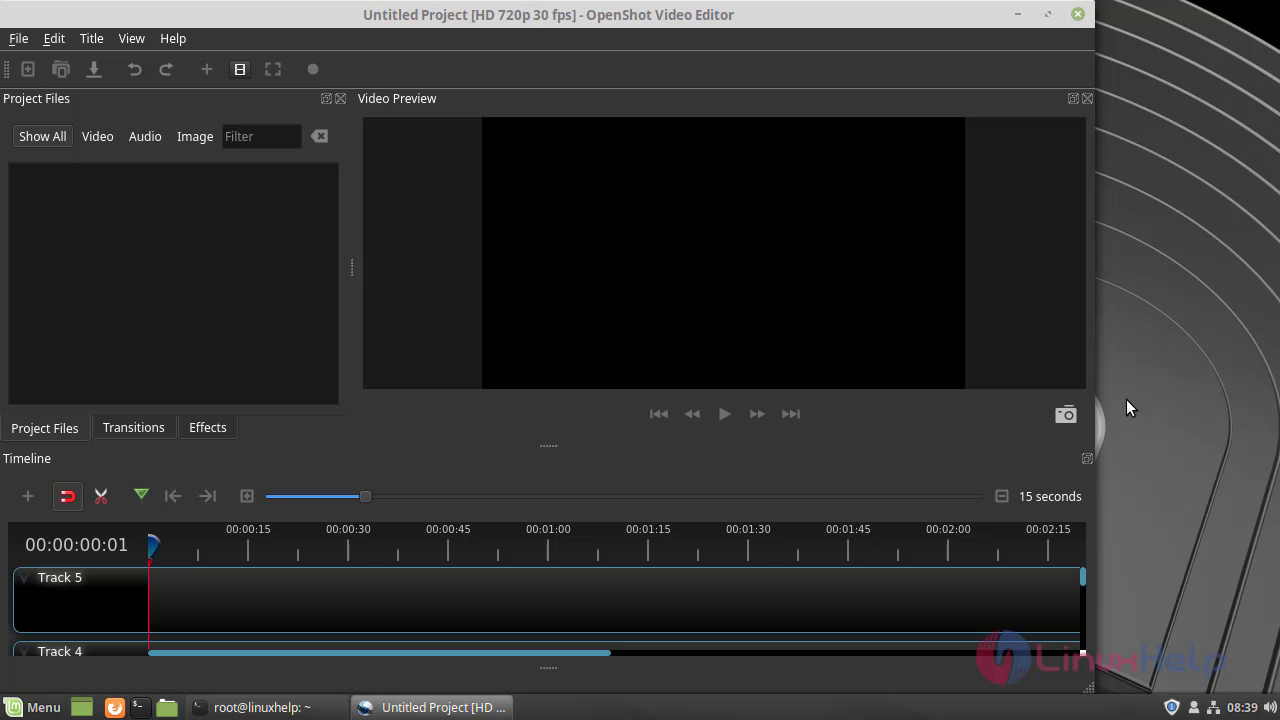 With this, the method to install Openshot video editor on Linuxmint 19 comes to an end.
Comments ( 0 )
No comments available