• Categories
    Category
    {{ postCtrl.tags }}
    • {{ category.tag_type }}

      • {{tag.tag_name}}
      • View more
  • Categories
    Category
    {{ postCtrl.tags }}
    • {{ category.tag_type }}

      • {{tag.tag_name}}
      • View more
  • News
  • Tutorials
  • Forums
  • Tags
  • Users
Tutorial News Comments FAQ Related Articles

How to Install Opera Browser in CentOS

{{postValue.id}}

To Install Opera Browser in CentOS

Opera is a fastest and easy-to-use web browser used for Linux distributions. It is designed with a built-in ad blocker, battery saver and free VPN. Some of its advanced features are speed dial, pop-up blocking, private browsing and tabbed browsing. This article explains the installation of Opera Browser in CentOS.


Installation of Opera Browser

Download the Opera rpm package with the following command.

[root@linuxhelp1 ~]# wget http://get.geo.opera.com/pub/opera/linux/1216/opera-12.16-1860.x86_64.rpm
--2016-11-18 14:50:06--  http://get.geo.opera.com/pub/opera/linux/1216/opera-12.16-1860.x86_64.rpm
Resolving get.geo.opera.com (get.geo.opera.com)... 185.26.182.72
Connecting to get.geo.opera.com (get.geo.opera.com)|185.26.182.72|:80... connected.
HTTP request sent, awaiting response... 200 OK
Length: 13965016 (13M) [application/x-rpm]
Saving to: ‘ opera-12.16-1860.x86_64.rpm’ 

100%[==================================================================================================> ] 13,965,016  90.4KB/s   in 2m 26s

2016-11-18 14:52:32 (93.2 KB/s) - ‘ opera-12.16-1860.x86_64.rpm’  saved [13965016/13965016]

Now its time to install the downloaded package.

[root@linuxhelp1 ~]# rpm -ivh opera-12.16-1860.x86_64.rpm
warning: opera-12.16-1860.x86_64.rpm: Header V4 RSA/SHA1 Signature, key ID a8492e35: NOKEY
Preparing...                          ################################# [100%]
Updating / installing...
   1:opera-2:12.16-1860               ################################# [100%]

Once the above process is completed, go to Application -> Opera
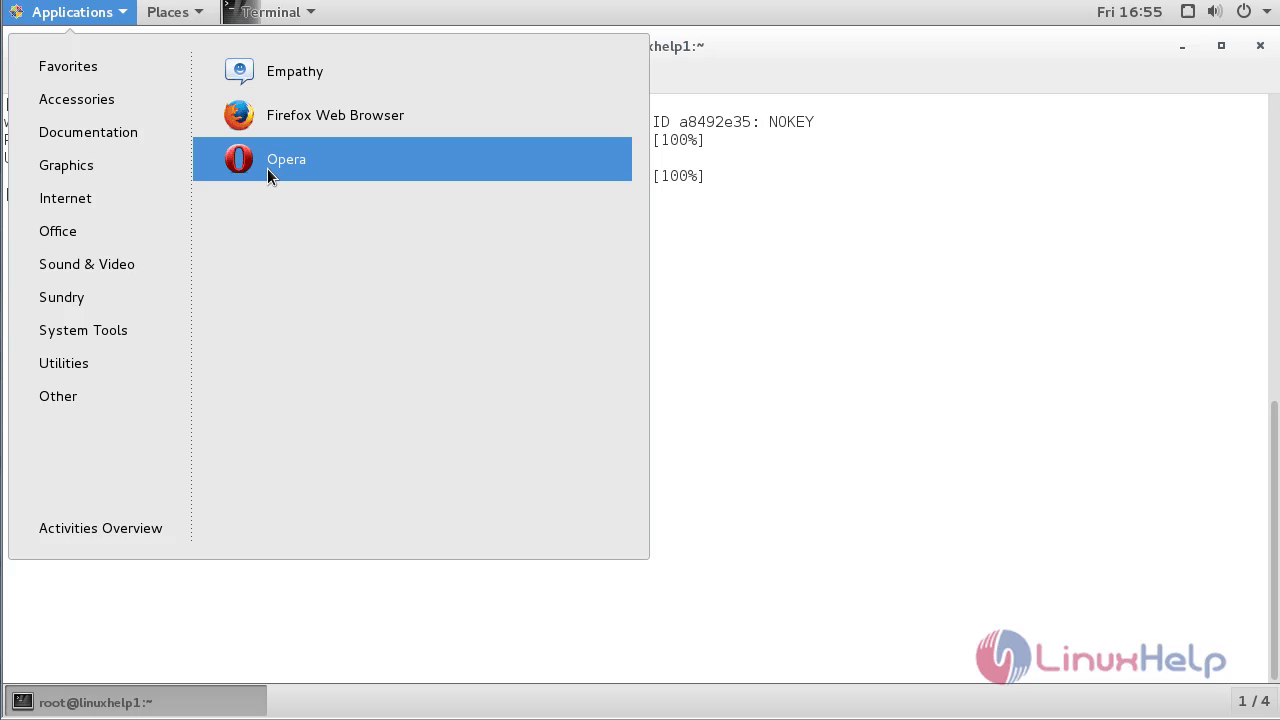
Opera-Browser

Search your favorite websites and have fun.
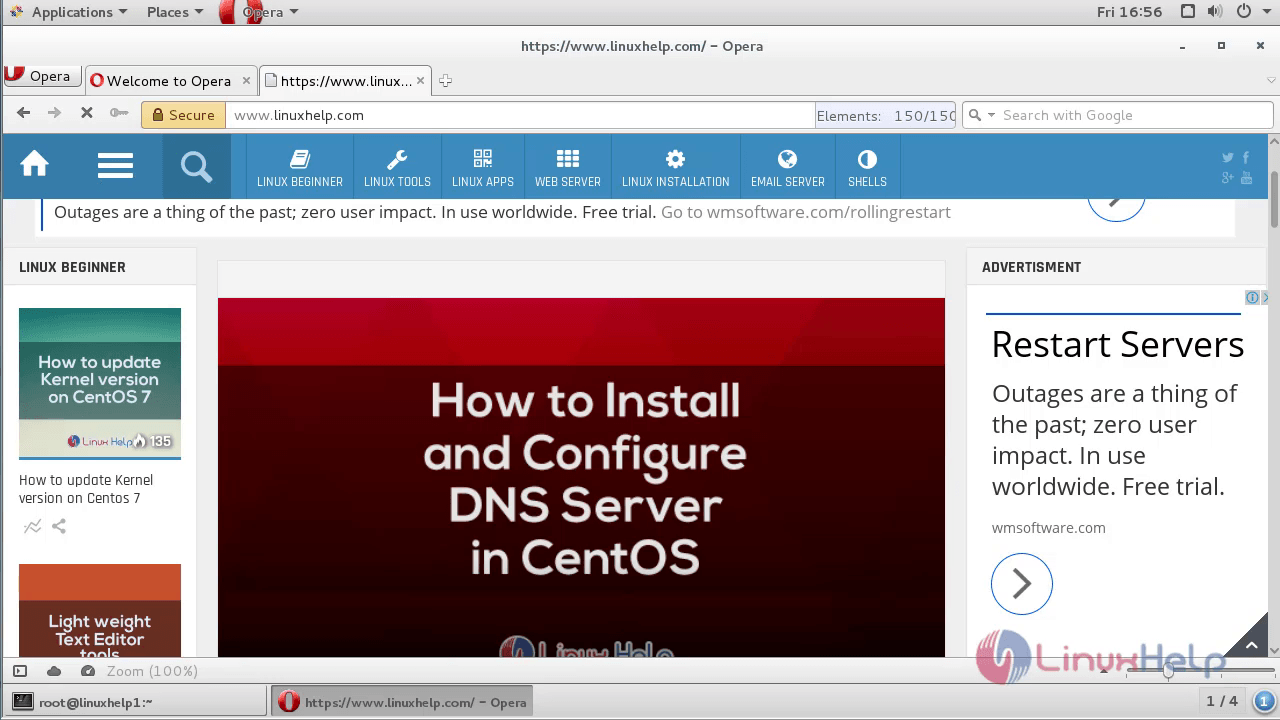
Opera-Browser-Search

Tags:
dylan
Author: 

Comments ( 0 )

No comments available

Add a comment
{{postCtrl.cmtErrMsg}}

Frequently asked questions ( 5 )

Q

How to customize Opera to different languages?

A

Opera is translated into many languages, making it easier for you to browse in your native language. Opera will use your system’s default language to set the browser’s language. To change th

Q

How to install Opera on Ubuntu server?

A

Follow the URL provided below for installing opera on Ubuntu
"https://www.linuxhelp.com/how-to-install-opera-browser-40-on-ubuntu-17-04/"

Q

Is chromium-codecs-ffmpeg-extra for Opera up to date?

A

chromium-codecs-ffmpeg-extra for Opera and active.

Q

How does Opera Mini work?

A

Opera Mini uses cloud acceleration and data compression technology. Opera Mini servers act as a proxy which compresses and renders the data of web pages before sending it to users.

Q

How do I remove opera stable?

A

Right click on the Start icon and click on Control Panel. Click on Programs and Features in Control Panel, highlight the Opera Stable in the list, click on Uninstall and then follow the prompts to remove it.

Back To Top!
Rank
User
Points

Top Contributers

userNamenaveelansari
135850

Top Contributers

userNameayanbhatti
92510

Top Contributers

userNamehamzaahmed
32150

Top Contributers

1
userNamelinuxhelp
31040

Top Contributers

userNamemuhammadali
24500
Can you help legeek ?
Installation of the call center module

hello

I wish to install a call center in virtual with issabel, I downloaded the latest version of it , but I don' t arrive to install the call center module in issabel. please help me

thanks!

Networking
  • Routing
  • trunk
  • Netmask
  • Packet Capture
  • domain
  • HTTP Proxy
Server Setup
  • NFS
  • KVM
  • Memory
  • Sendmail
  • WebDAV
  • LXC
Shell Commands
  • Cloud commander
  • Command line archive tools
  • last command
  • Shell
  • terminal
  • Throttle
Desktop Application
  • Linux app
  • Pithos
  • Retrospect
  • Scribe
  • TortoiseHg
  • 4Images
Monitoring Tool
  • Monit
  • Apache Server Monitoring
  • EtherApe 
  • Arpwatch Tool
  • Auditd
  • Barman
Web Application
  • Nutch
  • Amazon VPC
  • FarmWarDeployer
  • Rukovoditel
  • Mirror site
  • Chef
Contact Us | Terms of Use| Privacy Policy| Disclaimer
© 2025 LinuxHelp.com All rights reserved. Linux™ is the registered trademark of Linus Torvalds. This site is not affiliated with linus torvalds in any way.