How to install Oracle Java 10.0.1 on Ubuntu 18.04
To install Oracle Java 10.0.1 on Ubuntu 18.04
Java is a cross-platform program and it' s used by several developers to build applications and website due to its speed, reliability, and safety. Currently, Java 10, the latest version of the program is gaining more popularity. After several months of testing, Java 9 was finally rolled out in September 2017 and is available on all platforms with newer features and improvements.
Installation
Add a new repository to install an Oracle Java
root@linuxhelp:~# add-apt-repository ppa:linuxuprising/java
 Oracle Java 10 installer
Java binaries are not hosted in this PPA due to licensing. The packages in this PPA download and install Oracle Java 10 (JDK 10), so a working Internet connection is required.

PPA for https://www.linuxuprising.com/
.
.
Hit:1 http://ppa.launchpad.net/linuxuprising/java/ubuntu bionic InRelease
Hit:2 http://in.archive.ubuntu.com/ubuntu bionic InRelease
Hit:3 http://security.ubuntu.com/ubuntu bionic-security InRelease
Hit:4 http://in.archive.ubuntu.com/ubuntu bionic-updates InRelease
Hit:5 http://in.archive.ubuntu.com/ubuntu bionic-backports InRelease
Reading package lists... Done
After adding a repository, Update the system repository
root@linuxhelp:~# apt-get update
Hit:1 http://ppa.launchpad.net/linuxuprising/java/ubuntu bionic InRelease
Hit:2 http://in.archive.ubuntu.com/ubuntu bionic InRelease
Hit:3 http://in.archive.ubuntu.com/ubuntu bionic-updates InRelease
Hit:4 http://security.ubuntu.com/ubuntu bionic-security InRelease
Hit:5 http://in.archive.ubuntu.com/ubuntu bionic-backports InRelease
Reading package lists... Done
Install an Oracle Java on terminal using this following command
root@linuxhelp:~# apt-get install oracle-java10-installer -y
Reading package lists... Done
Building dependency tree
Reading state information... Done
The following additional packages will be installed:
  gsfonts-x11 java-common oracle-java10-set-default
Suggested packages:
  binfmt-support visualvm ttf-baekmuk | ttf-unfonts | ttf-unfonts-core ttf-kochi-gothic
  | ttf-sazanami-gothic ttf-kochi-mincho | ttf-sazanami-mincho ttf-arphic-uming
The following NEW packages will be installed:
Accept the license agreement
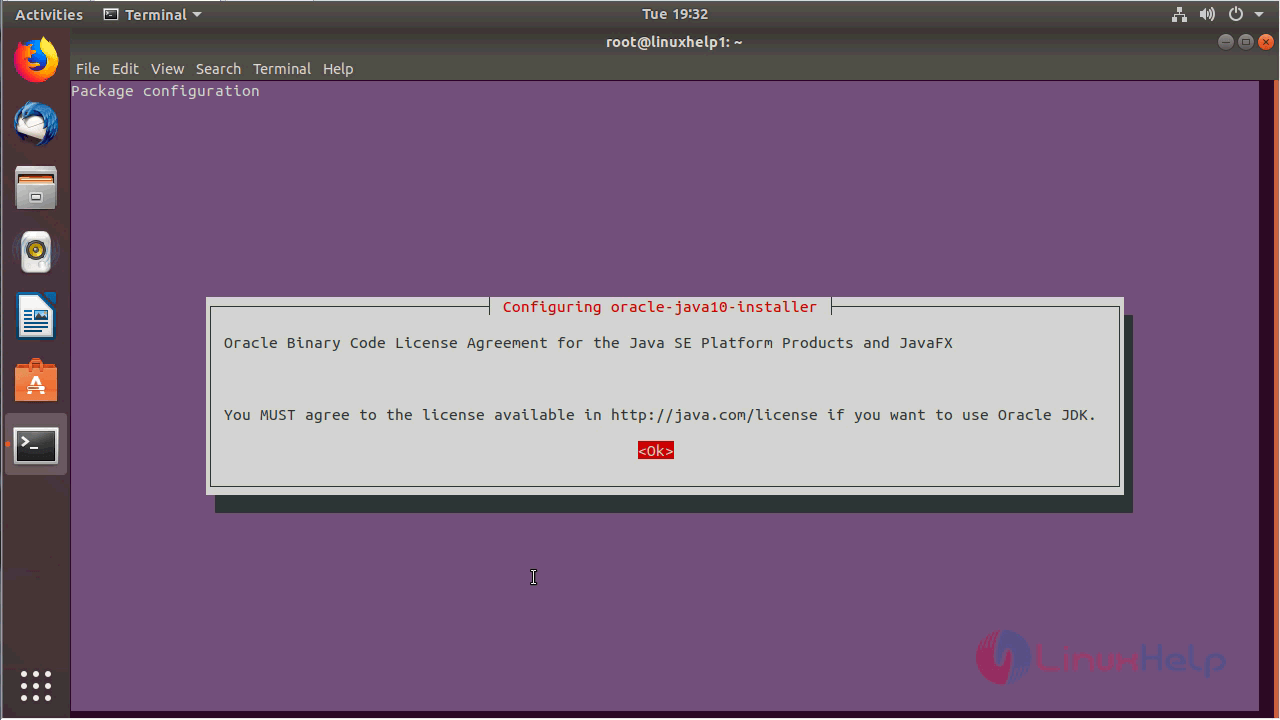
Accept the license agreement to use the Oracle Java
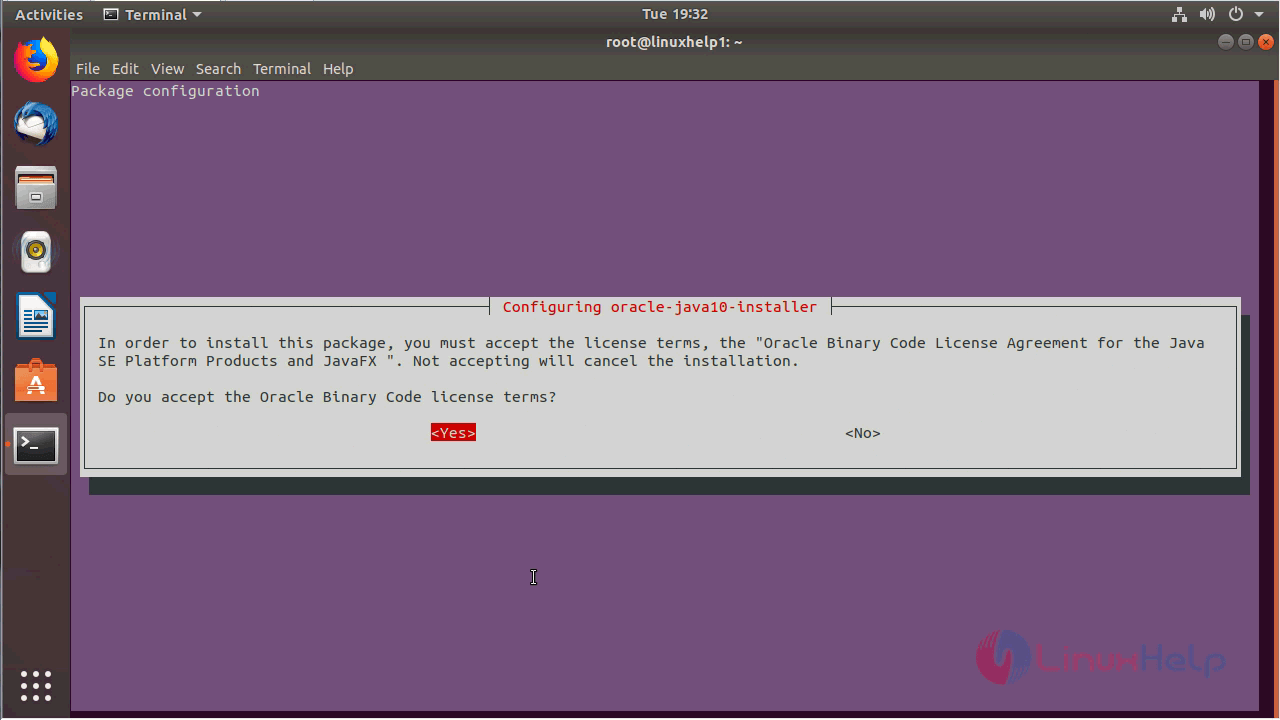
.
Preparing to unpack .../gsfonts-x11_0.25_all.deb ...
Unpacking gsfonts-x11 (0.25) ...
Setting up gsfonts-x11 (0.25) ...
Processing triggers for mime-support (3.60ubuntu1) ...
Setting up oracle-java10-set-default (10.0.1-1~linuxuprising+1) ...
Processing triggers for man-db (2.8.2-1) ...
Processing triggers for shared-mime-info (1.9-2) ...
Processing triggers for gnome-menus (3.13.3-11ubuntu1) ...
Processing triggers for hicolor-icon-theme (0.17-2) ...
Processing triggers for fontconfig (2.12.6-0ubuntu1) ...
Set Oracle JDK as default, using the following commands.
root@linuxhelp:~# apt install oracle-java10-set-default -y
Reading package lists... Done
Building dependency tree
Reading state information... Done
oracle-java10-set-default is already the newest version (10.0.1-1~linuxuprising+1).
oracle-java10-set-default set to manually installed.
0 upgraded, 0 newly installed, 0 to remove and 489 not upgraded.
Check the version of Oracle Java using the following command
root@linuxhelp:~# java -version
java version " 10.0.1"  2018-04-17
Java(TM) SE Runtime Environment 18.3 (build 10.0.1+10)
Java HotSpot(TM) 64-Bit Server VM 18.3 (build 10.0.1+10, mixed mode)
With this, the method to install Oracle Java 10.0.1 on Ubuntu 18.04 comes to an end.
Comments ( 0 )
No comments available