How to install osTicket on Ubuntu 16.04
To install osTicket on Ubuntu 16.04
osTicket is open source, widely-used, simple and lightweight ticketing software. osTicket allows you to manage, organize and archive your support ticket request and has support for LDAP and Active Directory authentication. It seamlessly routes inquiries created via email, web-forms and phone calls into a simple, easy-to-use, multi-user, web-based customer support platform. It is really so simple to install osticket on ubuntu 16.04, and this article covers the ground on the same process.
Pre requirements
Install LAMP (apache, php 5.6, mariadb-server)
In MariaDB (create database, user and give privilegess to user)
For PHP, install following repo
1. Sudo add-apt-repository ppa:ondrej/php
2. sudo apt-get update
3. modules (apt install php5.6-opcache php5.6-gd php5.6-curl php5.6-common php5.6-mysql php5.6 php5.6-imap )
Installing osTicket
Before you begin with the installation process, you need to enter into the HTML location of your system.
root@linuxhelp:~# cd /var/www/html/
And from there you should download the osTicket package, and that can be download by making use of the following command.
root@linuxhelp:/var/www/html# wget http://osticket.com/sites/default/files/download/osTicket-v1.9.12.zip
--2017-12-04 15:24:27--  http://osticket.com/sites/default/files/download/osTicket-v1.9.12.zip
Resolving osticket.com (osticket.com)... 69.164.192.85, 2600:3c00::3a:9200
Connecting to osticket.com (osticket.com)|69.164.192.85|:80... connected.
HTTP request sent, awaiting response... 200 OK
Length: 7152664 (6.8M) [application/zip]
Saving to: ‘ osTicket-v1.9.12.zip’

osTicket-v1.9.12.zi 100%[===================> ]   6.82M  42.8MB/s    in 0.2s

2017-12-04 15:24:39 (42.8 MB/s) - ‘ osTicket-v1.9.12.zip’  saved [7152664/7152664]
Once the file is downloaded, you need to extract it, and for that you shall run the following command.
root@linuxhelp:/var/www/html# unzip osTicket-v1.9.12.zip -d osticket
Archive:  osTicket-v1.9.12.zip
  inflating: osticket/scripts/api_ticket_create.php
  inflating: osticket/scripts/automail.php
  inflating: osticket/scripts/automail.pl
  inflating: osticket/scripts/rcron.php
  inflating: osticket/upload/account.php
  inflating: osticket/upload/ajax.php
  inflating: osticket/upload/api/.htaccess
  inflating: osticket/upload/api/api.inc.php
  inflating: osticket/upload/api/cron.php
  inflating: osticket/upload/api/http.php
.
.
..
 inflating: osticket/upload/tickets.php
  inflating: osticket/upload/view.php
  inflating: osticket/upload/web.config
Later, you need to change the ownership of extracted directory in the following manner.
root@linuxhelp:/var/www/html# chown -R www-data:www-data osticket/
And then, you should also copy the conf file, run the following command for the same purpose.
root@linuxhelp:/var/www/html# cp osticket/upload/include/ost-sampleconfig.php osticket/upload/include/ost-config.php
You should also change the permission of osTicket directory in the following manner.
root@linuxhelp:/var/www/html# chmod -R 777 osticket/
Later, you need to create a conf file for VirtualHosting.
root@linuxhelp:/var/www/html# vim /etc/apache2/sites-available/osticket.conf
In that file, you need to add the following lines.
< VirtualHost *:80>
ServerAdmin admin@linuxhelp11.com
DocumentRoot /var/www/html/osticket/
ServerName linuxhelp11.com
< Directory /var/www/html/osticket/>
Options FollowSymLinks
AllowOverride All
Order allow,deny
allow from all
< /Directory>
ErrorLog /var/log/apache2/linuxhelp11.com-error_log
CustomLog /var/log/apache2/linuxhelp11.com-access_log common
< /VirtualHost>
Once it is done, you need to make an entry in hosts file, so open it.
root@linuxhelp:/var/www/html# vim /etc/hosts
And add following line in it.
< machine ip> domainname (linuxhelp11.com)
Next, enable the newly created conf file by running the following command.
root@linuxhelp:/var/www/html# a2ensite osticket.conf
Enabling site osticket.
To activate the new configuration, you need to run:
  service apache2 reload
Later, restart the apache service as follows.
root@linuxhelp:/var/www/html# systemctl restart apache2.service
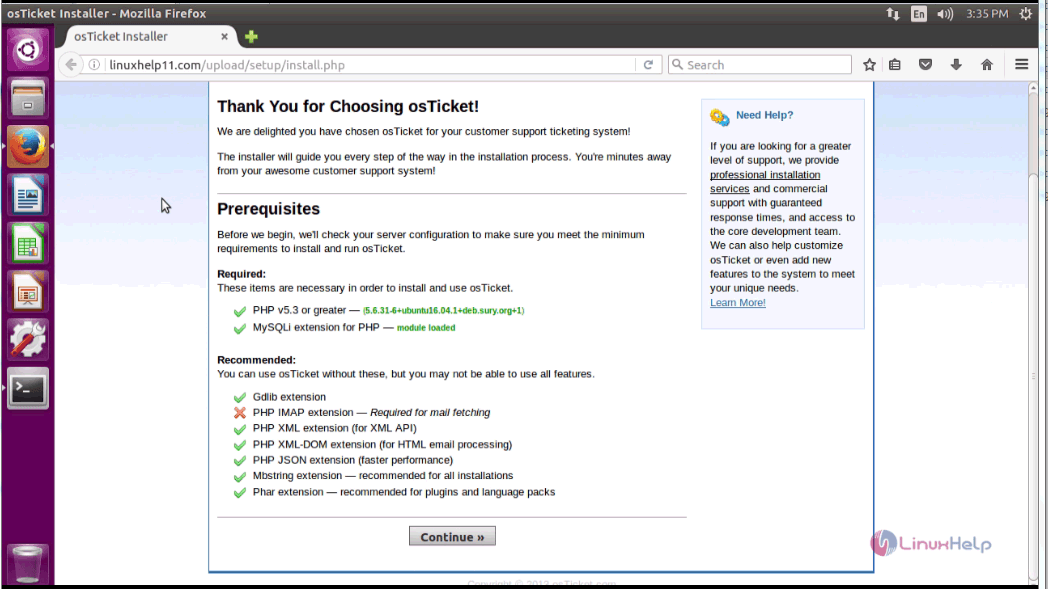
Now, open a browser and give http://yourdomain/uploads as URL, the installer of osTicket gets opened and it displays the system requirements, click on the continue option.
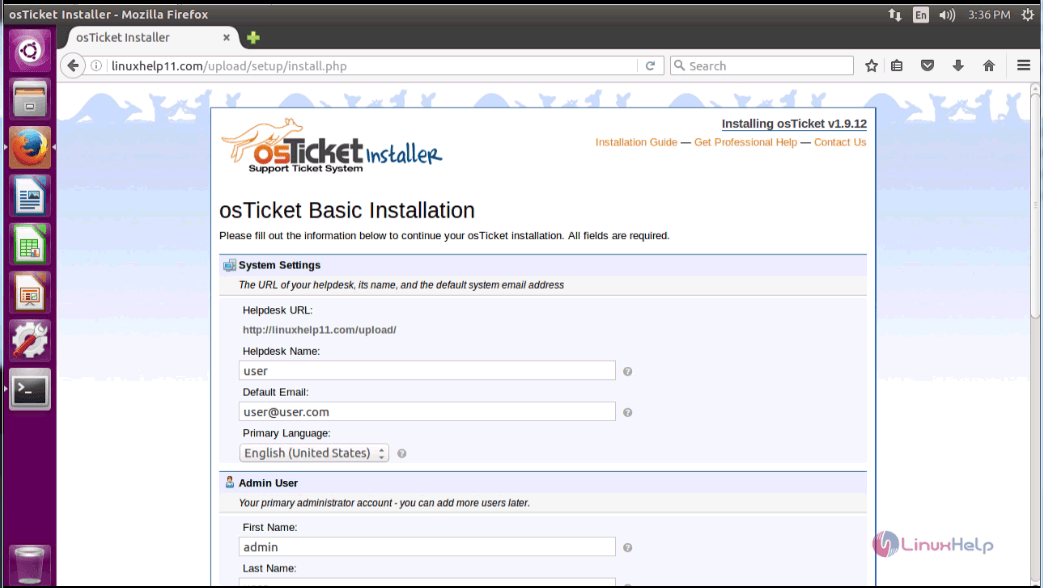
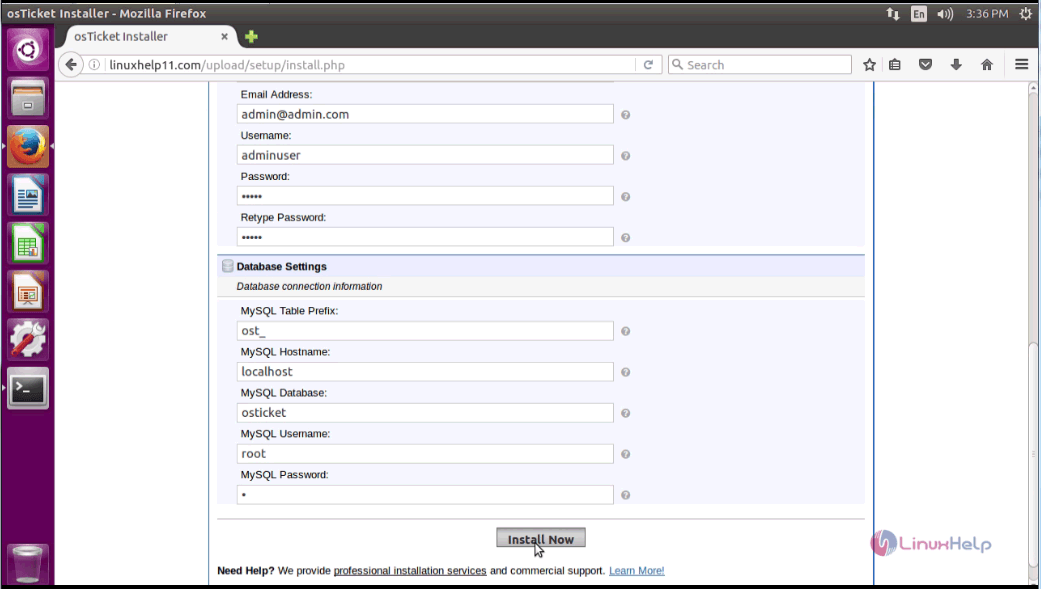
In the following page, you need to fill the user, admin, and database details. Click the install button.
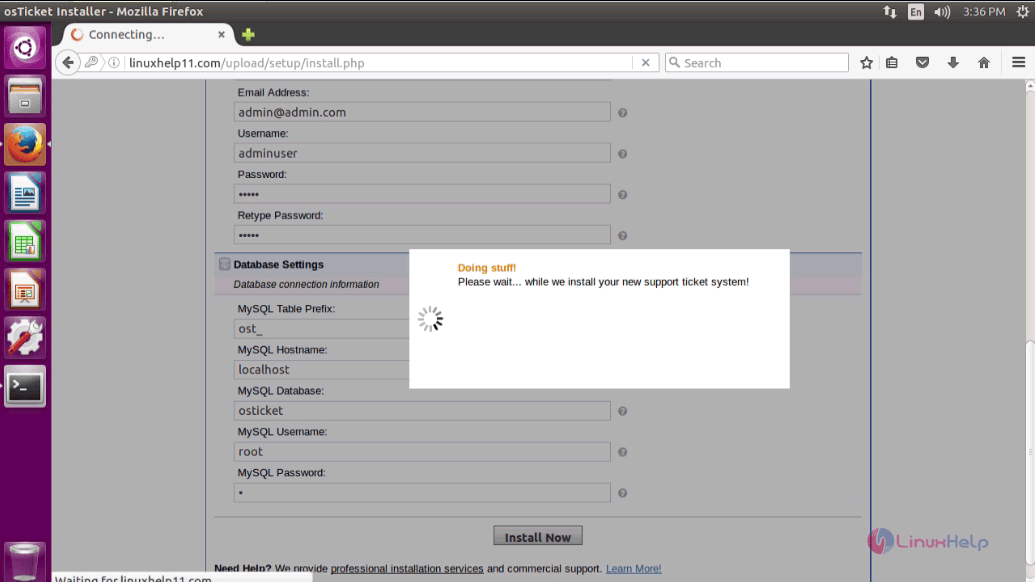
The installation is taking place.
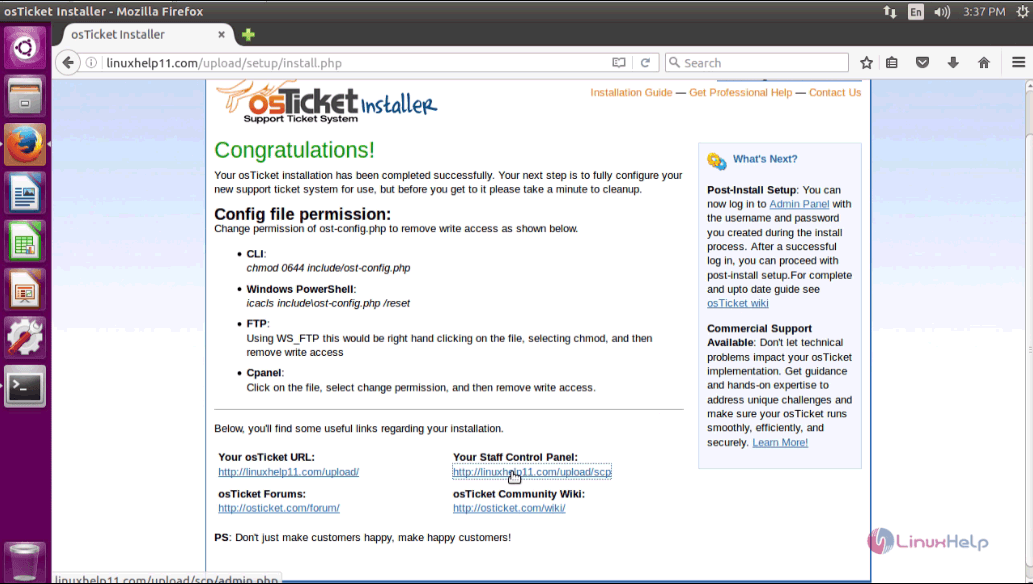
Installation is now complete. Click link to open control panel.
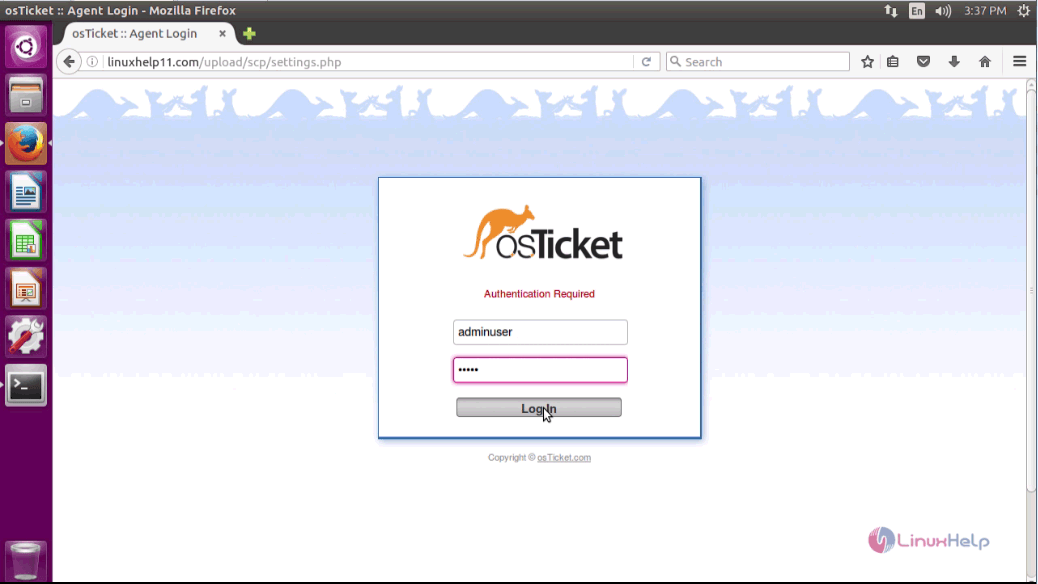
In the Login page, give admin credentials and click login.
You will be taken to the admin dashboard of your osTicket application.
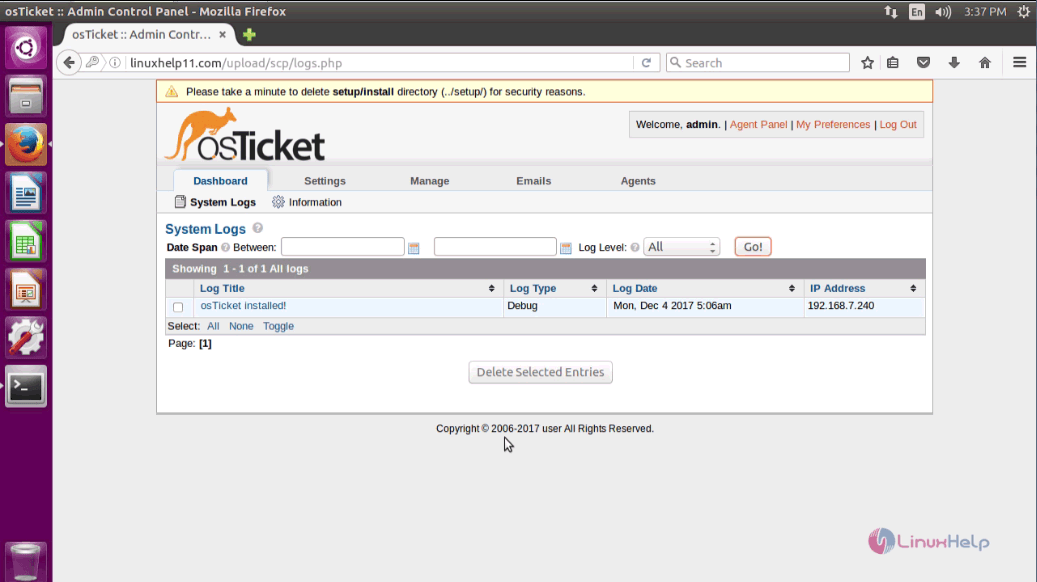
With this, the installation of osTicket on Ubuntu 16.04 gets completed.
Comments ( 0 )
No comments available