How to install Pagekit on OpenSUSE Leap 42.3
To install Pagekit on OpenSUSE Leap 42.3
In our erstwhile article, we have seen about the installation procedure of Pagekit on CentOS 7 using LEMP. Pagekit is a free and open source content management system. It is written in PHP and uses MySQL or SQLite database for storing the data. Pagekit provides beautiful and easy to use drag and drop control panel to manage the pages, menus, and widgets. It has a configurable dashboard which shows all the statistics related to your site at one place. It also provides an inbuilt blog feature so that you can share the blog posts right away.
Pre- Requisite
LAMP Stack
- Apache
- MariaDB
- PHP 7
Install PHP 7 by executing the following command.
zypper in php php-openssl php-mysql php-mbstring php-dom php-json php-session php-ctype php-tokenizer php-simplexml php-pcre php-zip php-pdo php-curl php-iconv php-xml
Installation procedure
To proceed with the installation procedure, download the latest stable version of Pagekit using wget command followed by the download link.
linuxhelp:~ # wget http://pagekit.com/api/download/latest -O pagekit.zip
--2017-10-26 10:16:03--  http://pagekit.com/api/download/latest
Resolving pagekit.com (pagekit.com)... 213.160.72.26, 2a00:17d8:100::191
Connecting to pagekit.com (pagekit.com)|213.160.72.26|:80... connected.
HTTP request sent, awaiting response... 302 Found
Location: https://pagekit.com/api/download/latest [following]
--2017-10-26 10:16:04--  https://pagekit.com/api/download/latest
Connecting to pagekit.com (pagekit.com)|213.160.72.26|:443... connected.
HTTP request sent, awaiting response... 302 Found
Location: https://github.com/pagekit/pagekit/releases/download/1.0.13/pagekit-1.0.13.zip [following]
--2017-10-26 10:16:05--  https://github.com/pagekit/pagekit/releases/download/1.0.13/pagekit-1.0.13.zip
Resolving github.com (github.com)... 192.30.255.113, 192.30.255.112
Connecting to github.com (github.com)|192.30.255.113|:443... connected.
HTTP request sent, awaiting response... 302 Found
Location: https://github-production-release-asset-2e65be.s3.amazonaws.com/17486281/3132d080-8e6a-11e7-87d2-0185b3cd5f83?X-Amz-Algorithm=AWS4-HMAC-SHA256& X-Amz-Credential=AKIAIWNJYAX4CSVEH53A%2F20171026%2Fus-east-1%2Fs3%2Faws4_request& X-Amz-Date=20171026T044643Z& X-Amz-Expires=300& X-Amz-Signature=51c5a349d3e060915eb9683de612c33b8ae12a568c14cbc1d74f7f5838fde9bd& X-Amz-SignedHeaders=host& actor_id=0& response-content-disposition=attachment%3B%20filename%3Dpagekit-1.0.13.zip& response-content-type=application%2Foctet-stream [following]
--2017-10-26 10:16:07--  https://github-production-release-asset-2e65be.s3.amazonaws.com/17486281/3132d080-8e6a-11e7-87d2-0185b3cd5f83?X-Amz-Algorithm=AWS4-HMAC-SHA256& X-Amz-Credential=AKIAIWNJYAX4CSVEH53A%2F20171026%2Fus-east-1%2Fs3%2Faws4_request& X-Amz-Date=20171026T044643Z& X-Amz-Expires=300& X-Amz-Signature=51c5a349d3e060915eb9683de612c33b8ae12a568c14cbc1d74f7f5838fde9bd& X-Amz-SignedHeaders=host& actor_id=0& response-content-disposition=attachment%3B%20filename%3Dpagekit-1.0.13.zip& response-content-type=application%2Foctet-stream
Resolving github-production-release-asset-2e65be.s3.amazonaws.com (github-production-release-asset-2e65be.s3.amazonaws.com)... 52.216.225.64
Connecting to github-production-release-asset-2e65be.s3.amazonaws.com (github-production-release-asset-2e65be.s3.amazonaws.com)|52.216.225.64|:443... connected.
HTTP request sent, awaiting response... 200 OK
Length: 8308716 (7.9M) [application/octet-stream]
Saving to: ‘ pagekit.zip’

100%[==============================================================================================================================================> ] 8,308,716    185KB/s   in 49s

2017-10-26 10:16:57 (164 KB/s) - ‘ pagekit.zip’  saved [8308716/8308716]
Extract the downloaded package in Apache document root using unzip command.
linuxhelp:~ # unzip pagekit.zip -d /srv/www/htdocs/pagekit
Archive:  pagekit.zip
  inflating: /srv/www/htdocs/pagekit/app/assets/codemirror/codemirror.css
  inflating: /srv/www/htdocs/pagekit/app/assets/codemirror/codemirror.js
  inflating: /srv/www/htdocs/pagekit/app/assets/codemirror/hint.css
  inflating: /srv/www/htdocs/pagekit/app/assets/jquery/bower.json
  inflating: /srv/www/htdocs/pagekit/app/assets/jquery/dist/jquery.min.js
  inflating: /srv/www/htdocs/pagekit/app/assets/jquery/MIT-LICENSE.txt
  inflating: /srv/www/htdocs/pagekit/app/assets/js-md5/bower.json
  inflating: /srv/www/htdocs/pagekit/app/assets/js-md5/js/md5.js
  inflating: /srv/www/htdocs/pagekit/app/assets/js-md5/js/md5.min.js
  inflating: /srv/www/htdocs/pagekit/app/assets/JSONStorage/bower.json
  inflating: /srv/www/htdocs/pagekit/app/assets/JSONStorage/README.md
  inflating: /srv/www/htdocs/pagekit/app/assets/JSONStorage/storage.js
  inflating: /srv/www/htdocs/pagekit/app/assets/JSONStorage/tests/index.html
  inflating: /srv/www/htdocs/pagekit/app/assets/lodash/bower.json
  inflating: /srv/www/htdocs/pagekit/app/assets/lodash/LICENSE
.
.
.
.
inflating: /srv/www/htdocs/pagekit/webpack.config.js
 extracting: /srv/www/htdocs/pagekit/.bowerrc
  inflating: /srv/www/htdocs/pagekit/.htaccess
   creating: /srv/www/htdocs/pagekit/tmp/
   creating: /srv/www/htdocs/pagekit/tmp/cache/
   creating: /srv/www/htdocs/pagekit/tmp/temp/
   creating: /srv/www/htdocs/pagekit/tmp/logs/
   creating: /srv/www/htdocs/pagekit/tmp/sessions/
   creating: /srv/www/htdocs/pagekit/tmp/packages/
Provide the appropriate owner permission and file execution permission by executing the following commands.
linuxhelp:/srv/www/htdocs # chown -R wwwrun:www /srv/www/htdocs/
linuxhelp:/srv/www/htdocs # chmod -R 777 /srv/www/htdocs/
Create an Apache configuration file named pagekit.conf and enter the following content in the file. Save and exit the file.
linuxhelp:/srv/www/htdocs # vim /etc/apache2/conf.d/pagekit.conf

< VirtualHost *:80>
DocumentRoot " /srv/www/htdocs"
ServerName www.linuxhelp1.com
< Directory " /srv/www/htdocs/" >
DirectoryIndex index.php
Options FollowSymLinks
AllowOverride All
Require all granted
< /Directory>
< /VirtualHost>
Restart the Apache service.
linuxhelp:/srv/www/htdocs # systemctl restart apache2
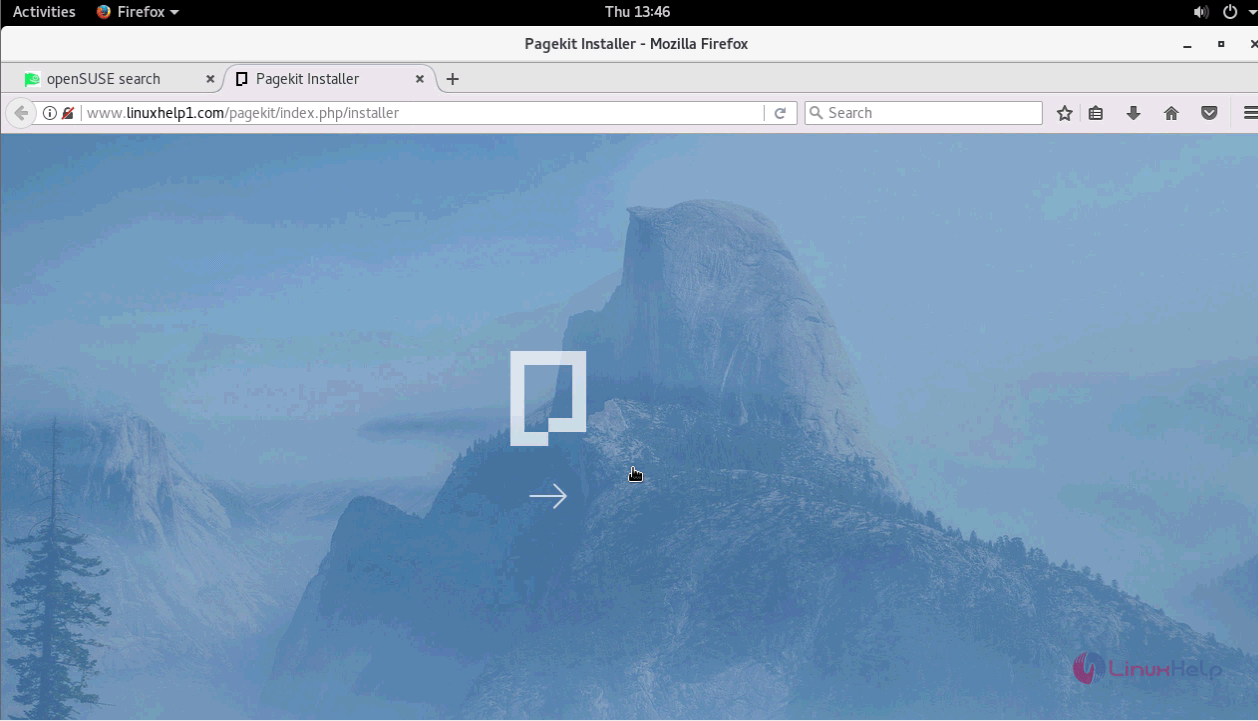
Switch over to the browser and enter the URL as http://yourdomain/pagekit/index.php. The installation page of Pagekit appears on the screen.
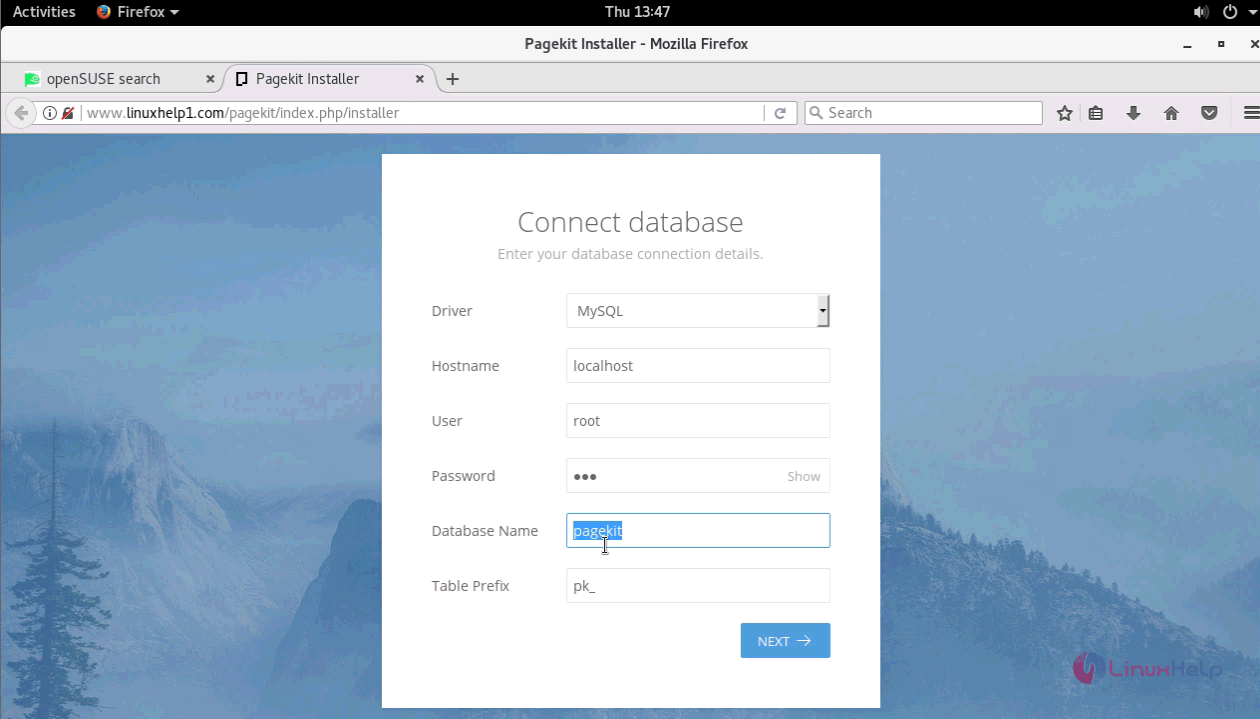
Create a new database by entering the following details.
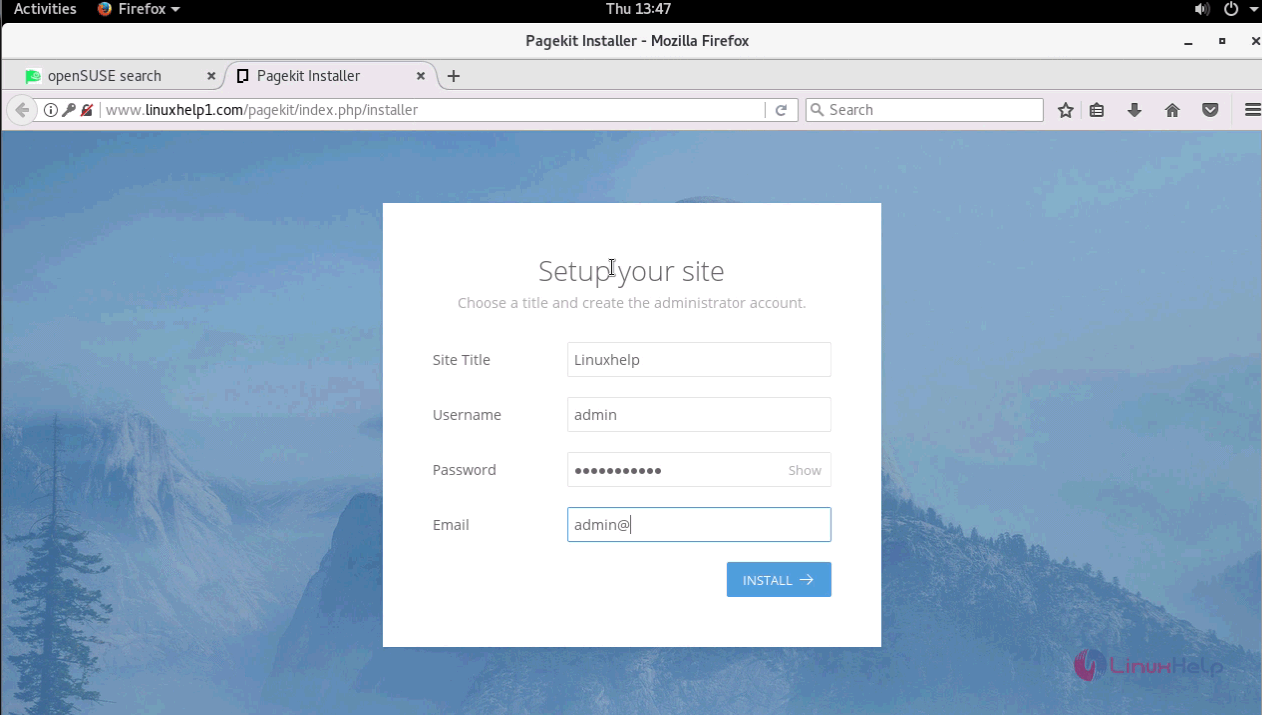
Create a new site by entering the following details as shown below and click INSTALL option.
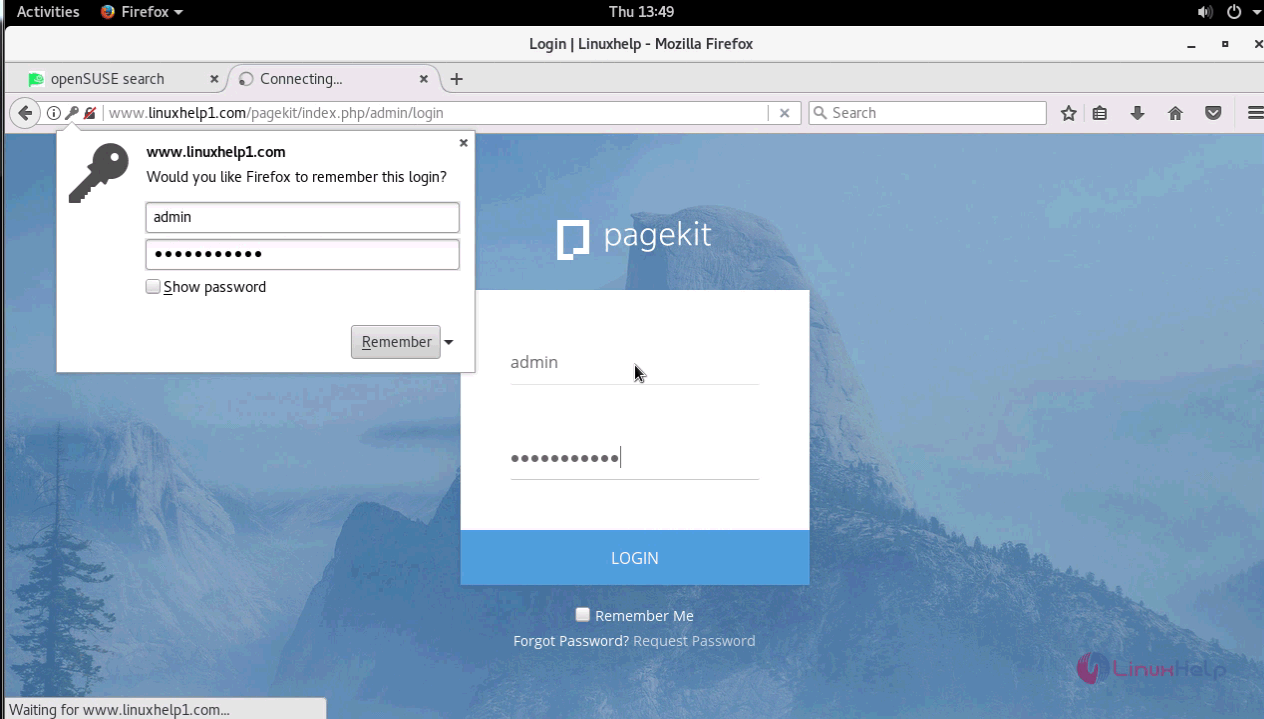
The installation is complete and now the login page of the Pagekit appears on the screen.
Enter the login details of Pagekit and click LOGIN.
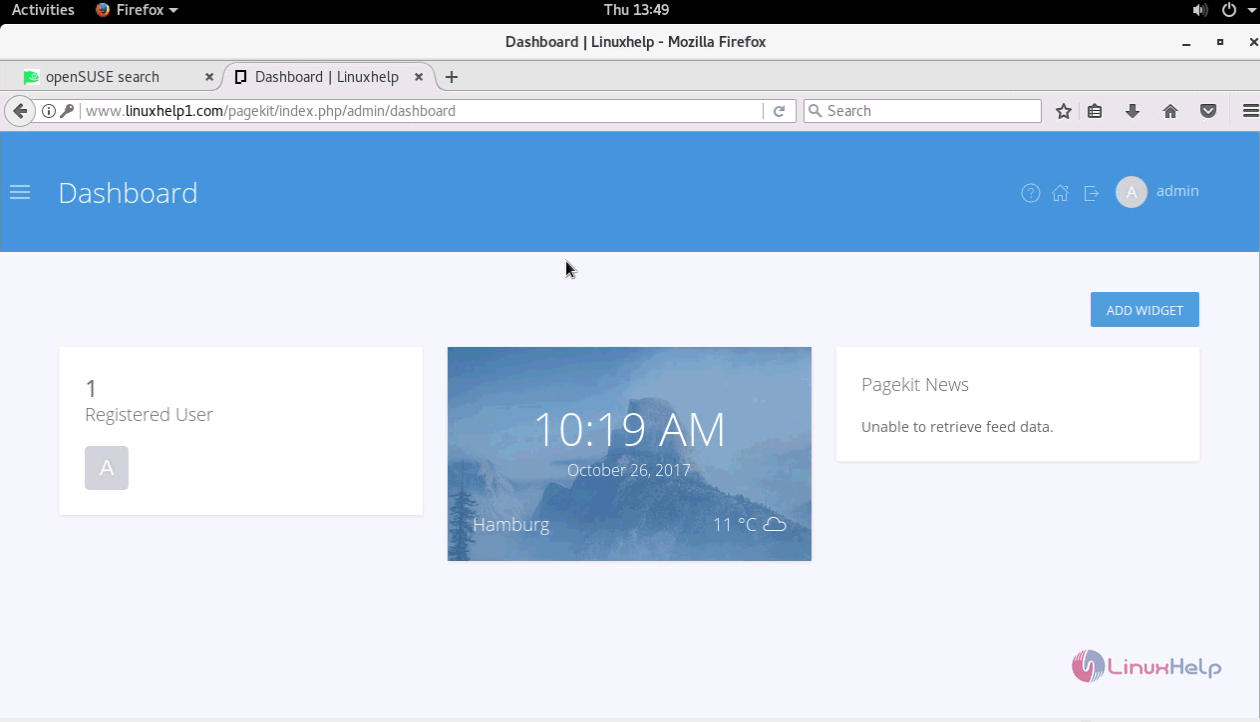
The dashboard of the Pagekit appears on the screen.
Thus we conclude the installation procedure of PageKit on OpenSUSE Leap 42.3.
Comments ( 0 )
No comments available