How To Install Parole media player on linuxmint-18.03
{{postValue.id}}
To Install Parole media player on linuxmint 18.03
Parole is a simple media player used for Linux and other UNIX like operating systems. It is designed to be efficient, using very few system resources. It is based on the Gstreamer framework and allows for plugin extensions to support most open file formats.
Installation
Add the repository of parole media player using PPA
linuxhelp ~ # add-apt-repository ppa:ubuntuhandbook1/apps
You are about to add the following PPA:
 Apps that are not available in Ubuntu universe repositories or the Ubuntu repositories only provide an old version

Maintained by http://ubuntuhandbook.org

Liferea News Reader:

        No update for Ubuntu 14.04 since Liferea now requires GTK > =3.14

Parole media player:

       No update for Ubuntu 16.04 since parole 0.9.2 requires GTK > = 3.20
 More info: https://launchpad.net/~ubuntuhandbook1/+archive/ubuntu/apps
Press Enter to continue or Ctrl+C to cancel

Executing: /tmp/tmp.cqxaO9o2KT/gpg.1.sh --keyserver
hkp://keyserver.ubuntu.com:80
--recv-keys
852541CB
gpg: requesting key 852541CB from hkp server keyserver.ubuntu.com
gpg: key 852541CB: " Launchpad PPA for Panda Jim"  not changed
gpg: Total number processed: 1
gpg:              unchanged: 1
Update the system repository using the following command.
linuxhelp ~ # apt-get update
Hit:1 http://ppa.launchpad.net/ubuntuhandbook1/apps/ubuntu xenial InRelease
Hit:2 http://archive.ubuntu.com/ubuntu xenial InRelease
Hit:3 http://archive.canonical.com/ubuntu xenial InRelease
Ign:4 http://packages.linuxmint.com sylvia InRelease
Hit:5 http://packages.linuxmint.com sylvia Release
Get:7 http://archive.ubuntu.com/ubuntu xenial-updates InRelease [109 kB]
Get:8 http://archive.ubuntu.com/ubuntu xenial-backports InRelease [107 kB]
Get:9 http://security.ubuntu.com/ubuntu xenial-security InRelease [107 kB]
Fetched 323 kB in 6s (49.5 kB/s)
Reading package lists... Done
Download the Parole media player package using the following command.
linuxhelp ~ # apt-get install parole -y
Reading package lists... Done
Building dependency tree
Reading state information... Done
Suggested packages:
  gstreamer1.0-plugins-ugly gstreamer1.0-libav
The following NEW packages will be installed:
  parole
0 upgraded, 1 newly installed, 0 to remove and 344 not upgraded.
Need to get 0 B/346 kB of archives.
After this operation, 1,849 kB of additional disk space will be used.
Selecting previously unselected package parole.
(Reading database ... 221062 files and directories currently installed.)
Preparing to unpack .../parole_0.9.1-0build1~ubuntu16.04_amd64.deb ...
Unpacking parole (0.9.1-0build1~ubuntu16.04) ...
Processing triggers for hicolor-icon-theme (0.15-0ubuntu1) ...
Processing triggers for man-db (2.7.5-1) ...
Processing triggers for desktop-file-utils (0.22+linuxmint1) ...
Processing triggers for mime-support (3.59ubuntu1) ...
Setting up parole (0.9.1-0build1~ubuntu16.04) ...
Once Installation is done you can access the application from the Menu as shown here
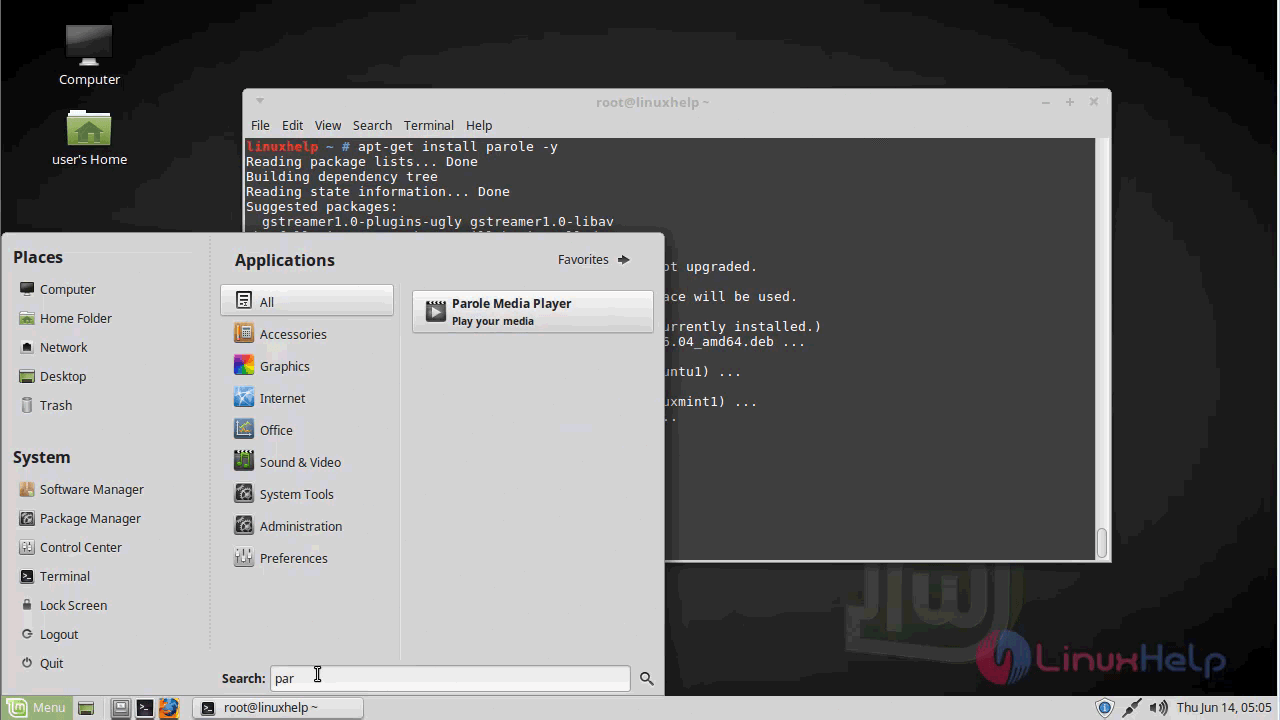
Parole Media player application

The version of parole media player
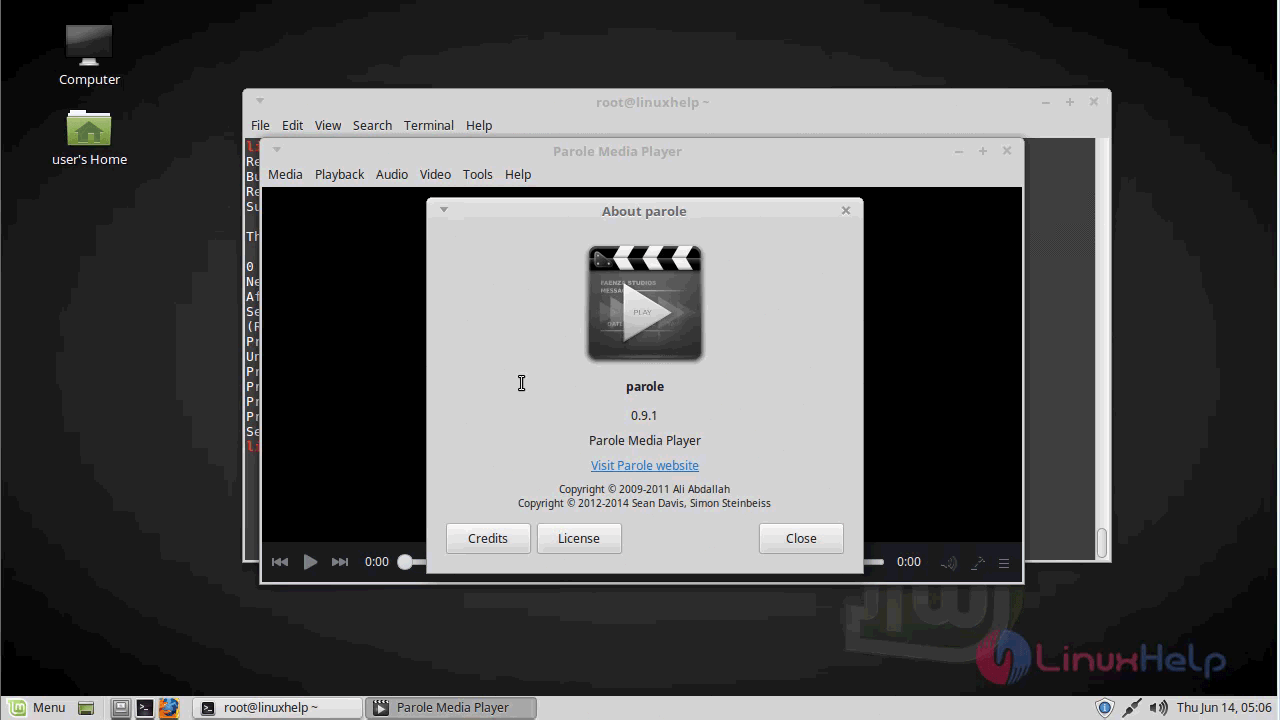
With this, the method to install Parole media player on linuxmint-18.03 comes to an end.
Comments ( 0 )
No comments available