How to install PDFsam in Ubuntu
How to install PDFsam in Ubuntu
PDFsam is an open-source and cross-platform software that can split, merge and rotate PDF files written in Java. PDFsam has 3 editions: PDFsam Basic, PDFsam Enhenced and PDFsam Visual. The PDFsam also can save and restore the workspace. This tutorial explains the installation procedure of PDFsam in Ubuntu.
Installation procedure
To begin with the installation procedure, install the JRE 8 and other dependency packages by executing the following command.
root@linuxhelp:/home/user1/Desktop# apt install openjdk-8-jre libopenjfx-jni libopenjfx-java openjfx
Reading package lists... Done
Building dependency tree
Reading state information... Done
&hellip
&hellip
&hellip
Running hooks in /etc/ca-certificates/update.d...
done.
done.
Next create JAVA_HOME environment variable by running the following command.
root@linuxhelp:/home/user1/Desktop# nano /etc/environment
An /etc/environment file is opened. Add the following lines to the file. Save and exit from the file
JAVA_HOME=" /usr/lib/jvm/java-8-openjdk-amd64/"
Now reload the file as follows.
root@linuxhelp:/home/user1/Desktop# source /etc/environment
Next download the PDFsam basic package by executing the wget command followed by the download link.
root@linuxhelp:/home/user1/Desktop# wget https://github.com/torakiki/pdfsam/releases/download/v3.3.2/pdfsam_3.3.2-1_all.deb
--2017-06-22 13:30:06--  https://github.com/torakiki/pdfsam/releases/download/v3.3.2/pdfsam_3.3.2-1_all.deb
Resolving github.com (github.com)... 192.30.253.112, 192.30.253.113
Connecting to github.com (github.com)|192.30.253.112|:443... connected.
HTTP request sent, awaiting response... 302 Found
Location: https://github-production-release-asset-2e65be.s3.amazonaws.com/13062062/97ff5d34-3c25-11e7-80d9-1eb7c12cc136?X-Amz-Algorithm=AWS4-HMAC-SHA256& X-Amz-Credential=AKIAIWNJYAX4CSVEH53A%2F20170622%2Fus-east-1%2Fs3%2Faws4_request& X-Amz-Date=20170622T080007Z& X-Amz-Expires=300& X-Amz-Signature=e8821aef0ecad49a11058687a4c3016ca4334df9be80131e7c8ee2004c389271& X-Amz-SignedHeaders=host& actor_id=0& response-content-disposition=attachment%3B%20filename%3Dpdfsam_3.3.2-1_all.deb& response-content-type=application%2Foctet-stream [following]
--2017-06-22 13:30:08--  https://github-production-release-asset-2e65be.s3.amazonaws.com/13062062/97ff5d34-3c25-11e7-80d9-1eb7c12cc136?X-Amz-Algorithm=AWS4-HMAC-SHA256& X-Amz-Credential=AKIAIWNJYAX4CSVEH53A%2F20170622%2Fus-east-1%2Fs3%2Faws4_request& X-Amz-Date=20170622T080007Z& X-Amz-Expires=300& X-Amz-Signature=e8821aef0ecad49a11058687a4c3016ca4334df9be80131e7c8ee2004c389271& X-Amz-SignedHeaders=host& actor_id=0& response-content-disposition=attachment%3B%20filename%3Dpdfsam_3.3.2-1_all.deb& response-content-type=application%2Foctet-stream
Resolving github-production-release-asset-2e65be.s3.amazonaws.com (github-production-release-asset-2e65be.s3.amazonaws.com)... 54.231.82.18
Connecting to github-production-release-asset-2e65be.s3.amazonaws.com (github-production-release-asset-2e65be.s3.amazonaws.com)|54.231.82.18|:443... connected.
HTTP request sent, awaiting response... 200 OK
Length: 12652638 (12M) [application/octet-stream]
Saving to: ‘ pdfsam_3.3.2-1_all.deb’
pdfsam_3.3.2-1_all.deb                             100%[================================================================================================================> ]  12.07M   159KB/s    in 2m 9s
2017-06-22 13:32:18 (95.9 KB/s) - ‘ pdfsam_3.3.2-1_all.deb’  saved [12652638/12652638]
The package is downloaded in the target system. Install the PDFsam package using the dpkg command and run the following deb package.
root@linuxhelp:/home/user1/Desktop# dpkg -i pdfsam_3.3.2-1_all.deb
Selecting previously unselected package pdfsam-basic.
(Reading database ... 173763 files and directories currently installed.)
Preparing to unpack pdfsam_3.3.2-1_all.deb ...
Unpacking pdfsam-basic (3.3.2-1) ...
Setting up pdfsam-basic (3.3.2-1) ...
Processing triggers for gnome-menus (3.13.3-6ubuntu3) ...
Processing triggers for desktop-file-utils (0.22-1ubuntu5) ...
Processing triggers for bamfdaemon (0.5.3~bzr0+16.04.20160415-0ubuntu1) ...
Rebuilding /usr/share/applications/bamf-2.index...
Processing triggers for mime-support (3.59ubuntu1) ...
To open PDFsam, run the following command to trigger the application.
root@linuxhelp:/home/user1/Desktop# pdfsam
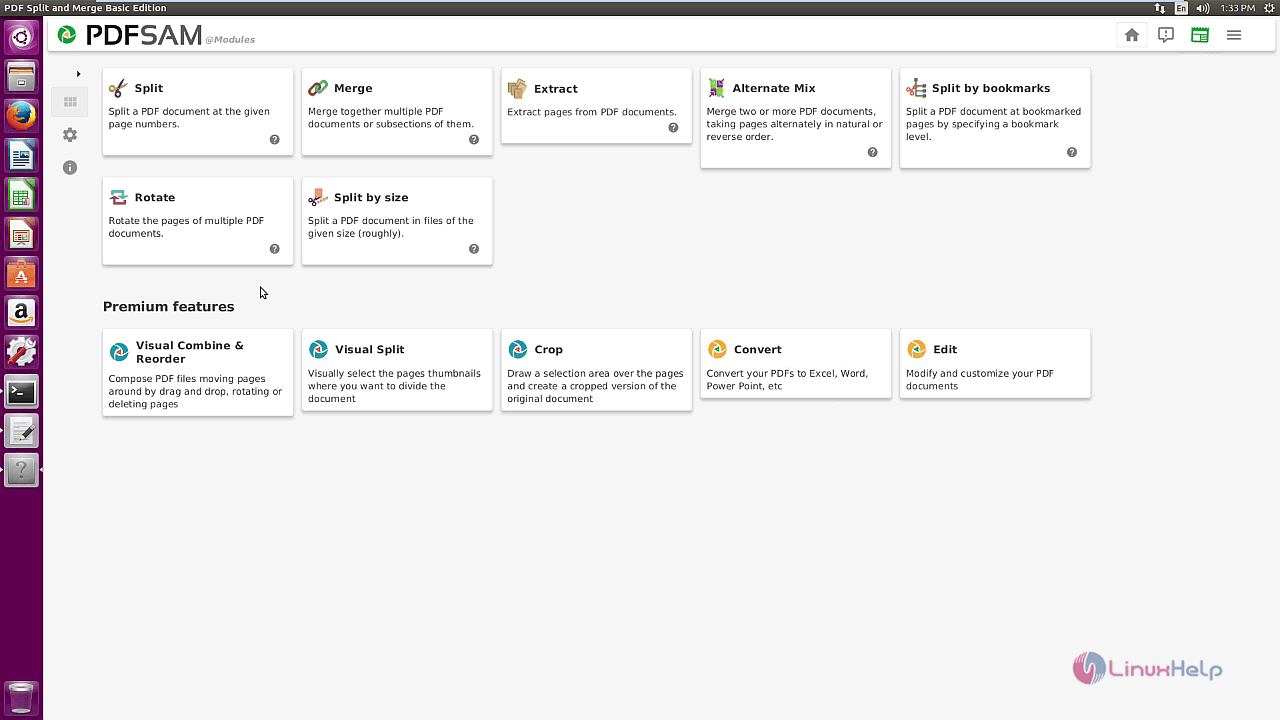
The PDFsam application is running successfully. This application can be used to split, merge and extract PDF files.
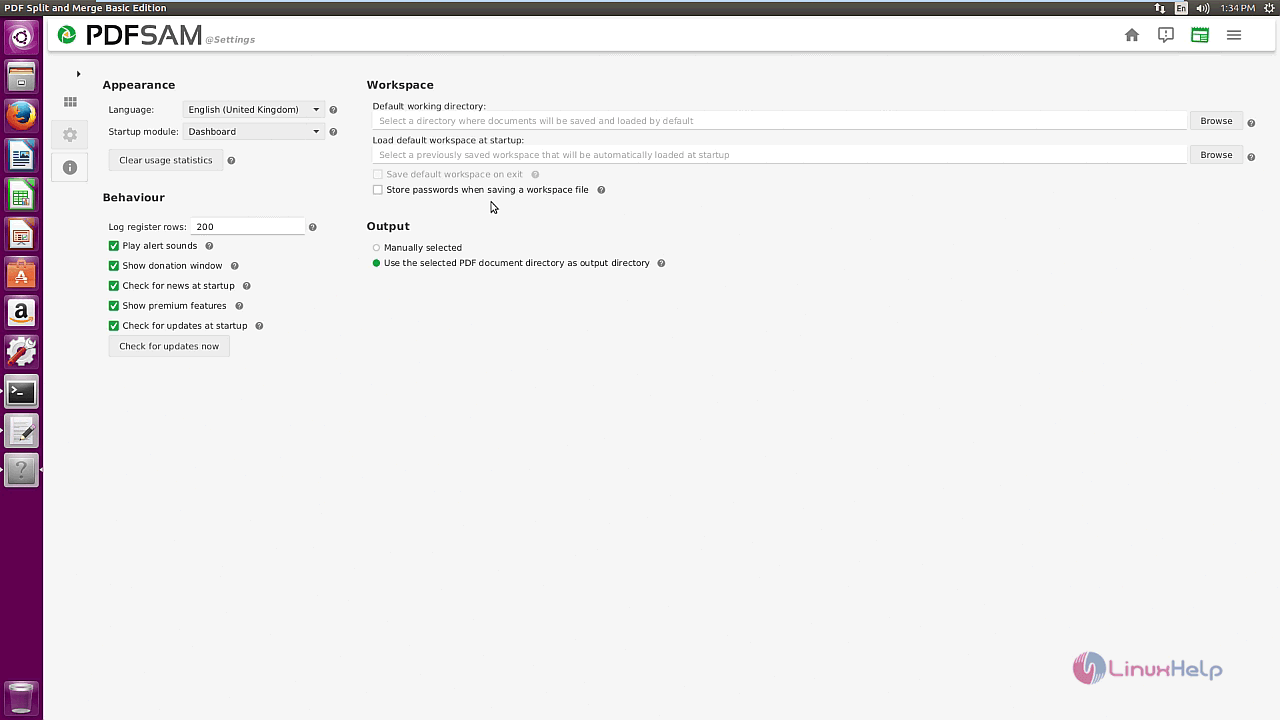
The Settings option contains the basic settings for the PDFsam and the other settings that can be used with the application.
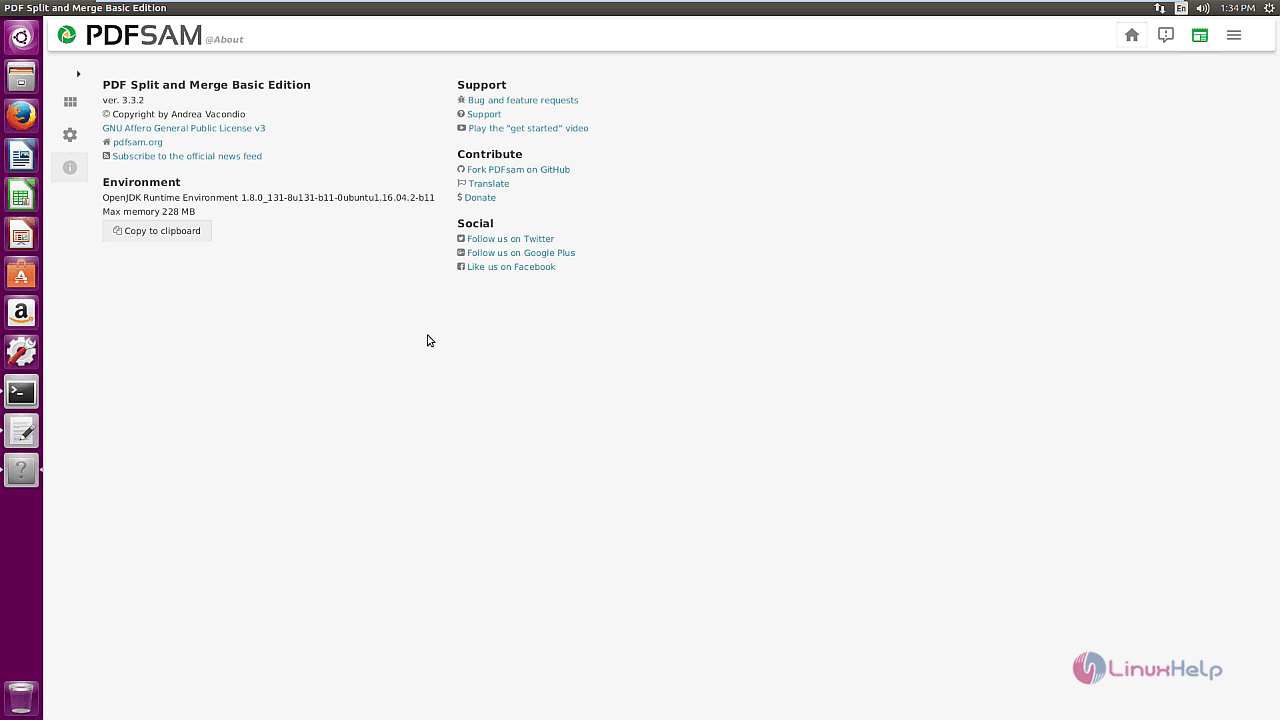
The About PDFsam option contains the version and other information about PDFsam.
That was an easy installation procedure, Wasn' t it? The PDFsam Basic is written in Java and JavaFX and requires a working Java Virtual Machine.
Comments ( 0 )
No comments available