How to install Penguin subtitle player on linuxmint-18.03
{{postValue.id}}
To install Penguin subtitle player on linuxmint 18.03
Penguin Subtitle Player is a free and open source cross-platform standalone subtitle player. you can display subtitles on top of any window without blocking your display.
Features
- Auto encoding detection
- Multiple subtitle formats supported (.srt, .ssa, .ass)
- Drag & drop fileCustomizable layout (Frame size, Background color & Opacity, Font style)
- Time fine tuning (Fast forward / backward with customizable time interval)
- Skip to previous / next subtitle
Installation
Add the repository of Penguin subtitle player package using the following command
linuxhelp ~ # add-apt-repository ppa:nilarimogard/webupd8
You are about to add the following PPA:
 The main Web Upd8 PPA maintained by: http://www.webupd8.org/

To add this PPA, simply paste this in a terminal:
sudo add-apt-repository ppa:nilarimogard/webupd8

Packages in this PPA: audacious, ap-hotspot, awn-applet-radio, awn-applet-wm, calise, cmus, dockbarx, dockbarx-themes-extra, dropbox-share, emerald, exaile, fbmessenger, gnome-subtitles, gnome-window-applets, grsync, grive, gthumb, launchpad-getkeys, mc, mdm (Mint Display Manager), minitunes, minitube, musique, notifyosdconfig, nautilus-columns, powertop, ppa-purge, rosa-media-player, fixed pulseaudio-equalizer, subtitleeditor, syncwall, umplayer, unity-reboot, wimlib, youtube-dl, xfce4-dockbarx-plugin, xournal, yad, yarock and others. Almost all packages are updated to their latest version.

For other (specialized) PPAs we maintain, see: https://launchpad.net/~webupd8team
 More info: https://launchpad.net/~nilarimogard/+archive/ubuntu/webupd8
Press Enter to continue or Ctrl+C to cancel

Executing: /tmp/tmp.R28L7nhocQ/gpg.1.sh --keyserver
hkp://keyserver.ubuntu.com:80
--recv-keys
4C9D234C
gpg: requesting key 4C9D234C from hkp server keyserver.ubuntu.com
gpg: key 4C9D234C: public key " Launchpad webupd8"  imported
gpg: Total number processed: 1
gpg:               imported: 1  (RSA: 1)
Update the system repository using the following command.
linuxhelp ~ # apt-get update
Hit:1 http://security.ubuntu.com/ubuntu xenial-security InRelease
Hit:2 http://archive.ubuntu.com/ubuntu xenial InRelease
Get:3 http://ppa.launchpad.net/nilarimogard/webupd8/ubuntu xenial InRelease [17.5 kB]
Ign:4 http://packages.linuxmint.com sylvia InRelease
Hit:5 http://archive.canonical.com/ubuntu xenial InRelease
Hit:6 http://archive.ubuntu.com/ubuntu xenial-updates InRelease
Hit:7 http://archive.ubuntu.com/ubuntu xenial-backports InRelease
Hit:8 http://packages.linuxmint.com sylvia Release
Hit:9 http://ppa.launchpad.net/ubuntuhandbook1/apps/ubuntu xenial InRelease
Get:11 http://ppa.launchpad.net/nilarimogard/webupd8/ubuntu xenial/main Sources [32.7 kB]
Get:12 http://ppa.launchpad.net/nilarimogard/webupd8/ubuntu xenial/main amd64 Packages [43.5 kB]
Get:13 http://ppa.launchpad.net/nilarimogard/webupd8/ubuntu xenial/main i386 Packages [43.5 kB]
Get:14 http://ppa.launchpad.net/nilarimogard/webupd8/ubuntu xenial/main Translation-en [26.6 kB]
Fetched 164 kB in 3s (54.1 kB/s)
Reading package lists... Done
linuxhelp ~ #
Install the Penguin subtitle player application using the following command.
linuxhelp ~ # apt-get install penguin-subtitle-player -y
Reading package lists... Done
Building dependency tree
Reading state information... Done
The following packages were automatically installed and are no longer required:
  libtagc0 libxfce4ui-2-0 libxfce4ui-common libxfce4util-common libxfce4util7 libxfconf-0-2 xfconf
Use ' sudo apt autoremove'  to remove them.
The following NEW packages will be installed:
  penguin-subtitle-player
0 upgraded, 1 newly installed, 0 to remove and 344 not upgraded.
Need to get 148 kB of archives.
After this operation, 373 kB of additional disk space will be used.
Get:1 http://ppa.launchpad.net/nilarimogard/webupd8/ubuntu xenial/main amd64 penguin-subtitle-player amd64 1.1.0-1~webupd8~xenial0 [148 kB]
Fetched 148 kB in 1s (148 kB/s)
Selecting previously unselected package penguin-subtitle-player.
(Reading database ... 219925 files and directories currently installed.)
Preparing to unpack .../penguin-subtitle-player_1.1.0-1~webupd8~xenial0_amd64.deb ...
Unpacking penguin-subtitle-player (1.1.0-1~webupd8~xenial0) ...
Processing triggers for desktop-file-utils (0.22+linuxmint1) ...
Processing triggers for mime-support (3.59ubuntu1) ...
Setting up penguin-subtitle-player (1.1.0-1~webupd8~xenial0) ...
Once Installation is done you can access the application from the Menu as shown here

Penguin subtitle player application

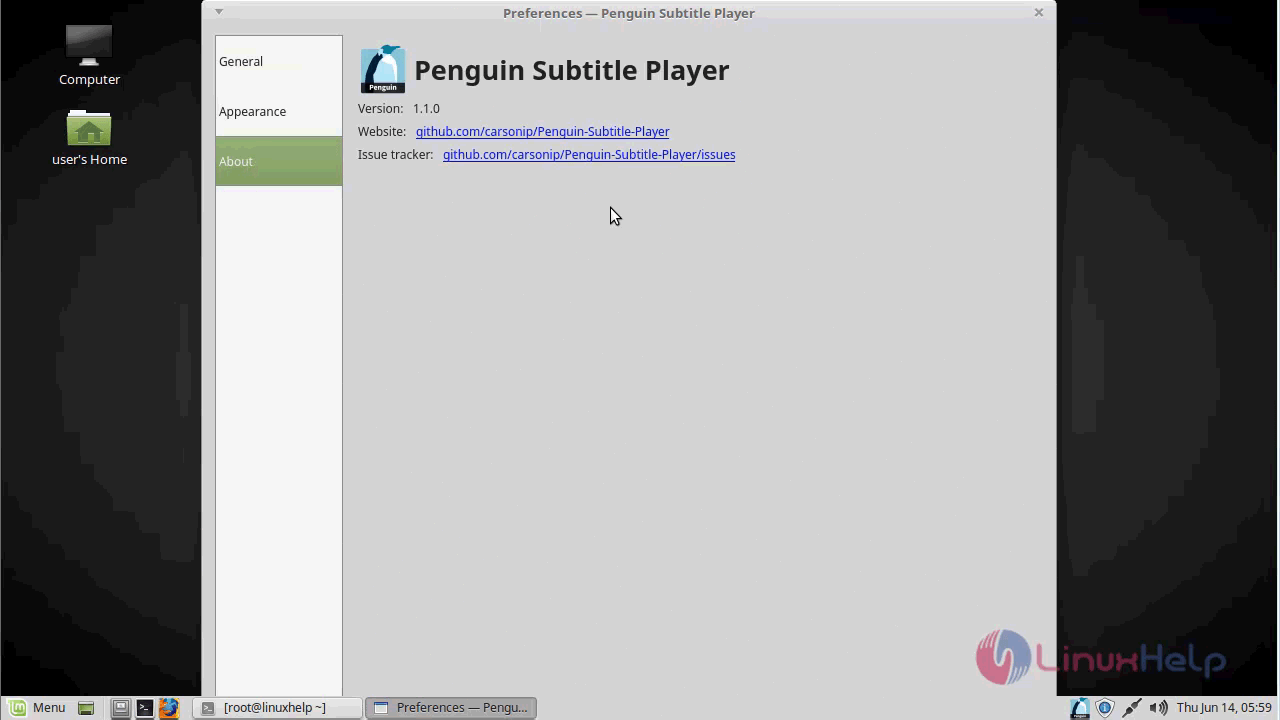
The version of Penguin subtitle player
With this, the method to install Penguin subtitle player on linuxmint-18.03 comes to an end.
Comments ( 0 )
No comments available