How to install Pitivi on Debian 8.3
How to install Pitivi on Debian 8.3
Pitivi is an open source, non-linear video editor for Linux. It is a video editing software that integrates well in the GNOME desktop environment. This tutorial will explain about the installation procedure of Pitivi on Debian.
Installation procedure
To start an installation procedure, first add the repository in the target system using the nano command.
root@linuxhelp:~# nano /etc/apt/sources.list
A source list file will be opened, enter these two lines in the file. Save and exit from the file.
deb http://ftp.debian.org/debian/ stable main contrib non-free
deb http://ftp.de.debian.org/debian jessie main
Next update the apt source using the following command.
root@linuxhelp:~# apt-get update
Hit http://ftp.debian.org jessie-updates InRelease
Ign http://ftp.de.debian.org jessie InRelease
Ign http://ftp.debian.org stable InRelease
Hit http://ftp.de.debian.org jessie Release.gpg
Hit http://ftp.debian.org jessie-updates/main Sources
Hit http://ftp.de.debian.org jessie Release
Hit http://ftp.debian.org jessie-updates/contrib Sources
Hit http://ftp.de.debian.org jessie/main amd64 Packages
Get:1 http://ftp.debian.org jessie-updates/main amd64 Packages/DiffIndex [7,408 B]
Hit http://ftp.de.debian.org jessie/main Translation-en
Hit http://ftp.debian.org jessie-updates/contrib amd64 Packages
Hit http://ftp.debian.org jessie-updates/contrib Translation-en
Get:2 http://ftp.debian.org jessie-updates/main Translation-en/DiffIndex [2,704 B]
Hit http://ftp.debian.org stable Release.gpg
Hit http://ftp.debian.org stable Release
Hit http://ftp.debian.org stable/main amd64 Packages
Hit http://ftp.debian.org stable/contrib amd64 Packages
Hit http://ftp.debian.org stable/non-free amd64 Packages
Hit http://ftp.debian.org stable/contrib Translation-en
Hit http://ftp.debian.org stable/main Translation-en
Hit http://ftp.debian.org stable/non-free Translation-en
Fetched 10.1 kB in 3s (3,128 B/s)
Reading package lists... Done
Next install the pitivi package and run the command in the target system.
root@linuxhelp:~# apt-get install pitivi
Reading package lists... Done
Building dependency tree
Reading state information... Done
The following extra packages will be installed:
  blt fonts-lyx gir1.2-ges-1.0 gstreamer1.0-gnonlin libges-1.0-0
  python-dateutil python-gst-1.0 python-matplotlib python-matplotlib-data
  python-mock python-nose python-pyparsing python-tk python-tz tk8.6-blt2.5
Suggested packages:
  blt-demo dvipng ipython python-cairocffi python-configobj python-excelerator
  python-matplotlib-doc python-qt4 python-scipy python-sip python-tornado
  python-traits python-wxgtk3.0 texlive-extra-utils texlive-latex-extra
  ttf-staypuft python-mock-doc python-coverage python-nose-doc tix
  python-tk-dbg
The following NEW packages will be installed:
  blt fonts-lyx gir1.2-ges-1.0 gstreamer1.0-gnonlin libges-1.0-0 pitivi
  python-dateutil python-gst-1.0 python-matplotlib python-matplotlib-data
  python-mock python-nose python-pyparsing python-tk python-tz tk8.6-blt2.5
0 upgraded, 16 newly installed, 0 to remove and 2 not upgraded.
Need to get 11.3 MB of archives.
After this operation, 30.9 MB of additional disk space will be used.
Do you want to continue? [Y/n] y
Get:1 http://ftp.debian.org/debian/ stable/main tk8.6-blt2.5 amd64 2.5.3+dfsg-1 [586 kB]
Get:2 http://ftp.debian.org/debian/ stable/main blt amd64 2.5.3+dfsg-1 [14.3 kB]
Get:3 http://ftp.debian.org/debian/ stable/main fonts-lyx all 2.1.2-2 [176 kB]
.
.
.
Setting up python-pyparsing (2.0.3+dfsg1-1) ...
Setting up python-tz (2012c+dfsg-0.1) ...
Setting up python-mock (1.0.1-3) ...
Setting up python-nose (1.3.4-1) ...
Setting up python-matplotlib (1.4.2-3.1) ...
Setting up pitivi (0.93-4.2) ...
Setting up python-tk (2.7.8-2+b1) ...
Processing triggers for libc-bin (2.19-18+deb8u7) ...
The pitivi package has been successfully installed. Now open the Activities window and type pitivi, click on the icon and run the application.
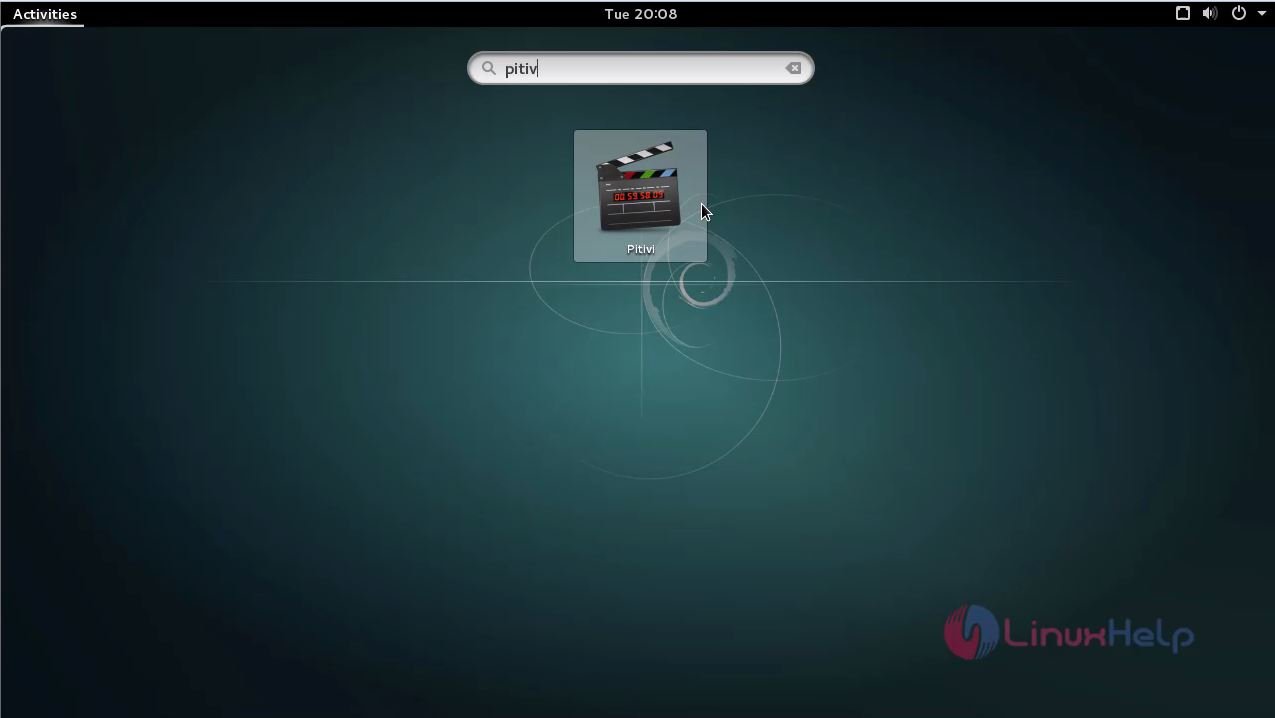
The pitivi application runs and now you can use this application to edit any type of videos.
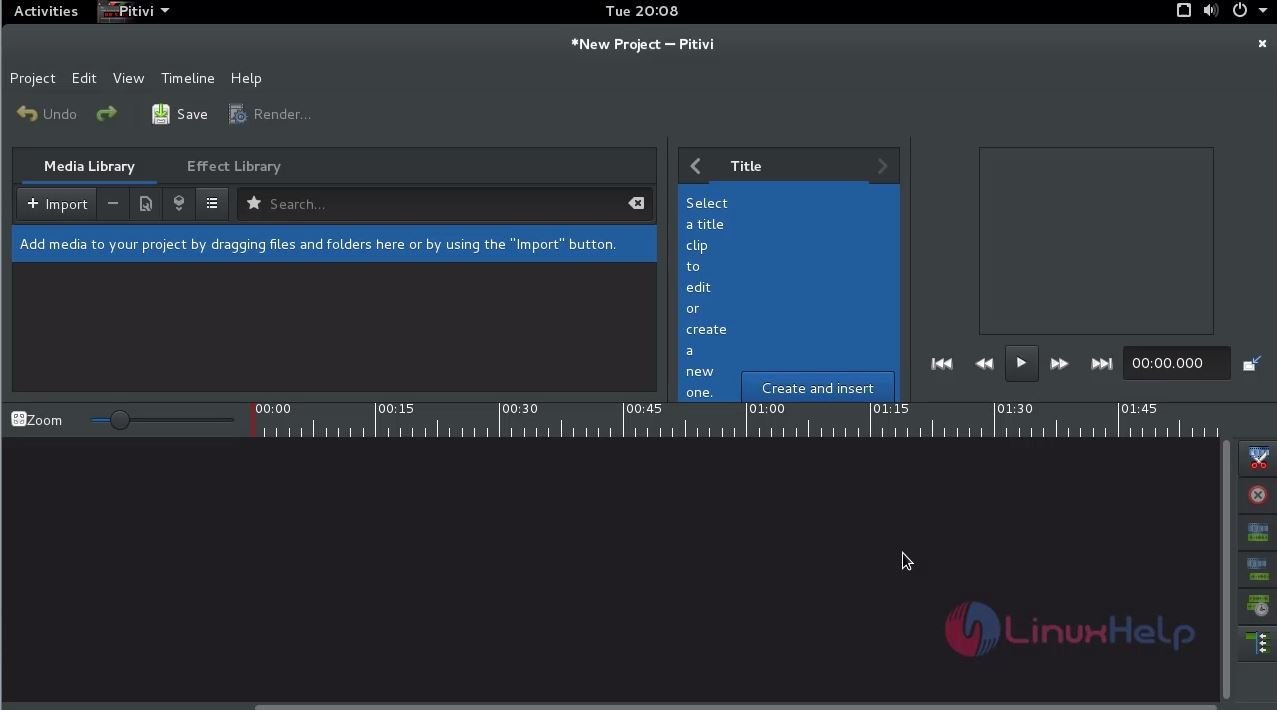
Isn' t it an easy installation? Pitivi also imports and exports media from other framework and plugins for Gstreamer framework.
Comments ( 0 )
No comments available