• Categories
    Category
    {{ postCtrl.tags }}
    • {{ category.tag_type }}

      • {{tag.tag_name}}
      • View more
  • Categories
    Category
    {{ postCtrl.tags }}
    • {{ category.tag_type }}

      • {{tag.tag_name}}
      • View more
  • News
  • Tutorials
  • Forums
  • Tags
  • Users
Tutorial News Comments FAQ Related Articles

How to install Pixeluvo 1.6.0 on Ubuntu 17.04

{{postValue.id}}

To install Pixeluvo on Ubuntu

Pixeluvo is an affordable image editor tool designed to transform the entire view of an image in Linux distributions. Users control the colour temperature, shadows, mid-tones and highlights to create perfect balance with the curves and levels adjustment options. It is featured with powerful color correction tools, realistic drawing tools and many other image enhancement filters. Installation of Pixeluvo 1.6.0 on Ubuntu 17.04 is explained in this article.

Features

  • Add a vignette to your photos
  • Quickly paint out blemishes with the Spot-Heal tool
  • Adjust the color temperature
  • Adjust the color balance separately for shadows, midtones and highlights
  • Have precise control over exposure, color, and tone values
  • Create unlimited layers and blend them together using one of the many blending modes
  • Turn a photo into a beautiful drawing with the charcoal and chalk filter

Installing Pixeluvo

Download the pixeluvo package from below link.

root@linuxhelp1:~# wget http://www.pixeluvo.com/downloads/pixeluvo_1.6.0-2_amd64.deb
--2017-06-17 06:43:32--  http://www.pixeluvo.com/downloads/pixeluvo_1.6.0-2_amd64.deb
Resolving www.pixeluvo.com (www.pixeluvo.com)... 193.0.158.5
Connecting to www.pixeluvo.com (www.pixeluvo.com)|193.0.158.5|:80... connected.
HTTP request sent, awaiting response... 200 OK
Length: 22845302 (22M) [application/x-debian-package]
Saving to: ‘ pixeluvo_1.6.0-2_amd64.deb’ 
pixeluvo_1.6.0-2_amd64.  38%[===========>                     ]   8.32M  --.-KB/s    eta 12m 16s

Install the pixeluvo package by using below command.

root@linuxhelp1:~# dpkg -i pixeluvo_1.6.0-2_amd64.deb 
Selecting previously unselected package pixeluvo.
(Reading database ... 168833 files and directories currently installed.)
Unpacking pixeluvo (1:1.6.0-2) ...
.
.
Processing triggers for gnome-menus (3.13.3-6ubuntu5) ...
Processing triggers for desktop-file-utils (0.23-1ubuntu2) ...
Processing triggers for mime-support (3.60ubuntu1) ...

Launch the pixeluvo package from Ubuntu dashboard.
1

Pixeluvo is installed successfully start manage your photography applications.
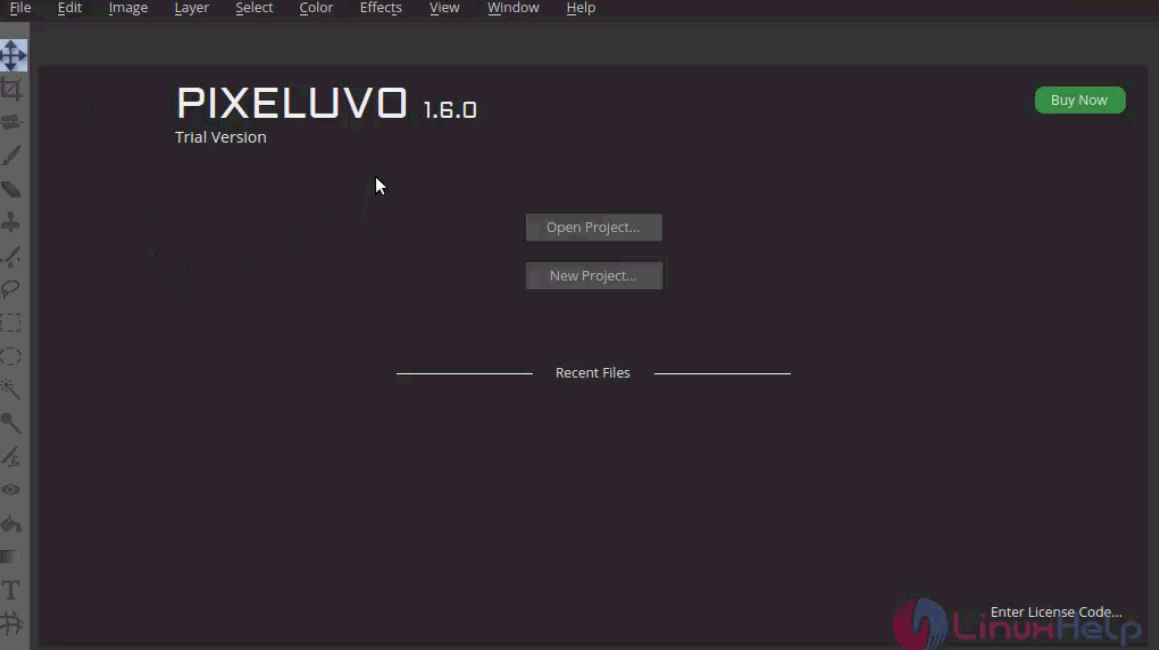
2

Pixeluvo has been installed with just few steps.

Tags:
owen
Author: 

Comments ( 0 )

No comments available

Add a comment
{{postCtrl.cmtErrMsg}}

Frequently asked questions ( 5 )

Q

How to install Pixeluvo 1.6.0 on Ubuntu 17.04?

A

Download the pixeluvo package from below link.:
# wget http://www.pixeluvo.com/downloads/pixeluvo_1.6.0-2_amd64.deb

Q

what are the features in pixeluvo?

A

the feature are follow
"Photo Editing
Color Correction
Powerful Tools".

Q

Is there still any development for Pixeluvo in progress ?

A

Pixeluvo for me works and the workflow is fast. I find it curious that if development is not cranking out new features they perceive the existing product as less quality.

Q

What is pixeluvo in Ubuntu?

A

Pixeluvo is an affordable image editor tool designed to transform the entire view of an image in Linux distributions. Users control the colour temperature, shadows, mid-tones and highlights to create a perfect balance with the curves and levels adjustment options.

Q

How to Install the pixeluvo package on Debian?

A

By using below command:
# dpkg -i pixeluvo_1.6.0-2_amd64.deb

Back To Top!
Rank
User
Points

Top Contributers

userNamenaveelansari
135850

Top Contributers

userNameayanbhatti
92510

Top Contributers

userNamehamzaahmed
32150

Top Contributers

1
userNamelinuxhelp
31040

Top Contributers

userNamemuhammadali
24500
Can you help keel johnston ?
Unhide the folders on windows Explorer

Give any solutions to unhide folder using command prompt?

forum3

Networking
  • Routing
  • trunk
  • Netmask
  • Packet Capture
  • domain
  • HTTP Proxy
Server Setup
  • NFS
  • KVM
  • Memory
  • Sendmail
  • WebDAV
  • LXC
Shell Commands
  • Cloud commander
  • Command line archive tools
  • last command
  • Shell
  • terminal
  • Throttle
Desktop Application
  • Linux app
  • Pithos
  • Retrospect
  • Scribe
  • TortoiseHg
  • 4Images
Monitoring Tool
  • Monit
  • Apache Server Monitoring
  • EtherApe 
  • Arpwatch Tool
  • Auditd
  • Barman
Web Application
  • Nutch
  • Amazon VPC
  • FarmWarDeployer
  • Rukovoditel
  • Mirror site
  • Chef
Contact Us | Terms of Use| Privacy Policy| Disclaimer
© 2025 LinuxHelp.com All rights reserved. Linux™ is the registered trademark of Linus Torvalds. This site is not affiliated with linus torvalds in any way.