• Categories
    Category
    {{ postCtrl.tags }}
    • {{ category.tag_type }}

      • {{tag.tag_name}}
      • View more
  • Categories
    Category
    {{ postCtrl.tags }}
    • {{ category.tag_type }}

      • {{tag.tag_name}}
      • View more
  • News
  • Tutorials
  • Forums
  • Tags
  • Users
Tutorial News Comments FAQ Related Articles

How To Install PS3 Emulator RPCS3 in Ubuntu 17.04

{{postValue.id}}

To Install PS3 Emulator RPCS3 in Ubuntu 17.04

RPCS3 is an open-source Sony PlayStation 3 emulator built using C++ programming language and is used as a debugger. It is available for windows and Linux platforms and currently supports modern Vulkan, Direct3D 12 and OpenGL graphic APIs. With the PS3 Emulator RPCS3, it’ s possible to boot and play even hundreds of commercial games. It is really simple to install PS3 Emulator RPCS3 in Ubuntu 17.04, and this article covers the ground on the same installation process.

Installing PS3 Emulator RPCS3

Before you begin anything to do with the installation, you need to download the PS3 Emulator RPCS3installation package and for that, you should run the following command.

 root@linuxhelp11:~# wget https://rpcs3.net/cdn/builds/rpcs3-v0.0.4-2017-11-26-1344f15-8959_linux64.AppImage
--2017-12-11 16:29:25--  https://rpcs3.net/cdn/builds/rpcs3-v0.0.4-2017-11-26-1344f15-8959_linux64.AppImage
Resolving rpcs3.net (rpcs3.net)... 104.24.24.51, 104.24.25.51
Connecting to rpcs3.net (rpcs3.net)|104.24.24.51|:443... connected.
HTTP request sent, awaiting response... 200 OK
Length: unspecified
Saving to: ‘ rpcs3-v0.0.4-2017-11-26-1344f15-8959_linux64.AppImage’ 

rpcs3-v0.0.4-2017-1     [      < =>            ]  43.20M  1.10MB/s    in 42s     

2017-12-11 16:30:08 (1.04 MB/s) - ‘ rpcs3-v0.0.4-2017-11-26-1344f15-8959_linux64.AppImage’  saved [45295288]


Once the file is downloaded, you need to give the execute permission to it.

root@linuxhelp11:~# chmod +x rpcs3-v0.0.4-2017-11-26-1344f15-8959_linux64.AppImage 


Now, you shall proceed with the installation of the package by running the following command which opens the app as well.

root@linuxhelp11:~# ./rpcs3-v0.0.4-2017-11-26-1344f15-8959_linux64.AppImage 
QStandardPaths: XDG_RUNTIME_DIR not set, defaulting to ' /tmp/runtime-root' 

The application is now open. Click on the continue button.
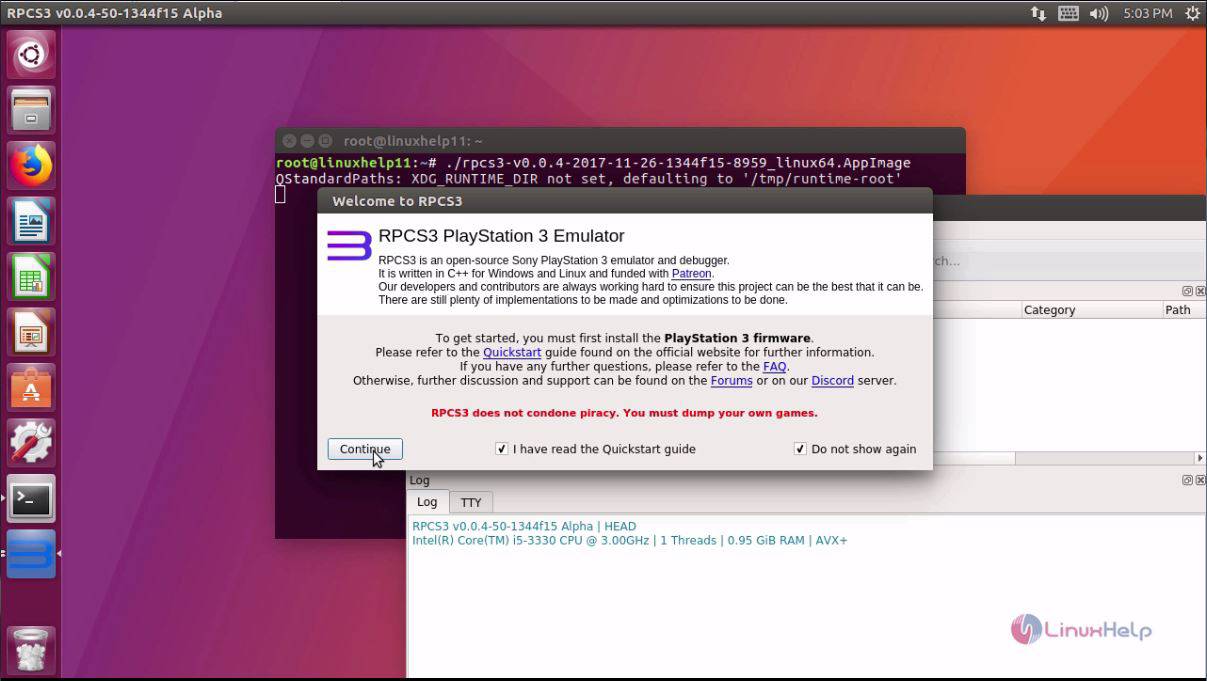
Open

Your emulator will resemble the one displayed on the following image.
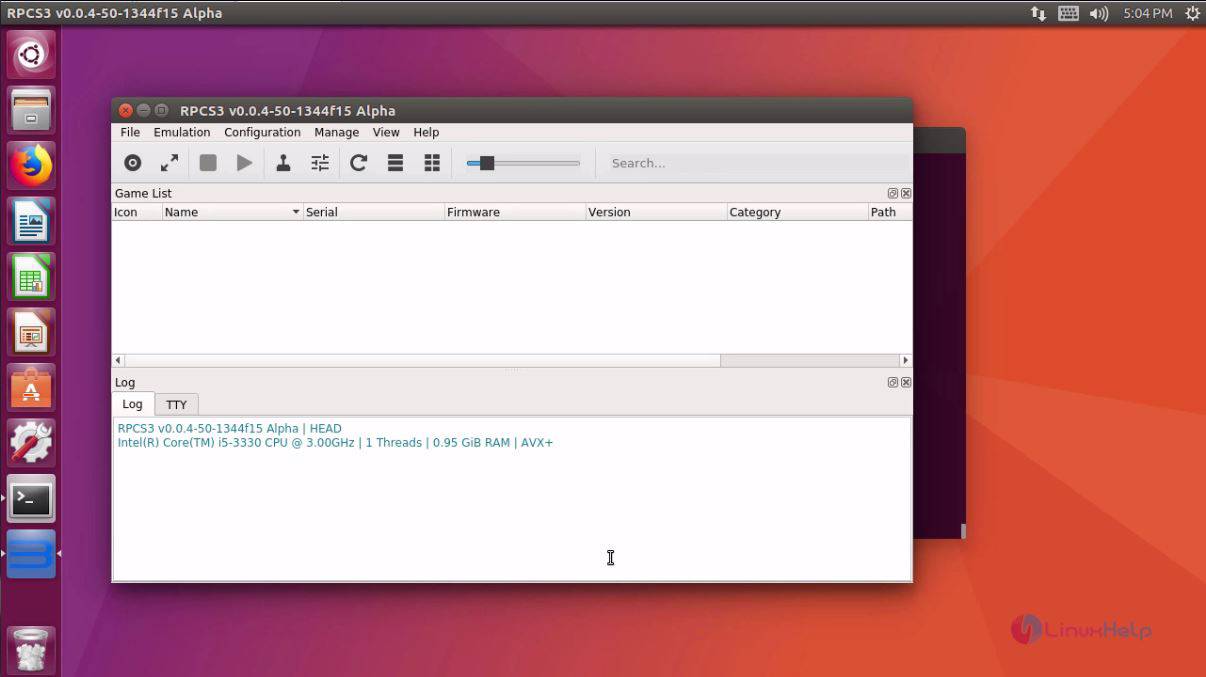
Emulator

You can also know more about your newly installed PS3 Emulator RPCS3.
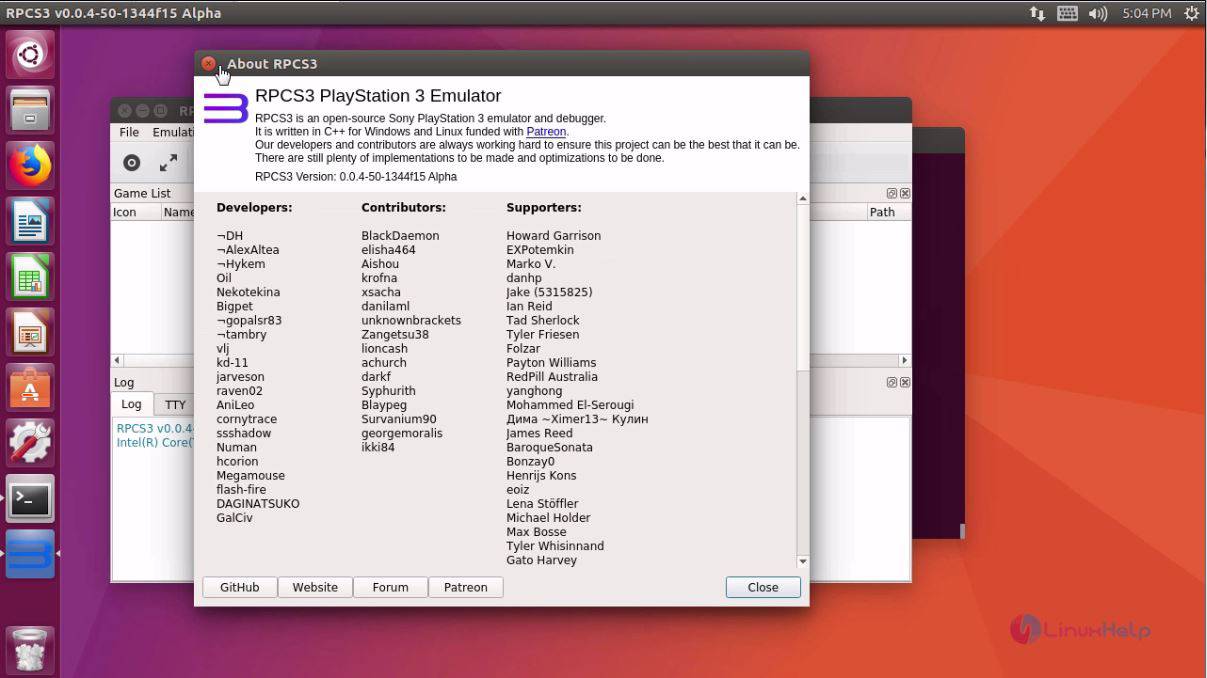
PS3

With this, the installation of PS3 Emulator RPCS3 in Ubuntu 17.04 comes to an end.


Tags:
ethan
Author: 

Comments ( 0 )

No comments available

Add a comment
{{postCtrl.cmtErrMsg}}

Frequently asked questions ( 5 )

Q

Purpose of using the PS3 emulator?

A

PCS3 is an open-source Sony PlayStation 3 emulator built using C++ programming language and is used as a debugger. It is available for windows and Linux platforms and currently supports moder

Q

Why do you work on game X instead of game Y?

A

We don't work on developing a game X or Y emulator, we work on developing a PlayStation 3 emulator.
Improvements to the emulator apply to all games that use the updated functionality, as our

Q

How can I get started using RPCS3 on my PC?

A

Please refer to the Quickstart Guide or visit the newcomers section on the forums for more detailed information on how to get started.

Q

What is RPCS3 licensed under?

A

RPCS3 uses the GNU General Public License Version 2 (June 1991). According to the license, you are welcome to use RPCS3 and its source code for any purpose, but distributing RPCS3 requires that the source code be released and attribution is given.

Q

How to Install PS3 Emulator RPCS3 in Ubuntu?

A

Execute the following command:
# wget https://rpcs3.net/cdn/builds/rpcs3-v0.0.4-2017-11-26-1344f15-8959_linux64.AppImage

Back To Top!
Rank
User
Points

Top Contributers

userNamenaveelansari
135850

Top Contributers

userNameayanbhatti
92510

Top Contributers

userNamehamzaahmed
32150

Top Contributers

1
userNamelinuxhelp
31040

Top Contributers

userNamemuhammadali
24500
Can you help Ryan ?
how to use visual traceroute tool

Am using traceroute command to check for the route. i got this tool while surfing. So pls help me out installation and usage of Visual traceroute tool.

Networking
  • Routing
  • trunk
  • Netmask
  • Packet Capture
  • domain
  • HTTP Proxy
Server Setup
  • NFS
  • KVM
  • Memory
  • Sendmail
  • WebDAV
  • LXC
Shell Commands
  • Cloud commander
  • Command line archive tools
  • last command
  • Shell
  • terminal
  • Throttle
Desktop Application
  • Linux app
  • Pithos
  • Retrospect
  • Scribe
  • TortoiseHg
  • 4Images
Monitoring Tool
  • Monit
  • Apache Server Monitoring
  • EtherApe 
  • Arpwatch Tool
  • Auditd
  • Barman
Web Application
  • Nutch
  • Amazon VPC
  • FarmWarDeployer
  • Rukovoditel
  • Mirror site
  • Chef
Contact Us | Terms of Use| Privacy Policy| Disclaimer
© 2025 LinuxHelp.com All rights reserved. Linux™ is the registered trademark of Linus Torvalds. This site is not affiliated with linus torvalds in any way.