How to install QCAD on linuxmint-18.03
{{postValue.id}}
To install QCAD on linuxmint-18.03
QCAD is a multi-platform, open source software project designed from the offset. This QCAD tool is used to create 2D technical drawings for interiors, plans for buildings or mechanical parts. It is available for Linux, Apple macOS, and Microsoft Windows
Installation
Add the repository of the Qcad application using the following command.
linuxhelp ~ # add-apt-repository ppa:neomilium/qcad-devel
You are about to add the following PPA:
This repository provides daily built QCAD packages based on official sources:
  https://github.com/qcad/qcad
Warning: this repository contains development version of QCAD.

If you want a stable version, please use ppa:neomilium/cam
  https://code.launchpad.net/~neomilium/+archive/ubuntu/cam
More info: https://launchpad.net/~neomilium/+archive/ubuntu/qcad-devel
Press Enter to continue or Ctrl+C to cancel

Executing: /tmp/tmp.0q9une4UM7/gpg.1.sh --keyserver
hkp://keyserver.ubuntu.com:80
--recv-keys
C8FF3A17
gpg: requesting key C8FF3A17 from hkp server keyserver.ubuntu.com
gpg: key C8FF3A17: public key " Launchpad PPA for neomilium"  imported
gpg: Total number processed: 1
gpg:               imported: 1  (RSA: 1)
Update your system repository using the apt-get command.
linuxhelp ~ # apt-get update
Hit:1 http://archive.canonical.com/ubuntu xenial InRelease
Hit:2 http://archive.ubuntu.com/ubuntu xenial InRelease
Hit:3 http://security.ubuntu.com/ubuntu xenial-security InRelease
Get:4 http://ppa.launchpad.net/neomilium/qcad-devel/ubuntu xenial InRelease [18.1 kB]
Ign:5 http://packages.linuxmint.com sylvia InRelease
Hit:6 http://archive.ubuntu.com/ubuntu xenial-updates InRelease
Hit:7 http://archive.ubuntu.com/ubuntu xenial-backports InRelease
Hit:8 http://packages.linuxmint.com sylvia Release
Hit:9 http://ppa.launchpad.net/ondrej/php/ubuntu xenial InRelease
Get:11 http://ppa.launchpad.net/neomilium/qcad-devel/ubuntu xenial/main Sources [804 B]
Get:12 http://ppa.launchpad.net/neomilium/qcad-devel/ubuntu xenial/main amd64 Packages [844 B]
Get:13 http://ppa.launchpad.net/neomilium/qcad-devel/ubuntu xenial/main i386 Packages [848 B]
Get:14 http://ppa.launchpad.net/neomilium/qcad-devel/ubuntu xenial/main Translation-en [452 B]
Fetched 21.0 kB in 2s (8,943 B/s)
Reading package lists... Done
Finally, install the qcad application using the following command
linuxhelp ~ # apt-get install qcad -y
Reading package lists... Done
Building dependency tree
Reading state information... Done
The following additional packages will be installed:
  libqt5script5 libqt5scripttools5 libqt5xmlpatterns5 qcad-data
The following NEW packages will be installed:
  libqt5script5 libqt5scripttools5 libqt5xmlpatterns5 qcad qcad-data
0 upgraded, 5 newly installed, 0 to remove and 353 not upgraded.
Need to get 28.4 MB of archives.
.
.
.
Selecting previously unselected package qcad.
Preparing to unpack .../qcad_3.19.2.2-0+git201801191713-qt5~ubuntu16.04.1_amd64.deb ...
Unpacking qcad (3.19.2.2-0+git201801191713-qt5~ubuntu16.04.1) ...
Processing triggers for libc-bin (2.23-0ubuntu9) ...
Processing triggers for mime-support (3.59ubuntu1) ...
Processing triggers for hicolor-icon-theme (0.15-0ubuntu1) ...
Processing triggers for shared-mime-info (1.5-2ubuntu0.1) ...
Processing triggers for desktop-file-utils (0.22+linuxmint1) ...
Setting up libqt5script5:amd64 (5.5.1+dfsg-2build1) ...
Setting up libqt5scripttools5:amd64 (5.5.1+dfsg-2build1) ...
Setting up libqt5xmlpatterns5:amd64 (5.5.1-2build1) ...
Setting up qcad-data (3.19.2.2-0+git201801191713-qt5~ubuntu16.04.1) ...
Setting up qcad (3.19.2.2-0+git201801191713-qt5~ubuntu16.04.1) ...
Processing triggers for libc-bin (2.23-0ubuntu9) ...
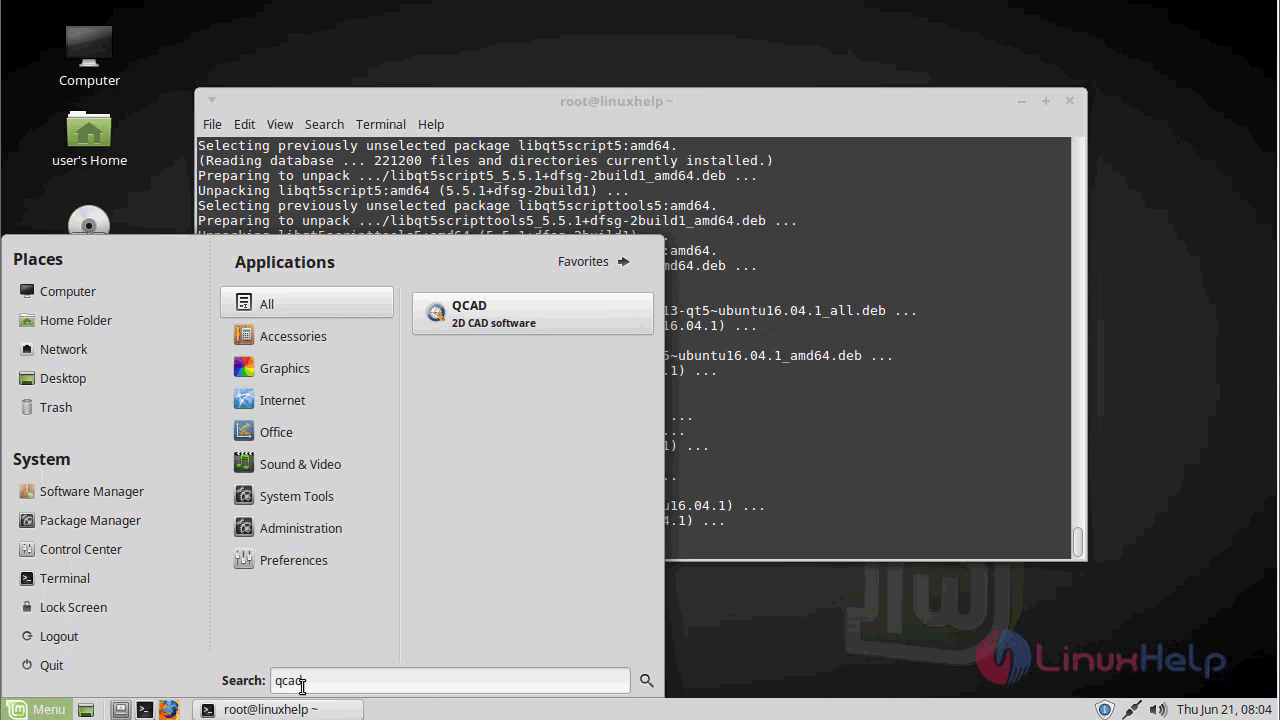
Once Installation is done you can access the application from the Menu as shown here
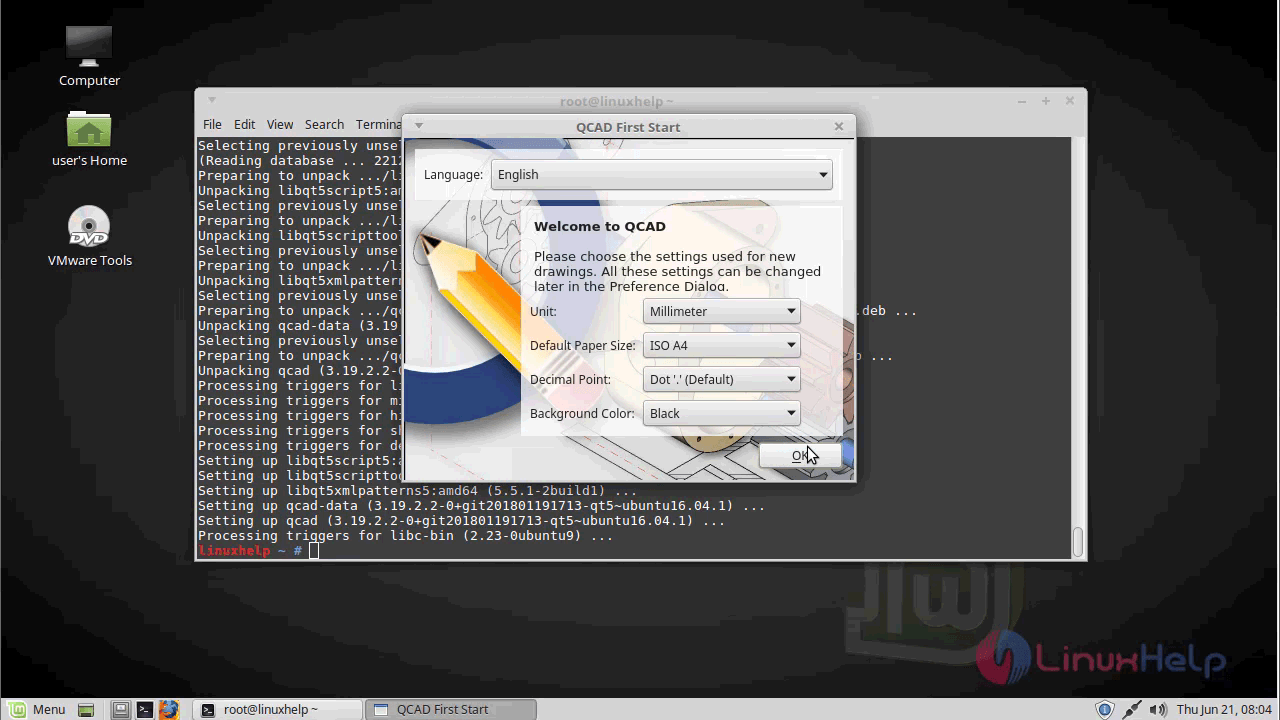
You will see the welcome page of QCAD application as shown below
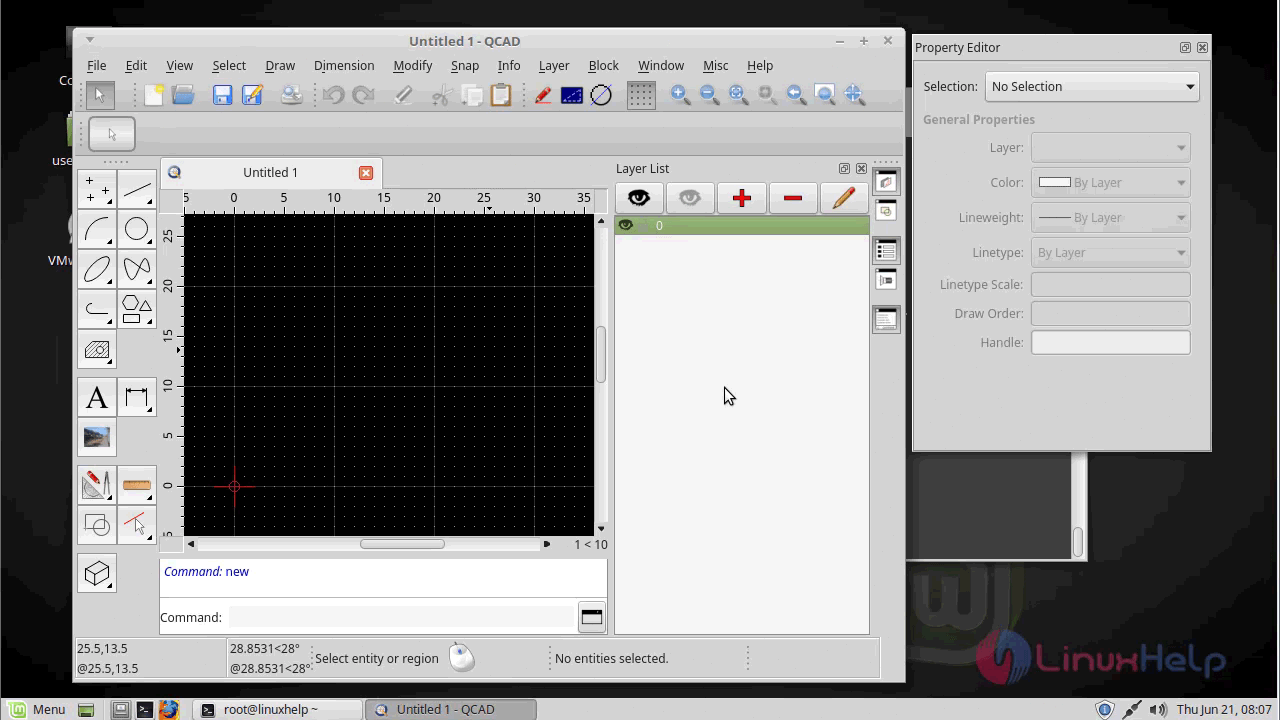
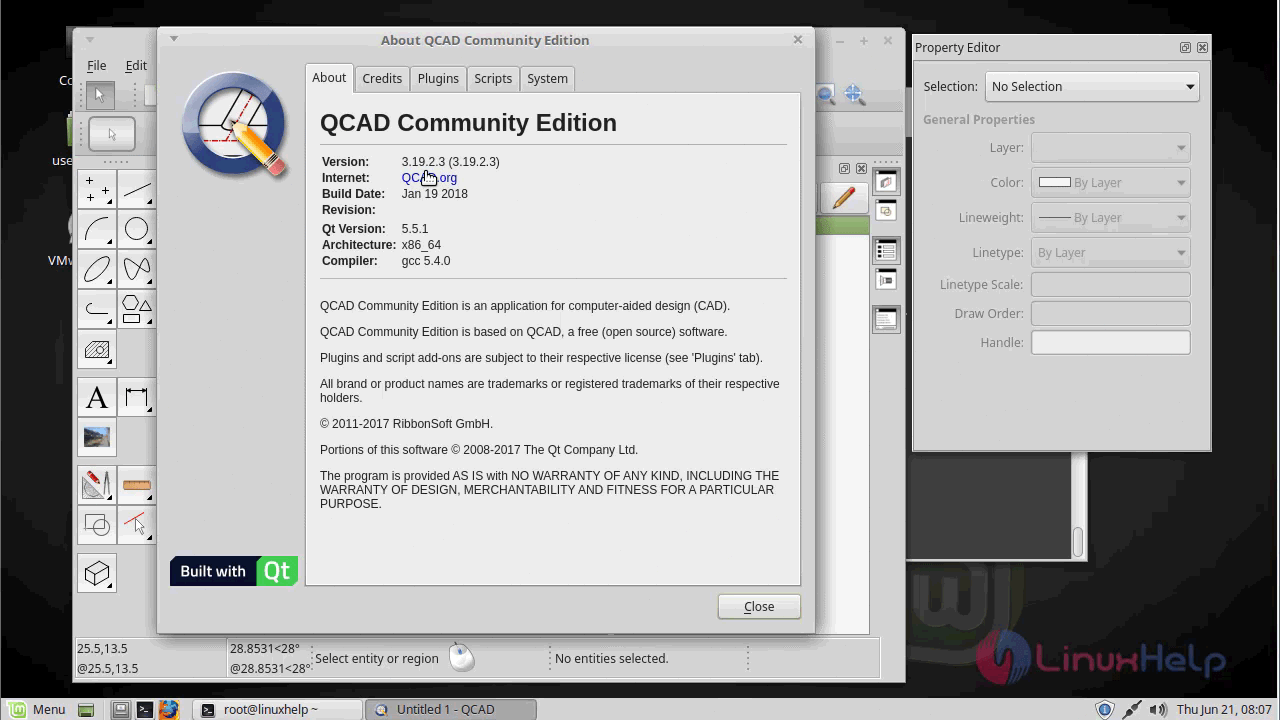
The version of QCAD.
With this, the method to install QCAD on linuxmint-18.03 comes to an end
Comments ( 0 )
No comments available