How to install QOwnNotes on Linux Mint 18.3
To install QOwnNotes
QOwnNotes is an open source plain-text file notepad editor, with supported markdown, as well as a todo list manager for Linux, Mac OS X and Windows. It integrates with the notes application of ownCloud. It is so simple to install QOwnNotes in Linux Mint 18.3 and this tutorial covers the ground on the same process.
Installing QOwnNotes
First, make sure you update your system repository by making use of the following command.
linuxhelp ~ # add-apt-repository ppa:pbek/qownnotes
You are about to add the following PPA:
 QOwnNotes is a plain-text file notepad with markdown support and ownCloud / Nextcloud integration
 More info: https://launchpad.net/~pbek/+archive/ubuntu/qownnotes
Press Enter to continue or Ctrl+C to cancel
Executing: /tmp/tmp.E47jMLxSb1/gpg.1.sh --keyserver
hkp://keyserver.ubuntu.com:80
--recv-keys
47878405
gpg: requesting key 47878405 from hkp server keyserver.ubuntu.com
gpg: key 47878405: public key " Launchpad PPA for Patrizio Bekerle"  imported
gpg: Total number processed: 1
gpg:               imported: 1  (RSA: 1)
Once it is done, you need to update the necessary repo by making use of the following command.
linuxhelp ~ # apt-get update
Hit:1 http://archive.canonical.com/ubuntu xenial InRelease
Hit:2 http://archive.ubuntu.com/ubuntu xenial InRelease
Ign:3 http://packages.linuxmint.com sylvia InRelease
Get:4 http://ppa.launchpad.net/pbek/qownnotes/ubuntu xenial InRelease [24.3 kB]
Hit:5 http://packages.linuxmint.com sylvia Release
Get:6 http://security.ubuntu.com/ubuntu xenial-security InRelease [102 kB]
Get:8 http://ppa.launchpad.net/pbek/qownnotes/ubuntu xenial/main Sources [788 B]
Get:9 http://archive.ubuntu.com/ubuntu xenial-updates InRelease [102 kB]
Get:10 http://archive.ubuntu.com/ubuntu xenial-backports InRelease [102 kB]
Get:11 http://ppa.launchpad.net/pbek/qownnotes/ubuntu xenial/main amd64 Packages [644 B]
Get:12 http://ppa.launchpad.net/pbek/qownnotes/ubuntu xenial/main i386 Packages [644 B]
Get:13 http://ppa.launchpad.net/pbek/qownnotes/ubuntu xenial/main Translation-en [412 B]
Get:14 http://archive.ubuntu.com/ubuntu xenial-updates/main amd64 Packages [727 kB]
Get:15 http://archive.ubuntu.com/ubuntu xenial-updates/main i386 Packages [677 kB]
Get:16 http://archive.ubuntu.com/ubuntu xenial-updates/main Translation-en [302 kB]
Get:17 http://archive.ubuntu.com/ubuntu xenial-updates/universe amd64 Packages [589 kB]
Get:18 http://archive.ubuntu.com/ubuntu xenial-updates/universe i386 Packages [546 kB]
Get:19 http://archive.ubuntu.com/ubuntu xenial-updates/universe Translation-en [238 kB]
Fetched 3,413 kB in 6s (527 kB/s)
Reading package lists... Done
You shall now proceed with the installation by making use of the following command.
linuxhelp ~ # apt-get install qownnotes
Reading package lists... Done
Building dependency tree
Reading state information... Done
The following additional packages will be installed:
  libqt5xmlpatterns5
The following NEW packages will be installed:
  libqt5xmlpatterns5 qownnotes
0 upgraded, 2 newly installed, 0 to remove and 216 not upgraded.
Need to get 2,863 kB of archives.
After this operation, 12.6 MB of additional disk space will be used.
Do you want to continue? [Y/n]
Get:1 http://archive.ubuntu.com/ubuntu xenial/main amd64 libqt5xmlpatterns5 amd64 5.5.1-2build1 [961 kB]
Get:2 http://ppa.launchpad.net/pbek/qownnotes/ubuntu xenial/main amd64 qownnotes amd64 18.02.4-1ubuntu3ppa1~xenial1 [1,901 kB]
Fetched 2,863 kB in 5s (544 kB/s)
Selecting previously unselected package libqt5xmlpatterns5:amd64.
(Reading database ... 226233 files and directories currently installed.)
Preparing to unpack .../libqt5xmlpatterns5_5.5.1-2build1_amd64.deb ...
Unpacking libqt5xmlpatterns5:amd64 (5.5.1-2build1) ...
Selecting previously unselected package qownnotes.
Preparing to unpack .../qownnotes_18.02.4-1ubuntu3ppa1~xenial1_amd64.deb ...
Unpacking qownnotes (18.02.4-1ubuntu3ppa1~xenial1) ...
Processing triggers for libc-bin (2.23-0ubuntu9) ...
Processing triggers for hicolor-icon-theme (0.15-0ubuntu1) ...
Processing triggers for desktop-file-utils (0.22+linuxmint1) ...
Processing triggers for mime-support (3.59ubuntu1) ...
Setting up libqt5xmlpatterns5:amd64 (5.5.1-2build1) ...
Setting up qownnotes (18.02.4-1ubuntu3ppa1~xenial1) ...
Processing triggers for libc-bin (2.23-0ubuntu9) ...
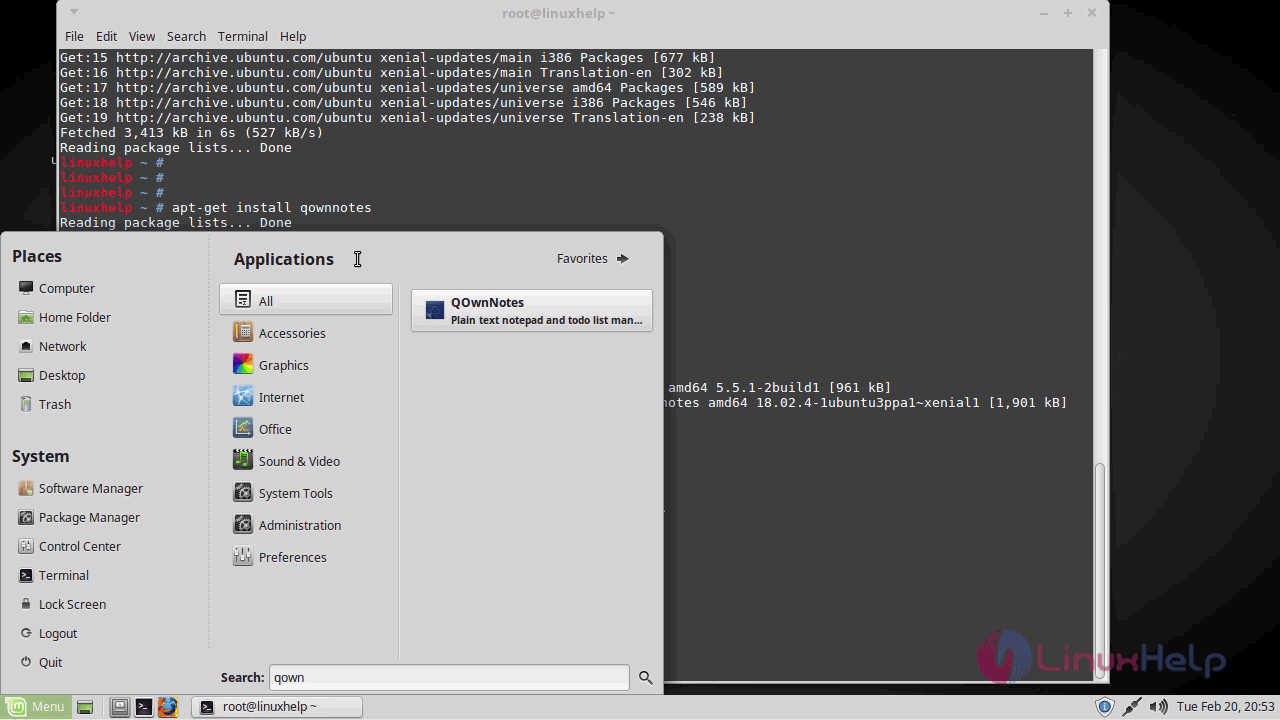
Now that QOwnNotes has been installed, you shall launch it from your Linux Mint search field.
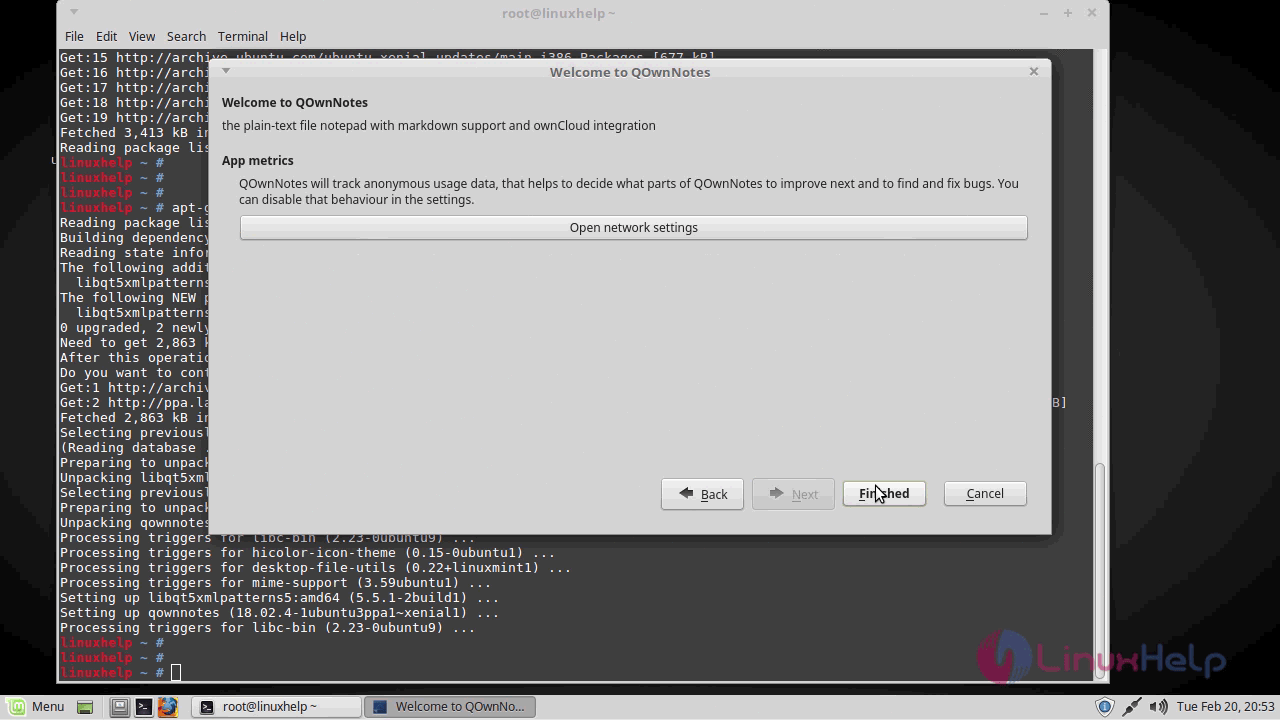
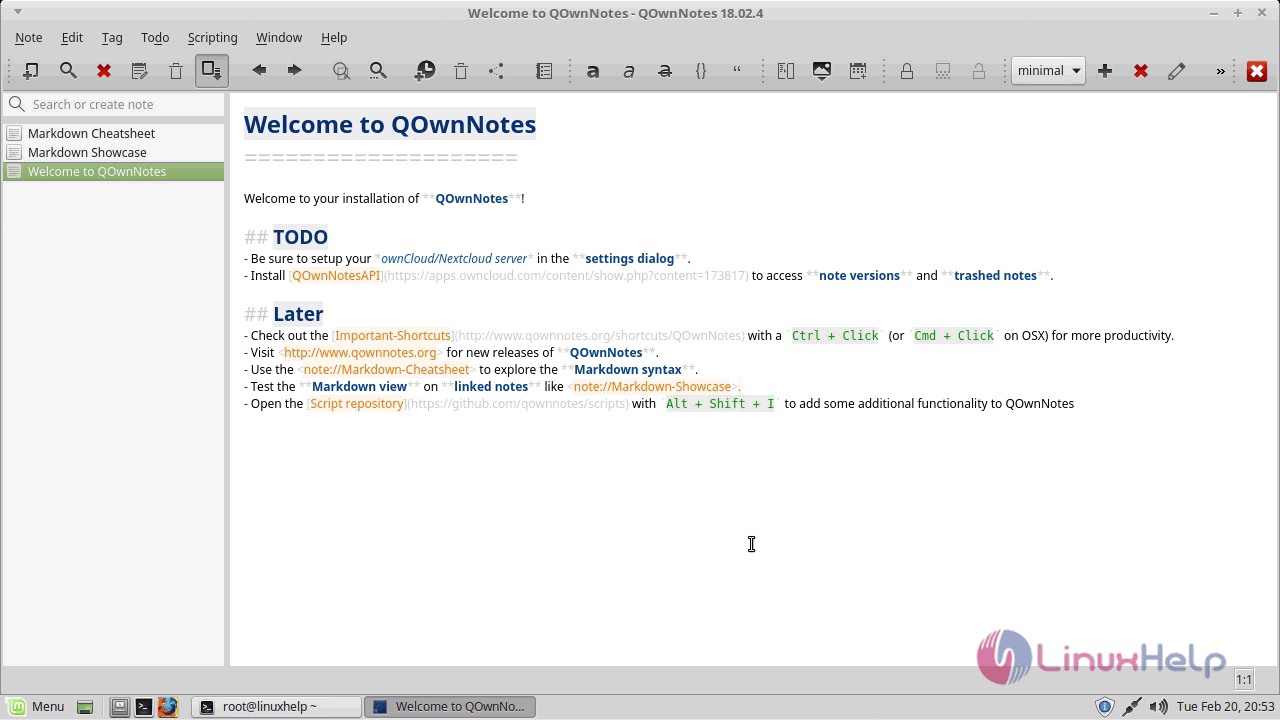
The Welcome page of QOwnNotes now appears on the screen.
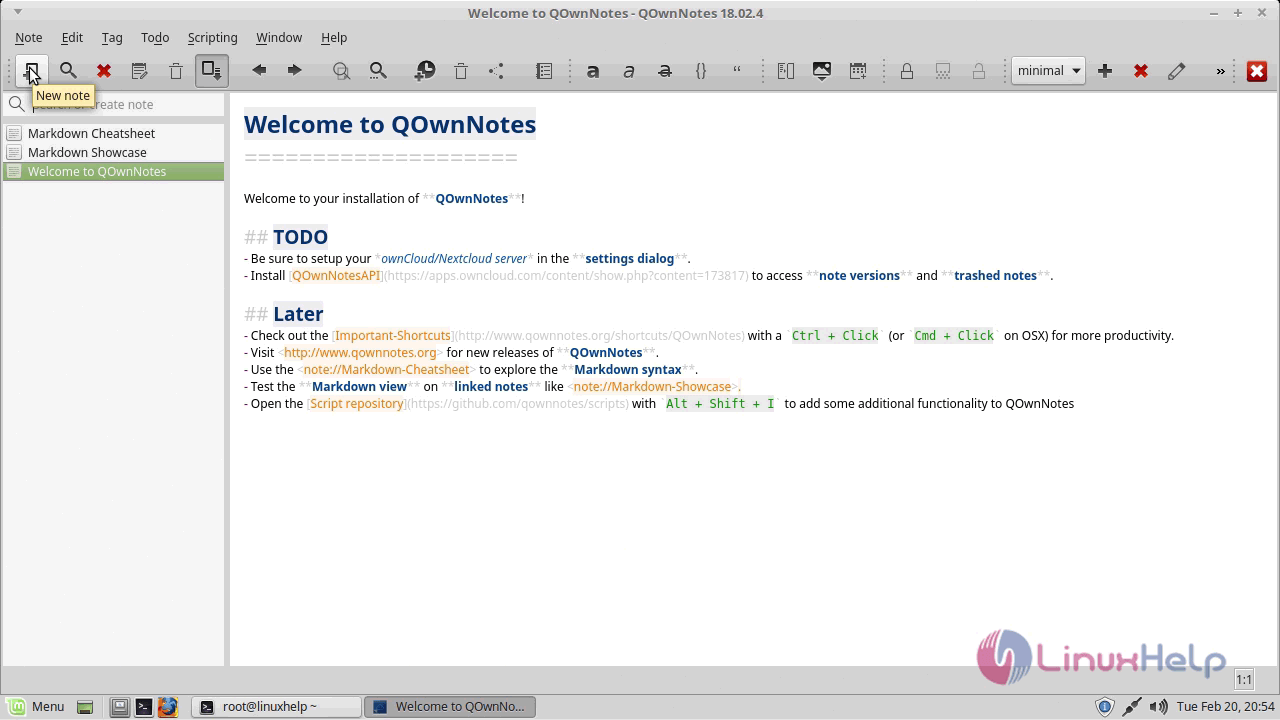
You can add a new note.
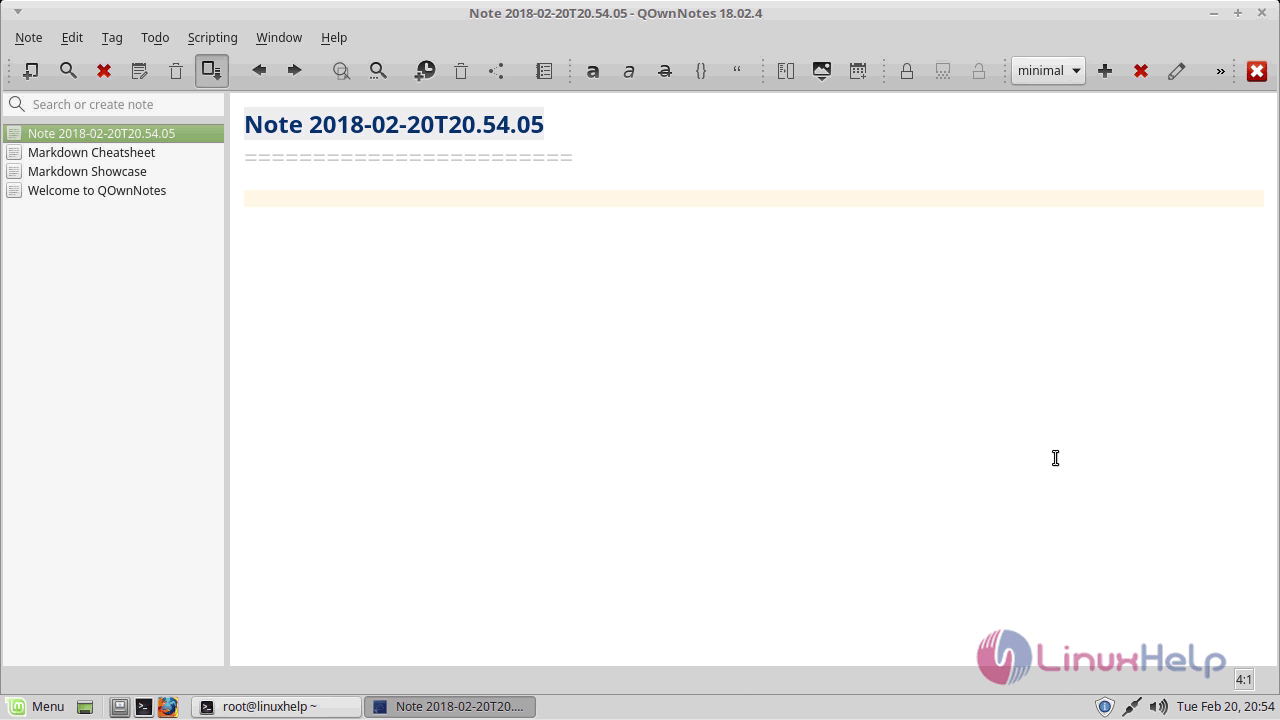
With this, the method to install QOwnNotes on Linux Mint 18.3
Comments ( 0 )
No comments available