• Categories
    Category
    {{ postCtrl.tags }}
    • {{ category.tag_type }}

      • {{tag.tag_name}}
      • View more
  • Categories
    Category
    {{ postCtrl.tags }}
    • {{ category.tag_type }}

      • {{tag.tag_name}}
      • View more
  • News
  • Tutorials
  • Forums
  • Tags
  • Users
Tutorial News Comments FAQ Related Articles

How to install QT creator 5.9.5 on Ubuntu 18.04

{{postValue.id}}

To install QT creator 5.9.5 on Ubuntu 18.04
Qt Creator is a cross-platform C++, JavaScript development environment for the Qt GUI application development framework. It is supported for several operating systems such as Linux, Microsoft Windows, and mac os.

Installation

Update the system repository using the following command

root@linuxhelp1:~# apt-get update
Hit:1 http://security.ubuntu.com/ubuntu bionic-security InRelease
Hit:2 http://in.archive.ubuntu.com/ubuntu bionic InRelease               
Hit:3 http://archive.canonical.com/ubuntu bionic InRelease               
Hit:4 http://in.archive.ubuntu.com/ubuntu bionic-updates InRelease      
Hit:5 http://in.archive.ubuntu.com/ubuntu bionic-backports InRelease
Reading package lists... Done

Install a QtCreator as follows

root@linuxhelp1:~# apt-get install qtcreator -y
Reading package lists... Done
Building dependency tree       
Reading state information... Done
The following additional packages will be installed:
  binfmt-support clang clang-6.0 cpp-7 gcc-7-base gcc-8-base lib32gcc1 lib32stdc++6 libasan4
  libatomic1 libbotan-2-4 libbrotli1 libc-dev-bin libc6 libc6-dbg libc6-dev libc6-i386
  libcc1-0 libcilkrts5 libclang-common-6.0-dev libclang1-6.0 libdouble-conversion1 libffi-dev
  libgcc-7-dev libgcc1 libgomp1 libitm1 libjsoncpp1 libllvm6.0 liblsan0 libmpx2 libncurses5
  libncursesw5 libobjc-7-dev libobjc4 libomp-dev libomp5 libpython-stdlib libpython2.7
  libpython2.7-minimal libpython2.7-stdlib libqbscore1.10 libqbsqtprofilesetup1.10
  libqt5concurrent5 libqt5core5a libqt5dbus5 libqt5designer5 libqt5designercomponents5.
.
.
Setting up qmlscene (5.9.5-0ubuntu1) ...
Setting up qtdeclarative5-dev-tools (5.9.5-0ubuntu1) ...
Setting up clang (1:6.0-41~exp5~ubuntu1) ...
Setting up libqt5quickwidgets5:amd64 (5.9.5-0ubuntu1) ...
Setting up libqt5webkit5:amd64 (5.212.0~alpha2-7ubuntu1) ...
Setting up libqt5designercomponents5:amd64 (5.9.5-0ubuntu1) ...
Setting up qml-module-qtgraphicaleffects:amd64 (5.9.5-0ubuntu1) ...
Setting up qt5-assistant (5.9.5-0ubuntu1) ...
Setting up qml-module-qtquick-controls:amd64 (5.9.5-0ubuntu1) ...
Setting up qttools5-dev-tools (5.9.5-0ubuntu1) ...
Setting up qtcreator (4.5.2-3ubuntu2) ...
Processing triggers for libc-bin (2.27-0ubuntu2) ...

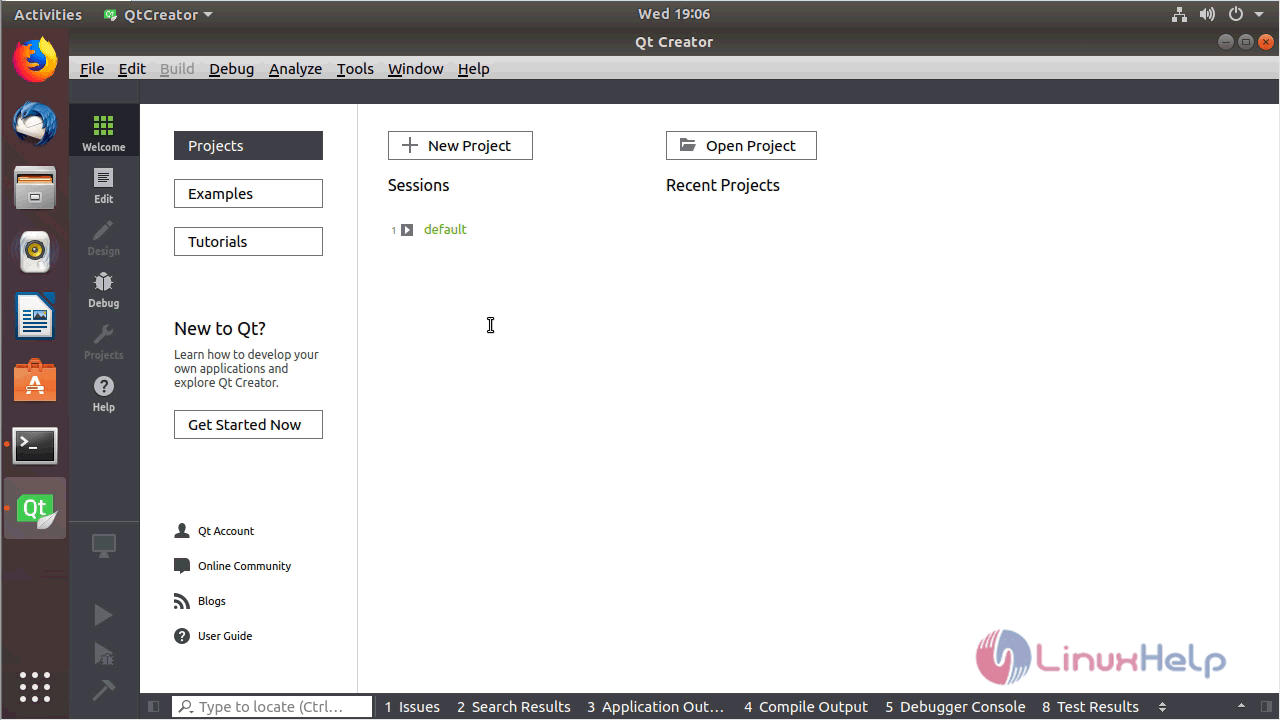
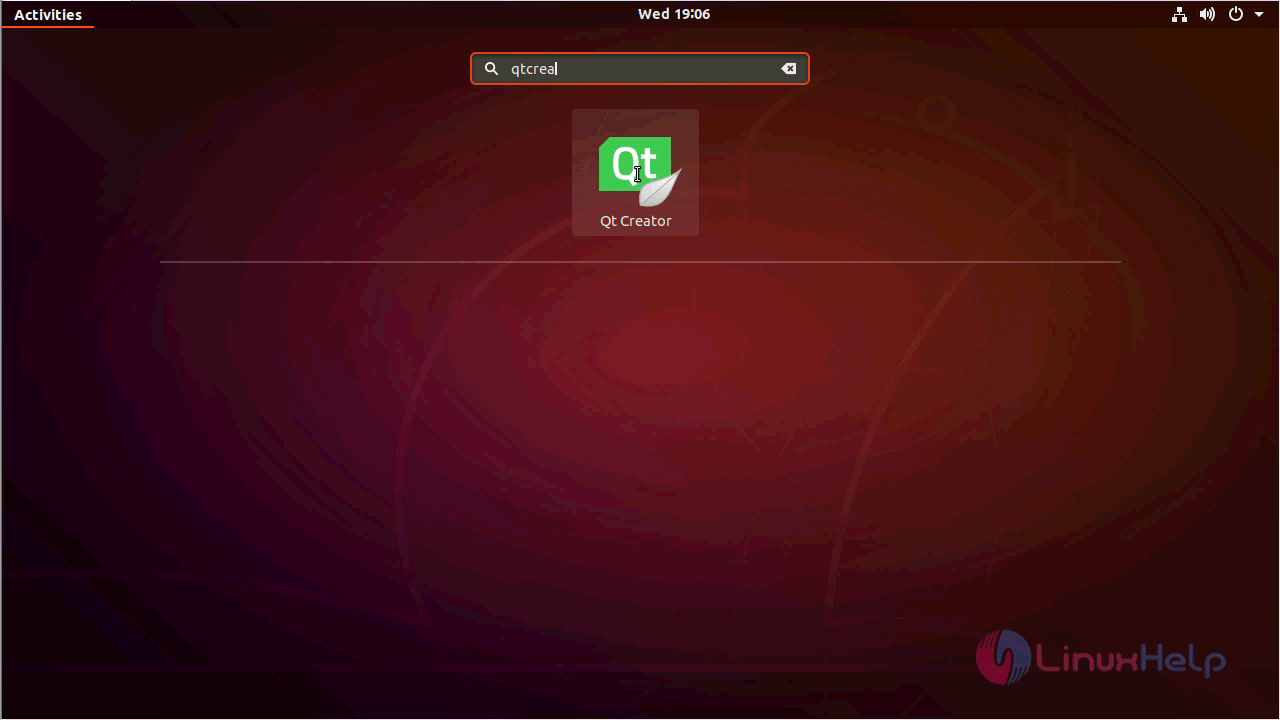
After installing you can access the QtCreator application from Menu
Snap 1

QT application
Snap 2


Snap 3

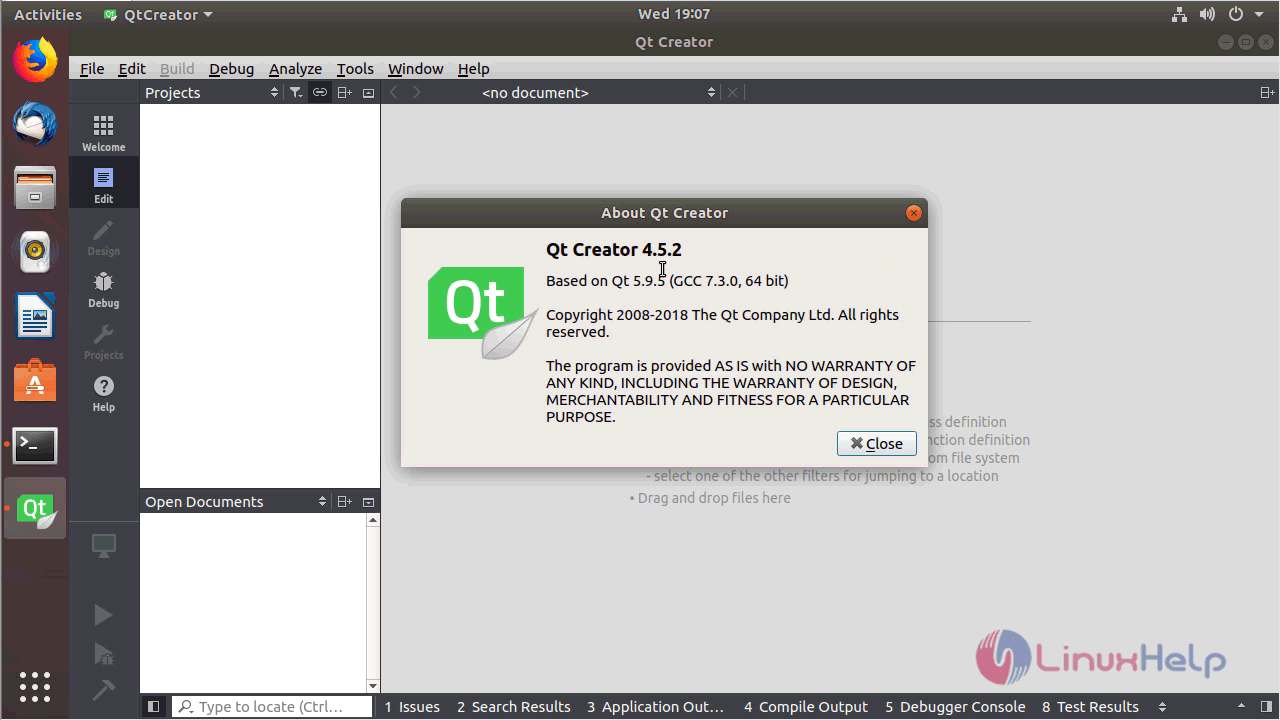
Version of QtCreator
Snap 4

With this, the method to install QT creator 5.9.5 on Ubuntu 18.04 comes to an end.

Tags:
lucas
Author: 

Comments ( 0 )

No comments available

Add a comment
{{postCtrl.cmtErrMsg}}

Frequently asked questions ( 5 )

Q

Whether the QT creator is an open source?

A

Yes, the QT creator is an open source application.

Q

Qt Creator only shows a blank window, a dialog complaining about missing OpenGL support, or crashes on startup. What's going wrong?

A

Some parts of Qt Creator use Qt Quick 2, which relies on OpenGL API for drawing. The most prominent use of Qt Quick 2 is in the Welcome mode, but it's also used for the Qt Quick Designer, and the QML Profiler.

Unfortunately the use of OpenGL can cause problems, especially in remote setups and with outdated drivers. You can quickly check whether this is your problem by:

Launching Qt Creator with Welcome mode disabled ( -noload Welcome on command line).
Checking the console or the Windows debugger log for OpenGL-related error messages.

Q

How do I reset all Qt Creator settings?

A

Qt Creator creates the following files and directories:

QtCreator.db
QtCreator.ini
qtversion.xml
toolChains.xml
qtcreator
qtc-qmldump

Q

Qt Creator comes with MinGW, should I use this version with Qt?

A

Use the version that was built against the Qt version.

Q

Qt Creator does not find a helper application, such as Git or a compiler. What should I do?

A

Make sure that the application is in your system PATH when starting Qt Creator. Also select Tools > Options to check the settings specified for the application. Many plugins specify either the path to the tool they need or the environment they run in.

This is especially relevant for the OS X where /usr/local/bin might not be in the path when Qt Creator is started.

Back To Top!
Rank
User
Points

Top Contributers

userNamenaveelansari
135850

Top Contributers

userNameayanbhatti
92510

Top Contributers

userNamehamzaahmed
32150

Top Contributers

1
userNamelinuxhelp
31040

Top Contributers

userNamemuhammadali
24500
Can you help Luk Van De Looverbosch ?
How to create a root ?

Hello,
How to create root@linuxhelp in Linux Mint 20.1 64-bit ?
Thanks in advance for your reply.
Best regards.

Networking
  • Routing
  • trunk
  • Netmask
  • Packet Capture
  • domain
  • HTTP Proxy
Server Setup
  • NFS
  • KVM
  • Memory
  • Sendmail
  • WebDAV
  • LXC
Shell Commands
  • Cloud commander
  • Command line archive tools
  • last command
  • Shell
  • terminal
  • Throttle
Desktop Application
  • Linux app
  • Pithos
  • Retrospect
  • Scribe
  • TortoiseHg
  • 4Images
Monitoring Tool
  • Monit
  • Apache Server Monitoring
  • EtherApe 
  • Arpwatch Tool
  • Auditd
  • Barman
Web Application
  • Nutch
  • Amazon VPC
  • FarmWarDeployer
  • Rukovoditel
  • Mirror site
  • Chef
Contact Us | Terms of Use| Privacy Policy| Disclaimer
© 2025 LinuxHelp.com All rights reserved. Linux™ is the registered trademark of Linus Torvalds. This site is not affiliated with linus torvalds in any way.