How to install Quick.Cart - An Online shopping tool
To create own Website For Shopping using Quick.Cart in CentOS 7
Quick.Cart is a free platform to create own shopping Websites like Flipkart, Ebay and Amazon etc. It does not require any Database to run. It just requires webserver and PHP to be installed on the system. Installation of Quick.Cart is explained in this article.
To install Quick.cart
Run the following command to install the necessary packages.
[root@linuxhelp ~]# yum install httpd php php-gd -y
Loaded plugins: fastestmirror, langpacks
Loading mirror speeds from cached hostfile
 * base: centos.webwerks.com
 * extras: centos.webwerks.com
 * updates: centos.excellmedia.net
Resolving Dependencies
-->  Running transaction check
--->  Package httpd.x86_64 0:2.4.6-40.el7.centos.4 will be installed
-->  Processing Dependency: httpd-tools = 2.4.6-40.el7.centos.4 for package: httpd-2.4.6-40.el7.centos.4.x86_64
-->  Processing Dependency: /etc/mime.types for package: httpd-2.4.6-40.el7.centos.4.x86_64
-->  Processing Dependency: libaprutil-1.so.0()(64bit) for package: httpd-2.4.6-40.el7.centos.4.x86_64
.
.
.
Dependency Installed:
  apr.x86_64 0:1.4.8-3.el7               apr-util.x86_64 0:1.5.2-6.el7                 httpd-tools.x86_64 0:2.4.6-40.el7.centos.4          libzip.x86_64 0:0.10.1-8.el7
  mailcap.noarch 0:2.1.41-2.el7          php-cli.x86_64 0:5.4.16-36.1.el7_2.1          php-common.x86_64 0:5.4.16-36.1.el7_2.1             t1lib.x86_64 0:5.1.2-14.el7

Complete!
Start and enable the apache service.
[root@linuxhelp ~]# systemctl start httpd
[root@linuxhelp ~]# systemctl enable httpd
ln -s ' /usr/lib/systemd/system/httpd.service'  ' /etc/systemd/system/multi-user.target.wants/httpd.service'
Download the Quick.Cart package by running the following command.
[root@linuxhelp ~]# wget http://opensolution.org/download/home.html?sFile=Quick.Cart_v6.7.zip
--2016-07-21 12:41:38--  http://opensolution.org/download/home.html?sFile=Quick.Cart_v6.7.zip
Resolving opensolution.org (opensolution.org)... 94.152.11.77
Connecting to opensolution.org (opensolution.org)|94.152.11.77|:80... connected.
HTTP request sent, awaiting response... 200 OK
Length: unspecified [application/zip]
Saving to: ‘ home.html?sFile=Quick.Cart_v6.7.zip’

    [                                          < =>                                                                                              ] 661,520     72.8KB/s   in 9.5s

2016-07-21 12:41:50 (67.8 KB/s) - ‘ home.html?sFile=Quick.Cart_v6.7.zip’  saved [661520]
Extract the downloaded package.
[root@linuxhelp ~]# mkdir /var/www/html/quickcart
[root@linuxhelp ~]# unzip home.html?sFile=Quick.Cart_v6.7.zip -d /var/www/html/quickcart
Archive:  home.html?sFile=Quick.Cart_v6.7.zip
   creating: /var/www/html/quickcart/core/
  inflating: /var/www/html/quickcart/core/common-admin.js
  inflating: /var/www/html/quickcart/core/common-admin.php
  inflating: /var/www/html/quickcart/core/common.js
  inflating: /var/www/html/quickcart/core/common.php
  inflating: /var/www/html/quickcart/core/files-admin.php
.
.
.
/var/www/html/quickcart/templates/default/style.css
  inflating: /var/www/html/quickcart/templates/default/_footer.php
  inflating: /var/www/html/quickcart/templates/default/_header.php
  inflating: /var/www/html/quickcart/.htaccess
  inflating: /var/www/html/quickcart/admin.php
  inflating: /var/www/html/quickcart/index.php
  inflating: /var/www/html/quickcart/read-me.txt
Change the Ownership of the directory to the apache user and group as follows.
[root@linuxhelp ~]# ls -lZd /var/www/html/quickcart/
drwxr-xr-x. root root unconfined_u:object_r:httpd_sys_content_t:s0 /var/www/html/quickcart/
[root@linuxhelp ~]# chown -R apache:apache /var/www/html/quickcart/
[root@linuxhelp ~]# ls -lZd /var/www/html/quickcart/
drwxr-xr-x. apache apache unconfined_u:object_r:httpd_sys_content_t:s0 /var/www/html/quickcart/
Disable your selinux by changing the entry.
[root@linuxhelp ~]# vim /etc/sysconfig/selinux
And edit the following line
“ SELINUX=enforcing” into “ SELINUX=disabled”
If you want the changes to be applied immediately, then run the following command.
[root@linuxhelp ~]# setenforce 0
Create apache virtual host for quick cart.
[root@linuxhelp ~]# vim /etc/httpd/conf.d/vhosts.conf
Add the following lines into it.
IncludeOptional vhosts.d/*.conf
Create the configuration file for apache virtual host in the new directory as follows.
[root@linuxhelp ~]# mkdir /etc/httpd/vhosts.d/
[root@linuxhelp ~]# vim /etc/httpd/vhosts.d/quickcart.conf
< VirtualHost 192.168.5.92:80>
ServerAdmin admin@linuxhelp.com
DocumentRoot " /var/www/html/quickcart/"
ServerName linuxhelp.com
ServerAlias www.linuxhelp.com
ErrorLog " /var/log/httpd/linuxhelp.com-error_log"
CustomLog " /var/log/httpd/linuxhelp.com-access_log"  combined

< Directory " /var/www/html/quickcart/" >
DirectoryIndex index.html index.php
Options FollowSymLinks
AllowOverride All
Require all granted
< /Directory>
< /VirtualHost>
Restart the apache service.
[root@linuxhelp ~]# systemctl restart httpd
Open the browser and type http://< IP_address>
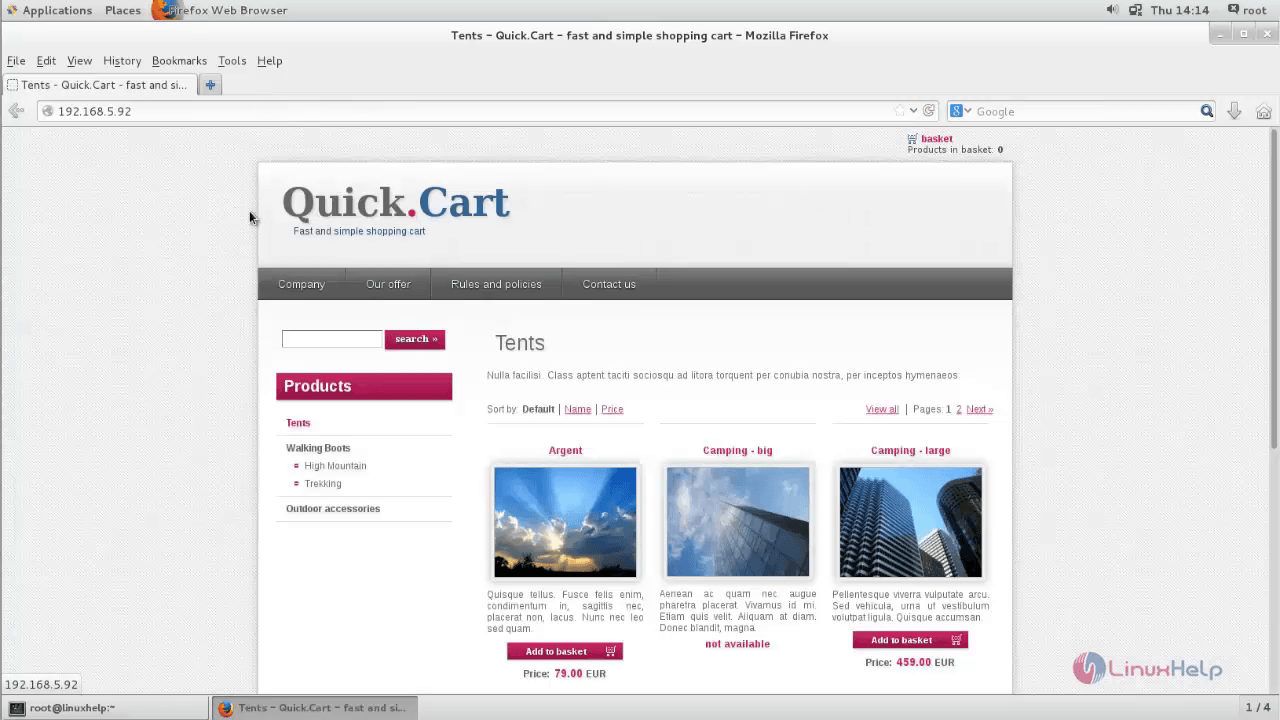
To access the admin panel, dive into http://< IP_address> /admin.php
Type the username and password to login.
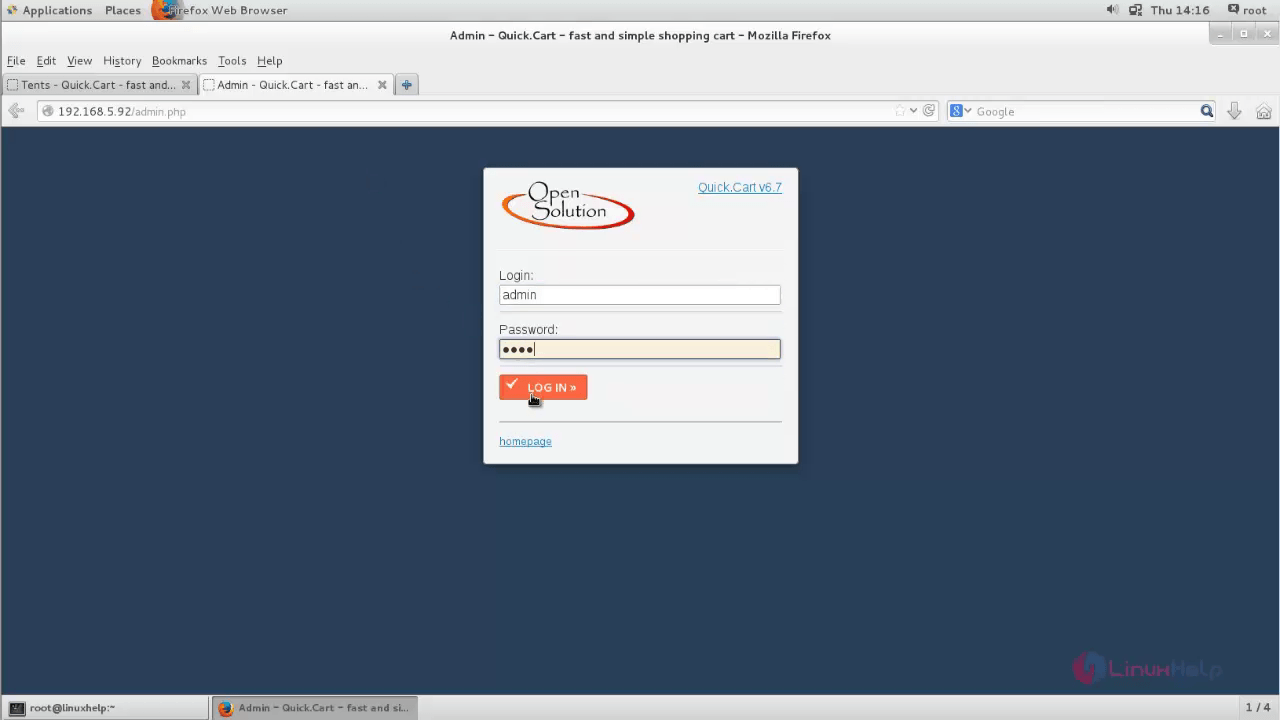
Change the admin username and password if required.
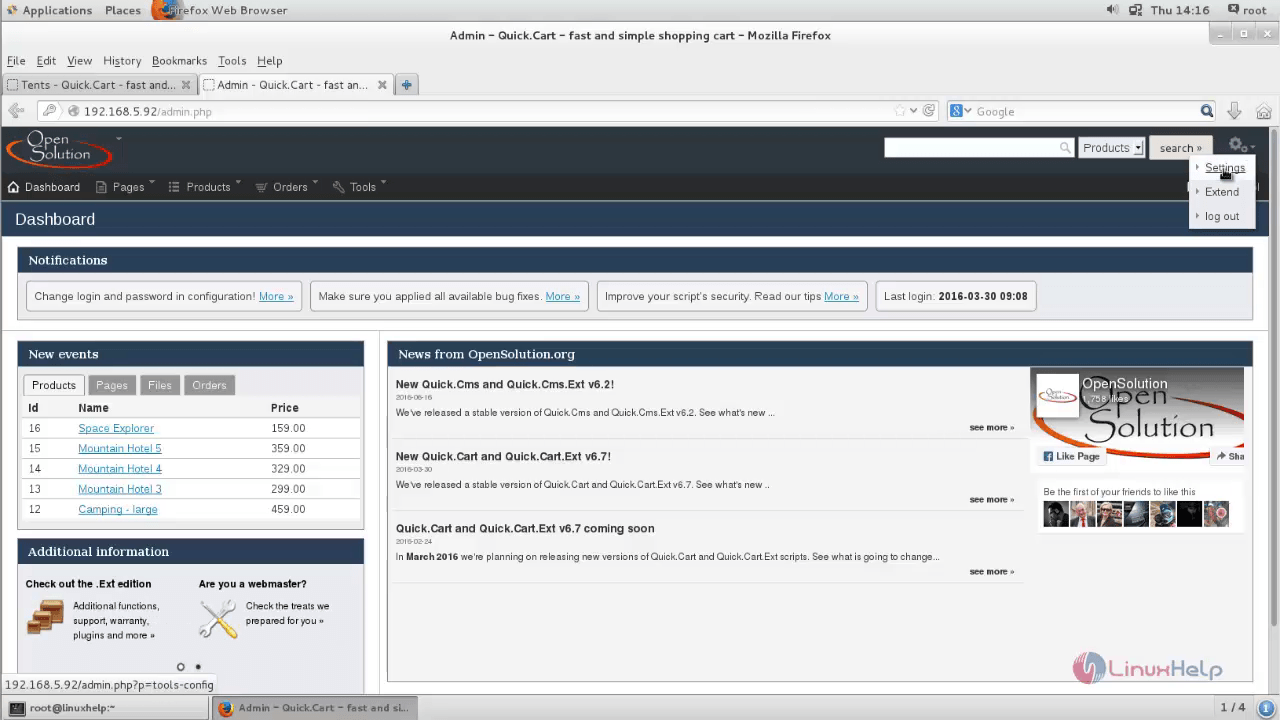
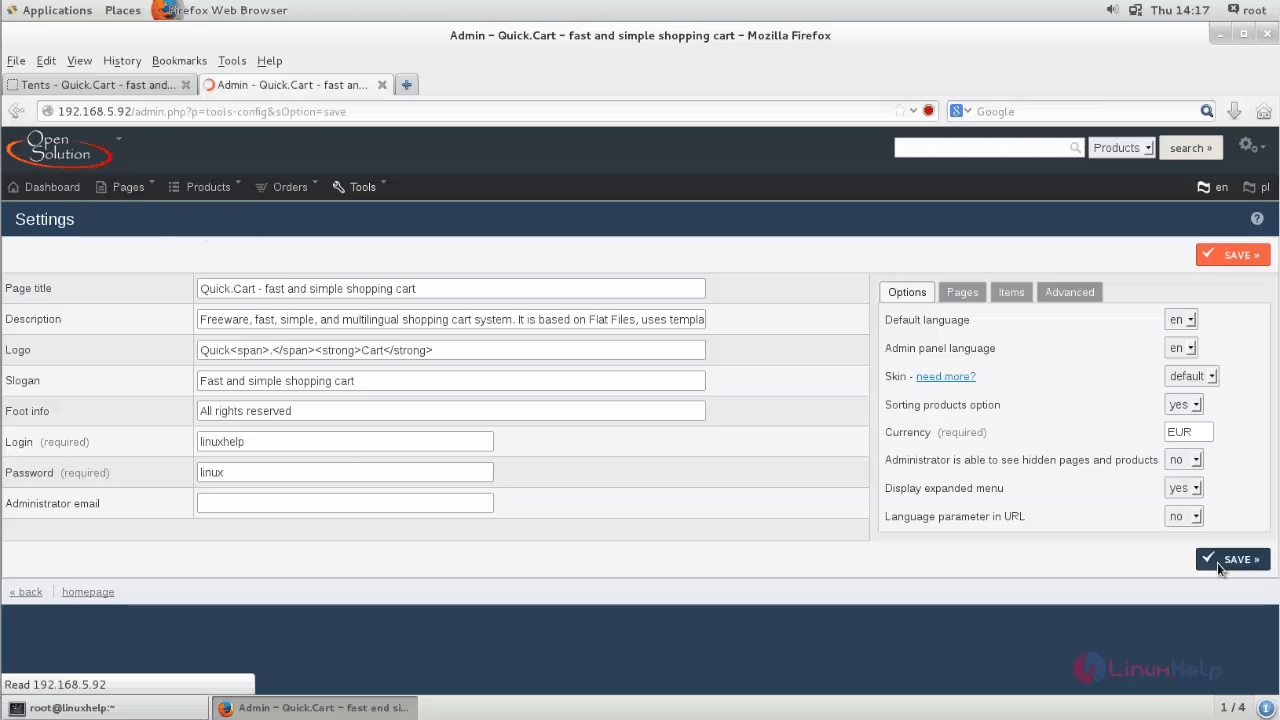
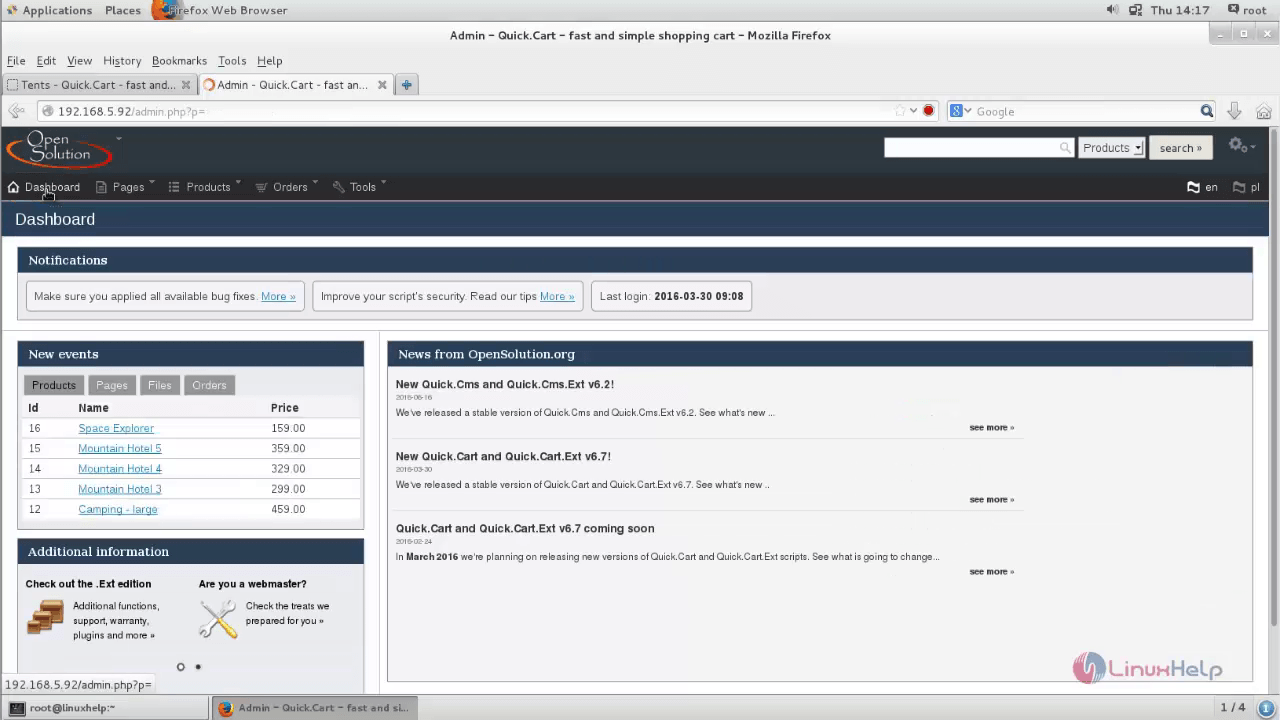
The Dashboard of Quick Cart appears.
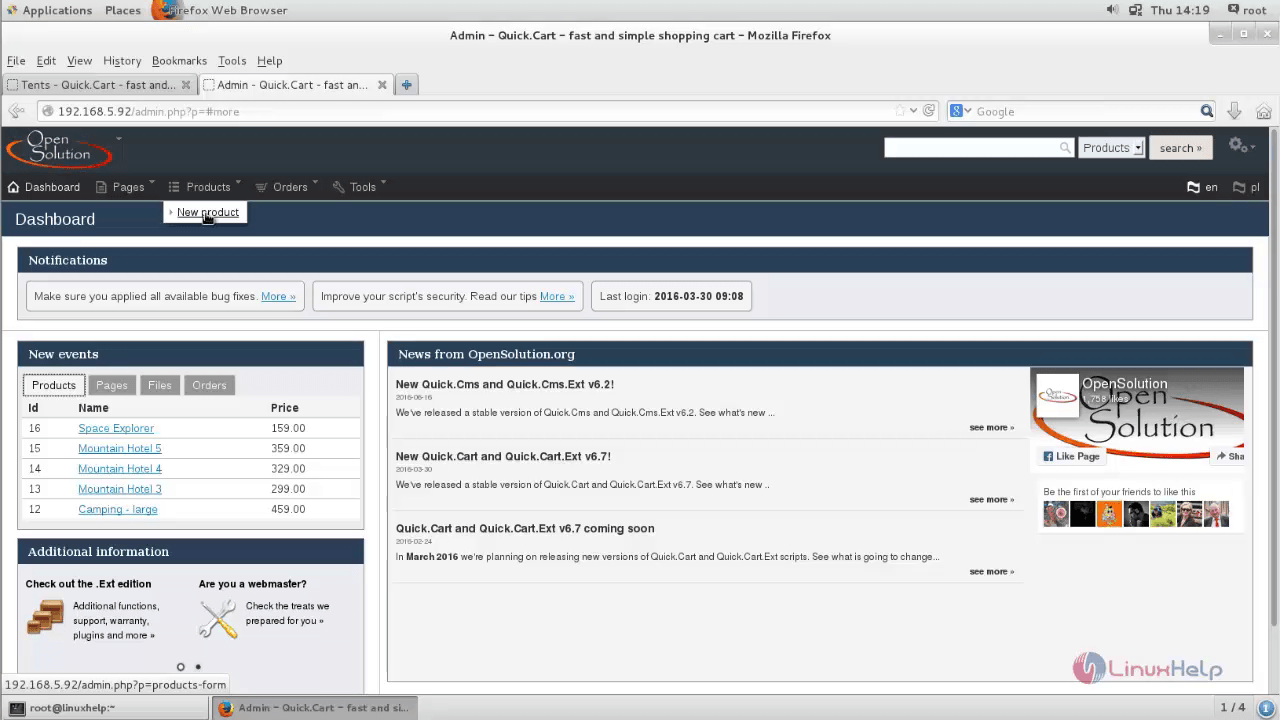
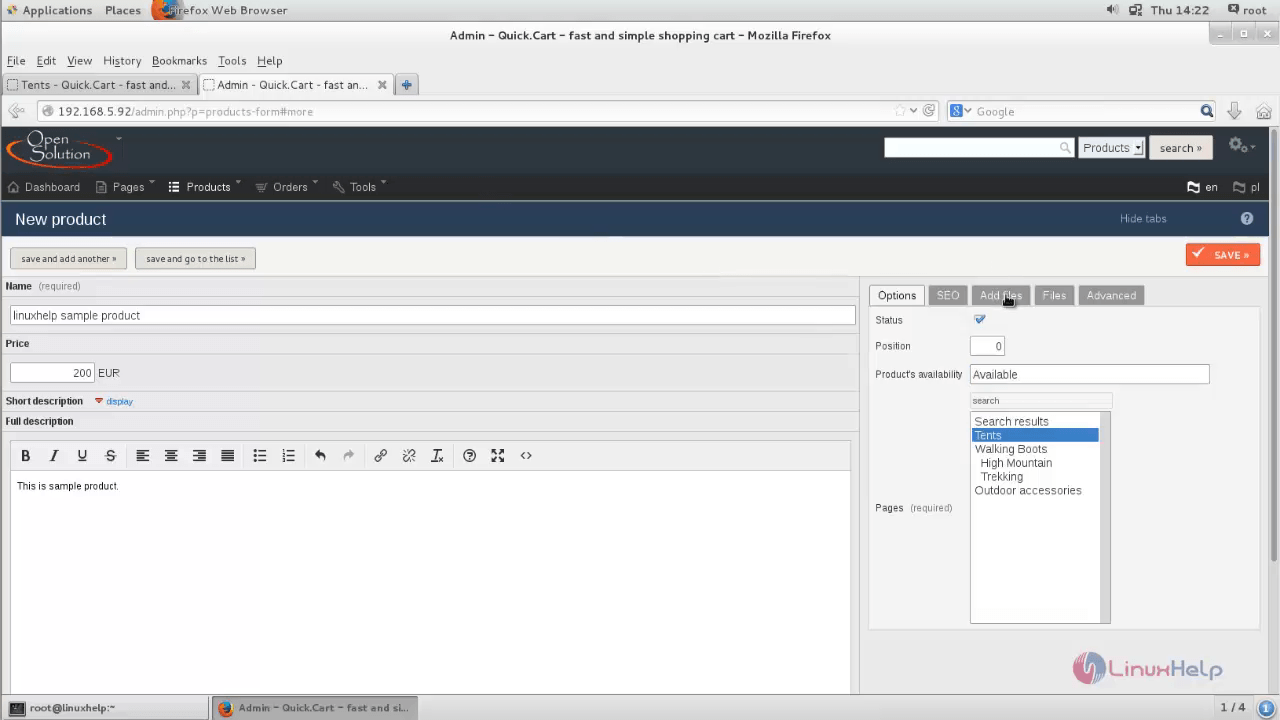
Create a new product for shopping.
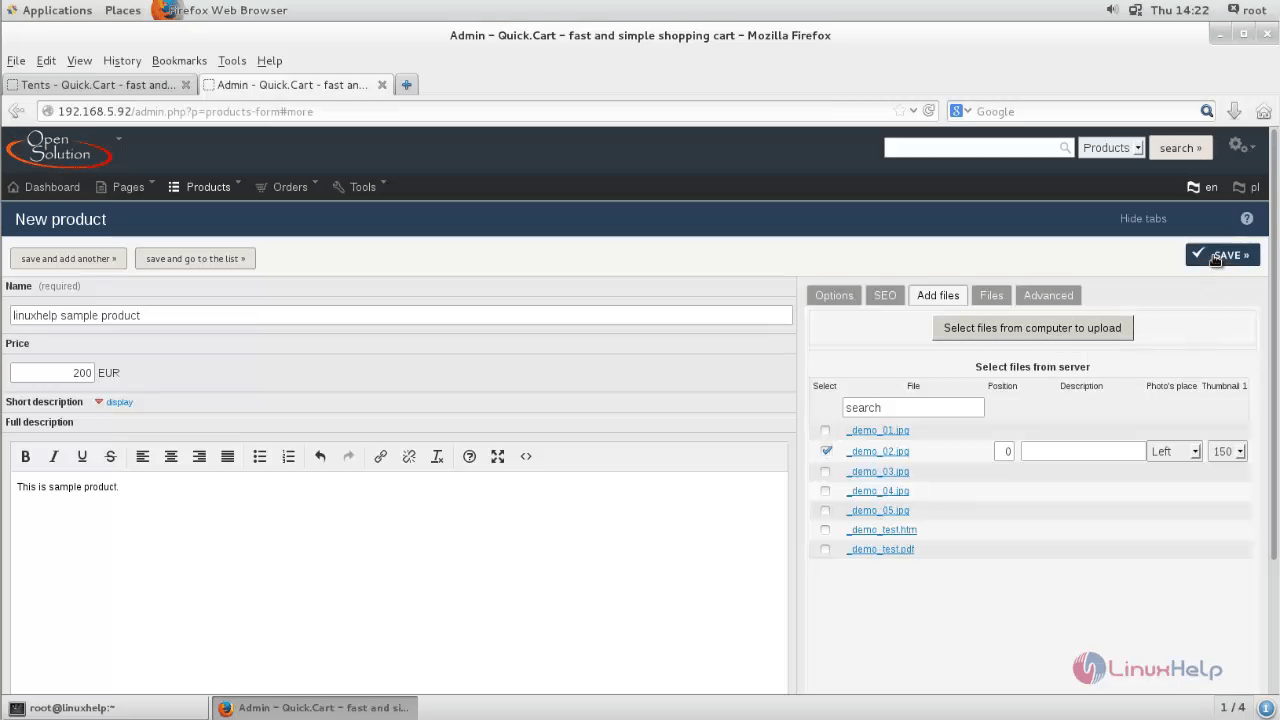
Type your product name, description, availability, category, and then choose add files to add the picture for your product.
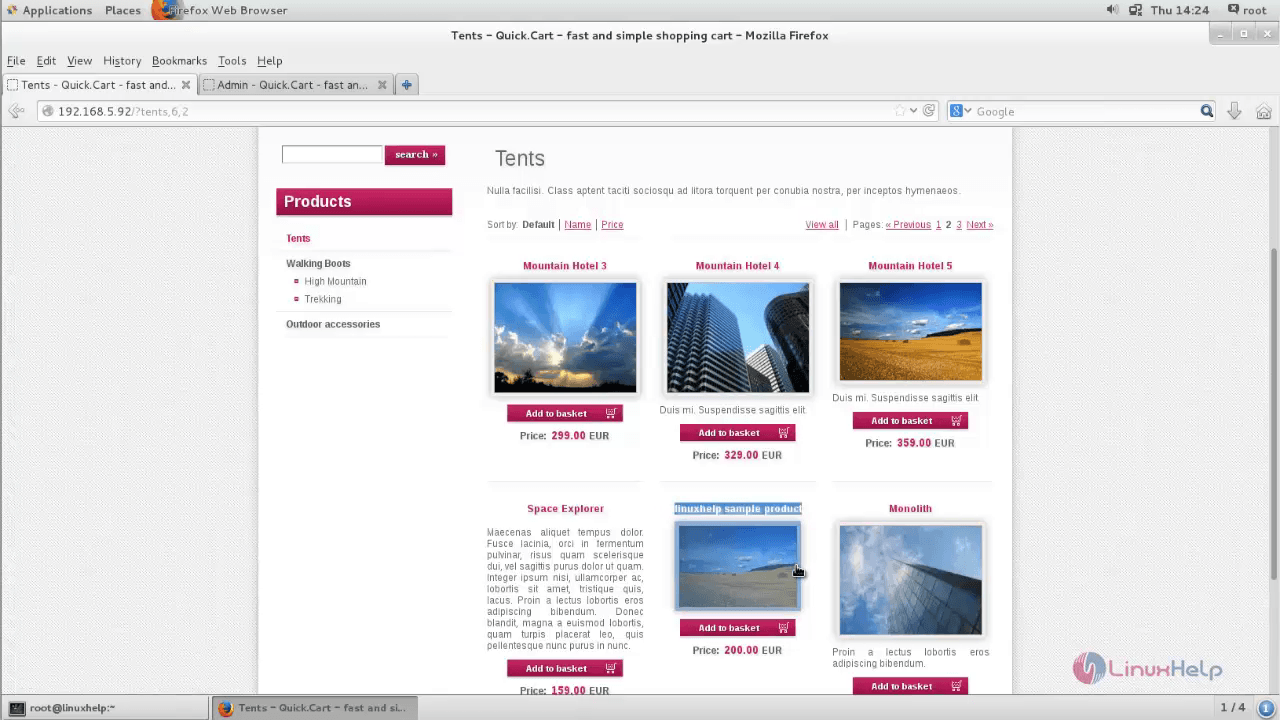
Visit the Quick cart site page and click reload.
Comments ( 0 )
No comments available