How to install QuiteRSS in Ubuntu
To install QuiteRSS in Ubuntu
QuiteRSS is an open-source RSS reader, programmed in Qt and C++. The main features of QuiteRSS includes setting mouse buttons to open news, it automatically updates the news in descending order. In this article we will explain how to install QuiteRSS in Ubuntu.
To install QuiteRSS
Start adding the necessary repository for the installation of QuiteRSS by simply running the following command.
root@linuxhelp:~# add-apt-repository ppa:quiterss/quiterss
More info: https://launchpad.net/~quiterss/+archive/ubuntu/quiterss
Press [ENTER] to continue or ctrl-c to cancel adding it

gpg: keyring `/tmp/tmp8lr0sm4d/secring.gpg'  created
gpg: keyring `/tmp/tmp8lr0sm4d/pubring.gpg'  created
gpg: requesting key 4CF47E69 from hkp server keyserver.ubuntu.com
gpg: /tmp/tmp8lr0sm4d/trustdb.gpg: trustdb created
gpg: key 4CF47E69: public key " Launchpad PPA for QuiteRSS"  imported
gpg: Total number processed: 1
gpg:               imported: 1  (RSA: 1)
OK
After adding the repos do not forget to update your repository.
root@linuxhelp:~# apt-get update
Get:1 http://ppa.launchpad.net/quiterss/quiterss/ubuntu xenial InRelease [17.5 kB]
Get:2 http://security.ubuntu.com/ubuntu xenial-security InRelease [94.5 kB]
Hit:3 http://in.archive.ubuntu.com/ubuntu xenial InRelease
Get:4 http://in.archive.ubuntu.com/ubuntu xenial-updates InRelease [95.7 kB]
Get:5 http://ppa.launchpad.net/quiterss/quiterss/ubuntu xenial/main amd64 Packages [560 B]
Get:6 http://security.ubuntu.com/ubuntu xenial-security/main amd64 Packages [134 kB]
.
.
.
Get:24 http://in.archive.ubuntu.com/ubuntu xenial-updates/universe i386 Packages [316 kB]
Get:25 http://in.archive.ubuntu.com/ubuntu xenial-updates/universe Translation-en [109 kB]
Get:26 http://in.archive.ubuntu.com/ubuntu xenial-updates/universe amd64 DEP-11 Metadata [88.6 kB]
Get:27 http://in.archive.ubuntu.com/ubuntu xenial-updates/universe DEP-11 64x64 Icons [89.9 kB]
Fetched 2,908 kB in 10s (280 kB/s)
Reading package lists... Done
Once the update is successfully done, start installing QuiteRSS package.
root@linuxhelp:~# apt-get install quiterss -y
Reading package lists... Done
Building dependency tree
Reading state information... Done
The following additional packages will be installed:
libphonon4 libqt4-opengl libqtwebkit4 phonon phonon-backend-gstreamer phonon-backend-gstreamer-common
Suggested packages:
phonon-backend-mplayer phonon-backend-vlc gstreamer1.0-plugins-ugly phonon4qt5-backend-gstreamer
The following NEW packages will be installed:
libphonon4 libqt4-opengl libqtwebkit4 phonon phonon-backend-gstreamer phonon-backend-gstreamer-common quiterss
0 upgraded, 7 newly installed, 0 to remove and 360 not upgraded.
Need to get 10.9 MB of archives.
After this operation, 44.6 MB of additional disk space will be used.
Get:1 http://in.archive.ubuntu.com/ubuntu xenial/universe amd64 libphonon4 amd64 4:4.8.3-0ubuntu3 [151 kB]
Get:2 http://ppa.launchpad.net/quiterss/quiterss/ubuntu xenial/main amd64 quiterss amd64 0.18.4-0ubuntu1~wily [1,267 kB]
.
.
.
Processing triggers for gnome-menus (3.13.3-6ubuntu3) ...
Processing triggers for desktop-file-utils (0.22-1ubuntu5) ...
Processing triggers for bamfdaemon (0.5.3~bzr0+16.04.20160415-0ubuntu1) ...
Rebuilding /usr/share/applications/bamf-2.index...
Processing triggers for mime-support (3.59ubuntu1) ...
Setting up libphonon4:amd64 (4:4.8.3-0ubuntu3) ...
Setting up libqt4-opengl:amd64 (4:4.8.7+dfsg-5ubuntu2) ...
Setting up libqtwebkit4:amd64 (2.3.2-0ubuntu11) ...
Setting up phonon-backend-gstreamer-common:amd64 (4:4.8.2-0ubuntu2) ...
Setting up phonon-backend-gstreamer:amd64 (4:4.8.2-0ubuntu2) ...
Setting up phonon:amd64 (4:4.8.3-0ubuntu3) ...
Setting up quiterss (0.18.4-0ubuntu1~wily) ...
Processing triggers for libc-bin (2.23-0ubuntu3) ...
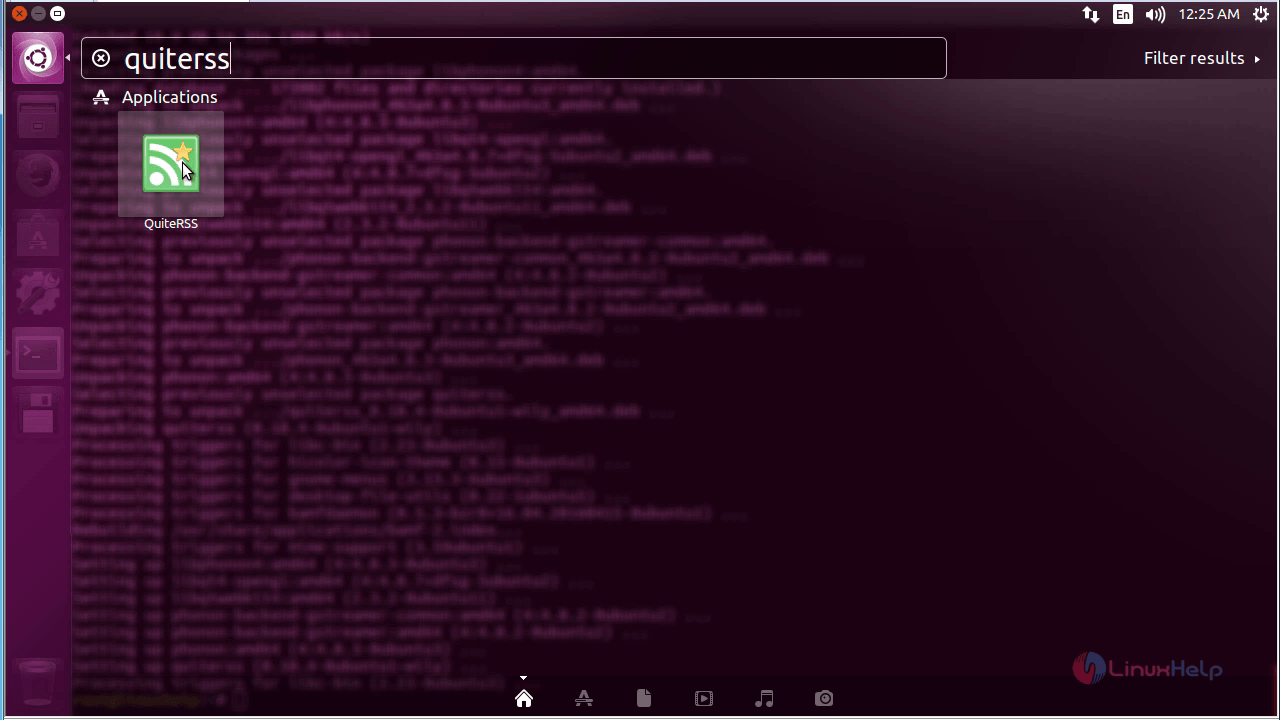
Then access QuiteRSS from the unity dashboard by a simple search interface.
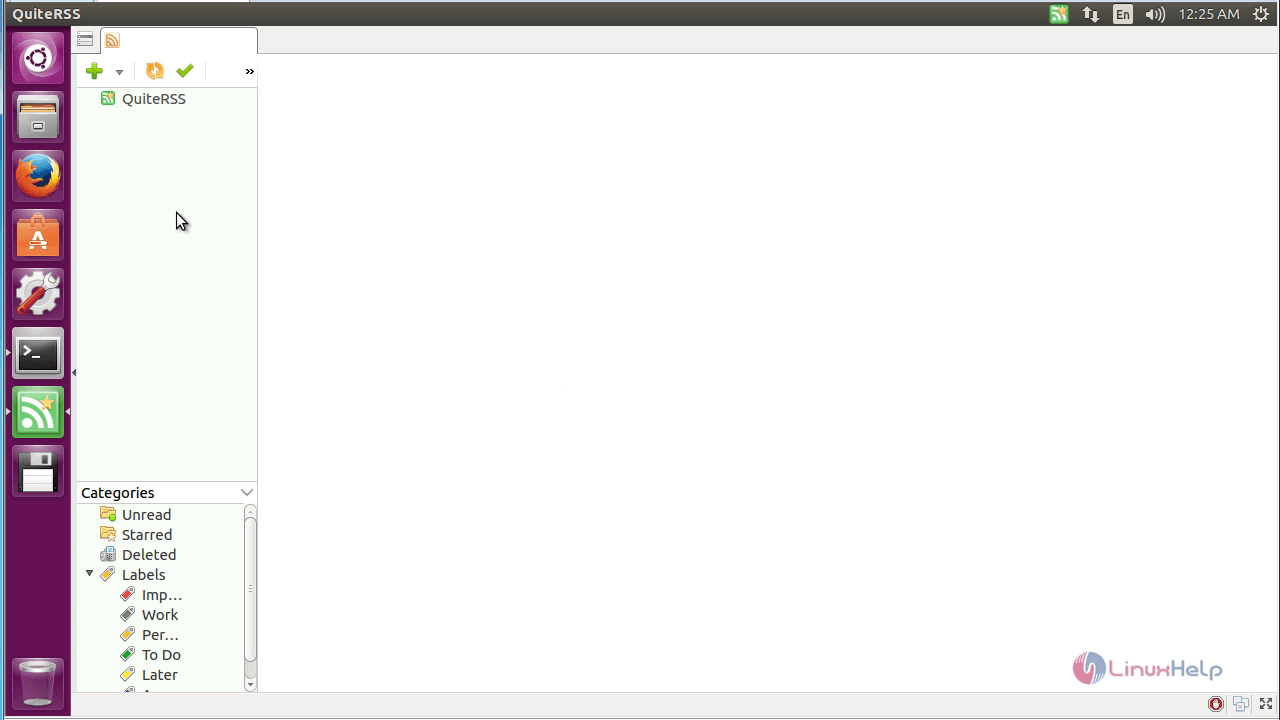
Now the QuiteRSS is ready for adding new feeds!
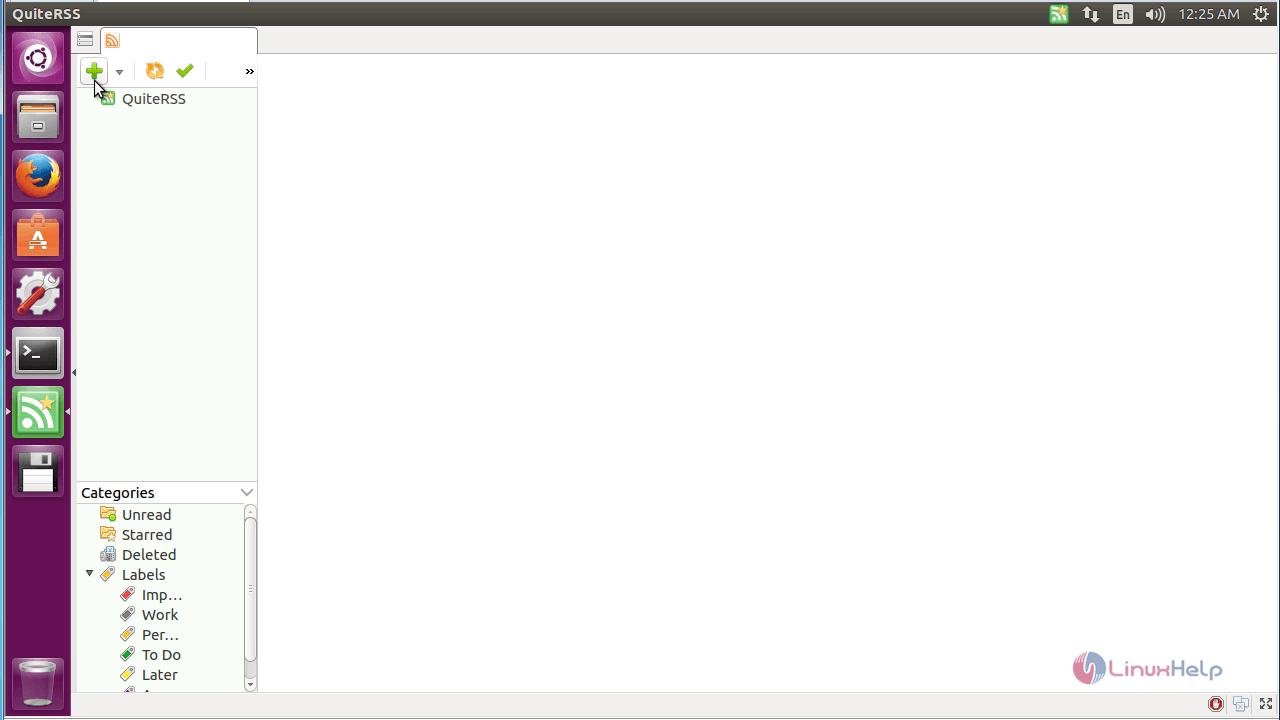
To add a new feed, hit on add icon (+) and type the URL in which your feeds are to be published.

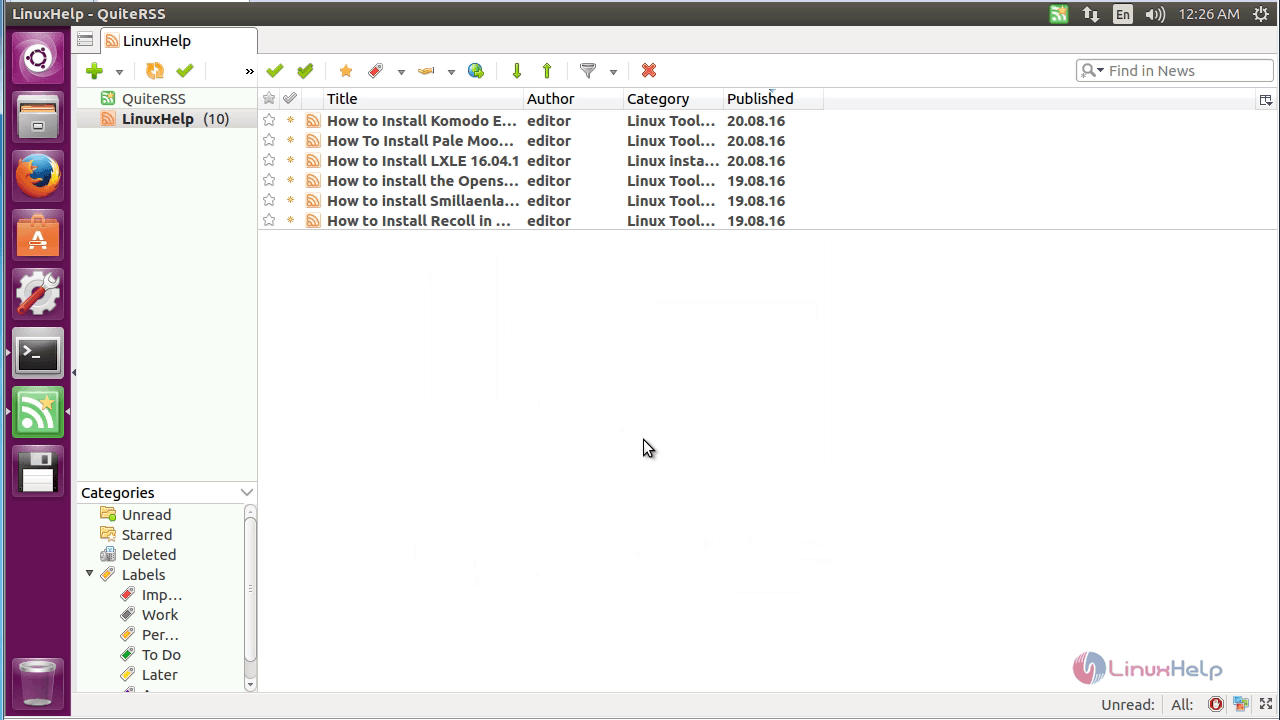
Upload your feeds and enjoy reading !

To remove QuiteRSS
To uninstall QuiteRSS application, use the following command.
root@linuxhelp:~# apt-get remove quiterss -y
Reading package lists... Done
Building dependency tree
Reading state information... Done
The following packages were automatically installed and are no longer required:
libphonon4 libqt4-opengl libqtwebkit4 phonon phonon-backend-gstreamer phonon-backend-gstreamer-common
Use ' sudo apt autoremove'  to remove them.
The following packages will be REMOVED:
quiterss
0 upgraded, 0 newly installed, 1 to remove and 360 not upgraded.
After this operation, 5,311 kB disk space will be freed.
(Reading database ... 174003 files and directories currently installed.)
Removing quiterss (0.18.4-0ubuntu1~wily) ...
Processing triggers for hicolor-icon-theme (0.15-0ubuntu1) ...
Processing triggers for gnome-menus (3.13.3-6ubuntu3) ...
Processing triggers for desktop-file-utils (0.22-1ubuntu5) ...
Processing triggers for bamfdaemon (0.5.3~bzr0+16.04.20160415-0ubuntu1) ...
Rebuilding /usr/share/applications/bamf-2.index...
Processing triggers for mime-support (3.59ubuntu1) ...
Comments ( 0 )
No comments available