How to install QuiteRSS on ParrotOS 3.9
To install QuiteRSS on ParrotOS 3.9
QuiteRSS is an open-source and cross platform RSS reader, written on Qt and C++. It is very simple to use software, and its installation is as simple as its functionality. It is so simple to install QuiteRSS on ParrotOS 3.9 and this tutorial covers the ground on the same process.
Installing QuiteRSS
Before installation, make sure that you add the necessary repo in your sources.list configuration file. Use the following command to open the sources.list file.
┌─[root@linuxhelp]─[~]
└──╼ #vim /etc/apt/sources.list
And in that file, add the following lines in it.
deb http://deb.debian.org/debian/ stable main contrib non-free
deb-src http://deb.debian.org/debian/ stable main contrib non-free
Once the repo added, update the apt sources.list file as follows.
┌─[root@linuxhelp]─[~]
└──╼ #apt-get update
Ign:1 http://deb.debian.org/debian stable InRelease
Get:2 http://deb.parrotsec.org/parrot stable InRelease [14.6 kB]
Get:3 http://deb.parrotsec.org/parrot stable/main amd64 Packages [16.2 MB]
Get:4 http://deb.debian.org/debian stable Release [118 kB]
Get:5 http://deb.debian.org/debian stable Release.gpg [2,434 B]
Get:6 http://deb.debian.org/debian stable/non-free Sources [79.7 kB]
Get:7 http://deb.debian.org/debian stable/contrib Sources [44.7 kB]
Get:8 http://deb.debian.org/debian stable/main Sources [6,756 kB]
Get:9 http://deb.debian.org/debian stable/main amd64 Packages [7,123 kB]
Get:10 http://deb.debian.org/debian stable/main Translation-en [5,393 kB]
Get:11 http://deb.debian.org/debian stable/contrib amd64 Packages [50.9 kB]
Get:12 http://deb.debian.org/debian stable/contrib Translation-en [45.9 kB]
Get:13 http://deb.debian.org/debian stable/non-free amd64 Packages [78.0 kB]
Get:14 http://deb.debian.org/debian stable/non-free Translation-en [79.2 kB]
Get:15 http://deb.parrotsec.org/parrot stable/contrib amd64 Packages [132 kB]
Get:16 http://deb.parrotsec.org/parrot stable/non-free amd64 Packages [186 kB]
Fetched 36.3 MB in 4min 34s (132 kB/s)
Reading package lists... Done
Now is the time to install the package. Run the following command which triggers the installation process.
┌─[root@linuxhelp]─[~]
└──╼ #apt-get install quiterss
Reading package lists... Done
Building dependency tree
Reading state information... Done
The following NEW packages will be installed:
  quiterss
0 upgraded, 1 newly installed, 0 to remove and 1247 not upgraded.
Need to get 1,220 kB of archives.
After this operation, 5,083 kB of additional disk space will be used.
Get:1 https://mirror.kku.ac.th/parrot stable/main amd64 quiterss amd64 0.18.8+dfsg-1 [1,220 kB]
Fetched 1,220 kB in 7s (158 kB/s)
Selecting previously unselected package quiterss.
(Reading database ... 428120 files and directories currently installed.)
Preparing to unpack .../quiterss_0.18.8+dfsg-1_amd64.deb ...
Unpacking quiterss (0.18.8+dfsg-1) ...
Processing triggers for mime-support (3.60) ...
Processing triggers for desktop-file-utils (0.23-2) ...
Setting up quiterss (0.18.8+dfsg-1) ...
Processing triggers for man-db (2.7.6.1-2) ...
Processing triggers for hicolor-icon-theme (0.17-1) ...
Configuring sandbox profiles....
Sandbox profiles updated!
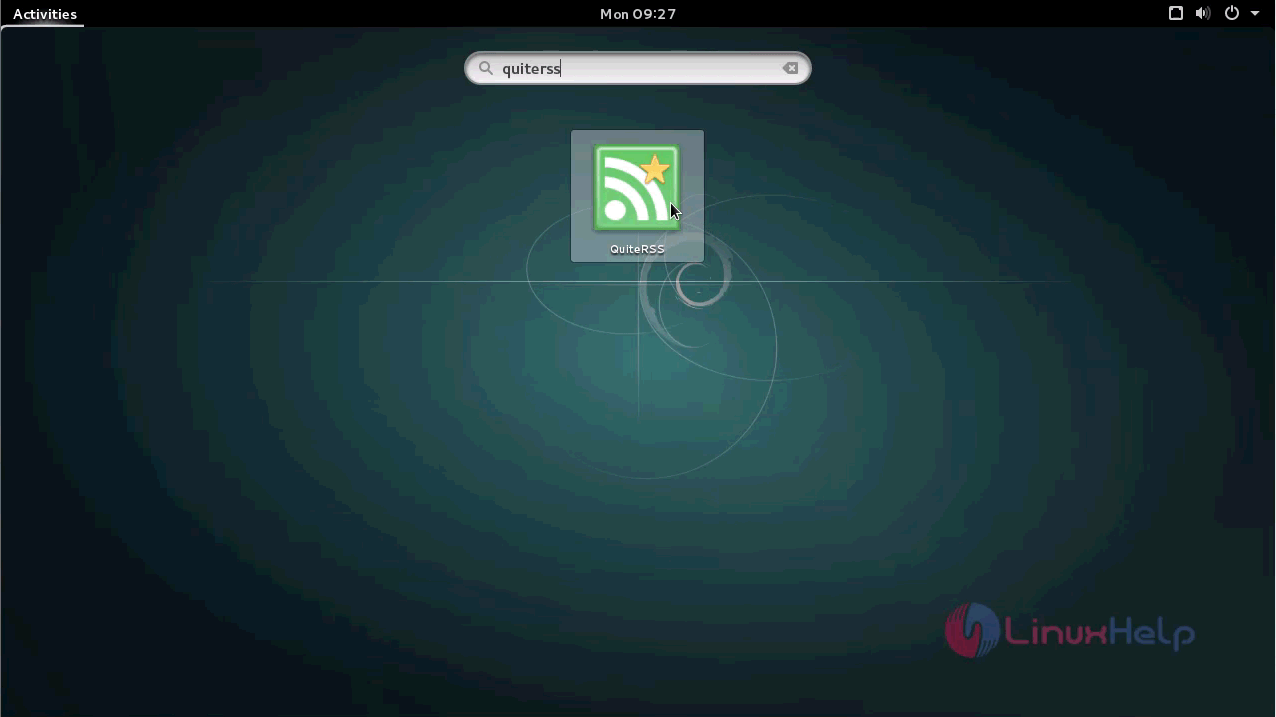
After the installation, you can lauch your newly installed QuiteRSS from your applciations. Just type QuiteRSS in search.
Your QuiteRSS application will now appear on your screen.
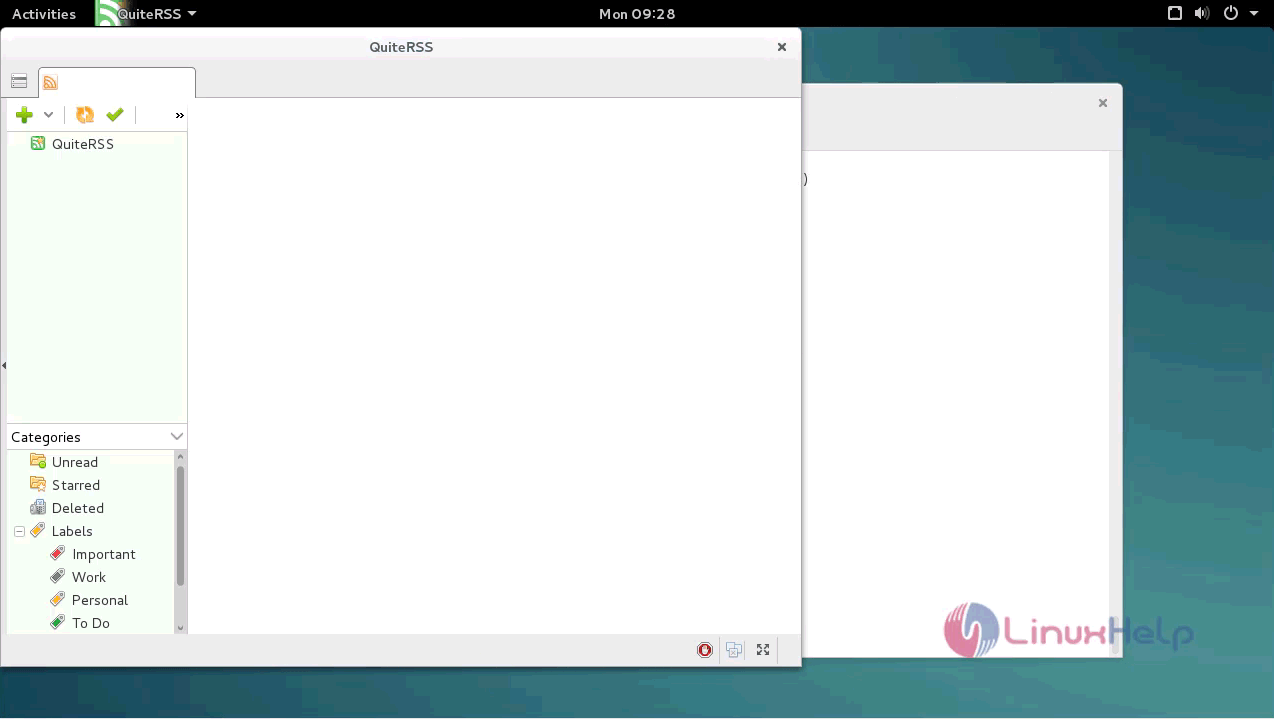
With this, the installation of QuiteRSS on ParrotOS 3.9 comes to an end.
Comments ( 0 )
No comments available