How To Install R (R Studio) on Ubuntu 18.04.
{{postValue.id}}
To Install R on Ubuntu 18.04.
R is a popular open source programming language, often use for graphical and statistical computing. It is supported by the R Foundation for Statistical Computing and mainly used by statisticians and data miners for developing statistical software and performing data analysis.
Installation.
Use the Following command to update the repository files.
root@linuxhelp:~# apt-get update
Hit:1 https://deb.nodesource.com/node_10.x bionic InRelease
Hit:2 http://in.archive.ubuntu.com/ubuntu bionic InRelease
Get:3 http://security.ubuntu.com/ubuntu bionic-security InRelease [83.2 kB]
Get:4 http://security.ubuntu.com/ubuntu bionic-security/main amd64 DEP-11 Metadata [204 B]
Get:5 http://in.archive.ubuntu.com/ubuntu bionic-updates InRelease [88.7 kB]
Get:6 http://in.archive.ubuntu.com/ubuntu bionic-backports InRelease [74.6 kB]
.
.
.
Get:21 http://in.archive.ubuntu.com/ubuntu bionic-updates/universe DEP-11 48x48 Icons [176 kB]
Get:22 http://in.archive.ubuntu.com/ubuntu bionic-updates/universe DEP-11 64x64 Icons [308 kB]
Get:23 http://in.archive.ubuntu.com/ubuntu bionic-updates/multiverse amd64 DEP-11 Metadata [2,464 B]
Get:24 http://in.archive.ubuntu.com/ubuntu bionic-backports/universe amd64 DEP-11 Metadata [5,100 B]
Fetched 3,745 kB in 9s (407 kB/s)
Reading package lists... Done
Add R repository from their official repository source
root@linuxhelp:~#add-apt-repository 'deb https://cloud.r-project.org/bin/linux/ubuntu bionic-cran35/'
Hit:1 http://in.archive.ubuntu.com/ubuntu bionic InRelease
Hit:2 http://in.archive.ubuntu.com/ubuntu bionic-updates InRelease
Hit:3 https://deb.nodesource.com/node_10.x bionic InRelease
Hit:4 http://security.ubuntu.com/ubuntu bionic-security InRelease
Hit:5 http://in.archive.ubuntu.com/ubuntu bionic-backports InRelease
Get:6 https://cloud.r-project.org/bin/linux/ubuntu bionic-cran35/ InRelease [3,609 B]
Err:6 https://cloud.r-project.org/bin/linux/ubuntu bionic-cran35/ InRelease
  The following signatures couldn't be verified because the public key is not available: NO_PUBKEY 51716619E084DAB9
Reading package lists... Done
W: GPG error: https://cloud.r-project.org/bin/linux/ubuntu bionic-cran35/ InRelease: The following signatures couldn't be verified because the public key is not available: NO_PUBKEY 51716619E084DAB9
E: The repository 'https://cloud.r-project.org/bin/linux/ubuntu bionic-cran35/ InRelease' is not signed.
N: Updating from such a repository can't be done securely, and is therefore disabled by default.
N: See apt-secure(8) manpage for repository creation and user configuration details.
You can use the following command to install the R packages.
root@linuxhelp:~# apt install r-base
Reading package lists... Done
Building dependency tree
Reading state information... Done
The following packages were automatically installed and are no longer required:
  libpython-stdlib python python-minimal python2.7 python2.7-minimal
.
.
.
Setting up dh-strip-nondeterminism (0.040-1.1~build1) ...
Setting up libharfbuzz-dev:amd64 (1.7.2-1ubuntu1) ...
Setting up debhelper (11.1.6ubuntu2) ...
Setting up libicu-le-hb-dev:amd64 (1.0.3+git161113-4) ...
Setting up dh-translations (138.18.04.0) ...
Setting up cdbs (0.4.156ubuntu4) ...
Setting up r-base-dev (3.4.4-1ubuntu1) ...
Processing triggers for libc-bin (2.27-3ubuntu1) ...
To verify the version of the R use the Following command
root@linuxhelp:~# R --version
R version 3.4.4 (2018-03-15) -- "Someone to Lean On"
Copyright (C) 2018 The R Foundation for Statistical Computing
Platform: x86_64-pc-linux-gnu (64-bit)
R is free software and comes with ABSOLUTELY NO WARRANTY.
You are welcome to redistribute it under the terms of the
GNU General Public License versions 2 or 3.
For more information about these matters see
http://www.gnu.org/licenses/.
Here you can see the version of the R language
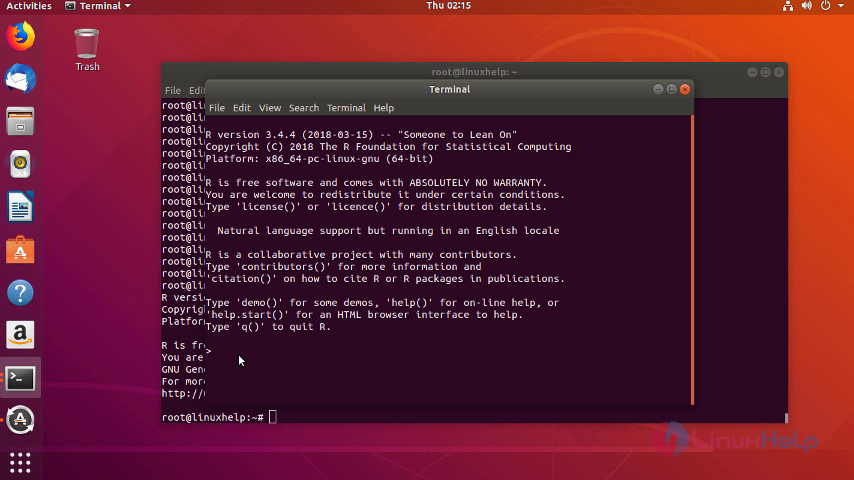
Here you can see the R language on applications list
 With this The method to install R on ubuntu 18.04 comes to an end.
Comments ( 0 )
No comments available