How To Install R Studio On Linux Mint 20.2
To Install R Studio On Linux Mint 20.2
Introduction:
RStudio is an Integrated Development Environment for R, a programming language for statistical computing and graphics. It is available in two formats: RStudio Desktop is a regular desktop application while RStudio Server runs on a remote server and allows accessing RStudio using a web browser.
Installation procedure :
Step 1 : Check the OS Version by using the following command
root@linuxhelp:~# lsb_release –a

No LSB modules are available.
Distributor ID:	Linuxmint
Description:	Linux Mint 20.2
Release:	20.2
Codename:	uma
Step 2 : Update the repositories by using the following command
root@linuxhelp:~# apt update

Hit:1 http://archive.ubuntu.com/ubuntu focal InRelease
Hit:2 http://security.ubuntu.com/ubuntu focal-security InRelease
Hit:3 http://archive.canonical.com/ubuntu focal InRelease
Ign:4 http://packages.linuxmint.com uma InRelease
Hit:5 http://archive.ubuntu.com/ubuntu focal-updates InRelease
Hit:6 http://archive.ubuntu.com/ubuntu focal-backports InRelease
Hit:7 http://packages.linuxmint.com uma Release
Reading package lists... Done
Building dependency tree
Reading state information... Done
All packages are up to date.
Step 3 : Install the r-base by using the following command
root@linuxhelp:~# apt install r-base

Reading package lists... Done
Building dependency tree
Reading state information... Done
The following additional packages will be installed:
  build-essential bzip2-doc g++ g++-9 gfortran gfortran-9 icu-devtools libblas-dev libblas3 libbz2-dev libc-dev-bin libc6-dev
  libcrypt-dev libgfortran-9-dev libgfortran5 libicu-dev libjpeg-dev libjpeg-turbo8-dev libjpeg8-dev liblapack-dev liblapack3
  liblzma-dev libncurses-dev libncurses5-dev libpcre16-3 libpcre2-dev libpcre2-posix2 libpcre3-dev libpcre32-3 libpcrecpp0v5
Unpacking r-cran-boot (1.3-24-2) ...
Selecting previously unselected package r-cran-cluster.
Preparing to unpack .../38-r-cran-cluster_2.1.0-2_amd64.deb ...
Unpacking r-cran-cluster (2.1.0-2) ...
Processing triggers for gnome-menus (3.36.0-1ubuntu1) ...
Processing triggers for libc-bin (2.31-0ubuntu9.2) ...
Processing triggers for man-db (2.9.1-1) ...
Processing triggers for install-info (6.7.0.dfsg.2-5) ...
Step 4 : Install the gdebi-core installer by using the following command
root@linuxhelp:~# apt install gdebi-core
Reading package lists... Done
Building dependency tree
Reading state information... Done
gdebi-core is already the newest version (0.9.5.7xmint10).
0 upgraded, 0 newly installed, 0 to remove and 0 not upgraded.
Step 5 : download the r-studio server by using the wget command.
root@linuxhelp:~# wget https://download2.rstudio.org/server/bionic/amd64/rstudio-server-2021.09.0-351-amd64.deb
--2022-01-04 05:13:36--  https://download2.rstudio.org/server/bionic/amd64/rstudio-server-2021.09.0-351-amd64.deb
Resolving download2.rstudio.org (download2.rstudio.org)... 13.33.179.45, 13.33.179.6, 13.33.179.18, ...
Connecting to download2.rstudio.org (download2.rstudio.org)|13.33.179.45|:443... connected.
HTTP request sent, awaiting response... 200 OK
Length: 50916586 (49M) [application/x-debian-package]
Saving to: ‘rstudio-server-2021.09.0-351-amd64.deb’

rstudio-server-2021.09.0-351-amd 100%[=========================================================>]  48.56M  11.2MB/s    in 5.5s

2022-01-04 05:13:43 (8.81 MB/s) - ‘rstudio-server-2021.09.0-351-amd64.deb’ saved [50916586/50916586]
Step 6 : Install the gdebi rstudio server by using the following command
root@linuxhelp:~# gdebi rstudio-server-2021.09.0-351-amd64.deb
Reading package lists... Done
Building dependency tree
Reading state information... Done

RStudio Server
Created symlink /etc/systemd/system/multi-user.target.wants/rstudio-server.service → /lib/systemd/system/rstudio-server.service.
● rstudio-server.service - RStudio Server
     Loaded: loaded (/lib/systemd/system/rstudio-server.service; enabled; vendor preset: enabled)
     Active: active (running) since Tue 2022-01-04 05:15:34 IST; 1s ago
    Process: 54491 ExecStart=/usr/lib/rstudio-server/bin/rserver (code=exited, status=0/SUCCESS)
   Main PID: 54492 (rserver)
      Tasks: 3 (limit: 5291)
     Memory: 22.7M
     CGroup: /system.slice/rstudio-server.service
             ├─54492 /usr/lib/rstudio-server/bin/rserver
             ├─54514 /bin/sh -c /usr/bin/R --vanilla -s -e 'cat(R.Version()$major,R.Version()$minor, sep=".")'
             └─54515 /usr/lib/R/bin/exec/R --vanilla -s -e cat(R.Version()$major,R.Version()$minor,~+~sep=".")

Jan 04 05:15:34 linuxhelp systemd[1]: Starting RStudio Server...
Jan 04 05:15:34 linuxhelp systemd[1]: Started RStudio Server.
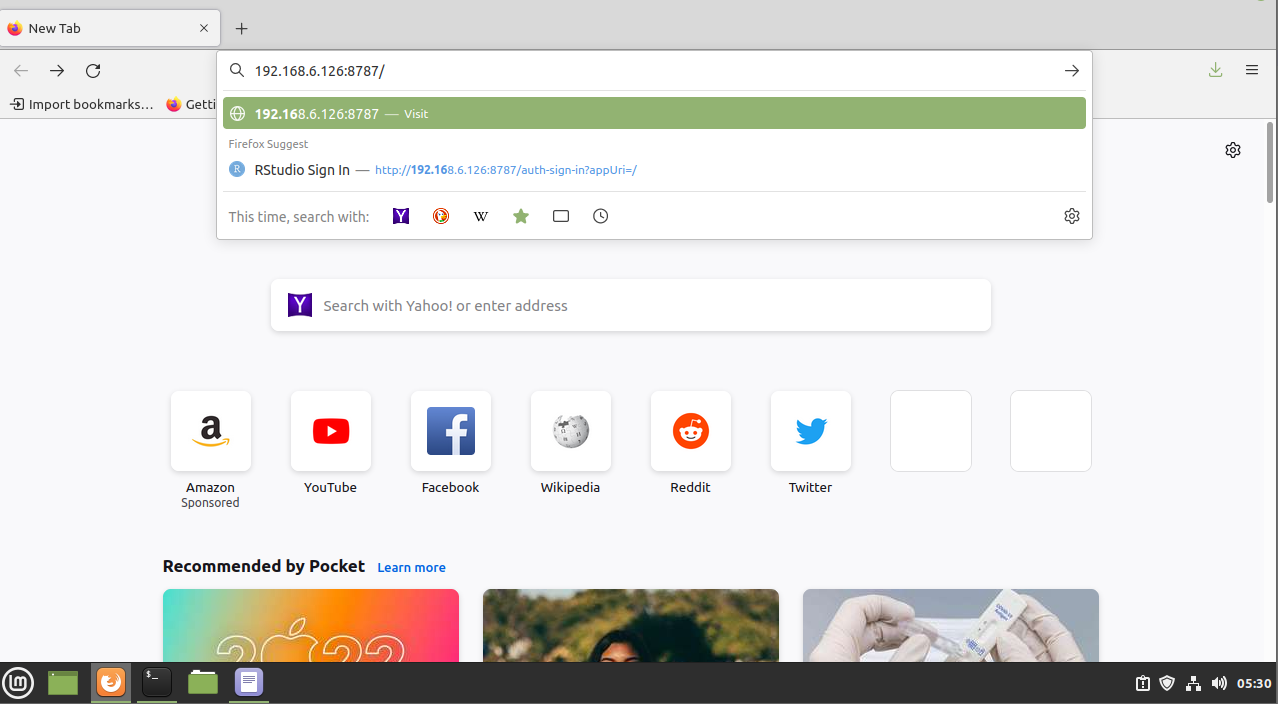
Step 7 : Next give the owner host IP address as shown in the below picture
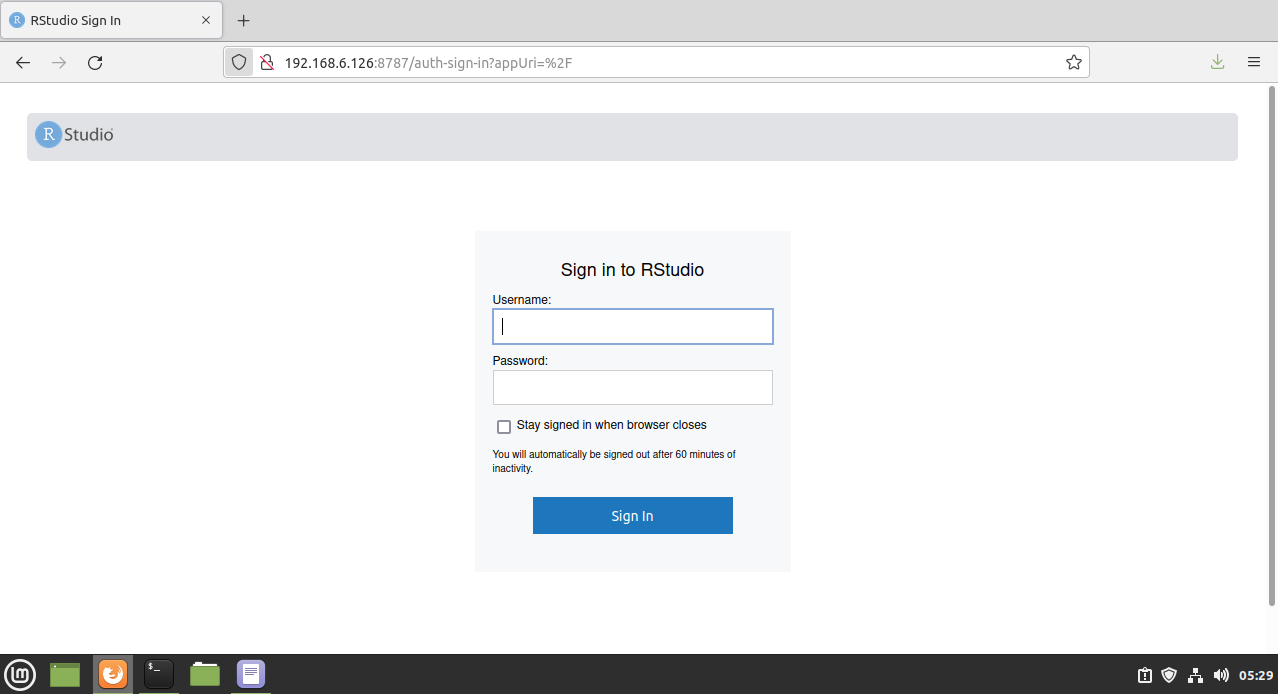
Step 8 : And this is the login page of R studio.
With this the process of installing the R studio on Linux mint 20.2 has come to an end…!!
Comments ( 0 )
No comments available