How to Install RAR on opensuse15.1
{{postValue.id}}
Installation Of RAR on opensuse15.1
Process
Change directory to download rar tool in specific location
LinuxHelp:~ # cd /mnt
Use the Below command to download the rar tool
LinuxHelp:/mnt # wget https://www.rarlab.com/rar/rarlinux-x64-5.7.1.tar.gz
--2019-10-22 04:58:04--  https://www.rarlab.com/rar/rarlinux-x64-5.7.1.tar.gz
Resolving www.rarlab.com (www.rarlab.com)... 5.135.104.98
Connecting to www.rarlab.com (www.rarlab.com)|5.135.104.98|:443... connected.
HTTP request sent, awaiting response... 200 OK
Length: 546592 (534K) [application/x-gzip]
Saving to: ‘rarlinux-x64-5.7.1.tar.gz’
rarlinux-x64-5.7.1.tar.gz   100%[========================================>] 533.78K   586KB/s    in 0.9s
2019-10-22 04:58:05 (586 KB/s) - ‘rarlinux-x64-5.7.1.tar.gz’ saved [546592/546592]
Extract the downloaded file using below command
LinuxHelp:/mnt # tar -zxvf rarlinux-x64-5.7.1.tar.gz
rar/
rar/order.htm
rar/acknow.txt
rar/readme.txt
rar/default.sfx
rar/license.txt
…
….
Long list the current directory to check the extracted file
LinuxHelp:/mnt # ll
total 536
drwxr-xr-x 1 user 1000    196 Apr 28 01:36 rar
-rw-r--r-- 1 root root 546592 Apr 28 01:36 rarlinux-x64-5.7.1.tar.gz
Change directory to extracted file
LinuxHelp:/mnt # cd rar
LinuxHelp:/mnt/rar # ll
total 1196
-rw-r--r-- 1 user 1000   4188 Apr 28 01:36 acknow.txt
-rwxr-xr-x 1 user 1000 183232 Apr 28 01:36 default.sfx
-rw-r--r-- 1 user 1000   6753 Apr 28 01:36 license.txt
-rw-r--r-- 1 user 1000    428 Apr 28 01:36 makefile
-rw-r--r-- 1 user 1000   3107 Apr 28 01:36 order.htm
-rwxr-xr-x 1 user 1000 558000 Apr 28 01:36 rar
-rw-r--r-- 1 user 1000 102520 Apr 28 01:36 rar.txt
-rw-r--r-- 1 user 1000   1177 Apr 28 01:36 rarfiles.lst
-rw-r--r-- 1 user 1000    692 Apr 28 01:36 readme.txt
-rwxr-xr-x 1 user 1000 311416 Apr 28 01:36 unrar
-rw-r--r-- 1 user 1000  23258 Apr 28 01:36 whatsnew.txt
Use the following command to set environment variable for Rar and unrar
LinuxHelp:/mnt/rar # cp -v rar unrar /usr/local/bin
'rar' -> '/usr/local/bin/rar'
'unrar' -> '/usr/local/bin/unrar'
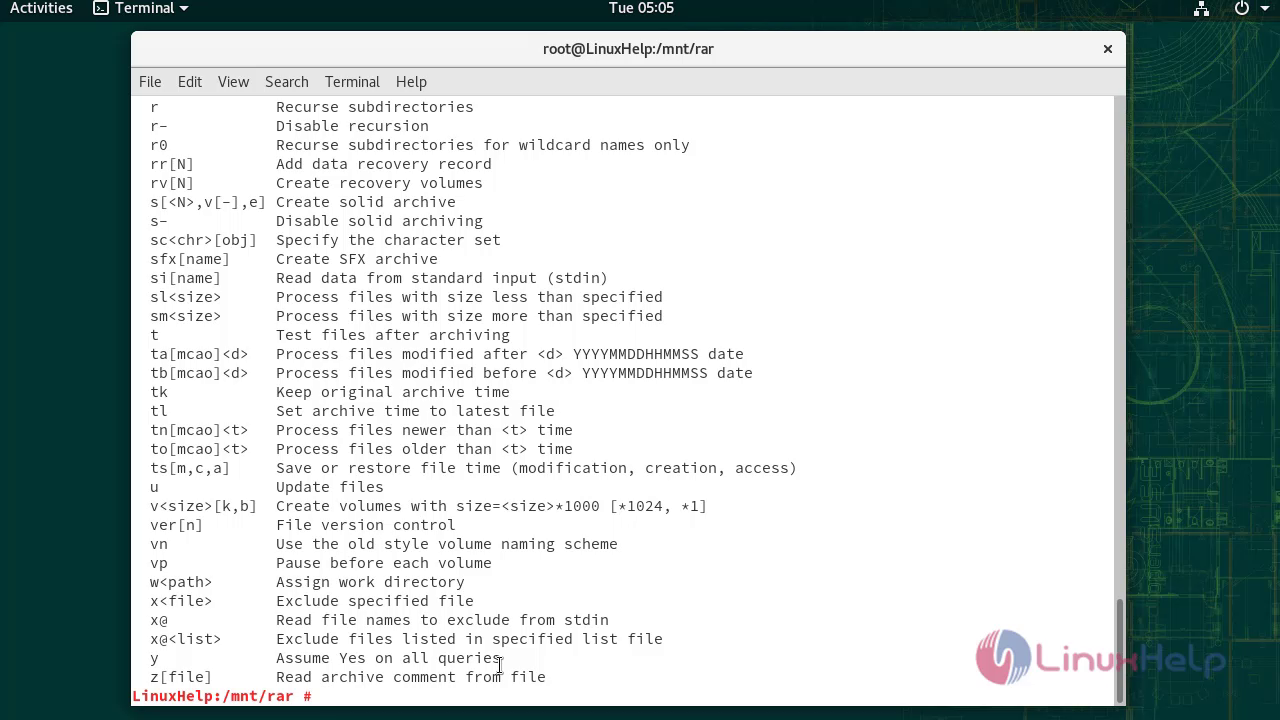
Check the rar command
LinuxHelp:/mnt/rar # rar
RAR 5.71   Copyright (c) 1993-2019 Alexander Roshal   28 Apr 2019
Trial version             Type 'rar -?' for help
Usage:     rar <command> -<switch 1> -<switch N> <archive> <files...>
               <@listfiles...> <path_to_extract\>
<Commands>
  a             Add files to archive
  c             Add archive comment
  ch            Change archive parameters
  cw            Write archive comment to file
  d             Delete files from archive
  e             Extract files without archived paths
  f             Freshen files in archive
  i[par]=<str>  Find string in archives
  k             Lock archive
  l[t[a],b]     List archive contents [technical[all], bare]

…..
…..
  w<path>       Assign work directory
  x<file>       Exclude specified file
  x@            Read file names to exclude from stdin
  x@<list>      Exclude files listed in specified list file
  y             Assume Yes on all queries
  z[file]       Read archive comment from file
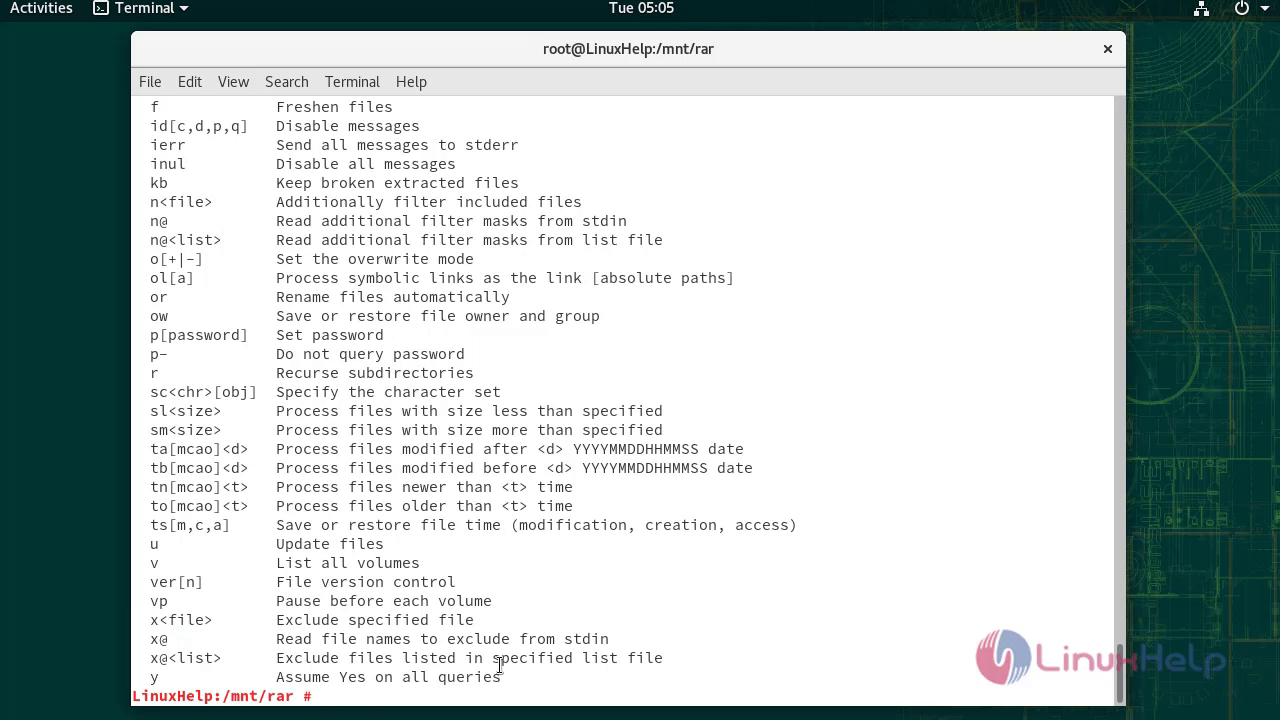
Check the unrar command
LinuxHelp:/mnt/rar # unrar
UNRAR 5.71 freeware      Copyright (c) 1993-2019 Alexander Roshal
Usage:     unrar <command> -<switch 1> -<switch N> <archive> <files...>
               <@listfiles...> <path_to_extract\>
<Commands>
  e             Extract files without archived paths
  l[t[a],b]     List archive contents [technical[all], bare]
  p             Print file to stdout
  t             Test archive files
  v[t[a],b]     Verbosely list archive contents [technical[all],bare]
  x             Extract files with full path

…
….
  x@            Read file names to exclude from stdin
  x@<list>      Exclude files listed in specified list file
  y             Assume Yes on all queries
With this,Installation of RAR On OpenSuse 15.1 Comes to end.
Comments ( 0 )
No comments available