• Categories
    Category
    {{ postCtrl.tags }}
    • {{ category.tag_type }}

      • {{tag.tag_name}}
      • View more
  • Categories
    Category
    {{ postCtrl.tags }}
    • {{ category.tag_type }}

      • {{tag.tag_name}}
      • View more
  • News
  • Tutorials
  • Forums
  • Tags
  • Users
Tutorial News Comments FAQ Related Articles

How to install Razor-qt Desktop Environment in Ubuntu

{{postValue.id}}

To install Razor-qt Desktop Environment in Ubuntu

Razor-qt desktop is a light weight desktop environment that is simple and very easy to use. It does not depend on high hardware configuration which can run on a minimal hardware configuration. Installation of Razor-qt Desktop Environment is explained in this manual.

To install Razor-qt

Run the following command to add the repositories.

root@linuxhelp:~# add-apt-repository ppa:razor-qt 
  Razor is a toolbox-like desktop-environment. While trying to feature  everything a modern desktop has to offer (panel, session, desktop).   it lets the user choose what to use.  
 More info: https://launchpad.net/~razor-qt/+archive/ubuntu/ppa
Press [ENTER] to continue or ctrl-c to cancel adding it

gpg: keyring `/tmp/tmpi9xndl6i/secring.gpg'  created
gpg: keyring `/tmp/tmpi9xndl6i/pubring.gpg'  created
gpg: requesting key 11687D67 from hkp server keyserver.ubuntu.com
gpg: /tmp/tmpi9xndl6i/trustdb.gpg: trustdb created
gpg: key 11687D67: public key " Launchpad PPA for Razor-qt DE"  imported
gpg: Total number processed: 1
gpg:               imported: 1  (RSA: 1)
OK


Next update the system software repositories by running the following command.

root@linuxhelp:~# apt-get update 
Get:1 http://security.ubuntu.com wily-security InRelease [65.9 kB]
Hit http://in.archive.ubuntu.com wily InRelease                                
Ign http://ppa.launchpad.net wily InRelease                                                              
Ign http://ppa.launchpad.net wily Release.gpg                                                            
Ign http://ppa.launchpad.net wily Release                                        
Get:2 http://in.archive.ubuntu.com wily-updates InRelease [65.9 kB]
Get:3 http://security.ubuntu.com wily-security/main Sources [55.3 kB]           
Get:4 http://security.ubuntu.com wily-security/restricted Sources [2,854 B]                           
Get:5 http://security.ubuntu.com wily-security/universe Sources [14.3 kB]                              
Get:6 http://security.ubuntu.com wily-security/multiverse Sources [2,784 B]               
Get:7 http://security.ubuntu.com wily-security/main amd64 Packages [180 kB]                
Hit http://in.archive.ubuntu.com wily-backports InRelease                                                 
Hit http://in.archive.ubuntu.com wily/main Sources
.
.
.
Hit http://in.archive.ubuntu.com wily-backports/main i386 Packages                                                                                                         
Hit http://in.archive.ubuntu.com wily-backports/restricted i386 Packages                                                                                                   
Hit http://in.archive.ubuntu.com wily-backports/universe i386 Packages                                                                                                     
Hit http://in.archive.ubuntu.com wily-backports/multiverse i386 Packages                                                                                                   
Hit http://in.archive.ubuntu.com wily-backports/main Translation-en                                                                                                        
Hit http://in.archive.ubuntu.com wily-backports/multiverse Translation-en                                                                                                  
Hit http://in.archive.ubuntu.com wily-backports/restricted Translation-en                                                                                                  
Hit http://in.archive.ubuntu.com wily-backports/universe Translation-en                                                                                                    
Fetched 1,884 kB in 45s (41.2 kB/s)

Install razor-qt with the help of apt-get command.

root@linuxhelp:~# apt-get install razorqt -y 
Reading package lists... Done
Building dependency tree       
Reading state information... Done
The following extra packages will be installed:
  giblib1 libgif4 libid3tag0 libimlib2 libobrender32 libobt2 libpolkit-qt-1-1 libqtxdg0 librazorqt0 libstatgrab9 menu menu-xdg obconf openbox qt4-qtconfig
  razorqt-appswitcher razorqt-autosuspend razorqt-config razorqt-confupdate razorqt-data razorqt-desktop razorqt-globalkeyshortcuts razorqt-notificationd
  razorqt-openssh-askpass razorqt-panel razorqt-policykit-agent razorqt-power razorqt-runner razorqt-session scrot
.
.
.
Setting up razorqt-panel (0.5.2-4) ...
Setting up libpolkit-qt-1-1 (0.112.0-0ubuntu4) ...
Setting up razorqt-policykit-agent (0.5.2-4) ...
Setting up razorqt-power (0.5.2-4) ...
Setting up razorqt-runner (0.5.2-4) ...
Setting up razorqt-session (0.5.2-4) ...
Setting up razorqt (0.5.2-4) ...
Setting up scrot (0.8-16) ...
Processing triggers for libc-bin (2.21-0ubuntu4) ...
Processing triggers for menu (2.1.47ubuntu1) ...

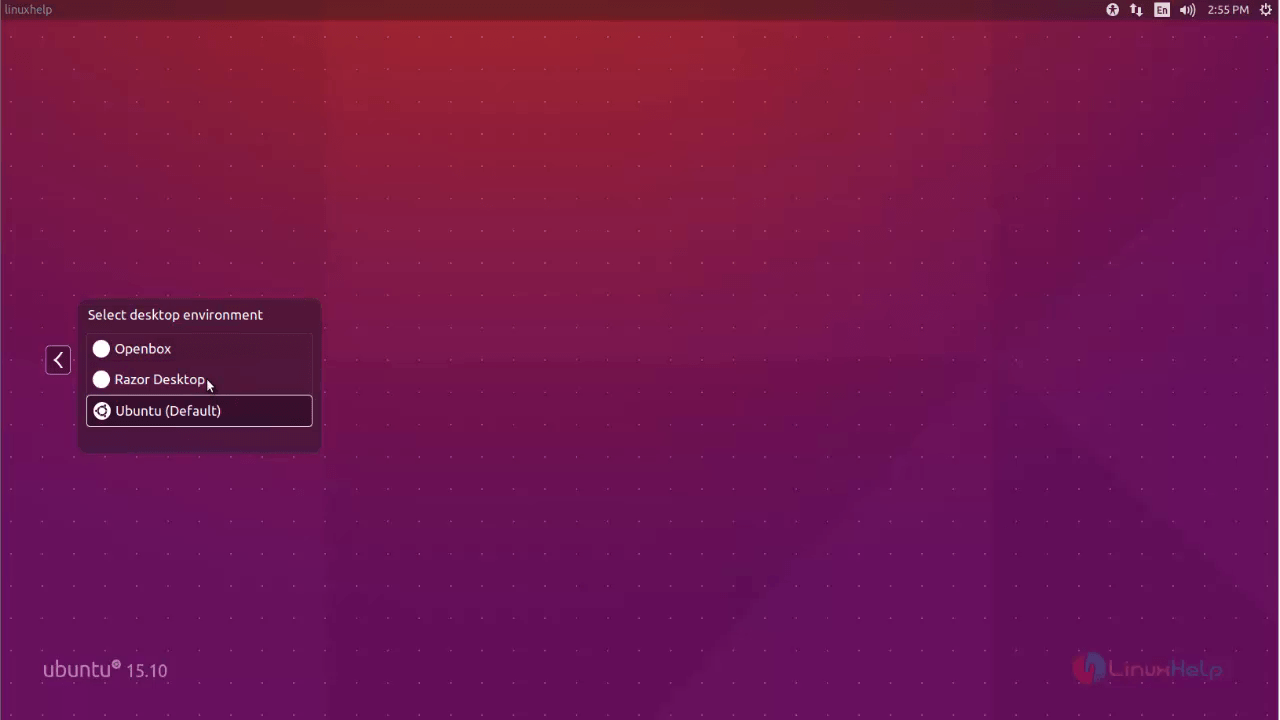
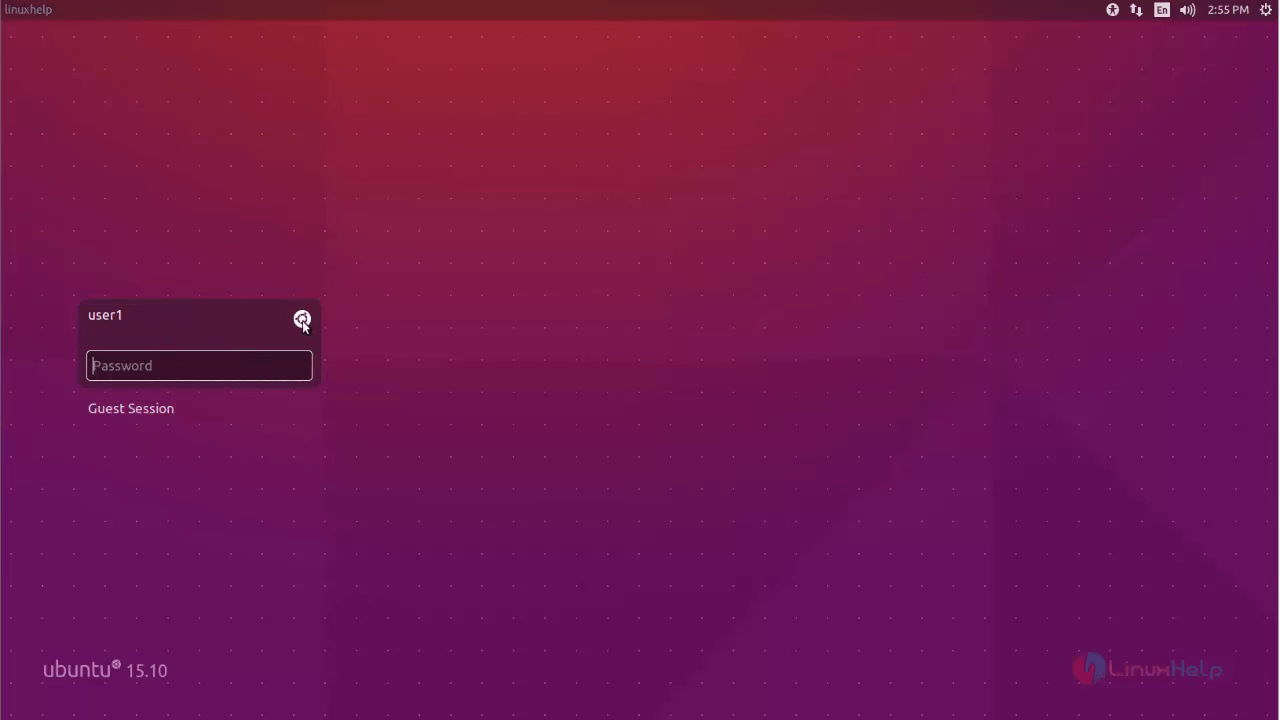
Once the installation of the Razor-qt desktop is successfully completed. Logout from your desktop environment and choose your desired desktop environment.
1
2
3

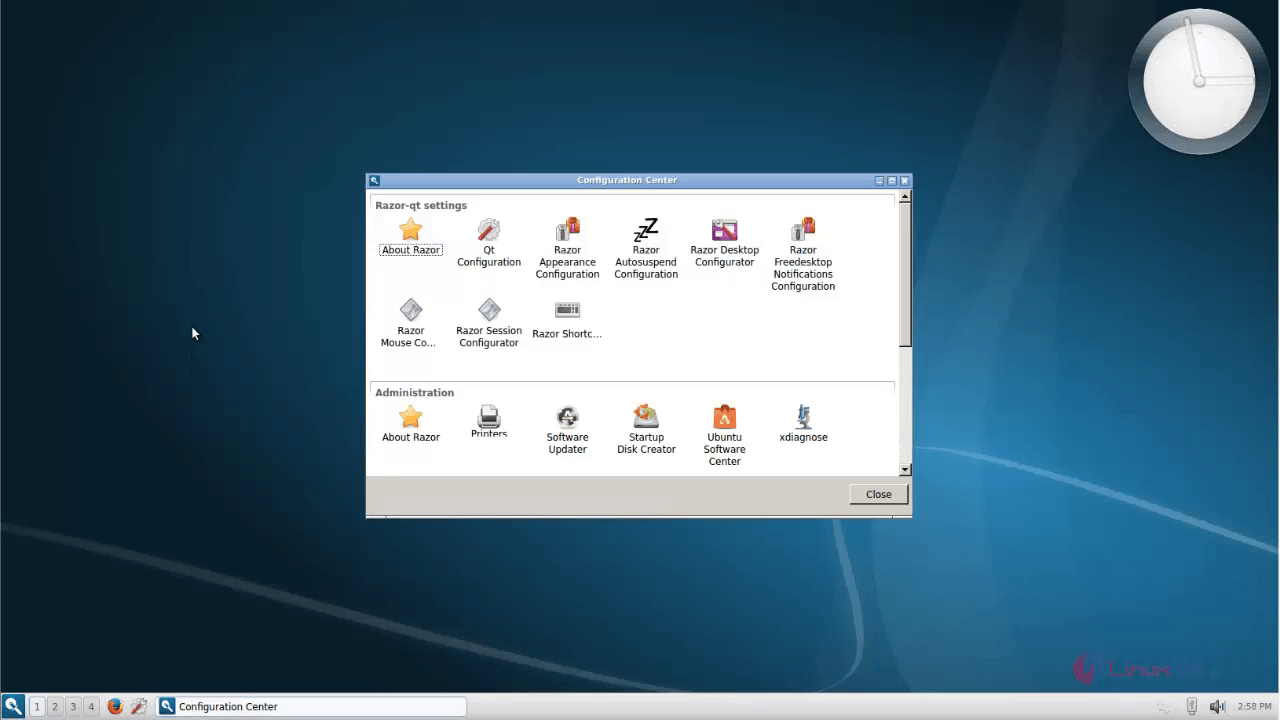
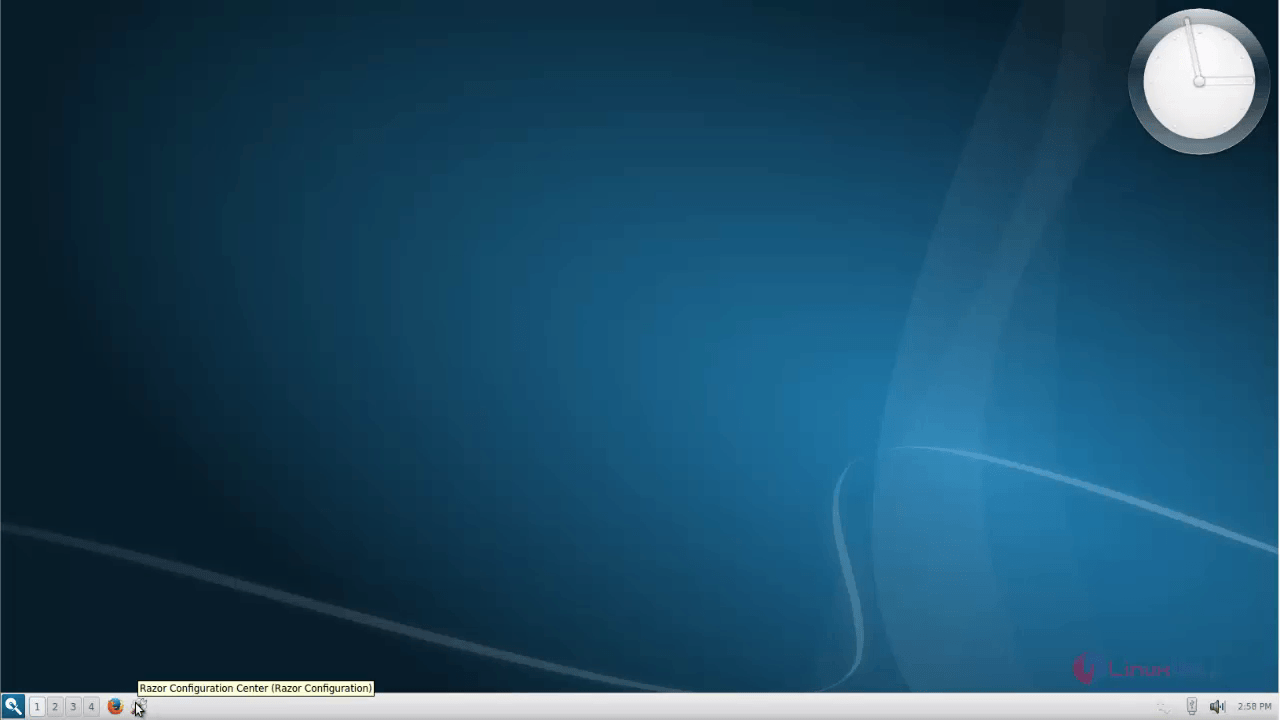
To configure Razor-qt settings

Click the settings and make the required changes.
4
5
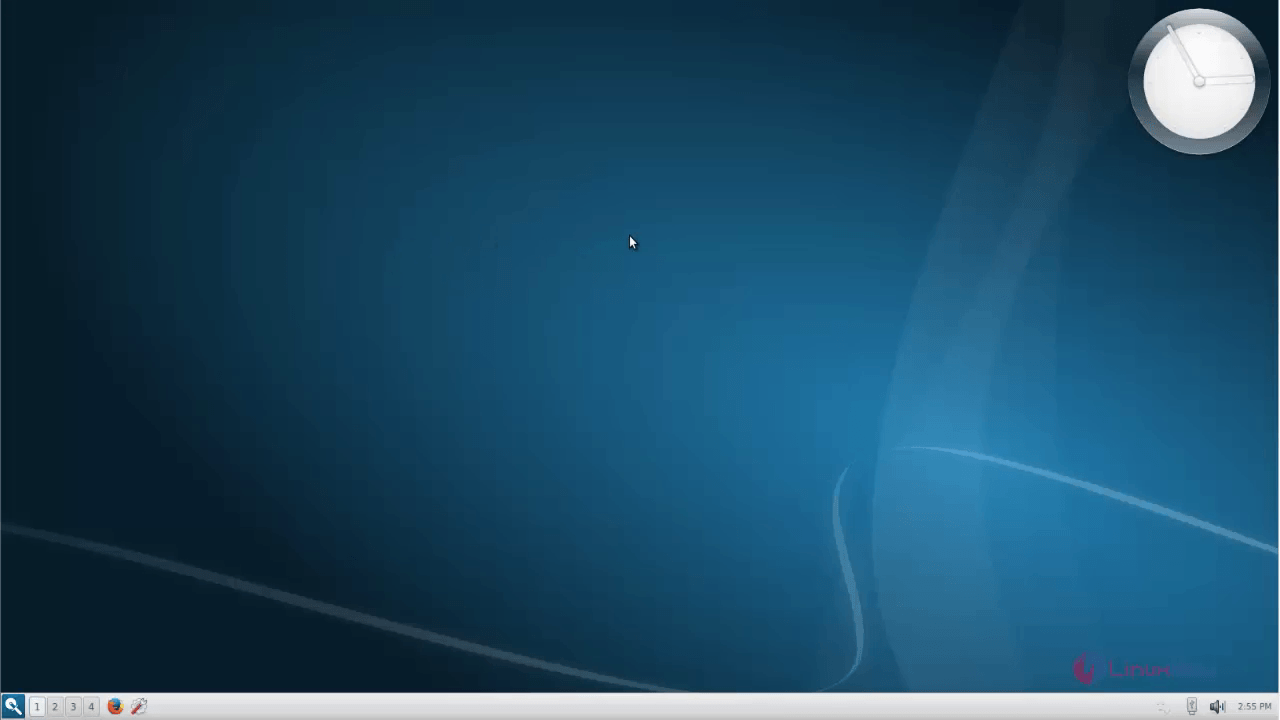
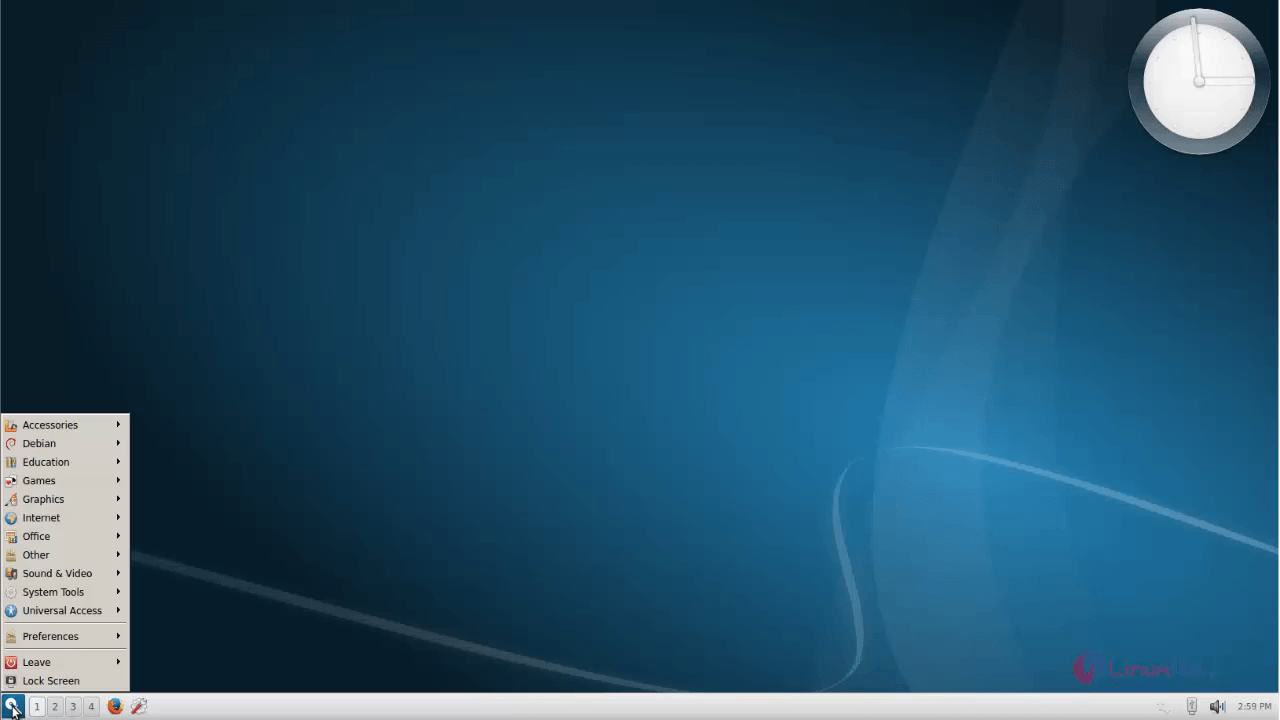
To open applications, click main menu.
6
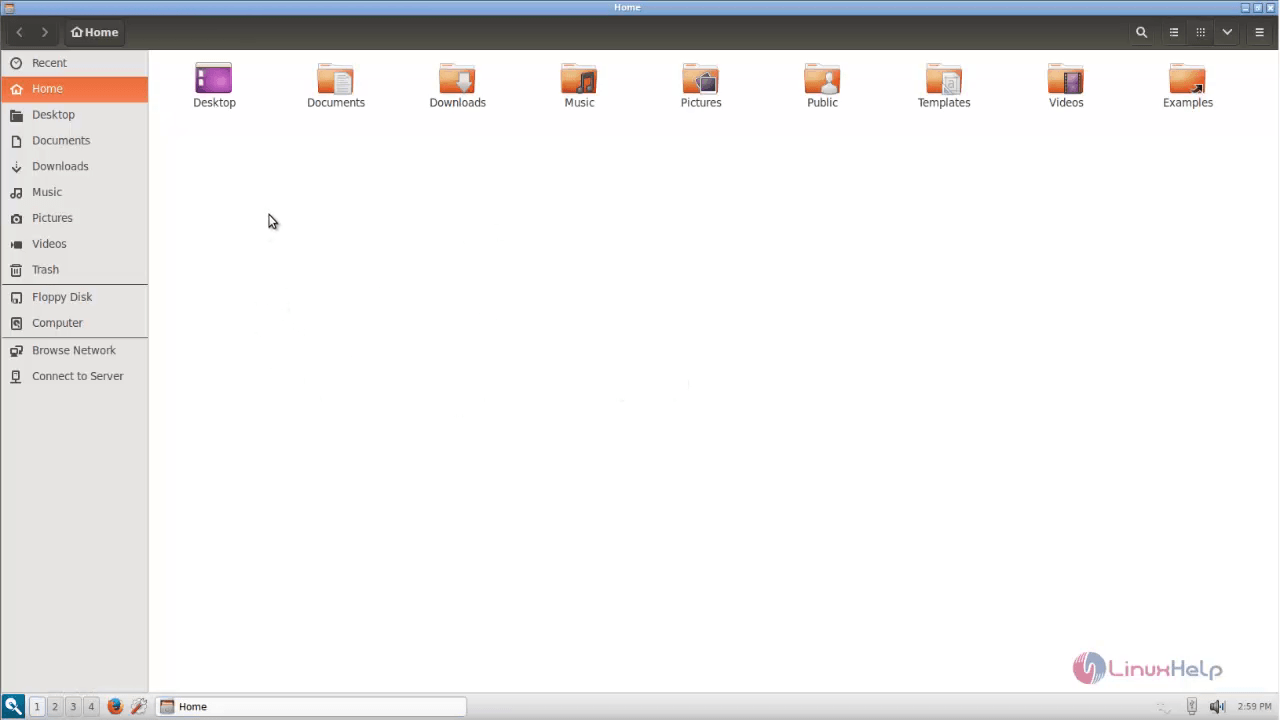
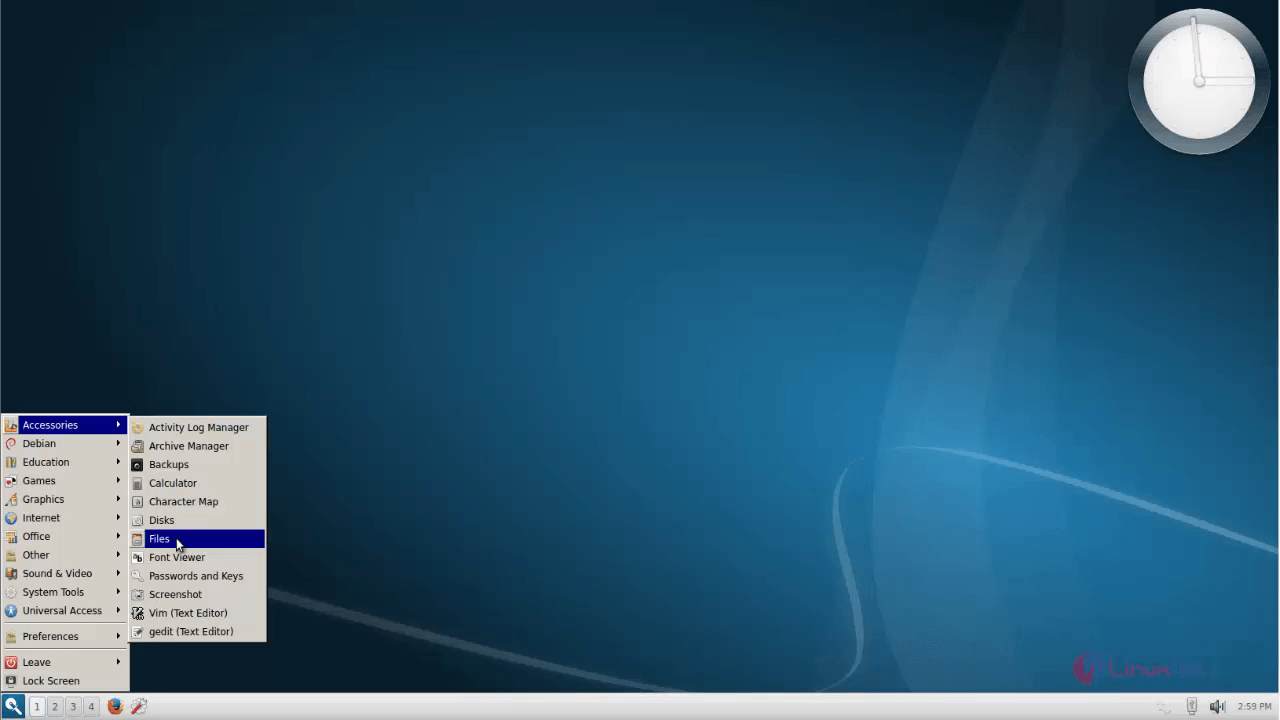
To open file manager, Go to Accessories &rarr Files.
7
8
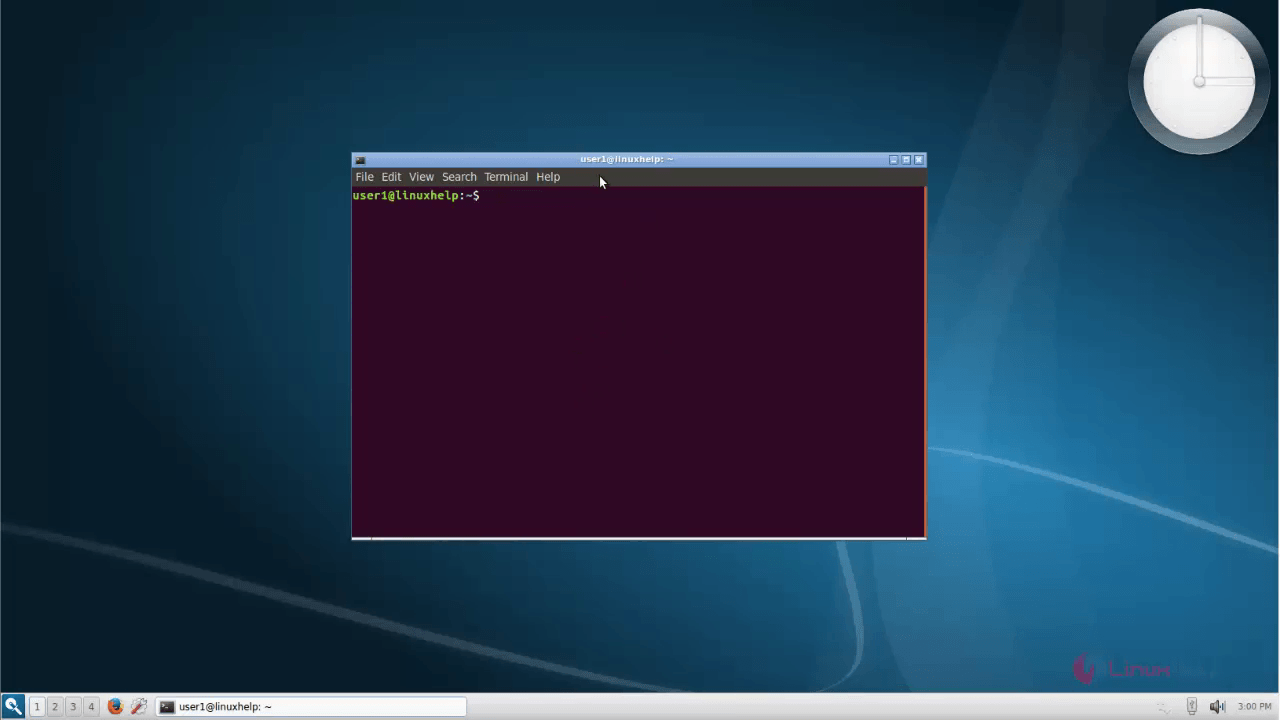
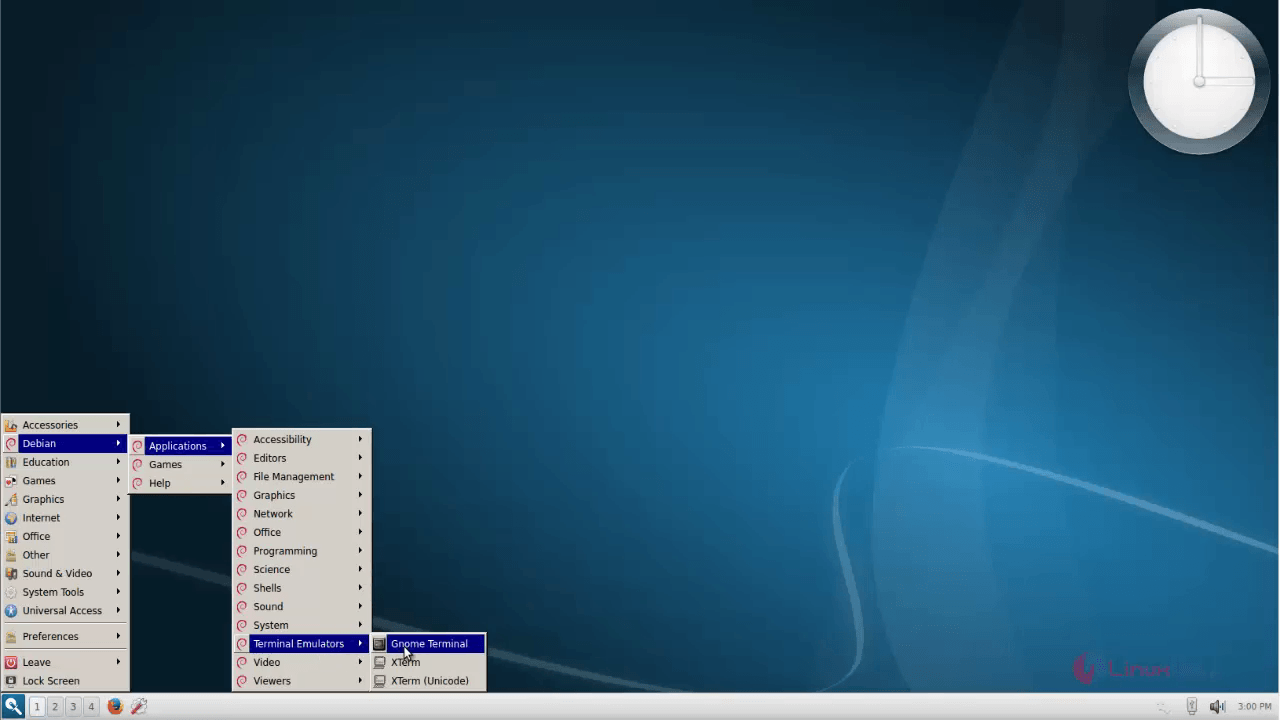
To open Gnome terminal, go to Debian &rarr Applications &rarr Terminal Emulator &rarr Gnome terminal
9
10

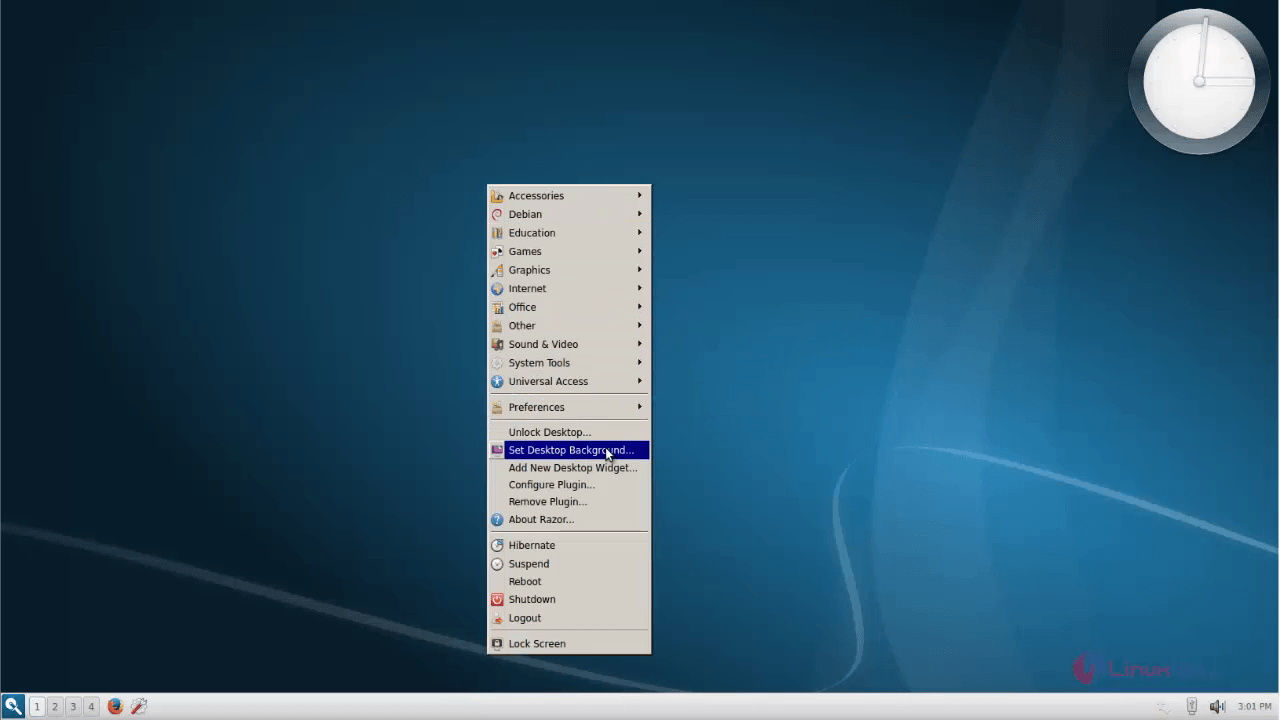
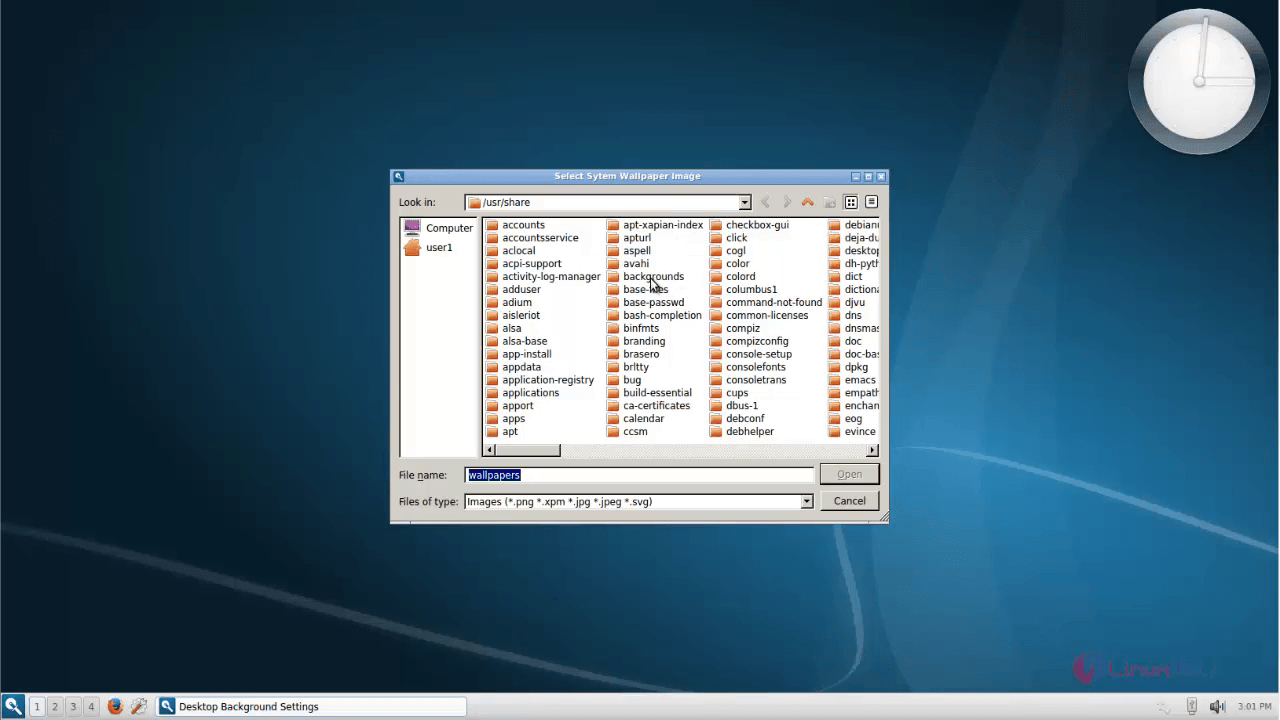
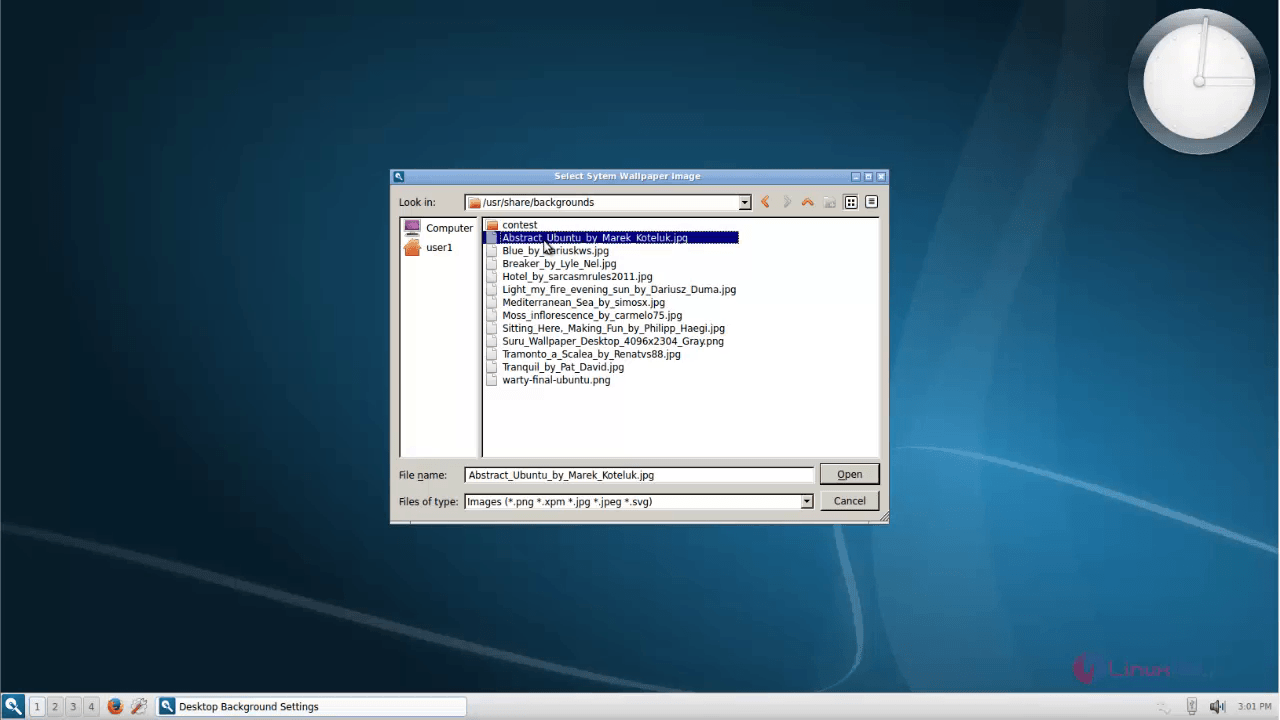
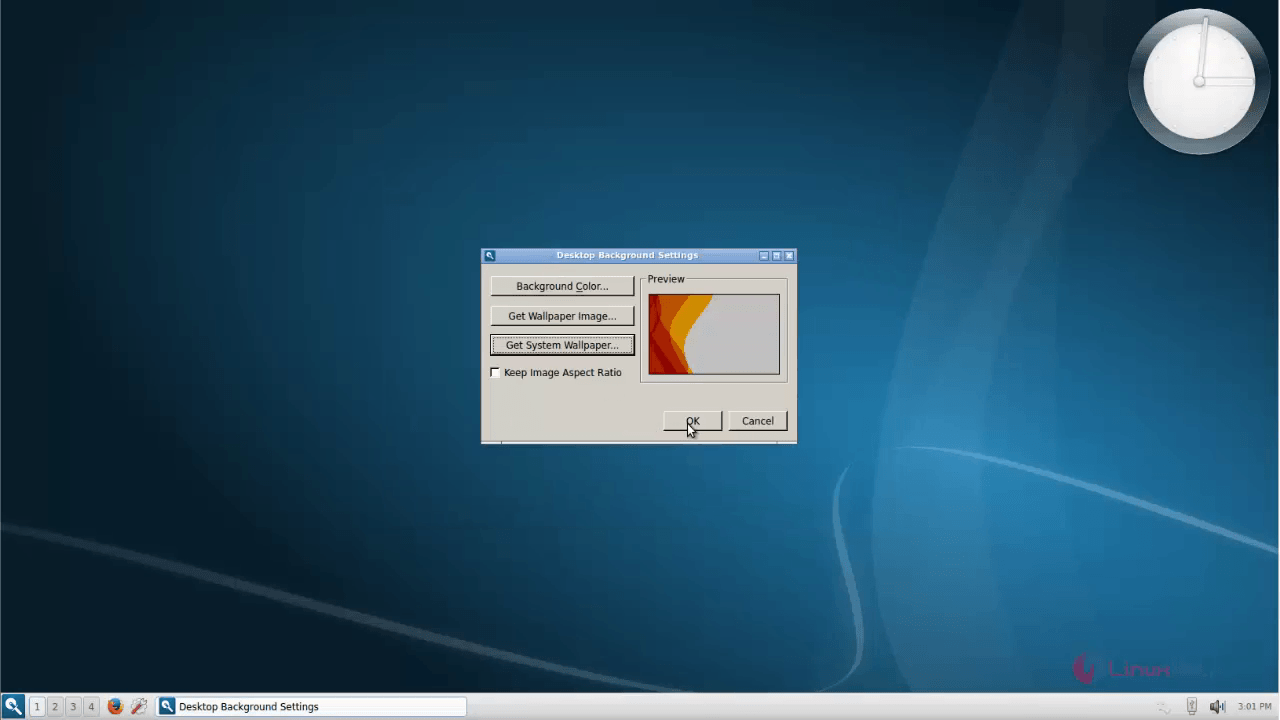
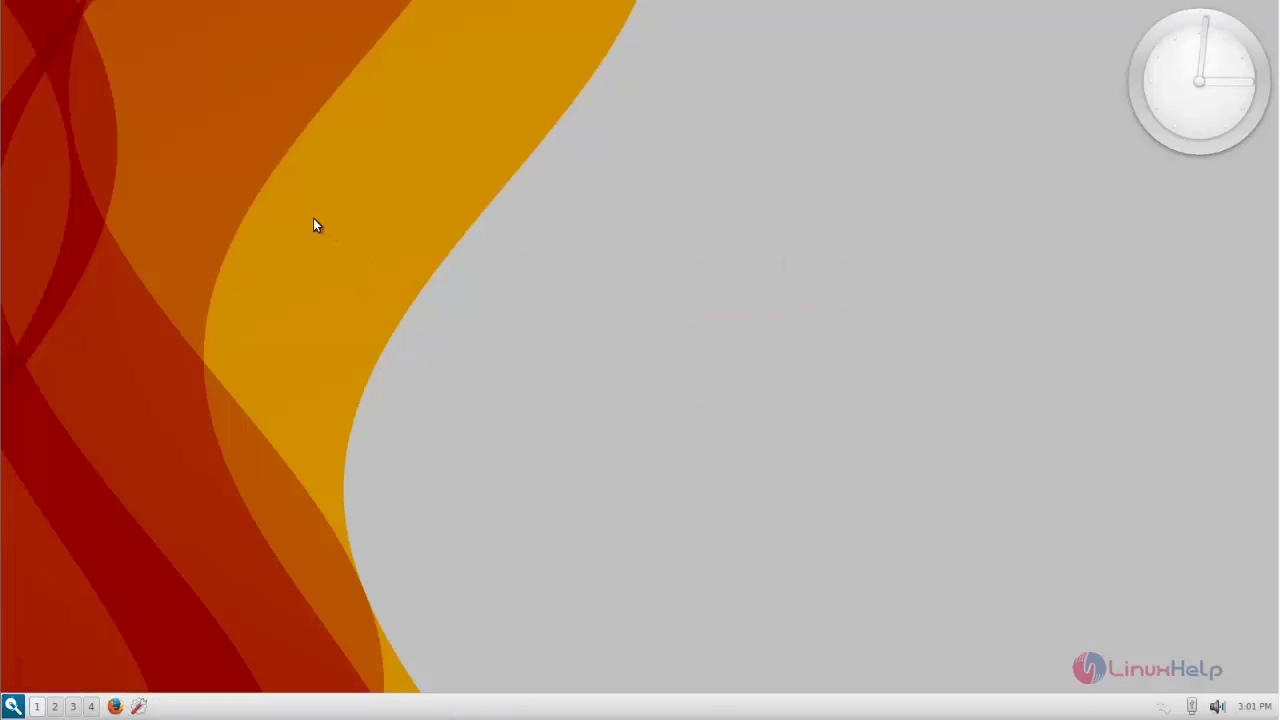
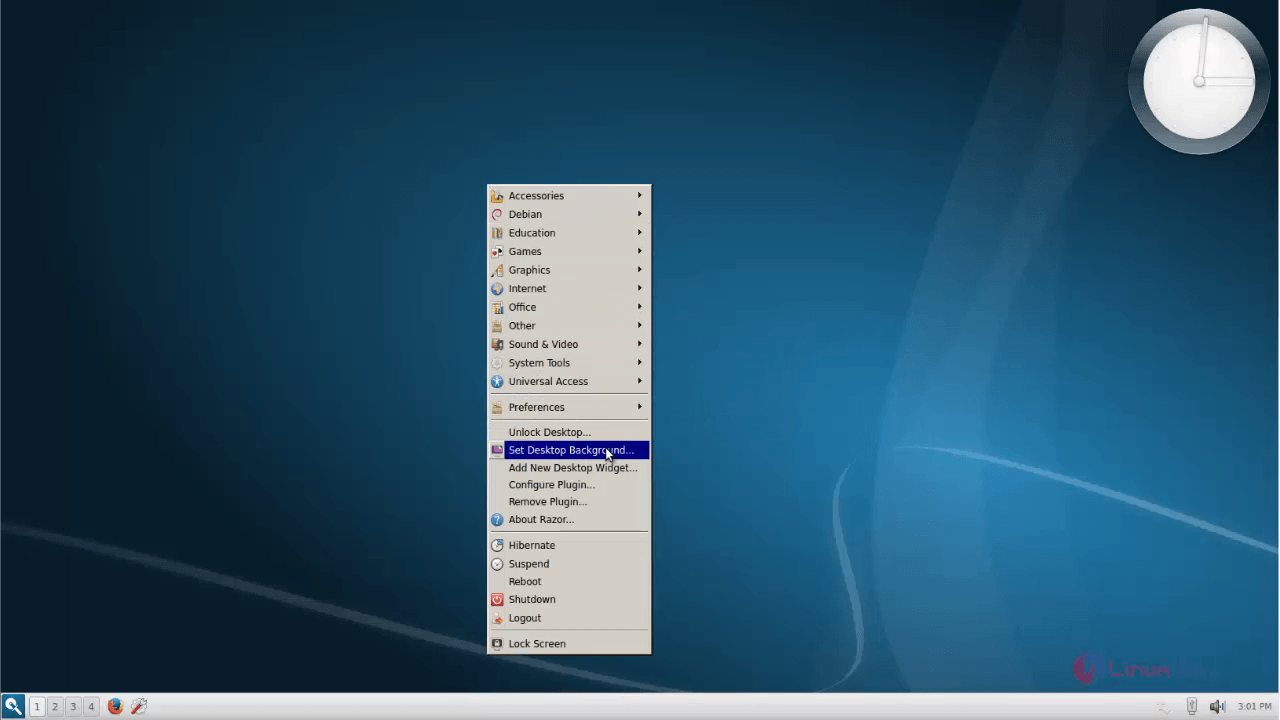
To change desktop background, right click on the desktop and choose Set Desktop Background.
66
12
13
14
15
16
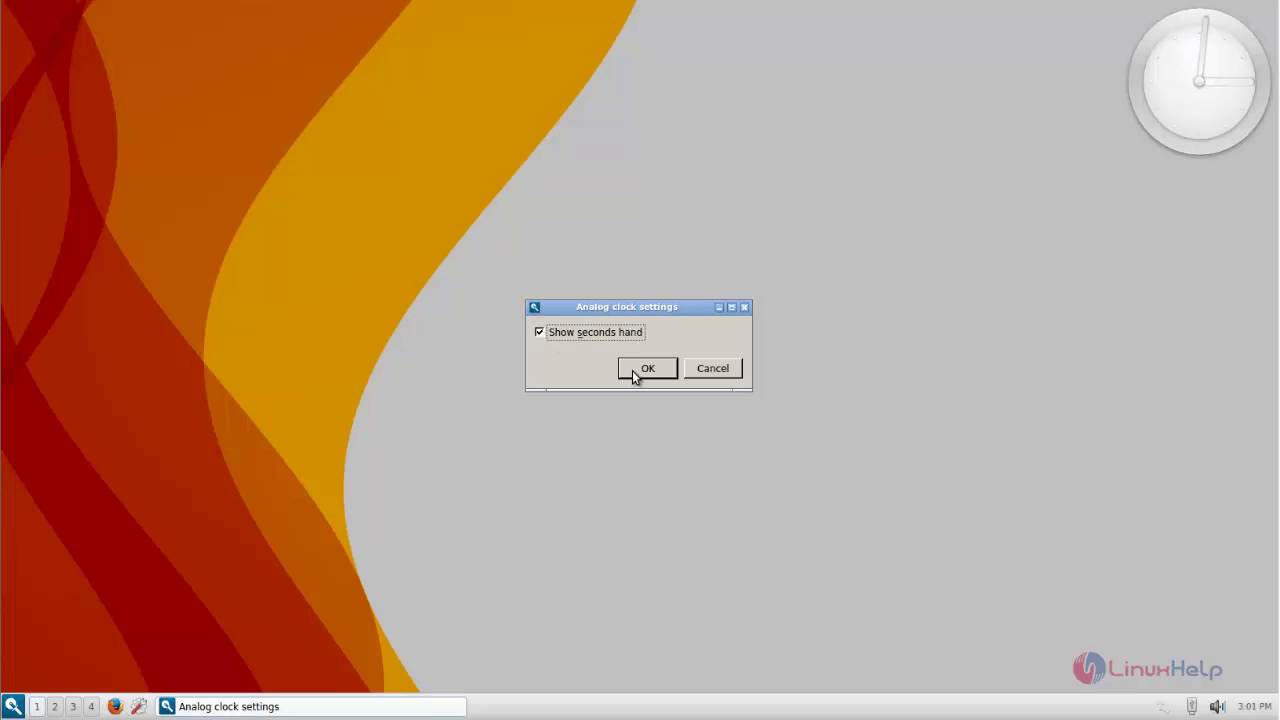
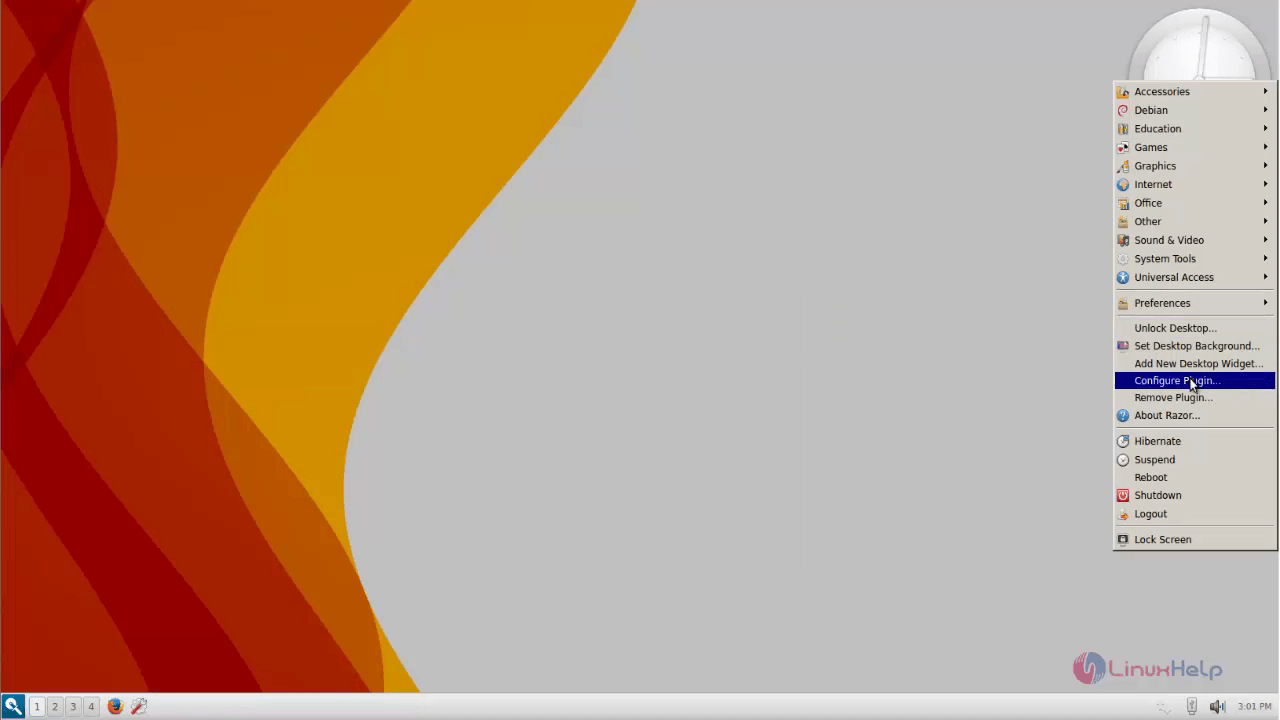
To configure Widget, right click on the terminal configure plugin
17
990
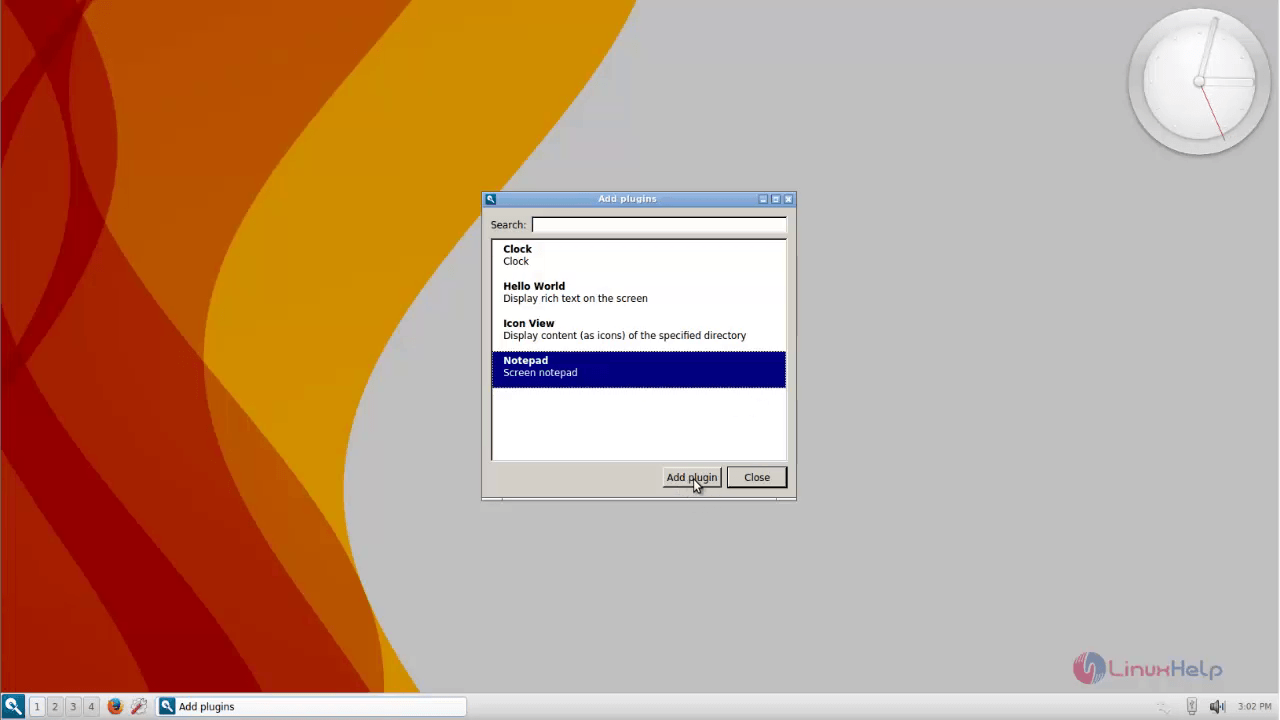
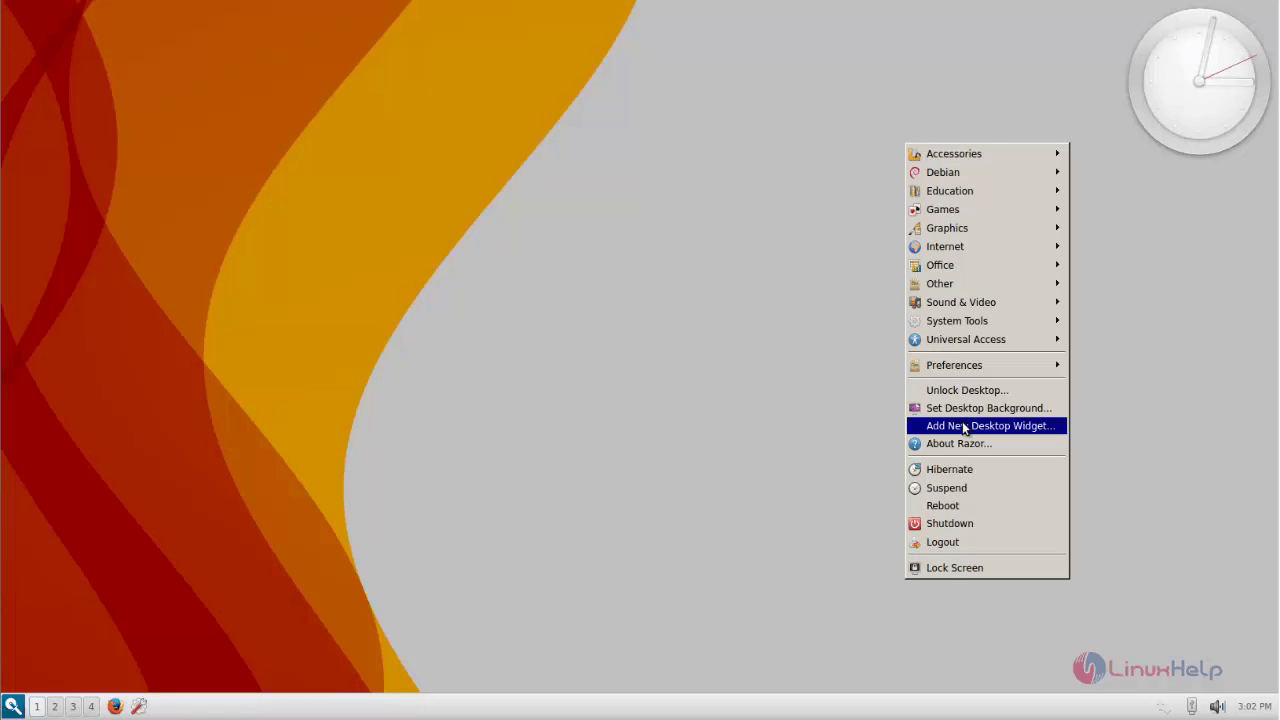
To add New Widget, right click and choose Add new Desktop widget.
19
20
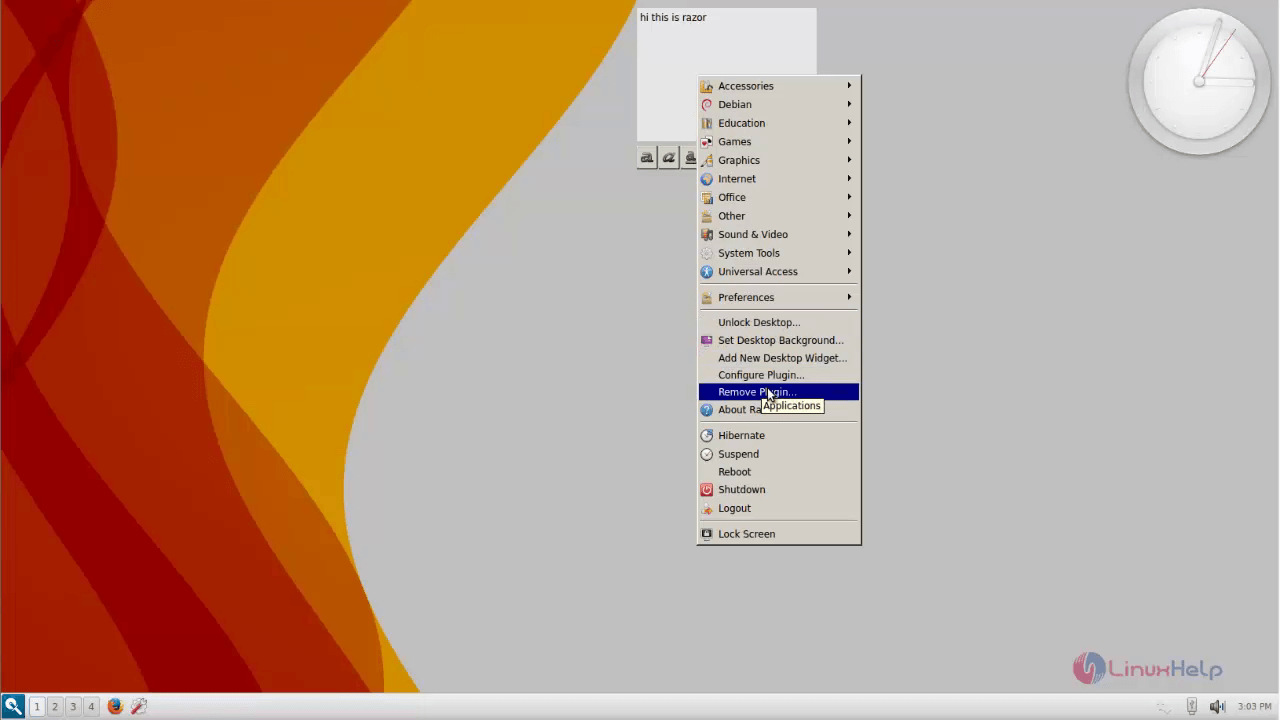
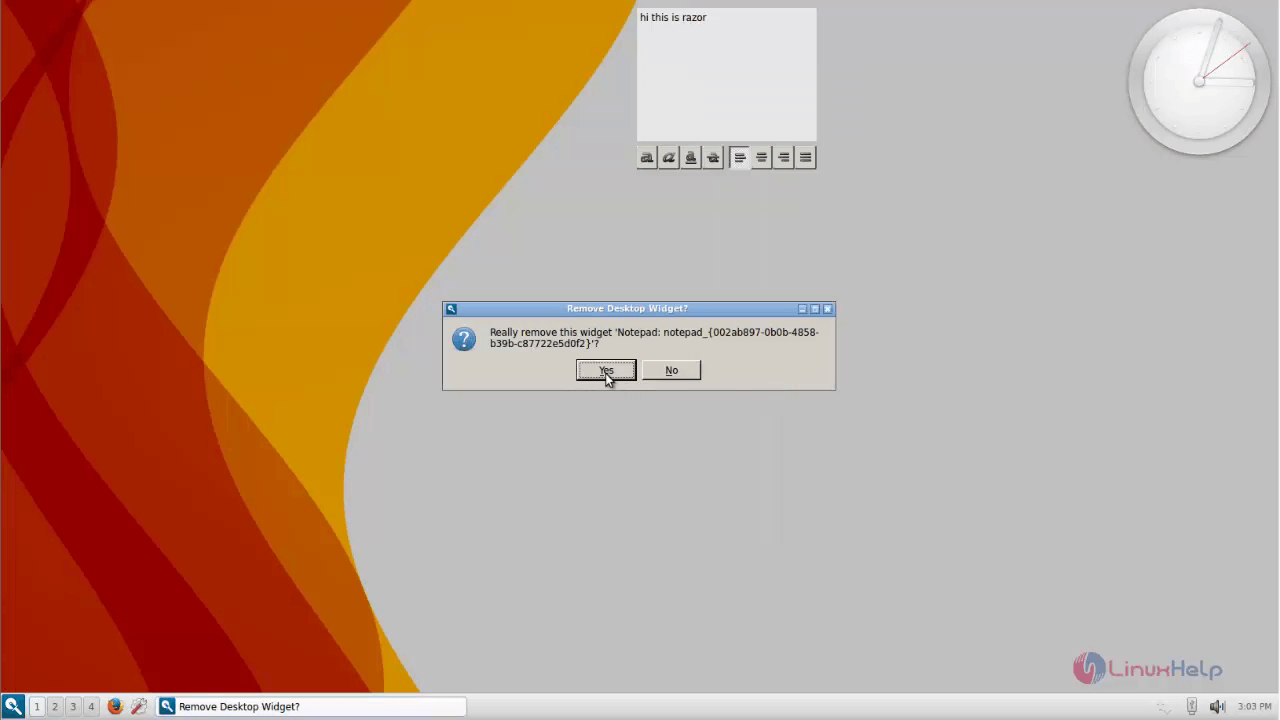
To remove a Widget
21
22
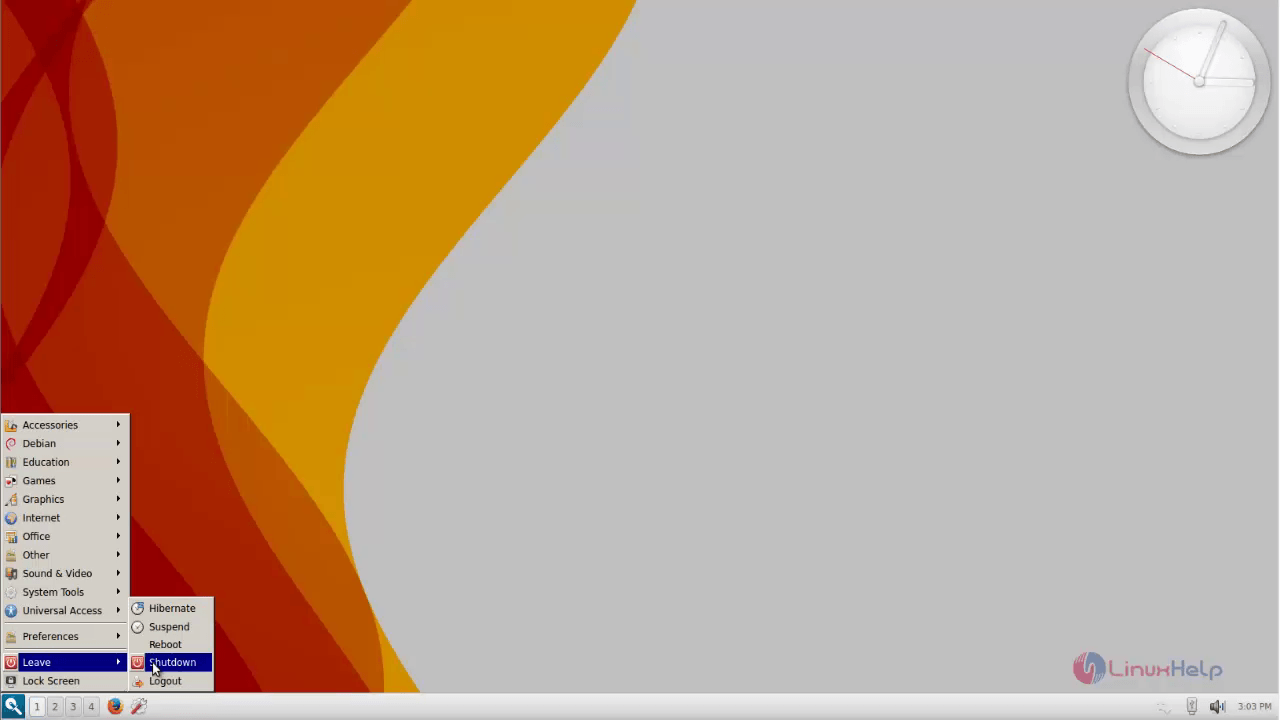
To shutdown
23

Tags:
jackson
Author: 

Comments ( 0 )

No comments available

Add a comment
{{postCtrl.cmtErrMsg}}

Frequently asked questions ( 5 )

Q

What are the Top most using the Desktop OS environment in Linux?

A

Here I have to give some of the most of using the Desktop OS environment in Linux as,
" Cinnamon, Unity, GNOME, KDE Plasma, XFCE, LXDE, MATE, Enlightenment, Pantheon, Trinity"

Q

How to access the official link for the Razor-qt Desktop Environment?

A

For accessing the official link for the Razor-qt Desktop Environment, use the following link as given below "http://www.razor-qt.org/"

Q

what is the stable release of the Razor-qt Desktop Environment tool?

A

The 0.5.2 is stable version available for the Razor-qt Desktop Environment tool

Q

How do I customise the task manager in Razor-qt Desktop Environment ?

A

Right-click on an empty space on the task manager and click "Configure." You will be presented with a window allowing you to select

Show windows from current desktop
Show windows form all desktops
Button style (Icon and text, Icon only, or Text only)
Max button width

Q

How do I change the date and time format in the clock in Razor-qt Desktop Environment?

A

You can right click on the clock plugin and select clock then Configure. The Razor Clock settings window then presents a number of options including

Show seconds
12 hour style
Show date
Show date in new line
Date format drop down with some common selections

If you wish to have a different format, for example "2012-10-04" for date and "16:38:09" for time, then you can modify some entries in the file ~/.config/razor/razor-panel (this may be ~/.razor/razor-panel in versions less than 0.4.1). Modify the value of the keys dateFormat and timeFormat in the [clock2] section.

[clock2]
dateFormat=yyyy-MM-dd
timeFormat=HH:mm

Back To Top!
Rank
User
Points

Top Contributers

userNamenaveelansari
135850

Top Contributers

userNameayanbhatti
92510

Top Contributers

userNamehamzaahmed
32150

Top Contributers

1
userNamelinuxhelp
31040

Top Contributers

userNamemuhammadali
24500
Can you help Elijah ?
Remote Desktop Connection Has Stopped Working

When accessing my remote machine server using remote desktop on a windows machine I am getting this error

forum (1)

Networking
  • Routing
  • trunk
  • Netmask
  • Packet Capture
  • domain
  • HTTP Proxy
Server Setup
  • NFS
  • KVM
  • Memory
  • Sendmail
  • WebDAV
  • LXC
Shell Commands
  • Cloud commander
  • Command line archive tools
  • last command
  • Shell
  • terminal
  • Throttle
Desktop Application
  • Linux app
  • Pithos
  • Retrospect
  • Scribe
  • TortoiseHg
  • 4Images
Monitoring Tool
  • Monit
  • Apache Server Monitoring
  • EtherApe 
  • Arpwatch Tool
  • Auditd
  • Barman
Web Application
  • Nutch
  • Amazon VPC
  • FarmWarDeployer
  • Rukovoditel
  • Mirror site
  • Chef
Contact Us | Terms of Use| Privacy Policy| Disclaimer
© 2025 LinuxHelp.com All rights reserved. Linux™ is the registered trademark of Linus Torvalds. This site is not affiliated with linus torvalds in any way.