How to Install Recoll in Ubuntu
To Install Recoll in Ubuntu
Recoll is an open source search tool used to search full-text in Linux distributions. The specified tool is designed with advance features like find keywords inside text files, read all the popular document formats, etc. It supports email attachments and archive members. Installation of Recoll in Ubuntu is discussed in this article.
Installation of Recoll
Before installing the recoll, add the repository file with following command.
root@linuxhelp1:~# add-apt-repository ppa:recoll-backports/recoll-1.15-on
 Packages for newer versions of Recoll which require Qt 4.

 More info: https://launchpad.net/~recoll-backports/+archive/ubuntu/recoll-1.15-on
Press [ENTER] to continue or ctrl-c to cancel adding it

gpg: keyring `/tmp/tmpwj1awxnk/secring.gpg'  created
gpg: keyring `/tmp/tmpwj1awxnk/pubring.gpg'  created
gpg: requesting key 9DA85604 from hkp server keyserver.ubuntu.com
gpg: /tmp/tmpwj1awxnk/trustdb.gpg: trustdb created
gpg: key 9DA85604: public key " Launchpad Recoll backports"  imported
gpg: Total number processed: 1
gpg:               imported: 1  (RSA: 1)
OK
Then update the added repository files by using the below command.
root@linuxhelp1:~# apt-get update
Hit:1 http://security.ubuntu.com/ubuntu xenial-security InRelease
Hit:2 http://ppa.launchpad.net/recoll-backports/recoll-1.15-on/ubuntu xenial InRelease
Hit:3 http://in.archive.ubuntu.com/ubuntu xenial InRelease
Hit:4 http://in.archive.ubuntu.com/ubuntu xenial-updates InRelease
Hit:5 http://in.archive.ubuntu.com/ubuntu xenial-backports InRelease
Now run the following command to install the recoll package.
root@linuxhelp1:~# apt-get install recoll -y
Reading package lists... Done
Building dependency tree
Reading state information... Done
The following packages were automatically installed and are no longer required:
  libpango1.0-0 libpangox-1.0-0 linux-headers-4.4.0-21 linux-headers-4.4.0-21-generic linux-image-4.4.0-21-generic
  linux-image-extra-4.4.0-21-generic
Use ' sudo apt autoremove'  to remove them.
The following additional packages will be installed:
  python-recoll
Suggested packages:
  antiword libimage-exiftool-perl pstotext python-chm python-mutagen unrtf untex
The following NEW packages will be installed:
  python-recoll recoll
0 upgraded, 2 newly installed, 0 to remove and 53 not upgraded.
Need to get 0 B/1,780 kB of archives.
After this operation, 5,852 kB of additional disk space will be used.
Selecting previously unselected package recoll.
(Reading database ... 238858 files and directories currently installed.)
Preparing to unpack .../recoll_1.22.3-1~ppa1~xenial1_amd64.deb ...
Unpacking recoll (1.22.3-1~ppa1~xenial1) ...
Selecting previously unselected package python-recoll.
.
.
.
Processing triggers for man-db (2.7.5-1) ...
Processing triggers for hicolor-icon-theme (0.15-0ubuntu1) ...
Setting up recoll (1.22.3-1~ppa1~xenial1) ...
Setting up python-recoll (1.22.3-1~ppa1~xenial1) ...
Processing triggers for libc-bin (2.23-0ubuntu3) ...
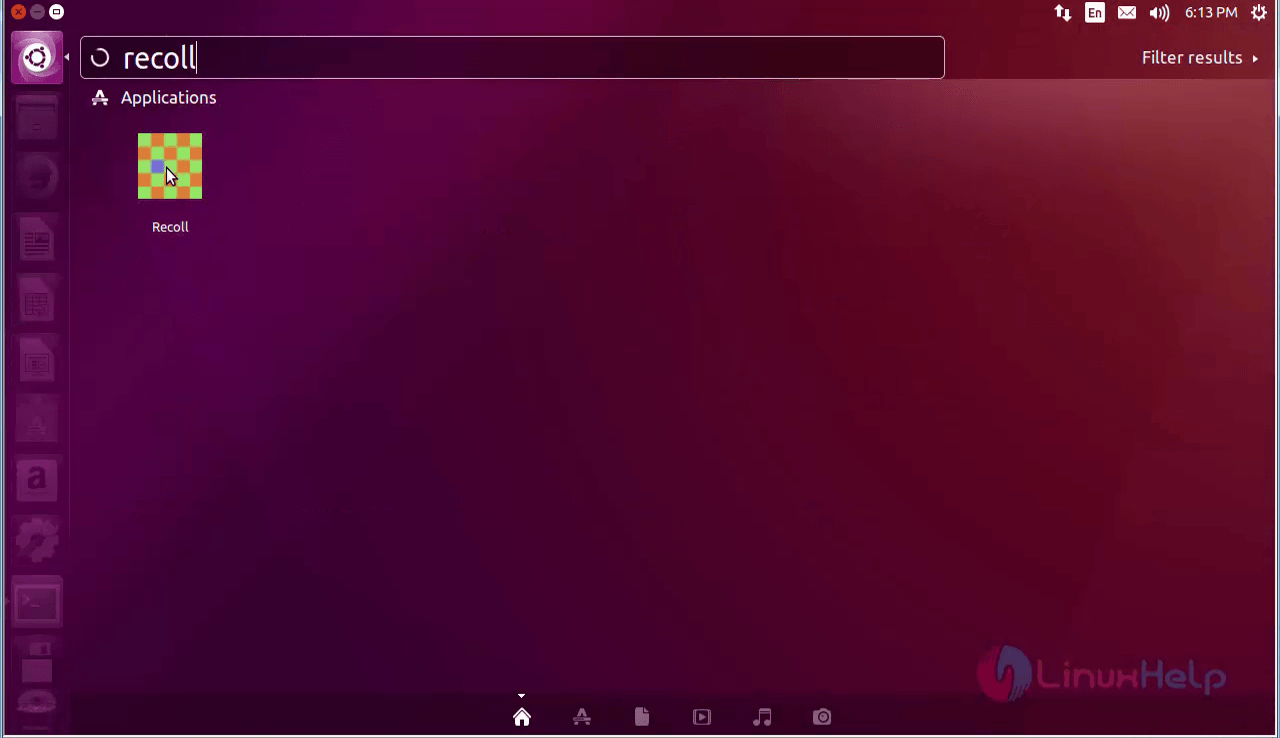
Finally recoll package is installed successfully. Type recoll on the search bar and then click on the recoll icon to open the software.
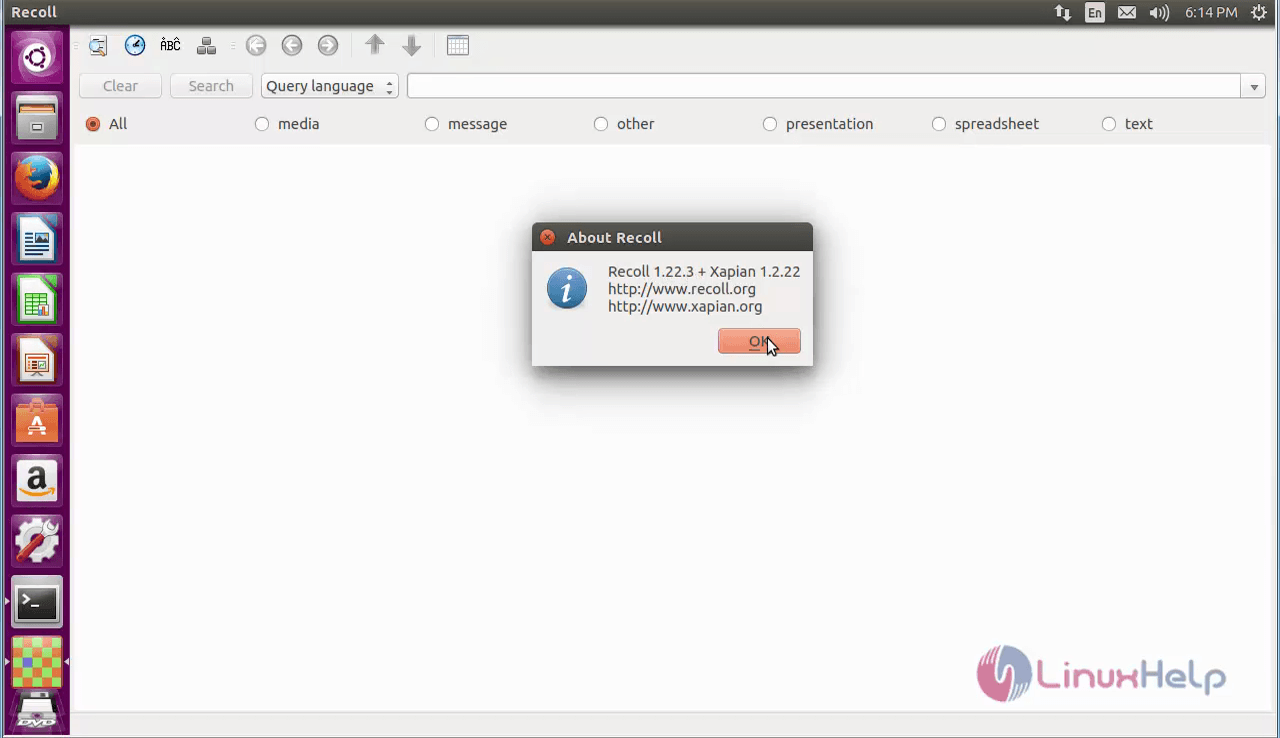
Now you can able to start working on recoll software.
Remove Recoll Package
Run the below command to remove the recoll package.
root@linuxhelp1:~# apt-get remove recoll -y
Reading package lists... Done
Building dependency tree
Reading state information... Done
The following packages were automatically installed and are no longer required:
  libpango1.0-0 libpangox-1.0-0 libqt4-opengl libqtwebkit4 linux-headers-4.4.0-21 linux-headers-4.4.0-21-generic
  linux-image-4.4.0-21-generic linux-image-extra-4.4.0-21-generic python-libxml2 python-libxslt1 xsltproc
Use ' sudo apt autoremove'  to remove them.
The following packages will be REMOVED:
  python-recoll recoll
0 upgraded, 0 newly installed, 2 to remove and 53 not upgraded.
After this operation, 5,852 kB disk space will be freed.
(Reading database ... 239002 files and directories currently installed.)
Removing python-recoll (1.22.3-1~ppa1~xenial1) ...
Removing recoll (1.22.3-1~ppa1~xenial1) ...
Processing triggers for libc-bin (2.23-0ubuntu3) ...
Processing triggers for hicolor-icon-theme (0.15-0ubuntu1) ...
Processing triggers for man-db (2.7.5-1) ...
Processing triggers for bamfdaemon (0.5.3~bzr0+16.04.20160701-0ubuntu1) ...
Rebuilding /usr/share/applications/bamf-2.index...
Processing triggers for gnome-menus (3.13.3-6ubuntu3.1) ...
Processing triggers for desktop-file-utils (0.22-1ubuntu5) ...
Processing triggers for mime-support (3.59ubuntu1) ...
Comments ( 0 )
No comments available