• Categories
    Category
    {{ postCtrl.tags }}
    • {{ category.tag_type }}

      • {{tag.tag_name}}
      • View more
  • Categories
    Category
    {{ postCtrl.tags }}
    • {{ category.tag_type }}

      • {{tag.tag_name}}
      • View more
  • News
  • Tutorials
  • Forums
  • Tags
  • Users
Tutorial News Comments FAQ Related Articles

How to install Recoll on Ubuntu 18.04

{{postValue.id}}

To install Recoll on Ubuntu 18.04

Recoll is an open source search tool used to search full-text in Linux distributions. The specified tool is designed with advance features like find keywords inside text files, read all the popular document formats, etc. It supports email attachments and archive members. In this tutorial, we will cover the installation of Recoll on Ubuntu-18.04.

Let's first start with updating the system repositories.

root@linuxhelp:~# apt-get update
Hit:1 http://security.ubuntu.com/ubuntu bionic-security InRelease
Hit:2 http://in.archive.ubuntu.com/ubuntu bionic InRelease
Hit:3 http://in.archive.ubuntu.com/ubuntu bionic-updates InRelease
Hit:4 http://in.archive.ubuntu.com/ubuntu bionic-backports InRelease
Reading package lists... Done

Install the Recoll application run the following command.

root@linuxhelp:~# apt-get install recoll
Reading package lists... Done
Building dependency tree       
Reading state information... Done
The following additional packages will be installed:
  libbrotli1 libdouble-conversion1 libpython-stdlib libpython2.7 libpython2.7-minimal libpython2.7-stdlib
  libqt5core5a libqt5dbus5 libqt5gui5 libqt5network5 libqt5positioning5 libqt5printsupport5 libqt5qml5
  libqt5quick5 libqt5sensors5 libqt5svg5 libqt5webchannel5 libqt5webkit5 libqt5widgets5 libqt5xml5
  libwoff1 libxcb-xinerama0 python python-minimal python2.7 python2.7-minimal qt5-gtk-platformtheme
  qttranslations5-l10n xsltproc
.
.
.
Setting up libqt5printsupport5:amd64 (5.9.5+dfsg-0ubuntu1) ...
Setting up libqt5svg5:amd64 (5.9.5-0ubuntu1) ...
Setting up libqt5webchannel5:amd64 (5.9.5-0ubuntu1) ...
Setting up libqt5webkit5:amd64 (5.212.0~alpha2-7ubuntu1) ...
Setting up recoll (1.23.7-1) ...
Processing triggers for libc-bin (2.27-0ubuntu2) ...

Once Installation is done you can access the Recoll application from the Menu as shown here

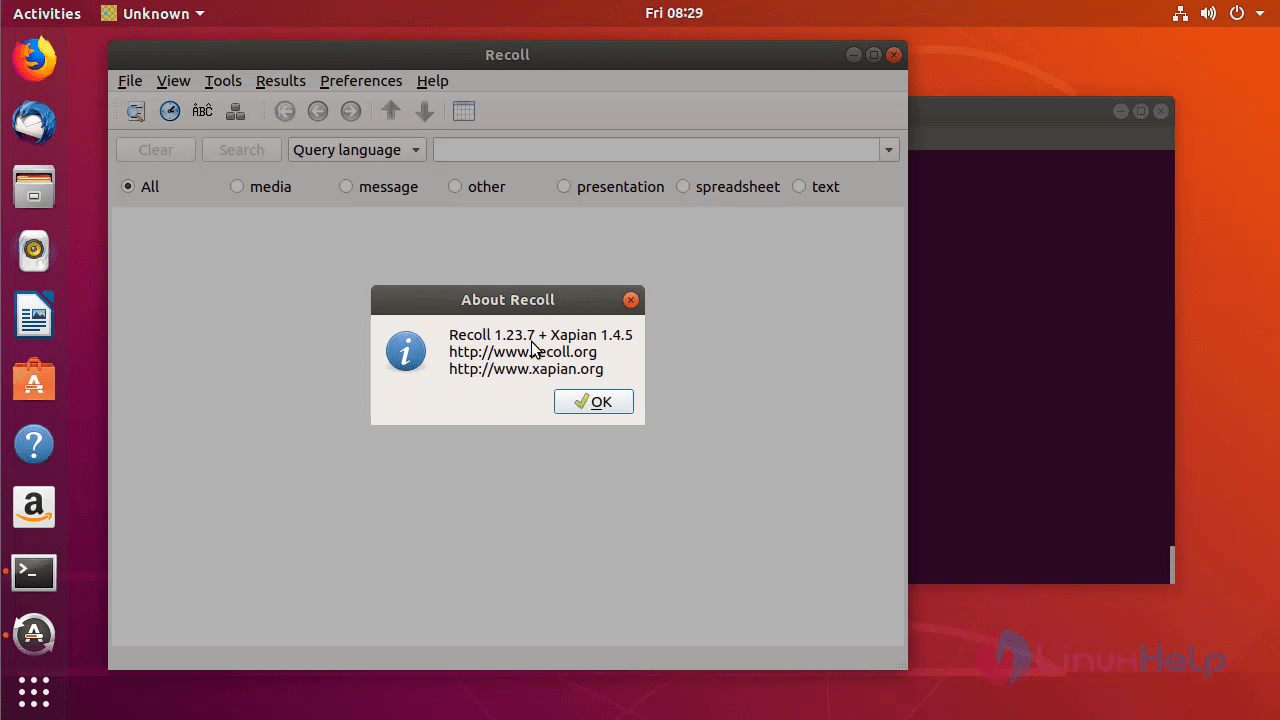
Now, you can able to use the Recoll application. 2 Verify the version of Recoll. 3
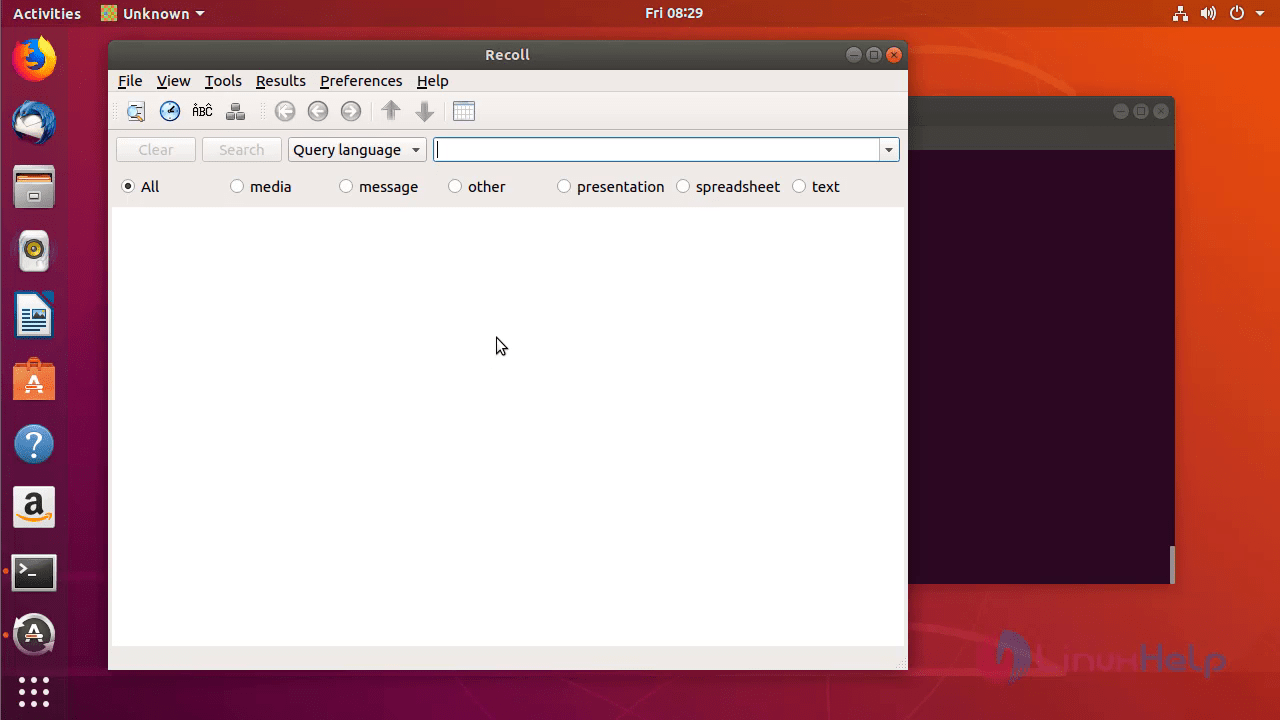
With this, the method to install Recoll on Ubuntu 18.04 comes to an end.

Tags:
jayce
Author: 

Comments ( 0 )

No comments available

Add a comment
{{postCtrl.cmtErrMsg}}

Frequently asked questions ( 5 )

Q

why we need to install the recall on ubuntu?

A

Recoll is an open source search tool used to search full-text in Linux distributions. The specified tool is designed with advance features like find keywords inside text files, read all the popular document formats, etc. It supports email attachments and archive members.

Q

which command to install the recall on ubuntu?

A

Install the Recoll application run the following command.
# apt-get install recoll

Q

how to launch the application of ubuntu?

A

Once Installation is done you can access the Recoll application from the Menu as shown here

Now, you can able to use the Recoll application.

Q

Is there any command to make a search?

A

There is find and located command in linux to search for files and directories.

Q

How can I participate in Recoll's empties collection system?

A

You can participate automatically and free of charge. For every 10 submitted inkjet cartridges (for which a refund applies) you will receive 1 bonus point (BENELUX only)

Back To Top!
Rank
User
Points

Top Contributers

userNamenaveelansari
135850

Top Contributers

userNameayanbhatti
92510

Top Contributers

userNamehamzaahmed
32150

Top Contributers

1
userNamelinuxhelp
31040

Top Contributers

userNamemuhammadali
24500
Can you help Ryan ?
how to use visual traceroute tool

Am using traceroute command to check for the route. i got this tool while surfing. So pls help me out installation and usage of Visual traceroute tool.

Networking
  • Routing
  • trunk
  • Netmask
  • Packet Capture
  • domain
  • HTTP Proxy
Server Setup
  • NFS
  • KVM
  • Memory
  • Sendmail
  • WebDAV
  • LXC
Shell Commands
  • Cloud commander
  • Command line archive tools
  • last command
  • Shell
  • terminal
  • Throttle
Desktop Application
  • Linux app
  • Pithos
  • Retrospect
  • Scribe
  • TortoiseHg
  • 4Images
Monitoring Tool
  • Monit
  • Apache Server Monitoring
  • EtherApe 
  • Arpwatch Tool
  • Auditd
  • Barman
Web Application
  • Nutch
  • Amazon VPC
  • FarmWarDeployer
  • Rukovoditel
  • Mirror site
  • Chef
Contact Us | Terms of Use| Privacy Policy| Disclaimer
© 2025 LinuxHelp.com All rights reserved. Linux™ is the registered trademark of Linus Torvalds. This site is not affiliated with linus torvalds in any way.