How to install ReText on Ubuntu 17.04
To install ReText on Ubuntu 17.04
ReText is an open-source simple editor for Markdown and ReStructured Text Markup Languages for Linux systems. Among others features, it supports integrated spellchecker, support for exporting files to HTML, ODT and PDF, tabs and live preview, a syntax highlighting feature, support for CSS styles and support for page breaks. It is written in Python using Qt libraries. This tutorial explains the installation of ReText on Ubuntu 17.04.
Installation Procedure
To begin with the installation procedure, execute the following command to add the repo.
root@linuxhelp:~# add-apt-repository ppa:mitya57/ppa
 This PPA contains ReText backports and other stuff considered stable.
At the moment there is nothing interesting here.
 More info: https://launchpad.net/~mitya57/+archive/ubuntu/ppa
Press [ENTER] to continue or ctrl-c to cancel adding it

gpg: keybox ' /tmp/tmpt82jj0b9/pubring.gpg'  created
gpg: /tmp/tmpt82jj0b9/trustdb.gpg: trustdb created
gpg: key 0BB6536FEB999287: public key " Launchpad PPA for Dmitry Shachnev"  imported
gpg: Total number processed: 1
gpg:               imported: 1
OK
The repositories are added to the target system. Next update the apt sources.list by running the apt-get update command.
root@linuxhelp:~# apt-get update
Get:1 http://ppa.launchpad.net/mitya57/ppa/ubuntu zesty InRelease [17.5 kB]
Hit:2 http://security.ubuntu.com/ubuntu zesty-security InRelease
Hit:3 http://in.archive.ubuntu.com/ubuntu zesty InRelease
Hit:4 http://in.archive.ubuntu.com/ubuntu zesty-updates InRelease
Hit:5 http://in.archive.ubuntu.com/ubuntu zesty-backports InRelease
Fetched 17.5 kB in 25s (675 B/s)
Reading package lists... Done
The target system has been updated with the required repositories. To install the ReText package execute the following command.
root@linuxhelp:~# apt-get install retext
Reading package lists... Done
Building dependency tree
Reading state information... Done
The following additional packages will be installed:
  docutils-common libqt5clucene5 libqt5designer5 libqt5help5 python3-docutils python3-enchant
  python3-markdown python3-markups python3-pygments python3-pyqt5 python3-pyqt5.qtwebkit python3-roman
  python3-sip python3-textile
Suggested packages:
  docutils-doc fonts-linuxlibertine | ttf-linux-libertine texlive-lang-french texlive-latex-base
  texlive-latex-recommended python-markdown-doc libjs-mathjax ttf-bitstream-vera python3-pyqt5-dbg
  python3-regex
The following NEW packages will be installed:
  docutils-common libqt5clucene5 libqt5designer5 libqt5help5 python3-docutils python3-enchant
  python3-markdown python3-markups python3-pygments python3-pyqt5 python3-pyqt5.qtwebkit python3-roman
  python3-sip python3-textile retext
0 upgraded, 15 newly installed, 0 to remove and 281 not upgraded.
Need to get 6,938 kB of archives.
After this operation, 30.9 MB of additional disk space will be used.
Do you want to continue? [Y/n] y
.
.
Setting up retext (7.0.0-0ubuntu1) ...
Processing triggers for libc-bin (2.24-9ubuntu2) ...
The package has been installed successfully. To run the application, type the ReText package in the Ubuntu dashboard and click on the icon to run the application. The ReText application is running in the system successfully.
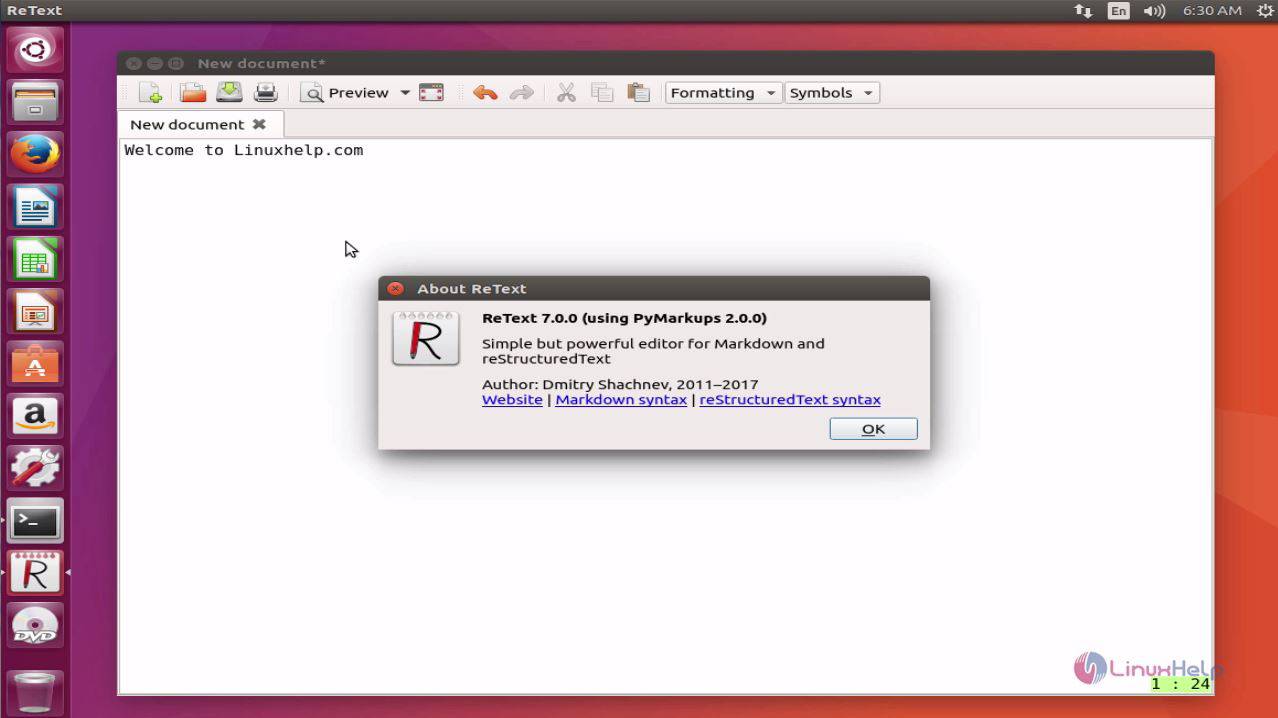
This concludes the installation procedure of ReText on Ubuntu 17.04.
Comments ( 0 )
No comments available