How to install RHEL 6 with Snapshots
{{postValue.id}}
To install RHEL 6 with Snapshots
In this article we will discuss about the step by step guide for installation of RHEL 6 with Snap shots.
To install RHEL 6
Select install or update systems options

To select language
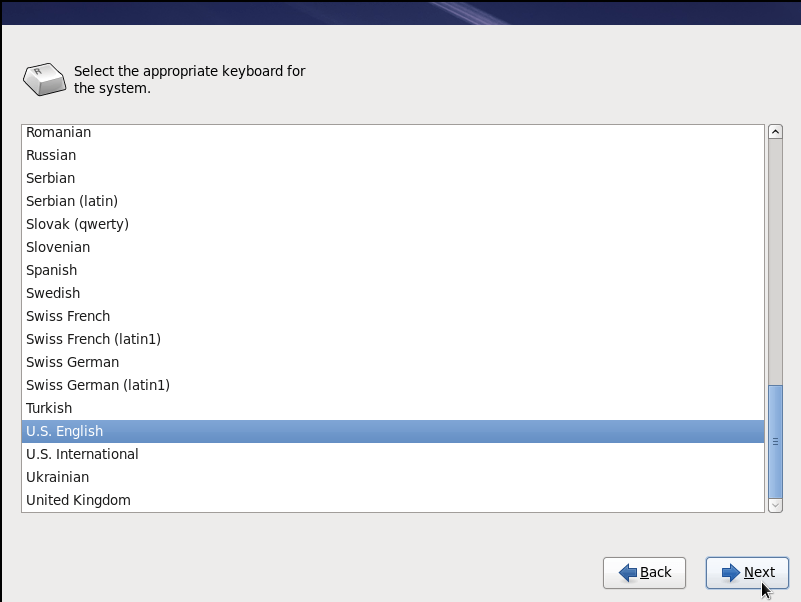
To select keyboard type

To check media

Media check is optional, it takes few minutes to check the device status. You can skip this process
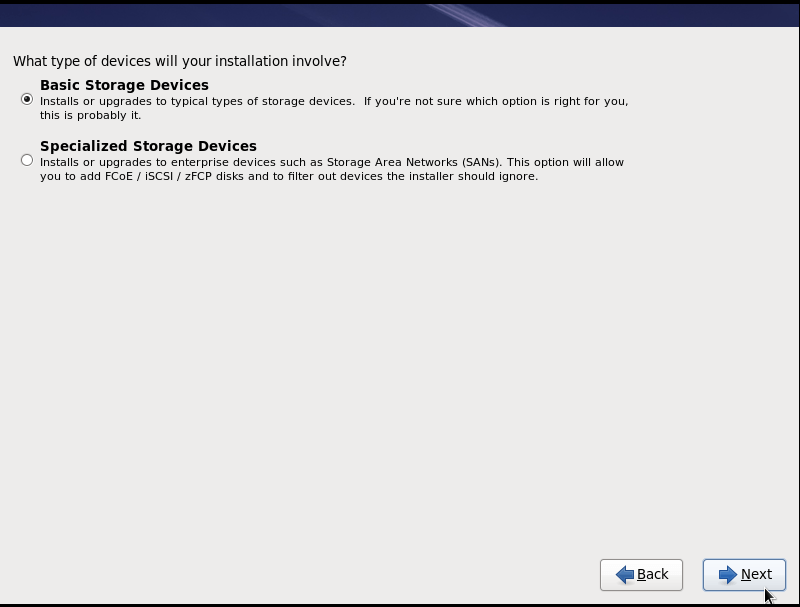
To select storage device
To name the computer

If you are planning for Server, then the hostname should contain the hostpart eg: “ myserver.com”
To select time zone

To enter password

For partition layout

To Review partition layout

Standard partition is commonly used or Go for LVM
Standard Partition Basic Partition Creation
Create -> Standard Partition -> Create
Mount pointTypeSize
| / | Ext4 | 20GB |
| /boot | Ext4 | 300MB |
| swap | double the size of RAM memory |
To configure LVM and RAID storage

To Creating partition

To Configuring boot loader options

Keep Defaults -> Next
To install applications

Select customize now or keep default selections -> Next
To Customize package selection

Select the required packages -> Next
For Installation progress


To reboot your computer

For login screen

Login with your username and password.
Comments ( 0 )
No comments available